BYOK Security Checklist Before You Paste Your Key Anywhere

This guide is for anyone about to connect a Google or IndexNow key to a third party indexing tool. The primary keyword is byok security checklist, and the promise is simple. You will know what to check before you paste, how to test safely, and how to monitor after you connect. API keys for indexing carry real power. A leaked service account key can burn quota, submit unwanted URLs, and expose client strategy through logs and metadata.
You will walk through encryption questions, scope checks, storage and deletion rights, rotation plans, vendor transparency signals, red flags, safe testing with scoped keys, usage monitoring, and recovery steps if you pasted in the wrong place. The final section condenses everything into a one page checklist you can reuse for every new tool, so security review takes minutes instead of days.
Key takeaways
- Never paste a production key before you verify encryption, scope, storage, rotation, and deletion rights.
- Test with a scoped throwaway key and minimal permissions, then monitor quota and logs for surprises.
- Treat missing docs, broad permission asks, and no deletion path as stop signals, not minor gaps.
- Keep rotation and revocation steps ready, so a leak becomes a routine fix instead of an incident.
- What happens when you paste a key into a tool
- Encryption in transit and at rest questions to ask
- Scope and permission checks before you connect
- Key storage, ownership, and deletion rights
- Rotation plans that avoid downtime
- Vendor transparency signals that matter
- Red flags that should stop you pasting
- Testing a tool safely with a scoped key
- Monitoring usage after you connect
- What to do if you pasted into the wrong place
- A byok security checklist you can reuse
- FAQ
- Sources
- Further reading

What happens when you paste a key into a tool
What happens when you paste a key into a tool deserves a concrete plan because it controls whether bulk work stays predictable or turns into quota surprises. For what happens when you paste a key into a tool, think like a reviewer, not a buyer. Open the docs and look for concrete answers about encryption, scope, storage, rotation, logging, and deletion. Vague promises without endpoints, key names, or retention windows are not evidence. A trustworthy vendor names the KMS pattern, shows redacted log samples, lists minimum scopes per feature, and links a status page with history. If those details are missing, pause before any paste.
Ask for specifics, not slogans. Reduce blast radius before you test. Create a separate key with access to one low risk property, set a calendar reminder for expiry, and run a handful of submissions while watching quota dashboards and response codes. Confirm that logs redact secrets, that deletion actually removes history, and that rotation does not require support intervention. A clean trial predicts a calm production rollout.
- Confirm encryption at rest, KMS ownership, TLS enforcement, and who can read secrets in support.
- Confirm minimum scope per feature, with screenshots showing optional grants left unchecked.
- Confirm storage locations, retention windows, backup handling, and deletion confirmation.
- Confirm rotation steps you can run without vendor help, plus expiry for test keys.
- Confirm logging redaction, status pages, and breach notice contacts and timelines.
Decide with a threshold. Keep proof as you go. Save doc links, screenshots of scope screens, test batch IDs, and deletion confirmations in one page per vendor. When security or a client asks why this tool holds a key, you can answer in minutes with dates and IDs. Good records also speed renewal, because the next review starts from evidence instead of from scratch. If any must have answer is missing, pause the trial until the vendor closes the gap in writing.
Pause before pasting and open the security docs first. Look for encryption details, scope minimums, storage locations, rotation steps, and deletion proof in plain language. Treat this first pass as a mini byok security audit and save each answer with a link before you run any trial.
Encryption in transit and at rest questions to ask
Teams get encryption in transit and at rest questions to ask right by measuring first and automating second. For encryption in transit and at rest questions to ask, think like a reviewer, not a buyer. Open the docs and look for concrete answers about encryption, scope, storage, rotation, logging, and deletion. Vague promises without endpoints, key names, or retention windows are not evidence. A trustworthy vendor names the KMS pattern, shows redacted log samples, lists minimum scopes per feature, and links a status page with history. If those details are missing, pause before any paste.
Ask for specifics, not slogans. Reduce blast radius before you test. Create a separate key with access to one low risk property, set a calendar reminder for expiry, and run a handful of submissions while watching quota dashboards and response codes. Confirm that logs redact secrets, that deletion actually removes history, and that rotation does not require support intervention. A clean trial predicts a calm production rollout.
- Confirm encryption at rest, KMS ownership, TLS enforcement, and who can read secrets in support.
- Confirm minimum scope per feature, with screenshots showing optional grants left unchecked.
- Confirm storage locations, retention windows, backup handling, and deletion confirmation.
- Confirm rotation steps you can run without vendor help, plus expiry for test keys.
- Confirm logging redaction, status pages, and breach notice contacts and timelines.
Decide with a threshold. Keep proof as you go. Save doc links, screenshots of scope screens, test batch IDs, and deletion confirmations in one page per vendor. When security or a client asks why this tool holds a key, you can answer in minutes with dates and IDs. Good records also speed renewal, because the next review starts from evidence instead of from scratch. If any must have answer is missing, pause the trial until the vendor closes the gap in writing.
Check transport and storage specifics. Confirm TLS enforcement, envelope encryption with a managed KMS, and a clear statement that support cannot read plaintext secrets.
Scope and permission checks before you connect
Scope and permission checks before you connect is where theory meets logs, queues, and on call time. For scope and permission checks before you connect, think like a reviewer, not a buyer. Open the docs and look for concrete answers about encryption, scope, storage, rotation, logging, and deletion. Vague promises without endpoints, key names, or retention windows are not evidence. A trustworthy vendor names the KMS pattern, shows redacted log samples, lists minimum scopes per feature, and links a status page with history. If those details are missing, pause before any paste.
Ask for specifics, not slogans. Reduce blast radius before you test. Create a separate key with access to one low risk property, set a calendar reminder for expiry, and run a handful of submissions while watching quota dashboards and response codes. Confirm that logs redact secrets, that deletion actually removes history, and that rotation does not require support intervention. A clean trial predicts a calm production rollout.
- Confirm encryption at rest, KMS ownership, TLS enforcement, and who can read secrets in support.
- Confirm minimum scope per feature, with screenshots showing optional grants left unchecked.
- Confirm storage locations, retention windows, backup handling, and deletion confirmation.
- Confirm rotation steps you can run without vendor help, plus expiry for test keys.
- Confirm logging redaction, status pages, and breach notice contacts and timelines.
Decide with a threshold. Keep proof as you go. Save doc links, screenshots of scope screens, test batch IDs, and deletion confirmations in one page per vendor. When security or a client asks why this tool holds a key, you can answer in minutes with dates and IDs. Good records also speed renewal, because the next review starts from evidence instead of from scratch. If any must have answer is missing, pause the trial until the vendor closes the gap in writing.
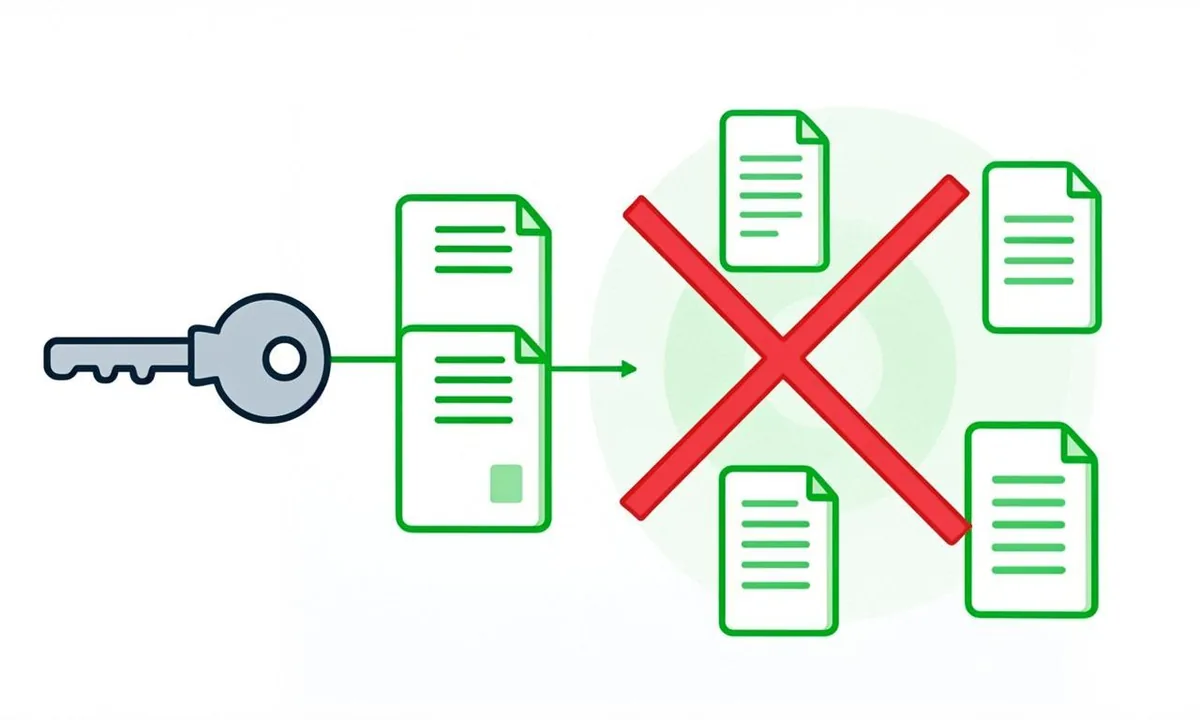
Verify scope screens in the product. The tool should request narrow access to named properties and leave optional broad grants unchecked by default. Record the findings as an api key risk assessment note that names requested scope, minimum scope, and the gap between them.
Key storage, ownership, and deletion rights
Key storage, ownership, and deletion rights deserves a concrete plan because it controls whether bulk work stays predictable or turns into quota surprises. For key storage, ownership, and deletion rights, think like a reviewer, not a buyer. Open the docs and look for concrete answers about encryption, scope, storage, rotation, logging, and deletion. Vague promises without endpoints, key names, or retention windows are not evidence. A trustworthy vendor names the KMS pattern, shows redacted log samples, lists minimum scopes per feature, and links a status page with history. If those details are missing, pause before any paste.
Ask for specifics, not slogans. Reduce blast radius before you test. Create a separate key with access to one low risk property, set a calendar reminder for expiry, and run a handful of submissions while watching quota dashboards and response codes. Confirm that logs redact secrets, that deletion actually removes history, and that rotation does not require support intervention. A clean trial predicts a calm production rollout. Background on safe storage in keeping service account keys secure helps frame questions.
- Confirm encryption at rest, KMS ownership, TLS enforcement, and who can read secrets in support.
- Confirm minimum scope per feature, with screenshots showing optional grants left unchecked.
- Confirm storage locations, retention windows, backup handling, and deletion confirmation.
- Confirm rotation steps you can run without vendor help, plus expiry for test keys.
- Confirm logging redaction, status pages, and breach notice contacts and timelines.
Decide with a threshold. Keep proof as you go. Save doc links, screenshots of scope screens, test batch IDs, and deletion confirmations in one page per vendor. When security or a client asks why this tool holds a key, you can answer in minutes with dates and IDs. Good records also speed renewal, because the next review starts from evidence instead of from scratch. If any must have answer is missing, pause the trial until the vendor closes the gap in writing.
Confirm where data lives. Keys, logs, and backups should list regions that match your policy, with retention windows and backup expiry stated in days, not vague terms.
Rotation plans that avoid downtime
Teams get rotation plans that avoid downtime right by measuring first and automating second. For rotation plans that avoid downtime, think like a reviewer, not a buyer. Open the docs and look for concrete answers about encryption, scope, storage, rotation, logging, and deletion. Vague promises without endpoints, key names, or retention windows are not evidence. A trustworthy vendor names the KMS pattern, shows redacted log samples, lists minimum scopes per feature, and links a status page with history. If those details are missing, pause before any paste.
Ask for specifics, not slogans. Reduce blast radius before you test. Create a separate key with access to one low risk property, set a calendar reminder for expiry, and run a handful of submissions while watching quota dashboards and response codes. Confirm that logs redact secrets, that deletion actually removes history, and that rotation does not require support intervention. A clean trial predicts a calm production rollout.
- Confirm encryption at rest, KMS ownership, TLS enforcement, and who can read secrets in support.
- Confirm minimum scope per feature, with screenshots showing optional grants left unchecked.
- Confirm storage locations, retention windows, backup handling, and deletion confirmation.
- Confirm rotation steps you can run without vendor help, plus expiry for test keys.
- Confirm logging redaction, status pages, and breach notice contacts and timelines.
Decide with a threshold. Keep proof as you go. Save doc links, screenshots of scope screens, test batch IDs, and deletion confirmations in one page per vendor. When security or a client asks why this tool holds a key, you can answer in minutes with dates and IDs. Good records also speed renewal, because the next review starts from evidence instead of from scratch. If any must have answer is missing, pause the trial until the vendor closes the gap in writing.
Ask who can access secrets internally. Look for role based support access, audit logs of internal views, and redaction in ticket threads and status pages.
Vendor transparency signals that matter
Vendor transparency signals that matter is where theory meets logs, queues, and on call time. For vendor transparency signals that matter, think like a reviewer, not a buyer. Open the docs and look for concrete answers about encryption, scope, storage, rotation, logging, and deletion. Vague promises without endpoints, key names, or retention windows are not evidence. A trustworthy vendor names the KMS pattern, shows redacted log samples, lists minimum scopes per feature, and links a status page with history. If those details are missing, pause before any paste.
Ask for specifics, not slogans. Reduce blast radius before you test. Create a separate key with access to one low risk property, set a calendar reminder for expiry, and run a handful of submissions while watching quota dashboards and response codes. Confirm that logs redact secrets, that deletion actually removes history, and that rotation does not require support intervention. A clean trial predicts a calm production rollout.
- Confirm encryption at rest, KMS ownership, TLS enforcement, and who can read secrets in support.
- Confirm minimum scope per feature, with screenshots showing optional grants left unchecked.
- Confirm storage locations, retention windows, backup handling, and deletion confirmation.
- Confirm rotation steps you can run without vendor help, plus expiry for test keys.
- Confirm logging redaction, status pages, and breach notice contacts and timelines.
Decide with a threshold. Keep proof as you go. Save doc links, screenshots of scope screens, test batch IDs, and deletion confirmations in one page per vendor. When security or a client asks why this tool holds a key, you can answer in minutes with dates and IDs. Good records also speed renewal, because the next review starts from evidence instead of from scratch. If any must have answer is missing, pause the trial until the vendor closes the gap in writing.
Test rotation before you depend on it. Create a key, connect, rotate, and confirm in flight jobs drain cleanly without manual support help. Fold the result into your vendor security check record alongside docs quality, status history, and support behavior.
Red flags that should stop you pasting
Red flags that should stop you pasting deserves a concrete plan because it controls whether bulk work stays predictable or turns into quota surprises. For red flags that should stop you pasting, think like a reviewer, not a buyer. Open the docs and look for concrete answers about encryption, scope, storage, rotation, logging, and deletion. Vague promises without endpoints, key names, or retention windows are not evidence. A trustworthy vendor names the KMS pattern, shows redacted log samples, lists minimum scopes per feature, and links a status page with history. If those details are missing, pause before any paste.
Ask for specifics, not slogans. Reduce blast radius before you test. Create a separate key with access to one low risk property, set a calendar reminder for expiry, and run a handful of submissions while watching quota dashboards and response codes. Confirm that logs redact secrets, that deletion actually removes history, and that rotation does not require support intervention. A clean trial predicts a calm production rollout.
- Confirm encryption at rest, KMS ownership, TLS enforcement, and who can read secrets in support.
- Confirm minimum scope per feature, with screenshots showing optional grants left unchecked.
- Confirm storage locations, retention windows, backup handling, and deletion confirmation.
- Confirm rotation steps you can run without vendor help, plus expiry for test keys.
- Confirm logging redaction, status pages, and breach notice contacts and timelines.
Decide with a threshold. Keep proof as you go. Save doc links, screenshots of scope screens, test batch IDs, and deletion confirmations in one page per vendor. When security or a client asks why this tool holds a key, you can answer in minutes with dates and IDs. Good records also speed renewal, because the next review starts from evidence instead of from scratch. If any must have answer is missing, pause the trial until the vendor closes the gap in writing.
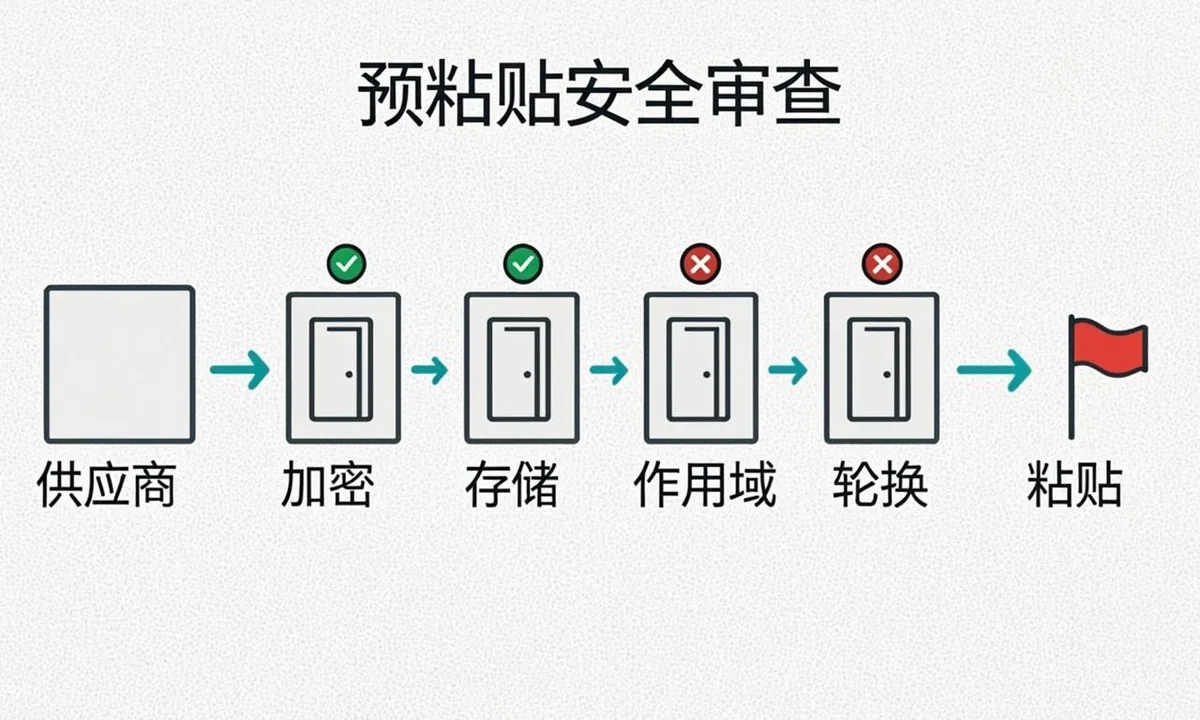
Use a throwaway key for trials. Scope it to one test property, set a short expiry, run a small batch, and watch quota dashboards for unexpected activity. Keep this key sharing checklist step mandatory for every trial, with no exceptions for familiar brands or urgent launches.
Testing a tool safely with a scoped key
Teams get testing a tool safely with a scoped key right by measuring first and automating second. For testing a tool safely with a scoped key, think like a reviewer, not a buyer. Open the docs and look for concrete answers about encryption, scope, storage, rotation, logging, and deletion. Vague promises without endpoints, key names, or retention windows are not evidence. A trustworthy vendor names the KMS pattern, shows redacted log samples, lists minimum scopes per feature, and links a status page with history. If those details are missing, pause before any paste.
Ask for specifics, not slogans. Reduce blast radius before you test. Create a separate key with access to one low risk property, set a calendar reminder for expiry, and run a handful of submissions while watching quota dashboards and response codes. Confirm that logs redact secrets, that deletion actually removes history, and that rotation does not require support intervention. A clean trial predicts a calm production rollout. Pair auth prerequisites in Google Indexing API auth prerequisites with IndexNow key documentation for key handling.
- Confirm encryption at rest, KMS ownership, TLS enforcement, and who can read secrets in support.
- Confirm minimum scope per feature, with screenshots showing optional grants left unchecked.
- Confirm storage locations, retention windows, backup handling, and deletion confirmation.
- Confirm rotation steps you can run without vendor help, plus expiry for test keys.
- Confirm logging redaction, status pages, and breach notice contacts and timelines.
# scoped trial submission with throwaway IndexNow key
curl -X POST https://api.indexnow.org/indexnow \
  -H "Content-Type: application/json" \
  -d '{"host":"example.com","key":"trial-key-abc123","urlList":["https://example.com/test-page/"]}'
Decide with a threshold. Keep proof as you go. Save doc links, screenshots of scope screens, test batch IDs, and deletion confirmations in one page per vendor. When security or a client asks why this tool holds a key, you can answer in minutes with dates and IDs. Good records also speed renewal, because the next review starts from evidence instead of from scratch. If any must have answer is missing, pause the trial until the vendor closes the gap in writing.
Review logging behavior during the trial. Confirm secrets are redacted, job IDs trace end to end, and exports do not include other tenants or full strategy lists.
Monitoring usage after you connect
Monitoring usage after you connect is where theory meets logs, queues, and on call time. For monitoring usage after you connect, think like a reviewer, not a buyer. Open the docs and look for concrete answers about encryption, scope, storage, rotation, logging, and deletion. Vague promises without endpoints, key names, or retention windows are not evidence. A trustworthy vendor names the KMS pattern, shows redacted log samples, lists minimum scopes per feature, and links a status page with history. If those details are missing, pause before any paste.
Ask for specifics, not slogans. Reduce blast radius before you test. Create a separate key with access to one low risk property, set a calendar reminder for expiry, and run a handful of submissions while watching quota dashboards and response codes. Confirm that logs redact secrets, that deletion actually removes history, and that rotation does not require support intervention. A clean trial predicts a calm production rollout.
- Confirm encryption at rest, KMS ownership, TLS enforcement, and who can read secrets in support.
- Confirm minimum scope per feature, with screenshots showing optional grants left unchecked.
- Confirm storage locations, retention windows, backup handling, and deletion confirmation.
- Confirm rotation steps you can run without vendor help, plus expiry for test keys.
- Confirm logging redaction, status pages, and breach notice contacts and timelines.
Decide with a threshold. Keep proof as you go. Save doc links, screenshots of scope screens, test batch IDs, and deletion confirmations in one page per vendor. When security or a client asks why this tool holds a key, you can answer in minutes with dates and IDs. Good records also speed renewal, because the next review starts from evidence instead of from scratch. If any must have answer is missing, pause the trial until the vendor closes the gap in writing.
Watch for red flags that warrant a stop. Missing docs, broad permission asks, no status page, and requests for full keys in chat are all pause signals. A steady tool security evaluation routine plus clean credential safety habits will catch most issues before they become incidents.
What to do if you pasted into the wrong place
What to do if you pasted into the wrong place deserves a concrete plan because it controls whether bulk work stays predictable or turns into quota surprises. For what to do if you pasted into the wrong place, think like a reviewer, not a buyer. Open the docs and look for concrete answers about encryption, scope, storage, rotation, logging, and deletion. Vague promises without endpoints, key names, or retention windows are not evidence. A trustworthy vendor names the KMS pattern, shows redacted log samples, lists minimum scopes per feature, and links a status page with history. If those details are missing, pause before any paste.
Ask for specifics, not slogans. Reduce blast radius before you test. Create a separate key with access to one low risk property, set a calendar reminder for expiry, and run a handful of submissions while watching quota dashboards and response codes. Confirm that logs redact secrets, that deletion actually removes history, and that rotation does not require support intervention. A clean trial predicts a calm production rollout.
- Confirm encryption at rest, KMS ownership, TLS enforcement, and who can read secrets in support.
- Confirm minimum scope per feature, with screenshots showing optional grants left unchecked.
- Confirm storage locations, retention windows, backup handling, and deletion confirmation.
- Confirm rotation steps you can run without vendor help, plus expiry for test keys.
- Confirm logging redaction, status pages, and breach notice contacts and timelines.
Decide with a threshold. Keep proof as you go. Save doc links, screenshots of scope screens, test batch IDs, and deletion confirmations in one page per vendor. When security or a client asks why this tool holds a key, you can answer in minutes with dates and IDs. Good records also speed renewal, because the next review starts from evidence instead of from scratch. If any must have answer is missing, pause the trial until the vendor closes the gap in writing.
Plan monitoring after connect. Track daily submissions, 403 and 429 rates, new actors, and scope changes with alerts on spikes or unknown clients.
A byok security checklist you can reuse
Teams get a one page checklist you can reuse right by measuring first and automating second. For a one page checklist you can reuse, think like a reviewer, not a buyer. Open the docs and look for concrete answers about encryption, scope, storage, rotation, logging, and deletion. Vague promises without endpoints, key names, or retention windows are not evidence. A trustworthy vendor names the KMS pattern, shows redacted log samples, lists minimum scopes per feature, and links a status page with history. If those details are missing, pause before any paste.
Ask for specifics, not slogans. Reduce blast radius before you test. Create a separate key with access to one low risk property, set a calendar reminder for expiry, and run a handful of submissions while watching quota dashboards and response codes. Confirm that logs redact secrets, that deletion actually removes history, and that rotation does not require support intervention. A clean trial predicts a calm production rollout.
- Confirm encryption at rest, KMS ownership, TLS enforcement, and who can read secrets in support.
- Confirm minimum scope per feature, with screenshots showing optional grants left unchecked.
- Confirm storage locations, retention windows, backup handling, and deletion confirmation.
- Confirm rotation steps you can run without vendor help, plus expiry for test keys.
- Confirm logging redaction, status pages, and breach notice contacts and timelines.
Decide with a threshold. Keep proof as you go. Save doc links, screenshots of scope screens, test batch IDs, and deletion confirmations in one page per vendor. When security or a client asks why this tool holds a key, you can answer in minutes with dates and IDs. Good records also speed renewal, because the next review starts from evidence instead of from scratch. If any must have answer is missing, pause the trial until the vendor closes the gap in writing.
Keep a one page vendor record. Save doc links, scope screenshots, test batch IDs, rotation dates, and deletion confirmations so the next review starts from evidence.
Keep test and production tenants separate from day one. A distinct project for trials ensures quota spikes and log noise never touch client reporting or billing alerts.
Schedule expiry reminders for every trial key. A calendar entry three days before expiry gives you time to decide between promotion, rotation, or deletion without rushed choices.
Review vendor changelogs before renewal. Look for encryption upgrades, scope narrowing options, shorter log retention choices, and clearer deletion flows as positive signals worth keeping.
FAQ
Can a tool see more than I intend when I paste a key?
It can see whatever scope the key grants until you narrow or revoke it. A broad service account may touch many properties, while an IndexNow key is site scoped but still reveals publishing patterns. Always check scope first and prefer minimal test keys for evaluation.
What encryption should I ask about?
Ask how keys are encrypted at rest, who holds the data encryption keys, whether TLS is enforced in transit, and whether support staff can read secrets. Look for envelope encryption with a managed KMS, redacted logs, and a clear statement that secrets never ship to browsers. Add the answers to your byok safety questions log so the next review starts from evidence instead of from scratch.
Should I use my production key for a trial?
No. Create a scoped throwaway key or separate Cloud project with access to one test property. Run a small batch, check quota and logs, then decide. This rule sits at the top of every key safety checklist: decide before sharing api key access whether the trial truly needs production scope.
What deletion proof matters?
You want a documented path to delete keys and submission history on request, with confirmation and retention windows for backups. If a vendor cannot describe deletion in two paragraphs or requires a manual ticket with no SLA, treat that as a gap. Close the loop with a byok due diligence note that records the deletion path, confirmation, and backup retention window.
How do I spot a risky tool quickly?
Watch for docs that skip security, requests for domain wide delegation when narrow scope would do, no rotation guide, no status or incident page, and support that asks for full keys in chat. Any one of these is reason to pause and ask for specifics.
I pasted into the wrong place. What now?
Rotate immediately, revoke the exposed key, check quota dashboards and submission logs for unknown activity, tighten scopes on the replacement, and record what happened. Then re test with a scoped key and add a team rule against pasting production secrets outside the secret manager.
Sources
- https://developers.google.com/search/apis/indexing-api/v3/prereqs
- https://www.indexnow.org/documentation
- https://developer.mozilla.org/en-US/docs/Web/Security/Transport_Layer_Security