How to Keep Your Google API Service Account Keys Secure

A Google service account JSON key looks like a harmless text file until it leaks. That file can request indexing quota, read project details, and act wherever the account has Search Console access. This guide is for site owners, SEOs, and developers who use the Google Indexing API or related Cloud APIs and want practical service account key security without heavy enterprise process. You will learn what the key grants, how leaks happen in tickets and repos, where to store keys safely, how to scope access to specific properties, when to rotate, how to revoke fast, and how to give your team access without sharing files in chat. The focus is service account key security, and each section ends with an action you can verify. Each recommendation below uses plain steps, named roles, and checks you can verify in provider consoles and tool logs. You do not need enterprise software to follow along. A small team with one vault, one log sheet, and one calendar can run the full pattern. Work through sections in order the first time, then reuse individual sections as checklists during reviews and incidents.
Key takeaways
- Identifies service account email across one scoped project keeps control clear.
- Rotate after any suspected exposure shows true cost before you scale volume.
- Store secrets in a vault with roles, rotate on schedule, and log every use.
- Test small batches first, then expand after clean results and steady logs.
- What a service account key can actually do
- How service account keys leak in real teams
- Storing JSON keys safely from day one
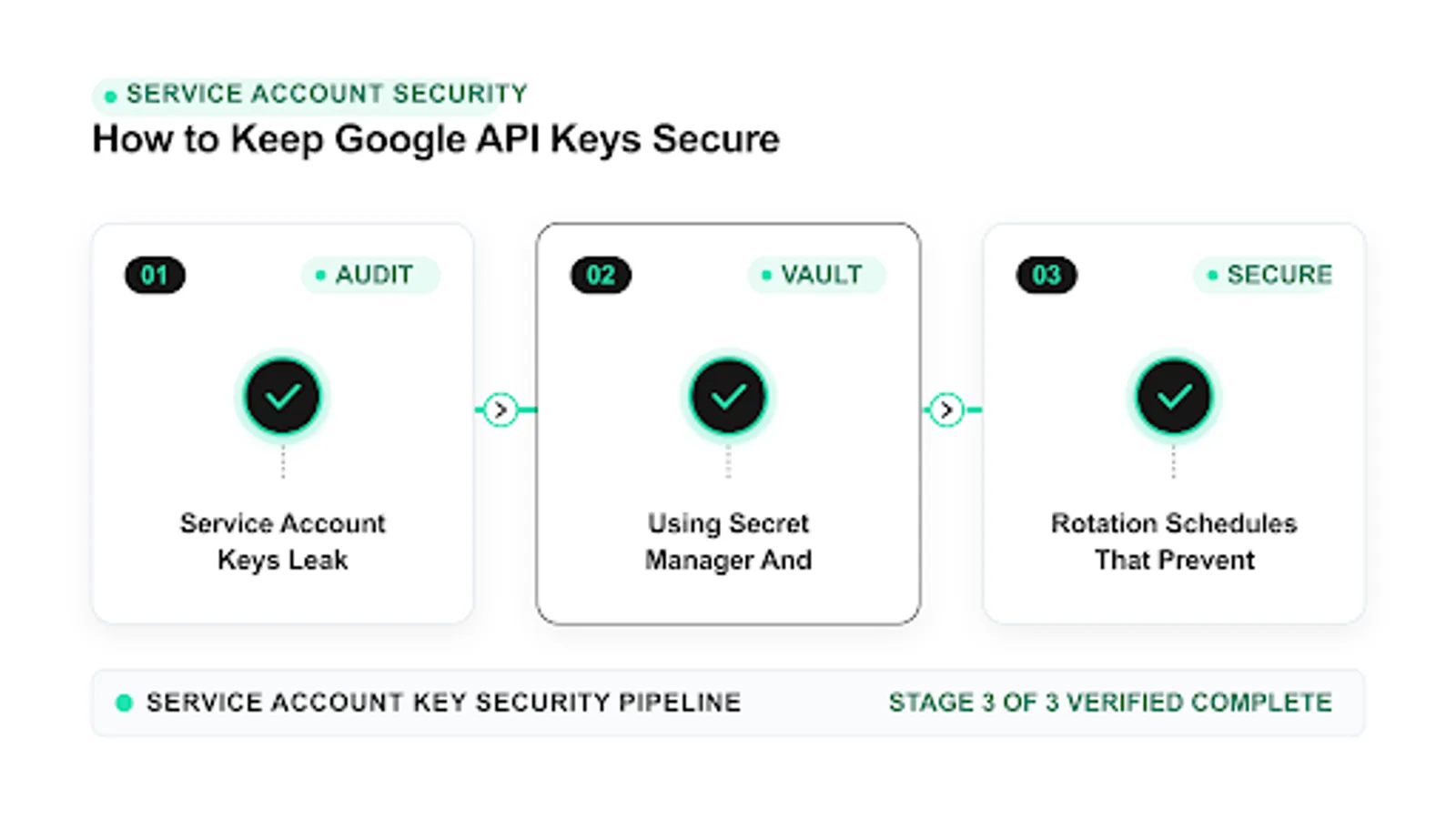
- Using Secret Manager and vaults correctly
- Least privilege and property scoping
- Rotation schedules that prevent silent failures
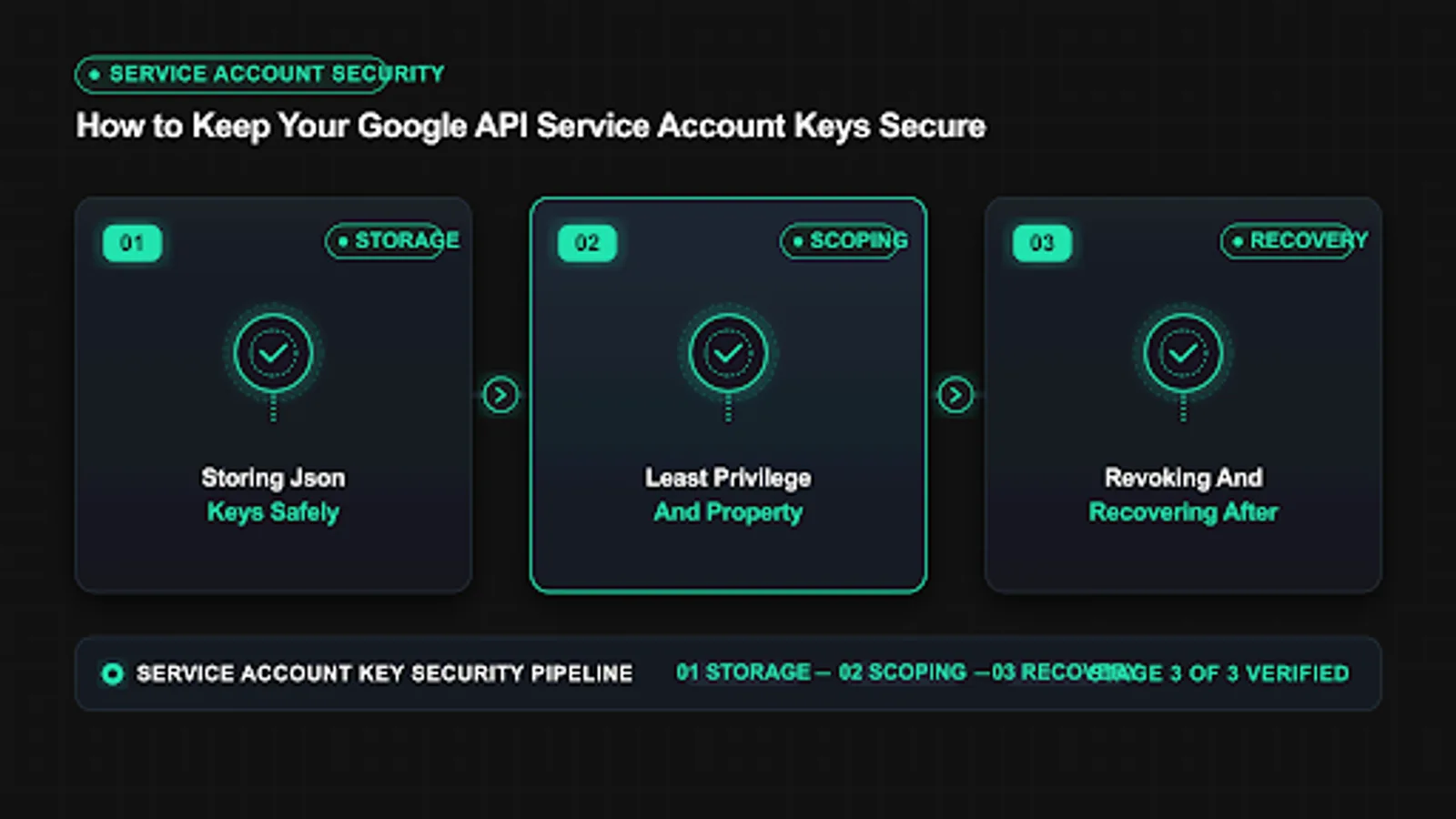
- Revoking and recovering after exposure
- Team access without passing keys in chat
- Auditing usage and detecting misuse
- Vendor and contractor access rules
- Service account key security checklist for owners
- FAQ
 <!-- IMAGE-PROMPT cover: 1200x630, DependsIt brand, deep charcoal #121212 background, vibrant mint #22E3B0 accent glow, thin node-network line art, Clash Display style bold heading space on left, General Sans clean labels, subject: How to Keep Your Google API Service Account Keys Secure, flat vector, high contrast, accessible, no photorealistic faces, no text smaller than 24px, no em dash in rendered text, export PNG then cwebp -q 82 to WEBP -->
What a service account key can actually do
What a service account key can actually do deserves a plain definition before you act, because service account key security fails most often from vague ownership rather than hard technology. In this workflow you are the customer of the provider and the user of the tool, which means two dashboards matter: the provider console where quota and keys live, and the tool dashboard where jobs run. Start by naming the exact outcome you want, such as daily URL submissions under your own quota or predictable spend per project. Write that outcome in one sentence in your runbook. When everyone agrees on the outcome, later choices about scope, project separation, and logging become straightforward and easy to audit.
- Identifies service account email. In the context of service account key security, this step protects quota, clarifies ownership, and keeps logs readable for the next review.
- Grants quota use in linked project. In the context of service account key security, this step protects quota, clarifies ownership, and keeps logs readable for the next review.
- Acts where added as Search Console owner. In the context of service account key security, this step protects quota, clarifies ownership, and keeps logs readable for the next review.
- Can publish URL notifications. In the context of service account key security, this step protects quota, clarifies ownership, and keeps logs readable for the next review.
- Leaves audit trail in Cloud logs. In the context of service account key security, this step protects quota, clarifies ownership, and keeps logs readable for the next review.
Why does what a service account key can actually do matter for teams running service account key security every week? Because small errors compound at scale. A key with too broad a role can touch projects it should never see. A missing log row turns a simple 403 into a day of guessing. A test job pointed at production can burn a full day of quota before lunch. Owners feel this as delayed launches and surprise costs. Developers feel it as noisy alerts and late fixes. A clear pattern for what a service account key can actually do removes that friction. You get faster reviews, calmer incidents, and numbers you can explain to clients without hedging.
To apply what a service account key can actually do in your service account key security workflow, follow a short repeatable loop. First, inventory the current state: which keys exist, where each one is stored, which scopes each one grants, and which jobs use it. Second, narrow scope to the minimum that still completes the job, using separate projects for production and testing. Third, move secrets into a vault with role based access and inject them at runtime instead of copying files. Fourth, run a small batch of five to ten real tasks and confirm response codes, log rows, and cost. Fifth, document the result with dates and owners so the next person does not start from zero.
A common mistake with what a service account key can actually do is treating it as a one time setup instead of a living control. Teams paste a key once, forget where copies live, and only revisit the topic after an auth failure or quota alert. The fix is a light routine: review scopes quarterly, confirm rotation dates on a shared calendar, check logs weekly at first then monthly, and test recovery steps before you need them. If you run service account key security across client sites, add per client notes so one incident never spreads across accounts. This steady rhythm takes less than an hour a month and prevents most urgent fixes.
A steady google api key security routine starts with a written inventory of every key, its project, and its owner. When that list is current, it is much easier to protect google credentials with narrow scopes and fast reviews.
How service account keys leak in real teams
How service account keys leak in real teams deserves a plain definition before you act, because service account key security fails most often from vague ownership rather than hard technology. In this workflow you are the customer of the provider and the user of the tool, which means two dashboards matter: the provider console where quota and keys live, and the tool dashboard where jobs run. Start by naming the exact outcome you want, such as daily URL submissions under your own quota or predictable spend per project. Write that outcome in one sentence in your runbook. When everyone agrees on the outcome, later choices about scope, project separation, and logging become straightforward and easy to audit.
- Pasted in support tickets. In the context of service account key security, this step protects quota, clarifies ownership, and keeps logs readable for the next review.
- Committed to public repos. In the context of service account key security, this step protects quota, clarifies ownership, and keeps logs readable for the next review.
- Shared in chat threads. In the context of service account key security, this step protects quota, clarifies ownership, and keeps logs readable for the next review.
- Left on shared servers. In the context of service account key security, this step protects quota, clarifies ownership, and keeps logs readable for the next review.
- Embedded in front end bundles. In the context of service account key security, this step protects quota, clarifies ownership, and keeps logs readable for the next review.
Why does how service account keys leak in real teams matter for teams running service account key security every week? Because small errors compound at scale. A key with too broad a role can touch projects it should never see. A missing log row turns a simple 403 into a day of guessing. A test job pointed at production can burn a full day of quota before lunch. Owners feel this as delayed launches and surprise costs. Developers feel it as noisy alerts and late fixes. A clear pattern for how service account keys leak in real teams removes that friction. You get faster reviews, calmer incidents, and numbers you can explain to clients without hedging.
To apply how service account keys leak in real teams in your service account key security workflow, follow a short repeatable loop. First, inventory the current state: which keys exist, where each one is stored, which scopes each one grants, and which jobs use it. Second, narrow scope to the minimum that still completes the job, using separate projects for production and testing. Third, move secrets into a vault with role based access and inject them at runtime instead of copying files. Fourth, run a small batch of five to ten real tasks and confirm response codes, log rows, and cost. Fifth, document the result with dates and owners so the next person does not start from zero.
A common mistake with how service account keys leak in real teams is treating it as a one time setup instead of a living control. Teams paste a key once, forget where copies live, and only revisit the topic after an auth failure or quota alert. The fix is a light routine: review scopes quarterly, confirm rotation dates on a shared calendar, check logs weekly at first then monthly, and test recovery steps before you need them. If you run service account key security across client sites, add per client notes so one incident never spreads across accounts. This steady rhythm takes less than an hour a month and prevents most urgent fixes.
| Check | What good looks like for service account key security |
|---|---|
| Scope | Least privilege on one project, test separated from prod |
| Storage | Vault with roles and MFA, no raw files in chat |
| Logging | Key fingerprint, time in UTC, code, and cost per call |
| Recovery | Overlap window, rollback version, owner on call |
Use this table during reviews. If any row is unclear for how service account keys leak in real teams, pause and fix that row before scaling volume. Clear rows now mean fewer incidents later, and each row maps directly to a line in your runbook.
Effective key leak prevention combines pre-commit secret scans with weekly repo checks and clear rules against pasting keys in tickets. For service account json safety, move the downloaded file to a vault on day one and delete local copies from downloads, email, and shared drives.
Storing JSON keys safely from day one
Storing JSON keys safely from day one deserves a plain definition before you act, because service account key security fails most often from vague ownership rather than hard technology. In this workflow you are the customer of the provider and the user of the tool, which means two dashboards matter: the provider console where quota and keys live, and the tool dashboard where jobs run. Start by naming the exact outcome you want, such as daily URL submissions under your own quota or predictable spend per project. Write that outcome in one sentence in your runbook. When everyone agrees on the outcome, later choices about scope, project separation, and logging become straightforward and easy to audit.
- Create separate prod and test projects. In the context of service account key security, this step protects quota, clarifies ownership, and keeps logs readable for the next review.
- Generate key only when ready. In the context of service account key security, this step protects quota, clarifies ownership, and keeps logs readable for the next review.
- Download once to encrypted disk. In the context of service account key security, this step protects quota, clarifies ownership, and keeps logs readable for the next review.
- Set file permissions to owner read. In the context of service account key security, this step protects quota, clarifies ownership, and keeps logs readable for the next review.
- Record creation date and owner. In the context of service account key security, this step protects quota, clarifies ownership, and keeps logs readable for the next review.
Why does storing json keys safely from day one matter for teams running service account key security every week? Because small errors compound at scale. A key with too broad a role can touch projects it should never see. A missing log row turns a simple 403 into a day of guessing. A test job pointed at production can burn a full day of quota before lunch. Owners feel this as delayed launches and surprise costs. Developers feel it as noisy alerts and late fixes. A clear pattern for storing json keys safely from day one removes that friction. You get faster reviews, calmer incidents, and numbers you can explain to clients without hedging.
To apply storing json keys safely from day one in your service account key security workflow, follow a short repeatable loop. First, inventory the current state: which keys exist, where each one is stored, which scopes each one grants, and which jobs use it. Second, narrow scope to the minimum that still completes the job, using separate projects for production and testing. Third, move secrets into a vault with role based access and inject them at runtime instead of copying files. Fourth, run a small batch of five to ten real tasks and confirm response codes, log rows, and cost. Fifth, document the result with dates and owners so the next person does not start from zero.
A common mistake with storing json keys safely from day one is treating it as a one time setup instead of a living control. Teams paste a key once, forget where copies live, and only revisit the topic after an auth failure or quota alert. The fix is a light routine: review scopes quarterly, confirm rotation dates on a shared calendar, check logs weekly at first then monthly, and test recovery steps before you need them. If you run service account key security across client sites, add per client notes so one incident never spreads across accounts. This steady rhythm takes less than an hour a month and prevents most urgent fixes.
 <!-- IMAGE-PROMPT diagram-01: 1600px max, DependsIt brand mint #22E3B0 on charcoal #121212, node-network line art, Clash Display style headings, General Sans clean labels, subject: Storing JSON keys safely from day one diagram for service account key security, flat vector, accessible, high contrast, no em dash -->
  <!-- IMAGE-PROMPT diagram-02: 1600px max, DependsIt brand, subject: verification checklist pipeline with done-state nodes about How service account keys leak in real teams | Using Secret Manager and vaults co, flat vector, accessible, no em dash -->
To store api keys securely on a small team, keep one managed vault as the source of truth and inject values at runtime with environment variables. An api key vault with role based access lets workers run jobs without seeing raw values or copying files between laptops.
Using Secret Manager and vaults correctly
Using Secret Manager and vaults correctly deserves a plain definition before you act, because service account key security fails most often from vague ownership rather than hard technology. In this workflow you are the customer of the provider and the user of the tool, which means two dashboards matter: the provider console where quota and keys live, and the tool dashboard where jobs run. Start by naming the exact outcome you want, such as daily URL submissions under your own quota or predictable spend per project. Write that outcome in one sentence in your runbook. When everyone agrees on the outcome, later choices about scope, project separation, and logging become straightforward and easy to audit.
- Store in Secret Manager or vault. In the context of service account key security, this step protects quota, clarifies ownership, and keeps logs readable for the next review.
- Inject at runtime via env vars. In the context of service account key security, this step protects quota, clarifies ownership, and keeps logs readable for the next review.
- Never log full key content. In the context of service account key security, this step protects quota, clarifies ownership, and keeps logs readable for the next review.
- Restrict who can read secret. In the context of service account key security, this step protects quota, clarifies ownership, and keeps logs readable for the next review.
- Version secrets for rollback. In the context of service account key security, this step protects quota, clarifies ownership, and keeps logs readable for the next review.
Why does using secret manager and vaults correctly matter for teams running service account key security every week? Because small errors compound at scale. A key with too broad a role can touch projects it should never see. A missing log row turns a simple 403 into a day of guessing. A test job pointed at production can burn a full day of quota before lunch. Owners feel this as delayed launches and surprise costs. Developers feel it as noisy alerts and late fixes. A clear pattern for using secret manager and vaults correctly removes that friction. You get faster reviews, calmer incidents, and numbers you can explain to clients without hedging.
To apply using secret manager and vaults correctly in your service account key security workflow, follow a short repeatable loop. First, inventory the current state: which keys exist, where each one is stored, which scopes each one grants, and which jobs use it. Second, narrow scope to the minimum that still completes the job, using separate projects for production and testing. Third, move secrets into a vault with role based access and inject them at runtime instead of copying files. Fourth, run a small batch of five to ten real tasks and confirm response codes, log rows, and cost. Fifth, document the result with dates and owners so the next person does not start from zero.
A common mistake with using secret manager and vaults correctly is treating it as a one time setup instead of a living control. Teams paste a key once, forget where copies live, and only revisit the topic after an auth failure or quota alert. The fix is a light routine: review scopes quarterly, confirm rotation dates on a shared calendar, check logs weekly at first then monthly, and test recovery steps before you need them. If you run service account key security across client sites, add per client notes so one incident never spreads across accounts. This steady rhythm takes less than an hour a month and prevents most urgent fixes.
Mature api credential management names an owner for every secret, sets rotation reminders, and logs each read with date and purpose. Store version history in the vault so you can roll back quickly if a new value breaks a job.
Least privilege and property scoping
Least privilege and property scoping deserves a plain definition before you act, because service account key security fails most often from vague ownership rather than hard technology. In this workflow you are the customer of the provider and the user of the tool, which means two dashboards matter: the provider console where quota and keys live, and the tool dashboard where jobs run. Start by naming the exact outcome you want, such as daily URL submissions under your own quota or predictable spend per project. Write that outcome in one sentence in your runbook. When everyone agrees on the outcome, later choices about scope, project separation, and logging become straightforward and easy to audit.
- One project per site group. In the context of service account key security, this step protects quota, clarifies ownership, and keeps logs readable for the next review.
- Owner role only on needed properties. In the context of service account key security, this step protects quota, clarifies ownership, and keeps logs readable for the next review.
- No broad Cloud Owner role. In the context of service account key security, this step protects quota, clarifies ownership, and keeps logs readable for the next review.
- Separate keys per environment. In the context of service account key security, this step protects quota, clarifies ownership, and keeps logs readable for the next review.
- Document scope in runbook. In the context of service account key security, this step protects quota, clarifies ownership, and keeps logs readable for the next review.
Why does least privilege and property scoping matter for teams running service account key security every week? Because small errors compound at scale. A key with too broad a role can touch projects it should never see. A missing log row turns a simple 403 into a day of guessing. A test job pointed at production can burn a full day of quota before lunch. Owners feel this as delayed launches and surprise costs. Developers feel it as noisy alerts and late fixes. A clear pattern for least privilege and property scoping removes that friction. You get faster reviews, calmer incidents, and numbers you can explain to clients without hedging.
To apply least privilege and property scoping in your service account key security workflow, follow a short repeatable loop. First, inventory the current state: which keys exist, where each one is stored, which scopes each one grants, and which jobs use it. Second, narrow scope to the minimum that still completes the job, using separate projects for production and testing. Third, move secrets into a vault with role based access and inject them at runtime instead of copying files. Fourth, run a small batch of five to ten real tasks and confirm response codes, log rows, and cost. Fifth, document the result with dates and owners so the next person does not start from zero.
A common mistake with least privilege and property scoping is treating it as a one time setup instead of a living control. Teams paste a key once, forget where copies live, and only revisit the topic after an auth failure or quota alert. The fix is a light routine: review scopes quarterly, confirm rotation dates on a shared calendar, check logs weekly at first then monthly, and test recovery steps before you need them. If you run service account key security across client sites, add per client notes so one incident never spreads across accounts. This steady rhythm takes less than an hour a month and prevents most urgent fixes.
| Check | What good looks like for service account key security |
|---|---|
| Scope | Least privilege on one project, test separated from prod |
| Storage | Vault with roles and MFA, no raw files in chat |
| Logging | Key fingerprint, time in UTC, code, and cost per call |
| Recovery | Overlap window, rollback version, owner on call |
Use this table during reviews. If any row is unclear for least privilege and property scoping, pause and fix that row before scaling volume. Clear rows now mean fewer incidents later, and each row maps directly to a line in your runbook.
Follow credentials best practices by using one project per site group, granting only required roles, and keeping prod and test keys separate. These choices also help you protect google credentials because a single leak touches less quota and fewer properties.
Rotation schedules that prevent silent failures
Rotation schedules that prevent silent failures deserves a plain definition before you act, because service account key security fails most often from vague ownership rather than hard technology. In this workflow you are the customer of the provider and the user of the tool, which means two dashboards matter: the provider console where quota and keys live, and the tool dashboard where jobs run. Start by naming the exact outcome you want, such as daily URL submissions under your own quota or predictable spend per project. Write that outcome in one sentence in your runbook. When everyone agrees on the outcome, later choices about scope, project separation, and logging become straightforward and easy to audit.
- Rotate every 90 days or on staff exit. In the context of service account key security, this step protects quota, clarifies ownership, and keeps logs readable for the next review.
- Rotate after any suspected exposure. In the context of service account key security, this step protects quota, clarifies ownership, and keeps logs readable for the next review.
- Keep overlap window of 24 hours. In the context of service account key security, this step protects quota, clarifies ownership, and keeps logs readable for the next review.
- Update jobs before deleting old key. In the context of service account key security, this step protects quota, clarifies ownership, and keeps logs readable for the next review.
- Verify with getMetadata after swap. In the context of service account key security, this step protects quota, clarifies ownership, and keeps logs readable for the next review.
Why does rotation schedules that prevent silent failures matter for teams running service account key security every week? Because small errors compound at scale. A key with too broad a role can touch projects it should never see. A missing log row turns a simple 403 into a day of guessing. A test job pointed at production can burn a full day of quota before lunch. Owners feel this as delayed launches and surprise costs. Developers feel it as noisy alerts and late fixes. A clear pattern for rotation schedules that prevent silent failures removes that friction. You get faster reviews, calmer incidents, and numbers you can explain to clients without hedging.
To apply rotation schedules that prevent silent failures in your service account key security workflow, follow a short repeatable loop. First, inventory the current state: which keys exist, where each one is stored, which scopes each one grants, and which jobs use it. Second, narrow scope to the minimum that still completes the job, using separate projects for production and testing. Third, move secrets into a vault with role based access and inject them at runtime instead of copying files. Fourth, run a small batch of five to ten real tasks and confirm response codes, log rows, and cost. Fifth, document the result with dates and owners so the next person does not start from zero.
A common mistake with rotation schedules that prevent silent failures is treating it as a one time setup instead of a living control. Teams paste a key once, forget where copies live, and only revisit the topic after an auth failure or quota alert. The fix is a light routine: review scopes quarterly, confirm rotation dates on a shared calendar, check logs weekly at first then monthly, and test recovery steps before you need them. If you run service account key security across client sites, add per client notes so one incident never spreads across accounts. This steady rhythm takes less than an hour a month and prevents most urgent fixes.
Simple key hygiene prevents silent buildup of old keys. Review key ages quarterly, rotate every ninety days or on staff exit, and delete unused keys so audits stay fast and failures stay rare.
Revoking and recovering after exposure
Revoking and recovering after exposure deserves a plain definition before you act, because service account key security fails most often from vague ownership rather than hard technology. In this workflow you are the customer of the provider and the user of the tool, which means two dashboards matter: the provider console where quota and keys live, and the tool dashboard where jobs run. Start by naming the exact outcome you want, such as daily URL submissions under your own quota or predictable spend per project. Write that outcome in one sentence in your runbook. When everyone agrees on the outcome, later choices about scope, project separation, and logging become straightforward and easy to audit.
- Disable key in console first. In the context of service account key security, this step protects quota, clarifies ownership, and keeps logs readable for the next review.
- Delete leaked file from all places. In the context of service account key security, this step protects quota, clarifies ownership, and keeps logs readable for the next review.
- Create new key with new ID. In the context of service account key security, this step protects quota, clarifies ownership, and keeps logs readable for the next review.
- Update secrets and redeploy. In the context of service account key security, this step protects quota, clarifies ownership, and keeps logs readable for the next review.
- Review logs for unknown use. In the context of service account key security, this step protects quota, clarifies ownership, and keeps logs readable for the next review.
Why does revoking and recovering after exposure matter for teams running service account key security every week? Because small errors compound at scale. A key with too broad a role can touch projects it should never see. A missing log row turns a simple 403 into a day of guessing. A test job pointed at production can burn a full day of quota before lunch. Owners feel this as delayed launches and surprise costs. Developers feel it as noisy alerts and late fixes. A clear pattern for revoking and recovering after exposure removes that friction. You get faster reviews, calmer incidents, and numbers you can explain to clients without hedging.
To apply revoking and recovering after exposure in your service account key security workflow, follow a short repeatable loop. First, inventory the current state: which keys exist, where each one is stored, which scopes each one grants, and which jobs use it. Second, narrow scope to the minimum that still completes the job, using separate projects for production and testing. Third, move secrets into a vault with role based access and inject them at runtime instead of copying files. Fourth, run a small batch of five to ten real tasks and confirm response codes, log rows, and cost. Fifth, document the result with dates and owners so the next person does not start from zero.
A common mistake with revoking and recovering after exposure is treating it as a one time setup instead of a living control. Teams paste a key once, forget where copies live, and only revisit the topic after an auth failure or quota alert. The fix is a light routine: review scopes quarterly, confirm rotation dates on a shared calendar, check logs weekly at first then monthly, and test recovery steps before you need them. If you run service account key security across client sites, add per client notes so one incident never spreads across accounts. This steady rhythm takes less than an hour a month and prevents most urgent fixes.
 <!-- IMAGE-PROMPT workflow-02: 1600px max, DependsIt brand mint #22E3B0 on charcoal #121212, node-network line art, Clash Display style headings, General Sans clean labels, subject: Revoking and recovering after exposure workflow for service account key security, flat vector, accessible, high contrast, no em dash -->
Team access without passing keys in chat
Team access without passing keys in chat deserves a plain definition before you act, because service account key security fails most often from vague ownership rather than hard technology. In this workflow you are the customer of the provider and the user of the tool, which means two dashboards matter: the provider console where quota and keys live, and the tool dashboard where jobs run. Start by naming the exact outcome you want, such as daily URL submissions under your own quota or predictable spend per project. Write that outcome in one sentence in your runbook. When everyone agrees on the outcome, later choices about scope, project separation, and logging become straightforward and easy to audit.
- Use vault with team roles. In the context of service account key security, this step protects quota, clarifies ownership, and keeps logs readable for the next review.
- Give time boxed access. In the context of service account key security, this step protects quota, clarifies ownership, and keeps logs readable for the next review.
- Require MFA for secret read. In the context of service account key security, this step protects quota, clarifies ownership, and keeps logs readable for the next review.
- Never email JSON files. In the context of service account key security, this step protects quota, clarifies ownership, and keeps logs readable for the next review.
- Use short lived tokens where possible. In the context of service account key security, this step protects quota, clarifies ownership, and keeps logs readable for the next review.
Why does team access without passing keys in chat matter for teams running service account key security every week? Because small errors compound at scale. A key with too broad a role can touch projects it should never see. A missing log row turns a simple 403 into a day of guessing. A test job pointed at production can burn a full day of quota before lunch. Owners feel this as delayed launches and surprise costs. Developers feel it as noisy alerts and late fixes. A clear pattern for team access without passing keys in chat removes that friction. You get faster reviews, calmer incidents, and numbers you can explain to clients without hedging.
To apply team access without passing keys in chat in your service account key security workflow, follow a short repeatable loop. First, inventory the current state: which keys exist, where each one is stored, which scopes each one grants, and which jobs use it. Second, narrow scope to the minimum that still completes the job, using separate projects for production and testing. Third, move secrets into a vault with role based access and inject them at runtime instead of copying files. Fourth, run a small batch of five to ten real tasks and confirm response codes, log rows, and cost. Fifth, document the result with dates and owners so the next person does not start from zero.
A common mistake with team access without passing keys in chat is treating it as a one time setup instead of a living control. Teams paste a key once, forget where copies live, and only revisit the topic after an auth failure or quota alert. The fix is a light routine: review scopes quarterly, confirm rotation dates on a shared calendar, check logs weekly at first then monthly, and test recovery steps before you need them. If you run service account key security across client sites, add per client notes so one incident never spreads across accounts. This steady rhythm takes less than an hour a month and prevents most urgent fixes.
| Check | What good looks like for service account key security |
|---|---|
| Scope | Least privilege on one project, test separated from prod |
| Storage | Vault with roles and MFA, no raw files in chat |
| Logging | Key fingerprint, time in UTC, code, and cost per call |
| Recovery | Overlap window, rollback version, owner on call |
Use this table during reviews. If any row is unclear for team access without passing keys in chat, pause and fix that row before scaling volume. Clear rows now mean fewer incidents later, and each row maps directly to a line in your runbook.
Auditing usage and detecting misuse
Auditing usage and detecting misuse deserves a plain definition before you act, because service account key security fails most often from vague ownership rather than hard technology. In this workflow you are the customer of the provider and the user of the tool, which means two dashboards matter: the provider console where quota and keys live, and the tool dashboard where jobs run. Start by naming the exact outcome you want, such as daily URL submissions under your own quota or predictable spend per project. Write that outcome in one sentence in your runbook. When everyone agrees on the outcome, later choices about scope, project separation, and logging become straightforward and easy to audit.
- Track publish success rate. In the context of service account key security, this step protects quota, clarifies ownership, and keeps logs readable for the next review.
- Alert on 403 and 429 spikes. In the context of service account key security, this step protects quota, clarifies ownership, and keeps logs readable for the next review.
- Review Cloud audit logs weekly. In the context of service account key security, this step protects quota, clarifies ownership, and keeps logs readable for the next review.
- Compare quota dashboard to job logs. In the context of service account key security, this step protects quota, clarifies ownership, and keeps logs readable for the next review.
- Investigate unknown service emails. In the context of service account key security, this step protects quota, clarifies ownership, and keeps logs readable for the next review.
Why does auditing usage and detecting misuse matter for teams running service account key security every week? Because small errors compound at scale. A key with too broad a role can touch projects it should never see. A missing log row turns a simple 403 into a day of guessing. A test job pointed at production can burn a full day of quota before lunch. Owners feel this as delayed launches and surprise costs. Developers feel it as noisy alerts and late fixes. A clear pattern for auditing usage and detecting misuse removes that friction. You get faster reviews, calmer incidents, and numbers you can explain to clients without hedging.
To apply auditing usage and detecting misuse in your service account key security workflow, follow a short repeatable loop. First, inventory the current state: which keys exist, where each one is stored, which scopes each one grants, and which jobs use it. Second, narrow scope to the minimum that still completes the job, using separate projects for production and testing. Third, move secrets into a vault with role based access and inject them at runtime instead of copying files. Fourth, run a small batch of five to ten real tasks and confirm response codes, log rows, and cost. Fifth, document the result with dates and owners so the next person does not start from zero.
A common mistake with auditing usage and detecting misuse is treating it as a one time setup instead of a living control. Teams paste a key once, forget where copies live, and only revisit the topic after an auth failure or quota alert. The fix is a light routine: review scopes quarterly, confirm rotation dates on a shared calendar, check logs weekly at first then monthly, and test recovery steps before you need them. If you run service account key security across client sites, add per client notes so one incident never spreads across accounts. This steady rhythm takes less than an hour a month and prevents most urgent fixes.
Vendor and contractor access rules
Vendor and contractor access rules deserves a plain definition before you act, because service account key security fails most often from vague ownership rather than hard technology. In this workflow you are the customer of the provider and the user of the tool, which means two dashboards matter: the provider console where quota and keys live, and the tool dashboard where jobs run. Start by naming the exact outcome you want, such as daily URL submissions under your own quota or predictable spend per project. Write that outcome in one sentence in your runbook. When everyone agrees on the outcome, later choices about scope, project separation, and logging become straightforward and easy to audit.
- Prefer scoped delegated access. In the context of service account key security, this step protects quota, clarifies ownership, and keeps logs readable for the next review.
- Avoid sharing owner level keys. In the context of service account key security, this step protects quota, clarifies ownership, and keeps logs readable for the next review.
- Require deletion on contract end. In the context of service account key security, this step protects quota, clarifies ownership, and keeps logs readable for the next review.
- Log vendor actions per key. In the context of service account key security, this step protects quota, clarifies ownership, and keeps logs readable for the next review.
- Review access every quarter. In the context of service account key security, this step protects quota, clarifies ownership, and keeps logs readable for the next review.
Why does vendor and contractor access rules matter for teams running service account key security every week? Because small errors compound at scale. A key with too broad a role can touch projects it should never see. A missing log row turns a simple 403 into a day of guessing. A test job pointed at production can burn a full day of quota before lunch. Owners feel this as delayed launches and surprise costs. Developers feel it as noisy alerts and late fixes. A clear pattern for vendor and contractor access rules removes that friction. You get faster reviews, calmer incidents, and numbers you can explain to clients without hedging.
To apply vendor and contractor access rules in your service account key security workflow, follow a short repeatable loop. First, inventory the current state: which keys exist, where each one is stored, which scopes each one grants, and which jobs use it. Second, narrow scope to the minimum that still completes the job, using separate projects for production and testing. Third, move secrets into a vault with role based access and inject them at runtime instead of copying files. Fourth, run a small batch of five to ten real tasks and confirm response codes, log rows, and cost. Fifth, document the result with dates and owners so the next person does not start from zero.
A common mistake with vendor and contractor access rules is treating it as a one time setup instead of a living control. Teams paste a key once, forget where copies live, and only revisit the topic after an auth failure or quota alert. The fix is a light routine: review scopes quarterly, confirm rotation dates on a shared calendar, check logs weekly at first then monthly, and test recovery steps before you need them. If you run service account key security across client sites, add per client notes so one incident never spreads across accounts. This steady rhythm takes less than an hour a month and prevents most urgent fixes.
Service account key security checklist for owners
Checklist for owners and developers deserves a plain definition before you act, because service account key security fails most often from vague ownership rather than hard technology. In this workflow you are the customer of the provider and the user of the tool, which means two dashboards matter: the provider console where quota and keys live, and the tool dashboard where jobs run. Start by naming the exact outcome you want, such as daily URL submissions under your own quota or predictable spend per project. Write that outcome in one sentence in your runbook. When everyone agrees on the outcome, later choices about scope, project separation, and logging become straightforward and easy to audit.
- Keys in vault, not in repo. In the context of service account key security, this step protects quota, clarifies ownership, and keeps logs readable for the next review.
- Least privilege scopes set. In the context of service account key security, this step protects quota, clarifies ownership, and keeps logs readable for the next review.
- Rotation date on calendar. In the context of service account key security, this step protects quota, clarifies ownership, and keeps logs readable for the next review.
- Owner list current. In the context of service account key security, this step protects quota, clarifies ownership, and keeps logs readable for the next review.
- Recovery steps tested. In the context of service account key security, this step protects quota, clarifies ownership, and keeps logs readable for the next review.
Why does checklist for owners and developers matter for teams running service account key security every week? Because small errors compound at scale. A key with too broad a role can touch projects it should never see. A missing log row turns a simple 403 into a day of guessing. A test job pointed at production can burn a full day of quota before lunch. Owners feel this as delayed launches and surprise costs. Developers feel it as noisy alerts and late fixes. A clear pattern for checklist for owners and developers removes that friction. You get faster reviews, calmer incidents, and numbers you can explain to clients without hedging.
To apply checklist for owners and developers in your service account key security workflow, follow a short repeatable loop. First, inventory the current state: which keys exist, where each one is stored, which scopes each one grants, and which jobs use it. Second, narrow scope to the minimum that still completes the job, using separate projects for production and testing. Third, move secrets into a vault with role based access and inject them at runtime instead of copying files. Fourth, run a small batch of five to ten real tasks and confirm response codes, log rows, and cost. Fifth, document the result with dates and owners so the next person does not start from zero.
A common mistake with checklist for owners and developers is treating it as a one time setup instead of a living control. Teams paste a key once, forget where copies live, and only revisit the topic after an auth failure or quota alert. The fix is a light routine: review scopes quarterly, confirm rotation dates on a shared calendar, check logs weekly at first then monthly, and test recovery steps before you need them. If you run service account key security across client sites, add per client notes so one incident never spreads across accounts. This steady rhythm takes less than an hour a month and prevents most urgent fixes.
FAQ
What can someone do with my JSON key?
They can request quota in your Cloud project and call APIs where the linked service account has access. For indexing that means publishing URL notifications for properties where the account is added as owner. They cannot access unrelated Google accounts, but within scope the key is powerful. Treat it like a password. Track the outcome in your log with date and owner so the next review starts from facts. If results differ from expectations, check scopes, quota, and recent rotations before changing the workflow itself. A consistent google api key security review helps you protect google credentials before a leak spreads. List each key, its scope, and its owner so audits take minutes and incidents stay contained.
Where do leaks happen most?
Leaks happen in support tickets, chat threads, public repos, shared screenshots, and old server images. Common cases include committing keys to git, pasting full JSON in a help form, leaving downloads in shared drives, and baking keys into front end code. Each copy spreads risk and complicates revocation. Track the outcome in your log with date and owner so the next review starts from facts. If results differ from expectations, check scopes, quota, and recent rotations before changing the workflow itself. Strong key leak prevention starts with blocked secret patterns in commits and weekly scans. For service account json safety, move the file to a vault on day one and delete local copies after import.
Where should I store the key file?
Store it in a secrets manager or encrypted vault, inject at runtime with environment variables, and restrict read access to the service identity only. Keep file permissions strict on disk during setup. Never store keys in source control, CMS uploads, or shared docs. Record creation date and owner in a runbook. Track the outcome in your log with date and owner so the next review starts from facts. If results differ from expectations, check scopes, quota, and recent rotations before changing the workflow itself. To store api keys securely, use a managed vault and inject values at runtime. An api key vault with role based access lets jobs run without exposing raw values to developers.
What does least privilege mean here?
It means the service account gets only the roles needed on only the properties needed. Use one Cloud project per site group, add the account as owner only where submission is required, and avoid broad Cloud Owner roles. Use separate keys for production and testing so a test bug cannot burn prod quota. Track the outcome in your log with date and owner so the next review starts from facts. If results differ from expectations, check scopes, quota, and recent rotations before changing the workflow itself. Mature api credential management names an owner for every key and logs each use. These credentials best practices keep least privilege real instead of theoretical and make reviews faster.
How fast must I act if a key leaks?
Act within hours. Disable the key in Cloud console, delete copies from tickets and repos, create a new key, update secrets and redeploy, then review logs for unknown use. Keep the old key disabled for a day while you verify, then delete it. Document the timeline for audit. Track the outcome in your log with date and owner so the next review starts from facts. If results differ from expectations, check scopes, quota, and recent rotations before changing the workflow itself. Good key hygiene means quarterly reviews and immediate rotation on staff exit. After revocation, confirm no hidden copies remain in tickets, repos, or server images.
Should vendors get my raw key?
Avoid raw sharing when possible. Prefer scoped alternatives like a dedicated sub project key with caps, time boxed access, or a queue your team controls. If you must share, limit scope, set an expiry, log actions per key, and require deletion proof when the contract ends. Track the outcome in your log with date and owner so the next review starts from facts. If results differ from expectations, check scopes, quota, and recent rotations before changing the workflow itself. Require scoped keys with expiry and deletion proof, and record the decision in your log. This key leak prevention step avoids raw sharing and keeps future audits simple and calm.