The Best IndexNow Plugins for WordPress

Choosing a WordPress plugin for IndexNow should be simple. The right plugin sends the right URLs automatically when you publish, update, or delete content, proves ownership with a root key file, and logs every send so you can audit results. IndexNow is an open protocol co-developed by Microsoft Bing and Yandex that notifies Bing, Yandex, Naver, Seznam, and related supporters of changes, while Google does not support IndexNow and still relies on sitemaps and Search Console. This guide compares Rank Math, Yoast paths, the official Bing plugin, and lightweight standalone options on setup, reliability, post type control, key handling, and logging, so you can pick one sender and keep sitemaps clean. The focus keyword for this guide is indexnow wordpress plugin.
Key takeaways
- One auto sender per site avoids duplicates, with clean sitemaps alongside push for structure.
- Rank Math suits all in one stacks, Yoast stacks pair with a light push plugin, Bing plugin suits Bing focused owners.
- Configure keys, public post types, and exclusions before enabling site wide automation.
- Test with a unique post, confirm 200 or 202, then watch supporter crawls in logs.
- What a good IndexNow plugin should do
- How WordPress submission works under the hood
- Rank Math and IndexNow
- Yoast SEO and IndexNow handling
- Bing URL Submission plugin and IndexNow option
- Standalone IndexNow plugins and lightweight options
- How to configure keys, post types, and automation
- Testing that submissions actually leave WordPress
- Troubleshooting common plugin failures
- Performance and safety notes for busy sites
- Which indexnow wordpress plugin to pick for each type of site
 <!-- IMAGE-PROMPT cover: 1200x630, DependsIt brand, deep charcoal #121212 background with vibrant mint #22E3B0 accent glow, thin node-network line art from WordPress dashboard to search nodes, Clash Display style bold heading space on left, General Sans clean labels, subject: best IndexNow plugins for WordPress, flat vector, high contrast, accessible, no photorealistic faces, no text smaller than 24px, no em dash in rendered text, export PNG then cwebp -q 82 to WEBP -->
What a good IndexNow plugin should do
A good IndexNow plugin submits the right URLs automatically, proves ownership cleanly, and logs what happened. It should trigger on publish, update, and delete, respect post type and noindex rules, host or verify the root key file, and send batched POST requests with proper JSON. It should also expose simple settings for keys, post types, and exclusions, plus a log you can audit. Extras like manual resend and status views help, but reliability matters more than feature count.
Auto submit on publish, update, and delete without manual steps. Start with automation, since manual submits get skipped during busy publishing weeks. Teams that auto submit on publish see steadier supporter crawls than manual senders. Log every auto submit so you can prove what left WordPress and when. See the complete IndexNow protocol guide for protocol basics.
Respect post types, noindex, and password protected rules. Teams that auto submit on publish see steadier supporter crawls than manual senders. Log every auto submit so you can prove what left WordPress and when. Small blogs need simple on publish sends, larger sites need type filters and queues. Spec details are in IndexNow documentation.
Handle key generation and root file verification simply. Log every auto submit so you can prove what left WordPress and when. Small blogs need simple on publish sends, larger sites need type filters and queues. Test with one post first, confirm the response, then enable site wide automation.
Send correct POST JSON with host, key, keyLocation, and urlList. Small blogs need simple on publish sends, larger sites need type filters and queues. Test with one post first, confirm the response, then enable site wide automation. Steady automation beats bursts, because engines trust consistent clean signals.
Keep an audit log with time, URLs, and response codes. Test with one post first, confirm the response, then enable site wide automation. Steady automation beats bursts, because engines trust consistent clean signals. Start with automation, since manual submits get skipped during busy publishing weeks.
Checklist for this section:
- Auto submit on publish, update, and delete without manual steps.
- Respect post types, noindex, and password protected rules.
- Handle key generation and root file verification simply.
- Send correct POST JSON with host, key, keyLocation, and urlList.
- Keep an audit log with time, URLs, and response codes.
Work through the list and record dates. Start with automation, since manual submits get skipped during busy publishing weeks. Limit auto submit to public post types that should be indexed.
How WordPress submission works under the hood
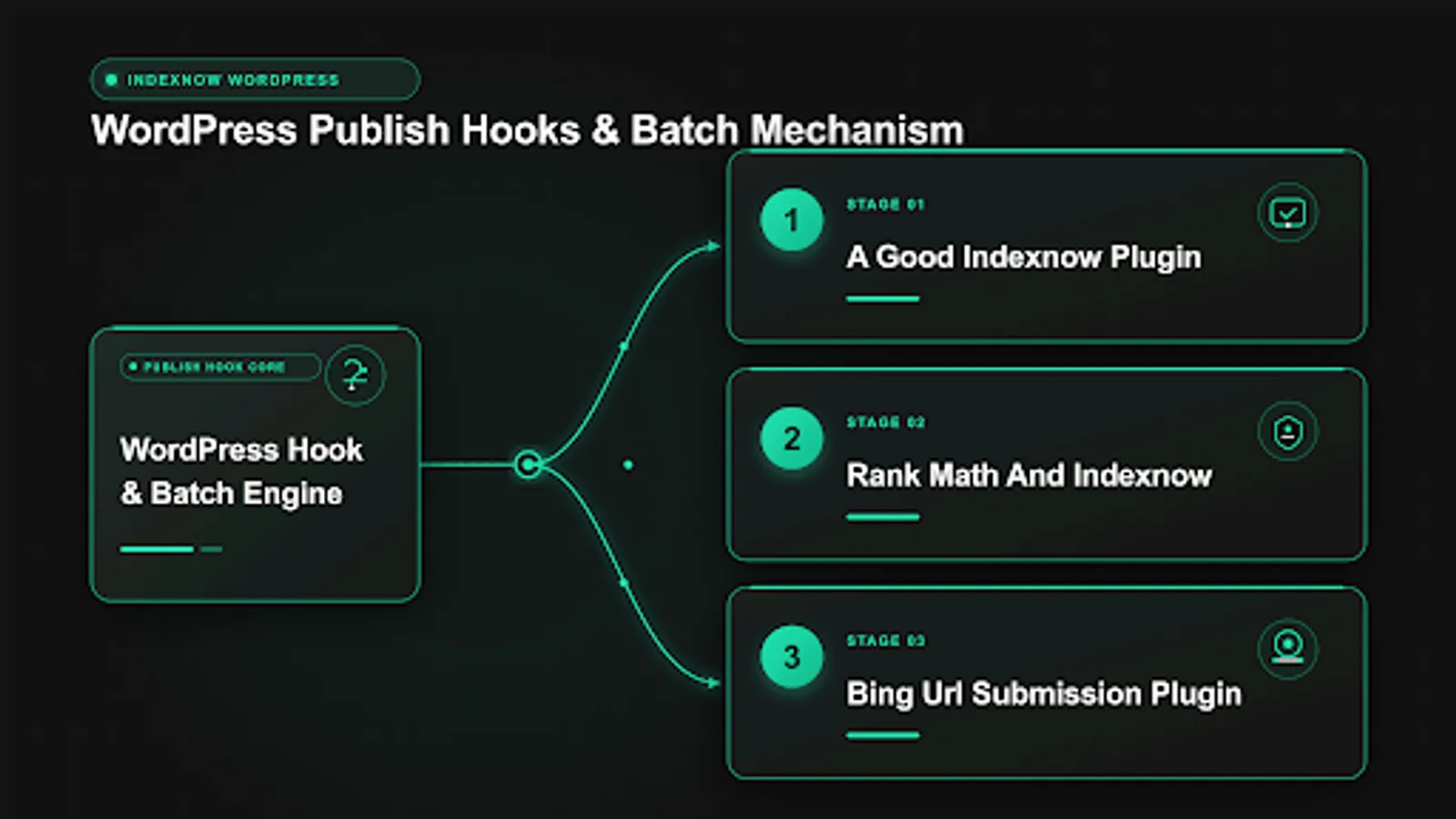
Under the hood, plugins hook into WordPress events like publish, update, and trash. When an event fires, the plugin checks whether the post type is public, whether noindex is set, and whether the URL is canonical. If checks pass, it queues the URL and sends it to the IndexNow endpoint with your key. Good plugins deduplicate rapid edits, handle deletes as removal hints, and avoid sending admin, preview, or paginated noise. Understanding this flow makes settings choices clearer.
Hooks on publish, update, and delete drive automatic sends. Generate a strong random key and store it in settings, not in theme files. Verify the key file URL before enabling auto submit for all post types. Rotate keys by publishing the new file first, then updating plugin settings. Sitemap basics are in Google sitemap docs.
Eligibility checks filter noindex, private, and non public types. Verify the key file URL before enabling auto submit for all post types. Rotate keys by publishing the new file first, then updating plugin settings. If verification fails, check caching, redirects, and bot blocks at the root.
Canonical absolute URLs are queued for POST batches. Rotate keys by publishing the new file first, then updating plugin settings. If verification fails, check caching, redirects, and bot blocks at the root. Keep the key file reachable at root with 200 status and plain text type.
Rapid edits are deduplicated to avoid repeat pings. If verification fails, check caching, redirects, and bot blocks at the root. Keep the key file reachable at root with 200 status and plain text type. Generate a strong random key and store it in settings, not in theme files.
Deletes are treated as removal hints alongside status and sitemap updates. Keep the key file reachable at root with 200 status and plain text type. Generate a strong random key and store it in settings, not in theme files. Verify the key file URL before enabling auto submit for all post types.
Checklist for this section:
- Hooks on publish, update, and delete drive automatic sends.
- Eligibility checks filter noindex, private, and non public types.
- Canonical absolute URLs are queued for POST batches.
- Rapid edits are deduplicated to avoid repeat pings.
- Deletes are treated as removal hints alongside status and sitemap updates.
Work through the list and record dates. Teams that auto submit on publish see steadier supporter crawls than manual senders. Exclude drafts, private, noindex, and thin utility pages from sends.
Rank Math and IndexNow
Rank Math includes IndexNow style instant indexing features alongside its sitemap and SEO controls. For many owners this is convenient, since one plugin manages titles, sitemaps, and submission toggles. Enable the instant indexing module, connect or verify your key, select public post types, and test with one post. Watch that sitemaps stay clean and that only canonical public URLs are sent. If you already use Rank Math, starting here avoids adding another plugin.
For Rank Math IndexNow setup, enable the instant module, verify the key file, and limit sends to public post types. This keeps WordPress IndexNow submits clean without duplicate senders.
Built in instant indexing module suits owners already on Rank Math. Batch rapid edits with short delays to avoid repeat pings for one post. Back off on 429 and retry with delays instead of hammering endpoints. Review logs weekly to catch misconfigurations before they compound.
One place for titles, sitemaps, and submission toggles reduces plugin sprawl. Back off on 429 and retry with delays instead of hammering endpoints. Review logs weekly to catch misconfigurations before they compound. Limit auto submit to public post types that should be indexed.
Select public post types and exclude noindex or utility content. Review logs weekly to catch misconfigurations before they compound. Limit auto submit to public post types that should be indexed. Exclude drafts, private, noindex, and thin utility pages from sends.
Test with a single post and confirm 200 or 202 before full rollout. Limit auto submit to public post types that should be indexed. Exclude drafts, private, noindex, and thin utility pages from sends. Batch rapid edits with short delays to avoid repeat pings for one post.
Keep sitemap settings clean so pings and sitemaps agree. Exclude drafts, private, noindex, and thin utility pages from sends. Batch rapid edits with short delays to avoid repeat pings for one post. Back off on 429 and retry with delays instead of hammering endpoints.
| Setting | Rank Math path | What to verify |
|---|---|---|
| Module | Enable instant indexing or equivalent toggle | Module active and saved |
| Key | Generate and verify root file | File returns 200 plain text |
| Types | Public posts and pages first | Noindex and private excluded |
| Test | Publish unique test post | Log shows 200 or 202 |
| Sitemap | Keep canonical with honest lastmod | Sitemap and pings agree |
Use the table as a setup check. Log every auto submit so you can prove what left WordPress and when. Verify the key file URL before enabling auto submit for all post types.
Yoast SEO and IndexNow handling
Yoast SEO focuses on content analysis, titles, and sitemaps, with IndexNow style submits handled through integrations or companion paths depending on version. If you run Yoast, confirm how your version sends IndexNow pings, which post types are included, and where logs live. Keep Yoast sitemaps clean and canonical, then pair with a light IndexNow path for push. The goal is one clear sender per URL, not overlapping sends from two plugins.
For Yoast IndexNow handling, confirm the send path in your version and pair Yoast sitemaps with a light IndexNow plugin wp companion. This keeps one sender per URL while preserving WordPress ping engines coverage.
Yoast strengths are analysis, titles, and sitemap structure. Tighten structure first when lags grow, then revisit plugin settings. Use staging tests before changing submit rules on live sites. Clean sitemaps, internal links, and canonicals still shape whether pings lead to indexing.
Confirm IndexNow send path and version behavior before enabling. Use staging tests before changing submit rules on live sites. Clean sitemaps, internal links, and canonicals still shape whether pings lead to indexing. Quality and relevance decide rankings after discovery, not the plugin brand.
Avoid double sends by keeping one clear sender per URL. Clean sitemaps, internal links, and canonicals still shape whether pings lead to indexing. Quality and relevance decide rankings after discovery, not the plugin brand. Review crawl stats monthly to confirm auto submits turn into visits.
Keep sitemaps canonical with honest lastmod dates. Quality and relevance decide rankings after discovery, not the plugin brand. Review crawl stats monthly to confirm auto submits turn into visits. Tighten structure first when lags grow, then revisit plugin settings.
Test post publish and update paths separately. Review crawl stats monthly to confirm auto submits turn into visits. Tighten structure first when lags grow, then revisit plugin settings. Use staging tests before changing submit rules on live sites.
Checklist for this section:
- Yoast strengths are analysis, titles, and sitemap structure.
- Confirm IndexNow send path and version behavior before enabling.
- Avoid double sends by keeping one clear sender per URL.
- Keep sitemaps canonical with honest lastmod dates.
- Test post publish and update paths separately.
Work through the list and record dates. Small blogs need simple on publish sends, larger sites need type filters and queues. Back off on 429 and retry with delays instead of hammering endpoints.
Bing URL Submission plugin and IndexNow option
Microsoft Bing Webmaster team maintains a WordPress plugin for URL submission with IndexNow options. It suits owners who want an official path tied to Bing Webmaster Tools. Install from the plugin directory, verify the site, configure key handling, and choose post types for auto submit. Benefit is direct alignment with Bing guidance. Trade off is another dashboard to learn if you already manage SEO elsewhere. Test with staging first when switching senders.
Official Bing plugin aligns closely with Webmaster guidance. Test with one post first, confirm the response, then enable site wide automation. Steady automation beats bursts, because engines trust consistent clean signals. Start with automation, since manual submits get skipped during busy publishing weeks.
Site verification plus key setup proves ownership cleanly. Steady automation beats bursts, because engines trust consistent clean signals. Start with automation, since manual submits get skipped during busy publishing weeks. Teams that auto submit on publish see steadier supporter crawls than manual senders.
Choose public post types and set update behavior carefully. Start with automation, since manual submits get skipped during busy publishing weeks. Teams that auto submit on publish see steadier supporter crawls than manual senders. Log every auto submit so you can prove what left WordPress and when.
Useful when Bing traffic matters and you want direct tooling. Teams that auto submit on publish see steadier supporter crawls than manual senders. Log every auto submit so you can prove what left WordPress and when. Small blogs need simple on publish sends, larger sites need type filters and queues.
Avoid running two auto senders at once to prevent duplicates. Log every auto submit so you can prove what left WordPress and when. Small blogs need simple on publish sends, larger sites need type filters and queues. Test with one post first, confirm the response, then enable site wide automation.
| Item | Official Bing plugin | Standalone plugin |
|---|---|---|
| Best for | Bing focused owners wanting direct tooling | Owners needing light push beside existing SEO |
| Setup | Verify site plus key handling | Key file plus type filters |
| Risk | Extra dashboard to manage | Extra plugin to maintain |
| Avoid | Double sends with another auto sender | Noisy sends for revisions and previews |
| Logs | Check Webmaster plus plugin log | Check plugin log plus server logs |
Use the table as a setup check. Test with one post first, confirm the response, then enable site wide automation. If verification fails, check caching, redirects, and bot blocks at the root.
 <!-- IMAGE-PROMPT diagram-01: 1600px max, DependsIt brand mint #22E3B0 on charcoal #121212, node-network line art, subject: WordPress publish hooks to IndexNow batch diagram, flat vector, accessible, Clash Display headings feel with General Sans labels, no em dash -->
Standalone IndexNow plugins and lightweight options
Standalone IndexNow plugins do one job, which is push changed URLs with minimal settings. They suit owners who already have an SEO plugin for titles and sitemaps and only need push. Look for key file handling, post type filters, manual resend, and a readable log. Avoid plugins that send every revision, admin URL, or paginated variant. Lightweight and predictable often beats feature heavy for busy publishing teams.
Single purpose push keeps settings small and predictable. Keep the key file reachable at root with 200 status and plain text type. Generate a strong random key and store it in settings, not in theme files. Verify the key file URL before enabling auto submit for all post types.
Best when titles and sitemaps already live in another plugin. Generate a strong random key and store it in settings, not in theme files. Verify the key file URL before enabling auto submit for all post types. Rotate keys by publishing the new file first, then updating plugin settings.
Need key handling, type filters, resend, and logs at minimum. Verify the key file URL before enabling auto submit for all post types. Rotate keys by publishing the new file first, then updating plugin settings. If verification fails, check caching, redirects, and bot blocks at the root.
Avoid noisy sends for revisions, previews, and admin URLs. Rotate keys by publishing the new file first, then updating plugin settings. If verification fails, check caching, redirects, and bot blocks at the root. Keep the key file reachable at root with 200 status and plain text type.
Prefer maintained plugins with clear changelog and support. If verification fails, check caching, redirects, and bot blocks at the root. Keep the key file reachable at root with 200 status and plain text type. Generate a strong random key and store it in settings, not in theme files.
Checklist for this section:
- Single purpose push keeps settings small and predictable.
- Best when titles and sitemaps already live in another plugin.
- Need key handling, type filters, resend, and logs at minimum.
- Avoid noisy sends for revisions, previews, and admin URLs.
- Prefer maintained plugins with clear changelog and support.
Work through the list and record dates. Steady automation beats bursts, because engines trust consistent clean signals. Limit auto submit to public post types that should be indexed.
How to configure keys, post types, and automation
Configuration decides whether automation helps or harms. Generate a strong random key, ensure the matching text file is reachable at the root, then paste the key into plugin settings. Enable public posts and pages first, add custom types only after testing, and exclude search, archives, and utility templates. Set sends on publish and update, plus delete handling that matches your sitemap removal. Save, test with one URL, then expand.
For WP IndexNow setup, save the key in plugin settings and verify the root file before enabling site wide sends. Solid IndexNow automation WordPress configuration limits sends to public types and deduplicates rapid edits.
Generate a strong key and verify root file reachability. Exclude drafts, private, noindex, and thin utility pages from sends. Batch rapid edits with short delays to avoid repeat pings for one post. Back off on 429 and retry with delays instead of hammering endpoints. Key steps pair with how to generate and host your IndexNow API key.
Enable posts and pages first, add custom types after testing. Batch rapid edits with short delays to avoid repeat pings for one post. Back off on 429 and retry with delays instead of hammering endpoints. Review logs weekly to catch misconfigurations before they compound.
Exclude noindex, private, search, and utility templates. Back off on 429 and retry with delays instead of hammering endpoints. Review logs weekly to catch misconfigurations before they compound. Limit auto submit to public post types that should be indexed.
Handle deletes consistently across plugin, sitemap, and status codes. Review logs weekly to catch misconfigurations before they compound. Limit auto submit to public post types that should be indexed. Exclude drafts, private, noindex, and thin utility pages from sends.
Test one URL end to end before enabling site wide. Limit auto submit to public post types that should be indexed. Exclude drafts, private, noindex, and thin utility pages from sends. Batch rapid edits with short delays to avoid repeat pings for one post.
| Step | Action | Pass check |
|---|---|---|
| 1. Key | Generate random key, host <key>.txt at root | File fetch returns 200 |
| 2. Types | Enable public posts and pages | Test post eligible, private not |
| 3. Exclusions | Exclude noindex, search, archives | Excluded URLs never queued |
| 4. Events | Enable publish, update, delete handling | Each event creates one log entry |
| 5. Test | Publish unique slug and inspect log | 200 or 202 with correct URL |
Use the table as a setup check. Start with automation, since manual submits get skipped during busy publishing weeks. Generate a strong random key and store it in settings, not in theme files.
Testing that submissions actually leave WordPress
Testing proves the chain works. Publish a test post with a unique slug, check the plugin log for time, URL, and response code, then fetch the key file URL to confirm 200. Send a manual single URL batch with cURL to compare codes. Watch server logs for supporter bot visits over the next hours and days. If logs show 200 or 202 but no crawls, check content quality, canonicals, and robots before blaming the plugin.
Use the test to confirm plugin submit Bing behavior and IndexNow wp free paths work without extra cost. Compare the manual send against the best IndexNow plugin log to confirm the same URL and key were used.
Publish a unique test post and inspect the plugin log entry. Review crawl stats monthly to confirm auto submits turn into visits. Tighten structure first when lags grow, then revisit plugin settings. Use staging tests before changing submit rules on live sites. Bulk limits are explained in IndexNow bulk submissions.
Confirm key file returns 200 with correct plain text content. Tighten structure first when lags grow, then revisit plugin settings. Use staging tests before changing submit rules on live sites. Clean sitemaps, internal links, and canonicals still shape whether pings lead to indexing.
Compare plugin codes against a manual cURL single send. Use staging tests before changing submit rules on live sites. Clean sitemaps, internal links, and canonicals still shape whether pings lead to indexing. Quality and relevance decide rankings after discovery, not the plugin brand.
Watch supporter bot hits after the test window. Clean sitemaps, internal links, and canonicals still shape whether pings lead to indexing. Quality and relevance decide rankings after discovery, not the plugin brand. Review crawl stats monthly to confirm auto submits turn into visits.
Check canonicals and robots when sends succeed but crawls lag. Quality and relevance decide rankings after discovery, not the plugin brand. Review crawl stats monthly to confirm auto submits turn into visits. Tighten structure first when lags grow, then revisit plugin settings.
Checklist for this section:
- Publish a unique test post and inspect the plugin log entry.
- Confirm key file returns 200 with correct plain text content.
- Compare plugin codes against a manual cURL single send.
- Watch supporter bot hits after the test window.
- Check canonicals and robots when sends succeed but crawls lag.
Work through the list and record dates. Teams that auto submit on publish see steadier supporter crawls than manual senders. Batch rapid edits with short delays to avoid repeat pings for one post.
 <!-- IMAGE-PROMPT workflow-02: 1600px max, DependsIt brand, mint #22E3B0 accents on charcoal #121212 or white, node-network line art, subject: WordPress IndexNow test workflow from publish to log to crawl, flat vector, accessible, Clash Display and General Sans feel, no em dash -->
Example functions.php style check of eligibility before queueing:
function my_should_submit($post_id) {
  if (get_post_status($post_id) !== 'publish') return false;
  if (get_post_meta($post_id, '_noindex', true)) return false;
  $type = get_post_type($post_id);
  return in_array($type, ['post','page'], true);
}
Example manual IndexNow POST for comparison with plugin logs:
curl -X POST "https://www.bing.com/indexnow" \
  -H "Content-Type: application/json" \
  -d '{"host":"www.example.com","key":"abc123def456abc123def456abc12345","keyLocation":"https://www.example.com/abc123def456abc123def456abc12345.txt","urlList":["https://www.example.com/new-post/"]}'
Troubleshooting common plugin failures
Most failures fall into a few buckets. Key mismatches cause 403, often from caching, wrong filename, or content mismatch. Bad URLs cause 422, often from trailing spaces, non canonicals, or preview links. Throttles cause 429 when bulk edits fire too fast. Missing sends often trace to wrong post type settings, noindex flags, or conflicts between two senders. Fix in that order and retest with one URL before bulk resends.
403 means key file mismatch, check name, content, and caching. Log every auto submit so you can prove what left WordPress and when. Small blogs need simple on publish sends, larger sites need type filters and queues. Test with one post first, confirm the response, then enable site wide automation.
422 means invalid URLs, clean lists to canonical absolutes. Small blogs need simple on publish sends, larger sites need type filters and queues. Test with one post first, confirm the response, then enable site wide automation. Steady automation beats bursts, because engines trust consistent clean signals.
429 means too fast, add delays and backoff before resume. Test with one post first, confirm the response, then enable site wide automation. Steady automation beats bursts, because engines trust consistent clean signals. Start with automation, since manual submits get skipped during busy publishing weeks.
Missing sends often mean type filters or noindex blocks. Steady automation beats bursts, because engines trust consistent clean signals. Start with automation, since manual submits get skipped during busy publishing weeks. Teams that auto submit on publish see steadier supporter crawls than manual senders.
Conflicts arise when two plugins send the same URLs. Start with automation, since manual submits get skipped during busy publishing weeks. Teams that auto submit on publish see steadier supporter crawls than manual senders. Log every auto submit so you can prove what left WordPress and when.
Checklist for this section:
- 403 means key file mismatch, check name, content, and caching.
- 422 means invalid URLs, clean lists to canonical absolutes.
- 429 means too fast, add delays and backoff before resume.
- Missing sends often mean type filters or noindex blocks.
- Conflicts arise when two plugins send the same URLs.
Work through the list and record dates. Log every auto submit so you can prove what left WordPress and when. Back off on 429 and retry with delays instead of hammering endpoints.
Performance and safety notes for busy sites
Busy sites need guardrails. Deduplicate rapid edits so one post does not ping ten times in a minute. Queue sends in the background instead of blocking the editor on save. Exclude high churn utility URLs that should never be indexed. Cache the key file correctly without blocking bots. Review logs for error spikes after traffic surges or bulk edits. These habits keep push fast without slowing publishing or burning attention.
Deduplicate edits with short delays before sending. If verification fails, check caching, redirects, and bot blocks at the root. Keep the key file reachable at root with 200 status and plain text type. Generate a strong random key and store it in settings, not in theme files.
Send in background so saving posts stays fast. Keep the key file reachable at root with 200 status and plain text type. Generate a strong random key and store it in settings, not in theme files. Verify the key file URL before enabling auto submit for all post types.
Exclude utility and thin URLs from auto submit. Generate a strong random key and store it in settings, not in theme files. Verify the key file URL before enabling auto submit for all post types. Rotate keys by publishing the new file first, then updating plugin settings.
Cache sensibly while keeping key file reachable to bots. Verify the key file URL before enabling auto submit for all post types. Rotate keys by publishing the new file first, then updating plugin settings. If verification fails, check caching, redirects, and bot blocks at the root.
Alert on repeated 403, 422, or 429 after bulk operations. Rotate keys by publishing the new file first, then updating plugin settings. If verification fails, check caching, redirects, and bot blocks at the root. Keep the key file reachable at root with 200 status and plain text type.
Checklist for this section:
- Deduplicate edits with short delays before sending.
- Send in background so saving posts stays fast.
- Exclude utility and thin URLs from auto submit.
- Cache sensibly while keeping key file reachable to bots.
- Alert on repeated 403, 422, or 429 after bulk operations.
Work through the list and record dates. Small blogs need simple on publish sends, larger sites need type filters and queues. Review logs weekly to catch misconfigurations before they compound.
Which indexnow wordpress plugin to pick for each type of site
Pick by stack and team size. Solo blogs on Rank Math can start with its built in path. Yoast centered sites can keep Yoast for structure plus a light push plugin. Bing focused owners can use the official Bing plugin for direct alignment. Custom stacks with heavy post types often prefer a standalone IndexNow plugin with strong filters and logs. In every case, keep one sender, clean sitemaps, and measured logs. Revisit after a month of data.
Solo blogs: built in path where SEO already lives. Limit auto submit to public post types that should be indexed. Exclude drafts, private, noindex, and thin utility pages from sends. Batch rapid edits with short delays to avoid repeat pings for one post.
Yoast stacks: Yoast for structure plus light push for freshness. Exclude drafts, private, noindex, and thin utility pages from sends. Batch rapid edits with short delays to avoid repeat pings for one post. Back off on 429 and retry with delays instead of hammering endpoints.
Bing focused: official plugin for direct Webmaster alignment. Batch rapid edits with short delays to avoid repeat pings for one post. Back off on 429 and retry with delays instead of hammering endpoints. Review logs weekly to catch misconfigurations before they compound.
Custom types: standalone with filters, resend, and clear logs. Back off on 429 and retry with delays instead of hammering endpoints. Review logs weekly to catch misconfigurations before they compound. Limit auto submit to public post types that should be indexed.
All stacks: one sender, clean sitemaps, weekly log review. Review logs weekly to catch misconfigurations before they compound. Limit auto submit to public post types that should be indexed. Exclude drafts, private, noindex, and thin utility pages from sends.
Checklist for this section:
- Solo blogs: built in path where SEO already lives.
- Yoast stacks: Yoast for structure plus light push for freshness.
- Bing focused: official plugin for direct Webmaster alignment.
- Custom types: standalone with filters, resend, and clear logs.
- All stacks: one sender, clean sitemaps, weekly log review.
Work through the list and record dates. Test with one post first, confirm the response, then enable site wide automation. Limit auto submit to public post types that should be indexed.
FAQ
Which IndexNow plugin is best for WordPress?
It depends on your stack and needs for WordPress IndexNow automation. Rank Math suits owners already using it for SEO, since one plugin covers titles, sitemaps, and push with Rank Math IndexNow controls. Yoast centered sites often pair Yoast for structure with a light standalone push plugin, since Yoast IndexNow paths vary by version. Bing focused owners may prefer the official Bing plugin for plugin submit Bing alignment. Standalone plugins suit custom stacks that only need push with strong filters and logs.
Do I still need sitemaps if the plugin pings IndexNow?
Yes. Keep XML sitemaps clean with canonical 200 URLs and honest lastmod dates even with strong WordPress IndexNow automation in place every day. IndexNow gives freshness for supporters, while sitemaps give structure for all engines including Google, which does not support IndexNow at all. The best IndexNow plugin should keep both outputs in sync from the same publish event automatically. Check WP IndexNow setup so sitemap rebuilds and pings trigger together without manual double work or missed URLs during launches.
How do I set the IndexNow key in WordPress?
Generate a strong random key in the plugin, ensure the matching text file is reachable at the site root with 200 status, then save the key in settings for clean WP IndexNow setup. Verify the file URL in a browser and in search tools before enabling site wide sends for all post types. This IndexNow automation WordPress step prevents 403 errors from caching, redirects, or mismatched content. Keep caching from blocking the file and monitor it with uptime checks every week.
Why are my posts not being submitted?
Check post type settings, noindex flags, and private status first when WordPress IndexNow sends go missing. Confirm the key file is reachable and the key matches settings for your IndexNow plugin wp installation. Look for conflicts where two plugins try to send the same URLs at once. Inspect the plugin log for 403, 422, or 429 codes, fix the root cause, then retest with a unique post. Review Rank Math IndexNow and Yoast IndexNow toggles so only one sender stays active.
Will IndexNow plugins help Google indexing?
No direct effect, since Google does not support IndexNow push for general pages today. WordPress IndexNow plugins help Bing, Yandex, Naver, Seznam, and related supporters discover changes faster through WordPress ping engines and IndexNow relays. For Google, keep sitemaps clean, link new posts from hubs, and use Search Console for priority URLs within limits. Even the best IndexNow plugin cannot place URLs into Google search results. Measure Google and supporter crawls separately to judge real impact by engine and week.
How do I avoid duplicate or noisy submits?
Enable one auto sender only, limit to public post types, exclude noindex and utility templates, and deduplicate rapid edits with short delays for clean IndexNow automation WordPress behavior every day. Avoid sending previews, revisions, drafts, and paginated variants through any IndexNow plugin wp path on busy sites. Confirm plugin submit Bing logs show one entry per URL, and prefer IndexNow wp free tools with clear logs and maintained support channels. Review logs weekly after setup to catch noise before it compounds.
Sources
- https://www.indexnow.org/documentation
- https://www.bing.com/webmasters/help/indexnow
- https://developers.google.com/search/docs/crawling-indexing/sitemaps-overview
- https://developer.mozilla.org/en-US/docs/Web/HTTP/Methods/POST
- https://schema.org/BlogPosting