Removing noindex from WordPress: Themes, Plugins, and Settings

WordPress makes it easy to hide pages from search without meaning to. A single checkbox, a plugin default, or a theme template can add noindex across hundreds of URLs while the site looks fine to visitors. This guide is for owners, editors, and developers who need to fix wordpress noindex problems and keep priority pages in Google search. You will learn where flags hide in settings, plugins, themes, and headers, how to build a complete list of affected URLs, how to remove blocks in a safe order, and how to prevent repeats with simple role and launch checks. The focus keyword wordpress noindex appears early to match intent and guide each step.
Key takeaways
- WordPress can emit noindex from settings, plugins, themes, and headers at once.
- Reading settings and staging copies cause most sitewide cases.
- Build a full grouped list before changing globals or templates.
- Remove in order, validate live output, and lock roles with checklists.
- Where wordpress noindex flags hide across settings and code
- Reading List setting, site visibility, and staging leftovers
- SEO plugins: Rank Math, Yoast, and page level noindex switches
- Themes, page builders, and custom templates that add noindex
- How to find every noindexed URL with crawls and Search Console
- Safe removal steps and validation before requesting recrawls
- Preventing repeat noindex issues with roles and checklists
- FAQ
- Sources
- Further reading
 <!-- IMAGE-PROMPT cover: 1200x630, DependsIt brand, deep charcoal #121212 background, vibrant mint #22E3B0 accent glow, thin node-network line art, Clash Display style bold heading space on left, General Sans clean labels, subject: wordpress noindex cover for site owners, flat vector, high contrast, accessible, no photorealistic faces, no text smaller than 24px, no em dash in rendered text, export PNG then cwebp -q 82 to WEBP -->
Where wordpress noindex flags hide across settings and code
WordPress can emit noindex from settings, SEO plugins, themes, page builders, and server headers, often at the same time. For wordpress noindex, the visible page may look normal while view source shows a robots meta tag or headers carry X Robots Tag with noindex. Staging copies, password protection, and coming soon modes add sitewide flags that persist after launch. This section maps every layer that can inject the directive, explains how they combine, and gives a search order that finds the true source quickly instead of toggling settings at random.
To make progress on where wordpress hides noindex flags across settings and code, start with live evidence rather than assumptions. Open the URL in a clean browser session, view source, and compare it with the rendered DOM. Note the title, meta robots, canonical link, headings, and main body length in both views. Then fetch response headers to confirm status code, content type, X Robots Tag, cache directives, and redirect chain length. For wordpress noindex, these first facts decide whether deeper work is needed or whether a single header or tag explains the symptom. Record the date, template name, and test URLs so later changes can be tied to outcomes without guesswork.
Practical checks for where wordpress hides noindex flags across settings and code work best as a short checklist with owners and dates. Confirm crawl access in robots.txt for the exact path and user agent, confirm index permission in meta and headers, confirm the canonical target returns 200 and allows indexing, confirm sitemap inclusion only for preferred URLs, and confirm at least a few relevant internal inlinks from indexed hubs. For wordpress noindex, each check takes minutes but together they catch most blocks. Log which check failed for each sample so the repair targets the true source instead of applying broad changes that risk new issues.
Checklist for where wordpress hides noindex flags across settings and code:
- Confirm live status, headers, and rendered output on two samples from this template.
- Compare Search Console samples with crawl exports grouped by template and path.
- Align sitemap entries, internal anchors, and canonical targets to one preferred URL form.
- Fix the template or setting once, then retest across post types and archives.
- Purge page cache and edge cache, then recheck logged out HTML and headers.
- Log the change with dates and watch valid indexed counts for two weeks.
| Check for wordpress noindex | What to look for | Next step |
|---|---|---|
| --- | --- | --- |
| Crawl access | robots result and log fetch rate | Narrow the exact disallow or allow pattern |
|---|---|---|
| Index permission | meta robots and X Robots Tag | Remove noindex from the true source layer |
| Canonical clarity | declared versus selected URL | Point all cues to one 200 indexable target |
|---|---|---|
| Internal support | inlink count and click depth | Add hub and contextual links with clear anchors |
Example: a site working on wordpress noindex found that where wordpress hides noindex flags across settings and code affected one template more than others. The team listed fifty sample URLs, added template and inlink columns, and saw that archive pages carried the same canonical as single posts while receiving almost no internal links. They updated the template so archives self reference only when they add unique value, added three contextual links from related hubs to priority singles, cleaned the sitemap to preferred URLs only, and purged cache. Live tests then showed consistent canonicals, logs showed steadier fetching of the priority section, and the valid indexed trend rose without bulk resubmits. For more context on adjacent coverage states, see How to Remove a noindex Tag and Get Your Pages Back in Google which explains how discovery and crawl states connect to this fix.
Next, widen the lens from one URL to its template group. For wordpress noindex, single page fixes rarely move coverage because the same include, plugin, or layout rule affects hundreds of pages. Export Search Console samples for the relevant status, add columns for template, word count, inlink count, canonical target, and sitemap presence, then sort by template. When where wordpress hides noindex flags across settings and code clusters on one layout, the fix belongs in code or settings, not in the editor. When it spreads across layouts, look at sitewide signals such as navigation depth, crawl budget pressure, or recent deploy dates that shifted many pages at once.
Do not overlook rendering and performance. For wordpress noindex, JavaScript that injects main content late, lazy loads critical links, or blocks CSS and scripts can make a healthy page look thin to crawlers. Test raw versus rendered word counts, list blocked resources reported in live tests, and confirm that canonicals, hreflang, and structured data appear in rendered HTML as well as source. Compress images, stabilize response times, and ensure the edge cache serves bots the same HTML as browsers. Faster stable rendering helps every other fix for where wordpress hides noindex flags across settings and code get noticed sooner.
curl -I https://example.com/sample-pageStart any wordpress noindex remove job by listing affected URLs grouped by template before you toggle settings. To find noindex source wordpress quickly, compare view source, headers, and plugin states for the same URL while logged out.
Reading List setting, site visibility, and staging leftovers
The Settings Reading checkbox for discouraging search engines is the most common sitewide cause. For wordpress noindex, one checked box adds noindex to every page and is often left on after staging or redesigns. Migrations that copy databases, hosts file testing, and one click staging plugins make this worse. This section shows how to check the option value in admin and database, how to confirm the header output on the live domain as Googlebot sees it, and how to clean up staging hosts so they do not leak flags or get indexed themselves.
Next, widen the lens from one URL to its template group. For wordpress noindex, single page fixes rarely move coverage because the same include, plugin, or layout rule affects hundreds of pages. Export Search Console samples for the relevant status, add columns for template, word count, inlink count, canonical target, and sitemap presence, then sort by template. When reading list setting, site visibility, and staging leftovers clusters on one layout, the fix belongs in code or settings, not in the editor. When it spreads across layouts, look at sitewide signals such as navigation depth, crawl budget pressure, or recent deploy dates that shifted many pages at once.
Content quality still decides many close calls. For wordpress noindex, compare the thin or duplicated page against indexed competitors on specificity, steps, examples, data, and intent fit. Add concrete details that a crawler can distinguish, such as exact procedures, error strings, thresholds, timelines, and follow up actions. Keep titles and H1s distinct across the section, tighten intros that repeat the same boilerplate, and remove auto generated archives that compete with priority pages. When reading list setting, site visibility, and staging leftovers improves uniqueness and intent match, Google has a clearer reason to keep the preferred URL in the index.
Checklist for reading list setting, site visibility, and staging leftovers:
- Confirm live status, headers, and rendered output on two samples from this template.
- Compare Search Console samples with crawl exports grouped by template and path.
- Align sitemap entries, internal anchors, and canonical targets to one preferred URL form.
- Fix the template or setting once, then retest across post types and archives.
- Purge page cache and edge cache, then recheck logged out HTML and headers.
- Log the change with dates and watch valid indexed counts for two weeks.
| Check for wordpress noindex | What to look for | Next step |
|---|---|---|
| --- | --- | --- |
| Crawl access | robots result and log fetch rate | Narrow the exact disallow or allow pattern |
|---|---|---|
| Index permission | meta robots and X Robots Tag | Remove noindex from the true source layer |
| Canonical clarity | declared versus selected URL | Point all cues to one 200 indexable target |
|---|---|---|
| Internal support | inlink count and click depth | Add hub and contextual links with clear anchors |
Example: a site working on wordpress noindex found that reading list setting, site visibility, and staging leftovers affected one template more than others. The team listed fifty sample URLs, added template and inlink columns, and saw that archive pages carried the same canonical as single posts while receiving almost no internal links. They updated the template so archives self reference only when they add unique value, added three contextual links from related hubs to priority singles, cleaned the sitemap to preferred URLs only, and purged cache. Live tests then showed consistent canonicals, logs showed steadier fetching of the priority section, and the valid indexed trend rose without bulk resubmits. For more context on adjacent coverage states, see our guide on How to Remove a noindex Tag and Get Your Pages Back in Google which explains how discovery and crawl states connect to this fix.
Then align the supporting signals that Google weighs alongside the main tag or directive. For wordpress noindex, sitemaps should list only canonical 200 URLs with accurate lastmod, internal links should point to the same canonical variant with descriptive anchors, and alternate cues such as hreflang, pagination, or feed links should agree rather than compete. Mixed cues force Google to choose, which delays indexing. Pick one preferred URL form with consistent protocol, host, trailing slash, and parameter handling, update templates and feeds to emit it, and remove stale variants from sitemaps so crawlers spend time on pages that can actually be indexed.
Rollout discipline protects gains. For wordpress noindex, back up templates and settings, change one layer at a time, and keep a simple log with template, change, date, and sample URLs. After deploy, clear caches, retest live output, and compare before and after exports rather than relying on memory. Share the log with editors and developers so no one reintroduces the old pattern during the next theme update. When reading list setting, site visibility, and staging leftovers is fixed at the template level with monitoring in place, coverage usually stays stable through future releases.
 <!-- IMAGE-PROMPT diagram-01: 1600px max, DependsIt brand mint #22E3B0 on charcoal #121212, node-network line art, Clash Display style headings, General Sans clean labels, subject: wordpress noindex pipeline diagram from discovery through crawl to index, flat vector, accessible, no em dash -->
curl -I https://example.com/sample-pageThe common cause is wp settings discourage search engines left checked after staging or redesign. To undiscourage search engines safely, uncheck the box on production only, save, purge cache, and confirm the header no longer emits noindex.
SEO plugins: Rank Math, Yoast, and page level noindex switches
SEO plugins give fine grained control, which means many places to slip. For wordpress noindex, global defaults for post types, taxonomies, and archives can noindex whole sections, while individual page toggles can hide key landing pages. Setup wizards sometimes apply conservative defaults on new installs. This section walks through the global index settings, title and sitemap modules, and per page advanced tabs in the major plugins. It shows how to export the current rules, compare them with Search Console excluded by noindex samples, and reset only what blocks priority URLs.
Then align the supporting signals that Google weighs alongside the main tag or directive. For wordpress noindex, sitemaps should list only canonical 200 URLs with accurate lastmod, internal links should point to the same canonical variant with descriptive anchors, and alternate cues such as hreflang, pagination, or feed links should agree rather than compete. Mixed cues force Google to choose, which delays indexing. Pick one preferred URL form with consistent protocol, host, trailing slash, and parameter handling, update templates and feeds to emit it, and remove stale variants from sitemaps so crawlers spend time on pages that can actually be indexed.
Do not overlook rendering and performance. For wordpress noindex, JavaScript that injects main content late, lazy loads critical links, or blocks CSS and scripts can make a healthy page look thin to crawlers. Test raw versus rendered word counts, list blocked resources reported in live tests, and confirm that canonicals, hreflang, and structured data appear in rendered HTML as well as source. Compress images, stabilize response times, and ensure the edge cache serves bots the same HTML as browsers. Faster stable rendering helps every other fix for seo plugins: rank math, yoast, and page level noindex switches get noticed sooner.
Checklist for seo plugins: rank math, yoast, and page level noindex switches:
- Confirm live status, headers, and rendered output on two samples from this template.
- Compare Search Console samples with crawl exports grouped by template and path.
- Align sitemap entries, internal anchors, and canonical targets to one preferred URL form.
- Fix the template or setting once, then retest across post types and archives.
- Purge page cache and edge cache, then recheck logged out HTML and headers.
- Log the change with dates and watch valid indexed counts for two weeks.
| Check for wordpress noindex | What to look for | Next step |
|---|---|---|
| --- | --- | --- |
| Crawl access | robots result and log fetch rate | Narrow the exact disallow or allow pattern |
|---|---|---|
| Index permission | meta robots and X Robots Tag | Remove noindex from the true source layer |
| Canonical clarity | declared versus selected URL | Point all cues to one 200 indexable target |
|---|---|---|
| Internal support | inlink count and click depth | Add hub and contextual links with clear anchors |
Example: a site working on wordpress noindex found that seo plugins: rank math, yoast, and page level noindex switches affected one template more than others. The team listed fifty sample URLs, added template and inlink columns, and saw that archive pages carried the same canonical as single posts while receiving almost no internal links. They updated the template so archives self reference only when they add unique value, added three contextual links from related hubs to priority singles, cleaned the sitemap to preferred URLs only, and purged cache. Live tests then showed consistent canonicals, logs showed steadier fetching of the priority section, and the valid indexed trend rose without bulk resubmits. For more context on adjacent coverage states, see our guide on How to Remove a noindex Tag and Get Your Pages Back in Google which explains how discovery and crawl states connect to this fix.
Finally, validate in small loops and track trends. For wordpress noindex, fix staging first, deploy to production, purge page and edge caches, and retest headers and source on live URLs while logged out. Run URL Inspection live tests on two to three samples per template, not on thousands of URLs. Note last crawl dates and canonical selection, then watch the Pages report for the section over one to two weeks. Stable templates plus steady internal links usually move the valid count before any single URL is manually resubmitted. If movement stalls, revisit rendering, duplication, and depth before adding more requests.
Practical checks for seo plugins: rank math, yoast, and page level noindex switches work best as a short checklist with owners and dates. Confirm crawl access in robots.txt for the exact path and user agent, confirm index permission in meta and headers, confirm the canonical target returns 200 and allows indexing, confirm sitemap inclusion only for preferred URLs, and confirm at least a few relevant internal inlinks from indexed hubs. For wordpress noindex, each check takes minutes but together they catch most blocks. Log which check failed for each sample so the repair targets the true source instead of applying broad changes that risk new issues.
curl -I https://example.com/sample-pageA single plugin adds noindex to whole post types when a global default is too strict. Review each seo plugin noindex setting for post types, taxonomies, and archives, then change only the rules that block priority content.
Themes, page builders, and custom templates that add noindex
Themes and builders sometimes hardcode robots meta tags or filter wp robots output. For wordpress noindex, a custom page template, a landing page module, or a maintenance mode layout can force noindex even when plugins say index. Child theme functions, header includes, and optimization plugins that rewrite head output are frequent sources. This section explains how to search theme files for robots strings, how to test with a default theme and plugins paused on staging, and how to replace hardcoded tags with proper plugin controlled settings that respect per page intent.
Finally, validate in small loops and track trends. For wordpress noindex, fix staging first, deploy to production, purge page and edge caches, and retest headers and source on live URLs while logged out. Run URL Inspection live tests on two to three samples per template, not on thousands of URLs. Note last crawl dates and canonical selection, then watch the Pages report for the section over one to two weeks. Stable templates plus steady internal links usually move the valid count before any single URL is manually resubmitted. If movement stalls, revisit rendering, duplication, and depth before adding more requests.
Rollout discipline protects gains. For wordpress noindex, back up templates and settings, change one layer at a time, and keep a simple log with template, change, date, and sample URLs. After deploy, clear caches, retest live output, and compare before and after exports rather than relying on memory. Share the log with editors and developers so no one reintroduces the old pattern during the next theme update. When themes, page builders, and custom templates that add noindex is fixed at the template level with monitoring in place, coverage usually stays stable through future releases.
Checklist for themes, page builders, and custom templates that add noindex:
- Confirm live status, headers, and rendered output on two samples from this template.
- Compare Search Console samples with crawl exports grouped by template and path.
- Align sitemap entries, internal anchors, and canonical targets to one preferred URL form.
- Fix the template or setting once, then retest across post types and archives.
- Purge page cache and edge cache, then recheck logged out HTML and headers.
- Log the change with dates and watch valid indexed counts for two weeks.
| Check for wordpress noindex | What to look for | Next step |
|---|---|---|
| --- | --- | --- |
| Crawl access | robots result and log fetch rate | Narrow the exact disallow or allow pattern |
|---|---|---|
| Index permission | meta robots and X Robots Tag | Remove noindex from the true source layer |
| Canonical clarity | declared versus selected URL | Point all cues to one 200 indexable target |
|---|---|---|
| Internal support | inlink count and click depth | Add hub and contextual links with clear anchors |
Example: a site working on wordpress noindex found that themes, page builders, and custom templates that add noindex affected one template more than others. The team listed fifty sample URLs, added template and inlink columns, and saw that archive pages carried the same canonical as single posts while receiving almost no internal links. They updated the template so archives self reference only when they add unique value, added three contextual links from related hubs to priority singles, cleaned the sitemap to preferred URLs only, and purged cache. Live tests then showed consistent canonicals, logs showed steadier fetching of the priority section, and the valid indexed trend rose without bulk resubmits. For more context on adjacent coverage states, see our guide on How to Remove a noindex Tag and Get Your Pages Back in Google which explains how discovery and crawl states connect to this fix.
To make progress on themes, page builders, and custom templates that add noindex, start with live evidence rather than assumptions. Open the URL in a clean browser session, view source, and compare it with the rendered DOM. Note the title, meta robots, canonical link, headings, and main body length in both views. Then fetch response headers to confirm status code, content type, X Robots Tag, cache directives, and redirect chain length. For wordpress noindex, these first facts decide whether deeper work is needed or whether a single header or tag explains the symptom. Record the date, template name, and test URLs so later changes can be tied to outcomes without guesswork.
Content quality still decides many close calls. For wordpress noindex, compare the thin or duplicated page against indexed competitors on specificity, steps, examples, data, and intent fit. Add concrete details that a crawler can distinguish, such as exact procedures, error strings, thresholds, timelines, and follow up actions. Keep titles and H1s distinct across the section, tighten intros that repeat the same boilerplate, and remove auto generated archives that compete with priority pages. When themes, page builders, and custom templates that add noindex improves uniqueness and intent match, Google has a clearer reason to keep the preferred URL in the index.
curl -I https://example.com/sample-pageWhen you see noindex from theme code, search theme files for robots strings and test with a default theme on staging. This pattern often explains wordpress pages not indexed on custom landing templates while posts remain fine.
How to find every noindexed URL with crawls and Search Console
You need a full list before you change anything. For wordpress noindex, Search Console Pages shows excluded by noindex samples, but a desktop crawl gives the complete set with source hints. Combining both reveals whether blocks cluster on a post type, template, or plugin rule. This section shows how to export up to 1000 sample URLs, crawl the site with robots and headers enabled, add columns for meta versus header noindex, and group by template and path. The grouped sheet points to the exact setting or file to fix rather than one URL at a time.
To make progress on how to find every noindexed url with crawls and search console, start with live evidence rather than assumptions. Open the URL in a clean browser session, view source, and compare it with the rendered DOM. Note the title, meta robots, canonical link, headings, and main body length in both views. Then fetch response headers to confirm status code, content type, X Robots Tag, cache directives, and redirect chain length. For wordpress noindex, these first facts decide whether deeper work is needed or whether a single header or tag explains the symptom. Record the date, template name, and test URLs so later changes can be tied to outcomes without guesswork.
Practical checks for how to find every noindexed url with crawls and search console work best as a short checklist with owners and dates. Confirm crawl access in robots.txt for the exact path and user agent, confirm index permission in meta and headers, confirm the canonical target returns 200 and allows indexing, confirm sitemap inclusion only for preferred URLs, and confirm at least a few relevant internal inlinks from indexed hubs. For wordpress noindex, each check takes minutes but together they catch most blocks. Log which check failed for each sample so the repair targets the true source instead of applying broad changes that risk new issues.
Checklist for how to find every noindexed url with crawls and search console:
- Confirm live status, headers, and rendered output on two samples from this template.
- Compare Search Console samples with crawl exports grouped by template and path.
- Align sitemap entries, internal anchors, and canonical targets to one preferred URL form.
- Fix the template or setting once, then retest across post types and archives.
- Purge page cache and edge cache, then recheck logged out HTML and headers.
- Log the change with dates and watch valid indexed counts for two weeks.
| Check for wordpress noindex | What to look for | Next step |
|---|---|---|
| --- | --- | --- |
| Crawl access | robots result and log fetch rate | Narrow the exact disallow or allow pattern |
|---|---|---|
| Index permission | meta robots and X Robots Tag | Remove noindex from the true source layer |
| Canonical clarity | declared versus selected URL | Point all cues to one 200 indexable target |
|---|---|---|
| Internal support | inlink count and click depth | Add hub and contextual links with clear anchors |
Example: a site working on wordpress noindex found that how to find every noindexed url with crawls and search console affected one template more than others. The team listed fifty sample URLs, added template and inlink columns, and saw that archive pages carried the same canonical as single posts while receiving almost no internal links. They updated the template so archives self reference only when they add unique value, added three contextual links from related hubs to priority singles, cleaned the sitemap to preferred URLs only, and purged cache. Live tests then showed consistent canonicals, logs showed steadier fetching of the priority section, and the valid indexed trend rose without bulk resubmits. For more context on adjacent coverage states, see our guide on How to Remove a noindex Tag and Get Your Pages Back in Google which explains how discovery and crawl states connect to this fix.
Next, widen the lens from one URL to its template group. For wordpress noindex, single page fixes rarely move coverage because the same include, plugin, or layout rule affects hundreds of pages. Export Search Console samples for the relevant status, add columns for template, word count, inlink count, canonical target, and sitemap presence, then sort by template. When how to find every noindexed url with crawls and search console clusters on one layout, the fix belongs in code or settings, not in the editor. When it spreads across layouts, look at sitewide signals such as navigation depth, crawl budget pressure, or recent deploy dates that shifted many pages at once.
Do not overlook rendering and performance. For wordpress noindex, JavaScript that injects main content late, lazy loads critical links, or blocks CSS and scripts can make a healthy page look thin to crawlers. Test raw versus rendered word counts, list blocked resources reported in live tests, and confirm that canonicals, hreflang, and structured data appear in rendered HTML as well as source. Compress images, stabilize response times, and ensure the edge cache serves bots the same HTML as browsers. Faster stable rendering helps every other fix for how to find every noindexed url with crawls and search console get noticed sooner.
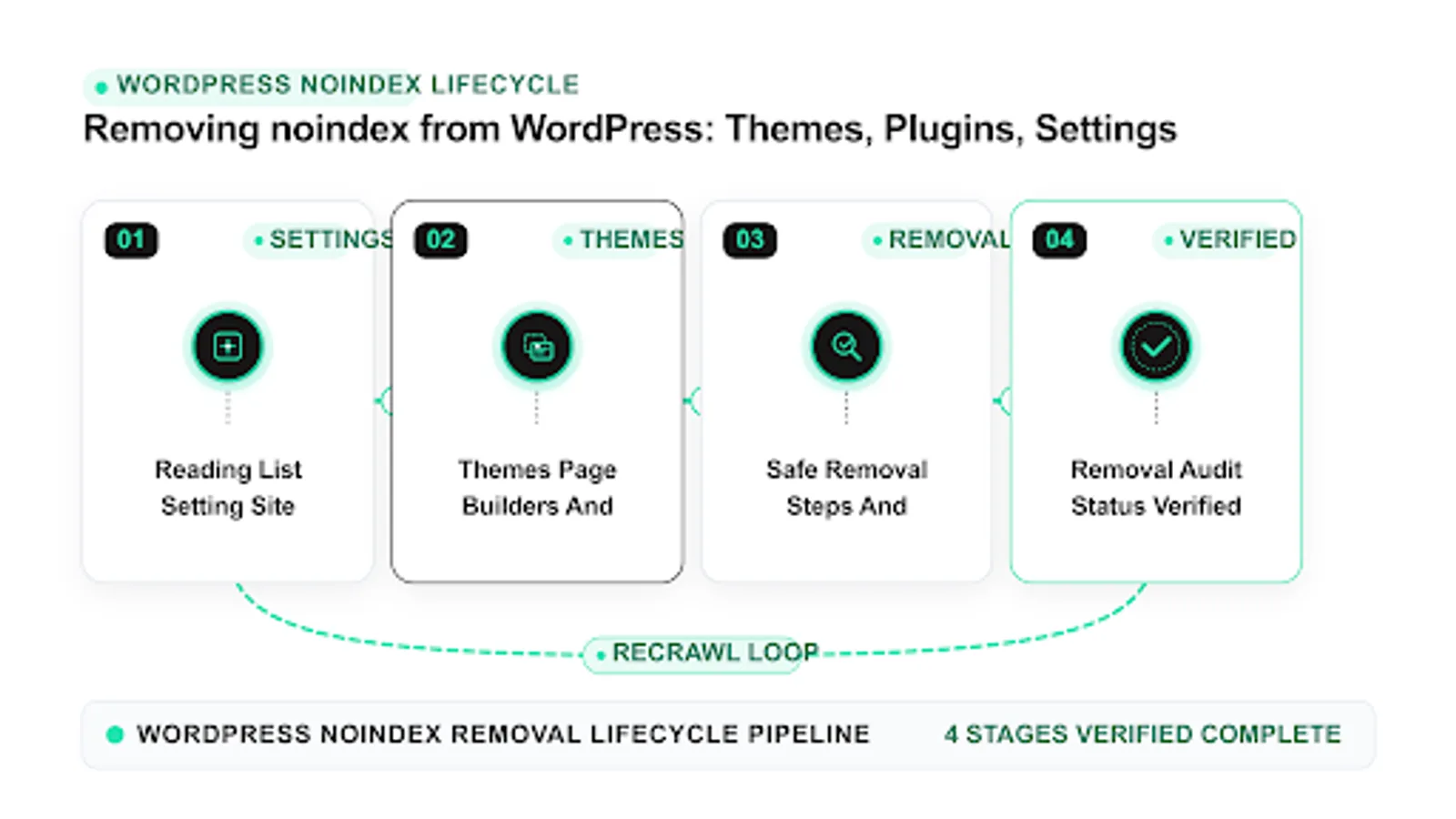 <!-- IMAGE-PROMPT workflow-02: 1600px max, DependsIt brand mint #22E3B0 on charcoal #121212 or white, node-network line art, Clash Display style headings, General Sans clean labels, subject: wordpress noindex remediation workflow from audit to fix to monitoring, flat vector, accessible, no em dash -->
curl -I https://example.com/sample-pageA clean wordpress indexing fix follows a short order from global to specific with retests after each change. Run a wp noindex audit monthly by exporting Search Console samples and grouping by template so repeats are caught early.
Safe removal steps and validation before requesting recrawls
Removal order matters. For wordpress noindex, sitewide settings come first, then plugin globals, then per page toggles, then theme code, then cache and CDN purging. Each change needs validation in view source, header fetch, and a logged in versus logged out check, since caching and role based output can differ. This section gives a safe sequence with backups, staging tests, and a short holdout so you can confirm the tag is gone on live HTML and headers. Only then should you validate a sample in Search Console and let normal crawling resume.
Next, widen the lens from one URL to its template group. For wordpress noindex, single page fixes rarely move coverage because the same include, plugin, or layout rule affects hundreds of pages. Export Search Console samples for the relevant status, add columns for template, word count, inlink count, canonical target, and sitemap presence, then sort by template. When safe removal steps and validation before requesting recrawls clusters on one layout, the fix belongs in code or settings, not in the editor. When it spreads across layouts, look at sitewide signals such as navigation depth, crawl budget pressure, or recent deploy dates that shifted many pages at once.
Content quality still decides many close calls. For wordpress noindex, compare the thin or duplicated page against indexed competitors on specificity, steps, examples, data, and intent fit. Add concrete details that a crawler can distinguish, such as exact procedures, error strings, thresholds, timelines, and follow up actions. Keep titles and H1s distinct across the section, tighten intros that repeat the same boilerplate, and remove auto generated archives that compete with priority pages. When safe removal steps and validation before requesting recrawls improves uniqueness and intent match, Google has a clearer reason to keep the preferred URL in the index.
Checklist for safe removal steps and validation before requesting recrawls:
- Confirm live status, headers, and rendered output on two samples from this template.
- Compare Search Console samples with crawl exports grouped by template and path.
- Align sitemap entries, internal anchors, and canonical targets to one preferred URL form.
- Fix the template or setting once, then retest across post types and archives.
- Purge page cache and edge cache, then recheck logged out HTML and headers.
- Log the change with dates and watch valid indexed counts for two weeks.
| Check for wordpress noindex | What to look for | Next step |
|---|---|---|
| --- | --- | --- |
| Crawl access | robots result and log fetch rate | Narrow the exact disallow or allow pattern |
|---|---|---|
| Index permission | meta robots and X Robots Tag | Remove noindex from the true source layer |
| Canonical clarity | declared versus selected URL | Point all cues to one 200 indexable target |
|---|---|---|
| Internal support | inlink count and click depth | Add hub and contextual links with clear anchors |
Example: a site working on wordpress noindex found that safe removal steps and validation before requesting recrawls affected one template more than others. The team listed fifty sample URLs, added template and inlink columns, and saw that archive pages carried the same canonical as single posts while receiving almost no internal links. They updated the template so archives self reference only when they add unique value, added three contextual links from related hubs to priority singles, cleaned the sitemap to preferred URLs only, and purged cache. Live tests then showed consistent canonicals, logs showed steadier fetching of the priority section, and the valid indexed trend rose without bulk resubmits. For more context on adjacent coverage states, see our guide on How to Remove a noindex Tag and Get Your Pages Back in Google which explains how discovery and crawl states connect to this fix.
Then align the supporting signals that Google weighs alongside the main tag or directive. For wordpress noindex, sitemaps should list only canonical 200 URLs with accurate lastmod, internal links should point to the same canonical variant with descriptive anchors, and alternate cues such as hreflang, pagination, or feed links should agree rather than compete. Mixed cues force Google to choose, which delays indexing. Pick one preferred URL form with consistent protocol, host, trailing slash, and parameter handling, update templates and feeds to emit it, and remove stale variants from sitemaps so crawlers spend time on pages that can actually be indexed.
Rollout discipline protects gains. For wordpress noindex, back up templates and settings, change one layer at a time, and keep a simple log with template, change, date, and sample URLs. After deploy, clear caches, retest live output, and compare before and after exports rather than relying on memory. Share the log with editors and developers so no one reintroduces the old pattern during the next theme update. When safe removal steps and validation before requesting recrawls is fixed at the template level with monitoring in place, coverage usually stays stable through future releases.
curl -I https://example.com/sample-pagePreventing repeat noindex issues with roles and checklists
Noindex returns when roles are unclear and launches skip checks. For wordpress noindex, editors toggle page settings without knowing the impact, developers copy staging databases without clearing flags, and new plugins reapply defaults. Prevention is a short checklist plus role limits. This section provides a pre publish check, a pre launch check, and a quarterly audit that limits who can change index settings, logs changes, and alerts when the noindexed count rises. Small process steps here protect indexation more than any single plugin option.
Then align the supporting signals that Google weighs alongside the main tag or directive. For wordpress noindex, sitemaps should list only canonical 200 URLs with accurate lastmod, internal links should point to the same canonical variant with descriptive anchors, and alternate cues such as hreflang, pagination, or feed links should agree rather than compete. Mixed cues force Google to choose, which delays indexing. Pick one preferred URL form with consistent protocol, host, trailing slash, and parameter handling, update templates and feeds to emit it, and remove stale variants from sitemaps so crawlers spend time on pages that can actually be indexed.
Do not overlook rendering and performance. For wordpress noindex, JavaScript that injects main content late, lazy loads critical links, or blocks CSS and scripts can make a healthy page look thin to crawlers. Test raw versus rendered word counts, list blocked resources reported in live tests, and confirm that canonicals, hreflang, and structured data appear in rendered HTML as well as source. Compress images, stabilize response times, and ensure the edge cache serves bots the same HTML as browsers. Faster stable rendering helps every other fix for preventing repeat noindex issues with roles and checklists get noticed sooner.
Checklist for preventing repeat noindex issues with roles and checklists:
- Confirm live status, headers, and rendered output on two samples from this template.
- Compare Search Console samples with crawl exports grouped by template and path.
- Align sitemap entries, internal anchors, and canonical targets to one preferred URL form.
- Fix the template or setting once, then retest across post types and archives.
- Purge page cache and edge cache, then recheck logged out HTML and headers.
- Log the change with dates and watch valid indexed counts for two weeks.
| Check for wordpress noindex | What to look for | Next step |
|---|---|---|
| --- | --- | --- |
| Crawl access | robots result and log fetch rate | Narrow the exact disallow or allow pattern |
|---|---|---|
| Index permission | meta robots and X Robots Tag | Remove noindex from the true source layer |
| Canonical clarity | declared versus selected URL | Point all cues to one 200 indexable target |
|---|---|---|
| Internal support | inlink count and click depth | Add hub and contextual links with clear anchors |
Example: a site working on wordpress noindex found that preventing repeat noindex issues with roles and checklists affected one template more than others. The team listed fifty sample URLs, added template and inlink columns, and saw that archive pages carried the same canonical as single posts while receiving almost no internal links. They updated the template so archives self reference only when they add unique value, added three contextual links from related hubs to priority singles, cleaned the sitemap to preferred URLs only, and purged cache. Live tests then showed consistent canonicals, logs showed steadier fetching of the priority section, and the valid indexed trend rose without bulk resubmits. For more context on adjacent coverage states, see our guide on How to Remove a noindex Tag and Get Your Pages Back in Google which explains how discovery and crawl states connect to this fix.
Finally, validate in small loops and track trends. For wordpress noindex, fix staging first, deploy to production, purge page and edge caches, and retest headers and source on live URLs while logged out. Run URL Inspection live tests on two to three samples per template, not on thousands of URLs. Note last crawl dates and canonical selection, then watch the Pages report for the section over one to two weeks. Stable templates plus steady internal links usually move the valid count before any single URL is manually resubmitted. If movement stalls, revisit rendering, duplication, and depth before adding more requests.
Practical checks for preventing repeat noindex issues with roles and checklists work best as a short checklist with owners and dates. Confirm crawl access in robots.txt for the exact path and user agent, confirm index permission in meta and headers, confirm the canonical target returns 200 and allows indexing, confirm sitemap inclusion only for preferred URLs, and confirm at least a few relevant internal inlinks from indexed hubs. For wordpress noindex, each check takes minutes but together they catch most blocks. Log which check failed for each sample so the repair targets the true source instead of applying broad changes that risk new issues.
curl -I https://example.com/sample-pageFAQ
Where is the main noindex switch in WordPress?
Go to Settings, then Reading, and look for Search engine visibility. If Discourage search engines from indexing this site is checked, WordPress adds noindex sitewide. Uncheck it on production, save, then purge page cache and CDN cache. Confirm with view source and a header fetch on the live domain. Check the database option blog public as well, since it should be 1 for public sites. If staging must stay hidden, protect it with authentication rather than relying only on this checkbox.
The fastest wordpress indexing fix starts with Reading settings before touching code. If wp settings discourage search engines is checked, uncheck it to undiscourage search engines on production, then purge cache and recheck headers.
Why do my pages still show noindex after I unchecked the box?
Cache, plugin globals, per page toggles, theme code, or server headers may still emit the tag. Clear all layers of cache, then check view source while logged out and fetch response headers for X Robots Tag. Review SEO plugin settings for post types and archives, open the page level advanced tab, and search the active theme for robots strings. Fix sources in order from global to specific, retest after each change, and validate a sample in Search Console once live output is clean.
To complete a wordpress noindex remove task, clear cache first and check logged out HTML plus headers. To find noindex source wordpress reliably, compare plugin globals, per page toggles, theme code, and server headers in order.
How do Yoast or Rank Math add noindex?
Both plugins control index status globally and per page. Global settings can noindex entire post types, taxonomies, date archives, or search pages. Per page toggles can set a single URL to noindex. Setup wizards and imports sometimes enable conservative defaults. Open the plugin index settings, list every post type and taxonomy state, then compare with Search Console excluded samples. Change only the rules that block priority content, document each change, and re crawl to confirm the count of noindexed URLs falls.
Open every seo plugin noindex setting for post types and archives and list states in a sheet. When a plugin adds noindex too broadly, reset only that rule, document the change, and confirm excluded counts fall.
Can my theme force noindex even if plugins say index?
Yes. Some themes and page builders hardcode a robots meta tag or filter the robots output for specific templates such as landing pages, coming soon, or canvas layouts. Optimization plugins that rewrite head tags can do the same. Search theme files for noindex and robots strings, test the page with a default theme on staging, and inspect filters that modify wp robots. Replace hardcoded tags with plugin managed settings so editors control index status without code edits.
If you suspect noindex from theme templates, search theme files for robots strings and test on staging. This check often explains wordpress pages not indexed on landing layouts while normal posts stay indexed.
How do I find all noindexed pages on my WordPress site?
Combine Search Console with a full crawl. Export excluded by noindex samples from the Pages report, then crawl the site with a tool that records meta robots and X Robots Tag per URL. Group results by template, post type, and path to spot clusters. A cluster on one post type points to plugin globals. A cluster on one template points to theme code. A sitewide match points to Reading settings or server headers. Keep the sheet with dates to track recovery after fixes.
Group crawl results by template to spot clusters fast and run a monthly wp noindex audit. When wordpress pages not indexed cluster on one post type, the cause is usually a plugin global rather than single page toggles.
How long after removing noindex will pages return to search?
Most priority pages are recrawled within days and reappear over one to four weeks, depending on crawl rate and site size. Pages with strong internal links and sitemap entries return first. Validate a small sample with URL Inspection after confirming live tags are clean, then let normal crawling handle the rest. Avoid bulk recrawl requests for thousands of URLs. Watch the valid indexed trend and the excluded by noindex count to confirm steady recovery without new spikes.
After cleanup, a steady wordpress indexing fix needs validation on samples plus trend watch. Schedule a wp noindex audit each month so staging copies or new plugin defaults do not hide priority pages again.