IndexNow Tools Compared: Plugins, Scripts, and SaaS

Indexnow tools fall into three practical groups: CMS plugins that ping on publish, self hosted scripts that you run and schedule, and SaaS platforms that submit for many sites from one dashboard. All three speak the same open protocol co-developed by Microsoft Bing and Yandex, using a root key file plus JSON batches to Bing, Yandex, Naver, Seznam, and related supporters. The difference is who owns automation, retries, logs, and key care. This comparison helps you pick the right fit.
In this guide you will compare the three groups on automation, reliability, cost, security, and effort, with shortlists for small blogs, stores, and multi site teams. It is written for site owners, developers, and SEOs who want steady submissions without babysitting endpoints. You will finish with a selection checklist, migration steps, and an operating routine that keeps whichever tool you choose healthy.
Key takeaways
- Plugins suit single WordPress sites, scripts suit developers with few sites, SaaS suits teams with many properties.
- Automation quality matters more than feature count: dedup, pacing, retries, and logs decide reliability.
- Total cost is setup plus weekly care, not license fees alone.
- Every tool type still needs a reachable key file and clean canonical URLs to work.
- Tool categories at a glance
- WordPress plugins what they automate well
- Shopify and hosted CMS options
- Self hosted scripts control with small running cost
- SaaS and multi engine platforms
- Automation and scheduling compared
- Reliability signals logs retries and key checks
- IndexNow Tools Cost and Effort Compared Honestly
- Security and key handling per tool type
- How to pick for your site size and team
- Recommended shortlists and migration path
 <!-- IMAGE-PROMPT cover: 1200x630, DependsIt brand, deep charcoal #121212 background with vibrant mint #22E3B0 accent glow, thin node-network line art, Clash Display style bold heading space on left, General Sans clean labels, subject: IndexNow plugins scripts SaaS comparison with network nodes, flat vector, high contrast, accessible, no photorealistic faces, no text smaller than 24px, no em dash in rendered text, export PNG then cwebp -q 82 to WEBP -->
Tool categories at a glance
Plugins live inside the CMS and fire when posts, pages, or products change, which keeps setup inside a familiar admin screen. Scripts live on your server or runner as Python, PHP, Node, or curl jobs that read URL lists and post batches on a schedule or webhook. SaaS platforms live outside your stack and submit for many properties after you prove ownership and connect the key. All three need the same foundation of clean canonical URLs and a reachable key file.
Choice follows team shape more than hype. A single WordPress blog with weekly posts rarely needs an indexnow platform, while an agency with forty stores needs central logs more than per site plugins. Developers comparing indexnow software often prefer scripts for control, while owners who want zero maintenance prefer plugins or an indexnow service with managed queues. Map your site count, change rate, and staffing before comparing features.
For teams tracking indexnow tools, the practical link to tool categories at a glance is discovery speed, not a direct position change. When a changed URL is pinged cleanly, participating engines can fetch it sooner, which shortens the wait between publish and crawl. That earlier crawl still passes through the normal quality checks, so relevance, intent match, and page experience decide where the page can rank. Treat tool categories at a glance as a way to remove delay, then let content quality do the ranking work.
A common mistake around tool categories at a glance is sending noisy signals and then reading the noise as a ranking effect. Repeated pings for unchanged URLs, pings for non canonical variants, and pings for thin pages all waste attention and can slow trust. Deduplicate the queue, ping only canonical URLs that actually changed, and space batches so engines see a steady pattern. Clean sends make crawl logs easier to read and keep indexnow tools work credible with stakeholders.
Stakeholder reporting on tool categories at a glance should separate three clocks: time to ping, time to crawl, and time to rank. The first two often improve with indexnow tools because engines learn about changes sooner. The third depends on competition, query intent, and page quality, which pings cannot change. Report all three side by side so faster discovery is visible even when positions move slowly. That honest split builds trust in the indexing work.
When you review tool categories at a glance, keep sitemaps, internal links, canonical tags, and server health in the same picture. IndexNow complements these foundations, it does not replace them. A clean XML sitemap still lists the canonical set, internal links still pass context, and a stable server still lets crawlers finish the job. If any of those basics are broken, faster pings cannot fix the outcome. Fix structure first, then use indexnow tools pings to surface fresh URLs sooner.
| Group | Best for | Owner effort | Log home |
|---|---|---|---|
| Plugin | One CMS site | Low | CMS |
| Script | Developers, few sites | Medium | Server |
| SaaS | Many properties | Low to medium | Dashboard |
Checklist for this section:
- Plugins ping from inside the CMS on change.
- Scripts run on your server on schedule or hook.
- SaaS submits for many sites centrally.
- All need key file plus canonical URLs.
Work through this part before moving on, and record the date and result so later reviews have facts to use.
WordPress plugins what they automate well
WordPress IndexNow plugins typically generate or accept a key, place verification, and auto submit new and updated posts, pages, and sometimes products. Good ones deduplicate rapid saves, skip revisions and drafts, and log recent submissions with response codes inside the admin. The best setups also respect updated versus deleted states so removals do not linger as stale pings. Configuration takes minutes when the key file path is correct.
Limits appear at scale and on custom stacks. Plugins rarely batch large back catalogs cleanly, rarely manage multiple domains centrally, and can conflict with aggressive caching or security rules that block the key file. Review submission logs after the first week, confirm bot fetches follow, and keep the plugin updated. For single site blogs and small stores, a maintained plugin plus correct keys covers most needs.
When you review wordpress plugins what they automate well, keep sitemaps, internal links, canonical tags, and server health in the same picture. IndexNow complements these foundations, it does not replace them. A clean XML sitemap still lists the canonical set, internal links still pass context, and a stable server still lets crawlers finish the job. If any of those basics are broken, faster pings cannot fix the outcome. Fix structure first, then use indexnow tools pings to surface fresh URLs sooner.
From an operations view, wordpress plugins what they automate well needs a short checklist and one owner. Confirm the key file is reachable, confirm each batch used valid JSON with host and key fields, confirm response codes were logged, and confirm the crawl followed within the expected window. When a step fails, fix that step before resending the same URLs. This keeps indexnow tools effort tied to verifiable actions instead of guesses about ranking moves.
When wordpress plugins what they automate well involves Bing or Yandex, remember that each supporter applies its own crawl and quality filters after the ping. A 200 or 202 response means the submission was accepted, not that the URL will be indexed or ranked. Watch bot hits in server logs, then check index coverage in the relevant webmaster tools. Use that chain as proof that indexnow tools did its part, and treat ranking separately as a content and relevance task.
Measurement for wordpress plugins what they automate well works best with dates and server logs rather than rank snapshots alone. Record when each URL was published, when it was pinged, when the engine fetched it, and when it first appeared in results. Compare pinged URLs against a small control set that was left to natural discovery. This shows whether indexnow tools shortened time to crawl without confusing crawl speed with ranking strength. Keep the test window to a few weeks so seasonal moves do not blur the read.
Checklist for this section:
- Auto submit on publish and update.
- Skip revisions, drafts, and autosaves.
- Log codes inside admin for review.
- Confirm key file stays reachable.
Plugin specifics for WordPress are compared in the best IndexNow plugins for WordPress with setup notes per option.
Work through this part before moving on, and record the date and result so later reviews have facts to use.
Shopify and hosted CMS options
Hosted platforms vary in IndexNow support because root file access and background jobs differ by plan. Some stores use apps that handle key hosting and auto submission for products and collections, while others use feed or webhook workarounds that ping changed URLs from outside the store. Results depend on how quickly the app learns about changes and whether collection pages keep stable canonical URLs across theme edits.
Before installing anything, confirm the app can host or verify the key for your exact domain, submit on product create, update, and delete, and show logs with codes. Test with a few product updates and watch server side signals plus webmaster coverage. Keep product sitemaps clean in parallel, since apps cannot fix duplicate variants or thin collection templates on their own.
Measurement for shopify and hosted cms options works best with dates and server logs rather than rank snapshots alone. Record when each URL was published, when it was pinged, when the engine fetched it, and when it first appeared in results. Compare pinged URLs against a small control set that was left to natural discovery. This shows whether indexnow tools shortened time to crawl without confusing crawl speed with ranking strength. Keep the test window to a few weeks so seasonal moves do not blur the read.
For shopify and hosted cms options, think in terms of crawl budget and priority rather than positions. Engines allocate fetch capacity based on site trust, change rate, and URL value. A focused set of changed canonical URLs earns faster revisits than a bulk dump of everything. Prioritize updated posts, changed product pages, and corrected canonicals, and leave evergreen URLs to sitemaps and natural recrawl. This is how indexnow tools helps important pages get seen sooner without spamming.
For teams tracking indexnow tools, the practical link to shopify and hosted cms options is discovery speed, not a direct position change. When a changed URL is pinged cleanly, participating engines can fetch it sooner, which shortens the wait between publish and crawl. That earlier crawl still passes through the normal quality checks, so relevance, intent match, and page experience decide where the page can rank. Treat shopify and hosted cms options as a way to remove delay, then let content quality do the ranking work.
A common mistake around shopify and hosted cms options is sending noisy signals and then reading the noise as a ranking effect. Repeated pings for unchanged URLs, pings for non canonical variants, and pings for thin pages all waste attention and can slow trust. Deduplicate the queue, ping only canonical URLs that actually changed, and space batches so engines see a steady pattern. Clean sends make crawl logs easier to read and keep indexnow tools work credible with stakeholders.
Checklist for this section:
- Confirm key support for your exact domain.
- Require create, update, and delete handling.
- Ask for visible logs with codes.
- Keep sitemaps clean alongside the app.
Work through this part before moving on, and record the date and result so later reviews have facts to use.
 <!-- IMAGE-PROMPT diagram-01: 1600px max, DependsIt brand mint #22E3B0 on charcoal #121212, node-network line art, Clash Display style headings, General Sans clean labels, subject: plugin script SaaS submission paths comparison diagram, flat vector, accessible, high contrast, no em dash in rendered text -->
Self hosted scripts control with small running cost
Self hosted scripts suit teams that want full control over batching, pacing, and logs without per site fees. A short Python or Node job can read new URLs from a sitemap diff, build batches up to 10000, post with retries, and write results to a local log. PHP variants fit shared hosting, while curl plus cron fits static sites with simple needs. Hosting cost is near zero when a small VPS or runner already exists.
The tradeoff is ownership. Someone must maintain the key, review logs, handle 429 backoff, and update the script when endpoints or Python libraries change. Document the schedule, the batch cap, and the alert path so coverage survives staff changes. For developers with a few sites and steady change rates, scripts offer the best control per hour spent.
A common mistake around self hosted scripts control with small running cost is sending noisy signals and then reading the noise as a ranking effect. Repeated pings for unchanged URLs, pings for non canonical variants, and pings for thin pages all waste attention and can slow trust. Deduplicate the queue, ping only canonical URLs that actually changed, and space batches so engines see a steady pattern. Clean sends make crawl logs easier to read and keep indexnow tools work credible with stakeholders.
Stakeholder reporting on self hosted scripts control with small running cost should separate three clocks: time to ping, time to crawl, and time to rank. The first two often improve with indexnow tools because engines learn about changes sooner. The third depends on competition, query intent, and page quality, which pings cannot change. Report all three side by side so faster discovery is visible even when positions move slowly. That honest split builds trust in the indexing work.
When you review self hosted scripts control with small running cost, keep sitemaps, internal links, canonical tags, and server health in the same picture. IndexNow complements these foundations, it does not replace them. A clean XML sitemap still lists the canonical set, internal links still pass context, and a stable server still lets crawlers finish the job. If any of those basics are broken, faster pings cannot fix the outcome. Fix structure first, then use indexnow tools pings to surface fresh URLs sooner.
From an operations view, self hosted scripts control with small running cost needs a short checklist and one owner. Confirm the key file is reachable, confirm each batch used valid JSON with host and key fields, confirm response codes were logged, and confirm the crawl followed within the expected window. When a step fails, fix that step before resending the same URLs. This keeps indexnow tools effort tied to verifiable actions instead of guesses about ranking moves.
Checklist for this section:
- Batch up to documented limits with pacing.
- Retry with backoff, never hammer.
- Log every batch with codes.
- Document schedule and owner.
curl -X POST https://api.indexnow.org/IndexNow \
  -H "Content-Type: application/json" \
  -d @batch.json
Bulk shapes and limits are detailed in IndexNow bulk submissions and the 10000 URL rule before you size script batches.
Field definitions match IndexNow documentation for host, key, and URL list handling.
Work through this part before moving on, and record the date and result so later reviews have facts to use.
SaaS and multi engine platforms
SaaS platforms help when many domains, many editors, or mixed engines create coordination work. Central dashboards track key health across properties, queue large change sets, and combine IndexNow with sitemap monitoring and Google API handling for eligible types. Good platforms show per URL history from ping to fetch to coverage, which shortens debugging across teams. Onboarding usually means verifying each domain and importing current sitemaps.
Costs and lock in deserve a clear read. Compare per domain pricing, log retention, alert quality, and export options before moving critical catalogs. Confirm the platform skips non canonicals, respects delete states, and lets you rotate keys without downtime. For agencies and multi store operators, central visibility often pays for itself within one launch cycle.
From an operations view, saas and multi engine platforms needs a short checklist and one owner. Confirm the key file is reachable, confirm each batch used valid JSON with host and key fields, confirm response codes were logged, and confirm the crawl followed within the expected window. When a step fails, fix that step before resending the same URLs. This keeps indexnow tools effort tied to verifiable actions instead of guesses about ranking moves.
When saas and multi engine platforms involves Bing or Yandex, remember that each supporter applies its own crawl and quality filters after the ping. A 200 or 202 response means the submission was accepted, not that the URL will be indexed or ranked. Watch bot hits in server logs, then check index coverage in the relevant webmaster tools. Use that chain as proof that indexnow tools did its part, and treat ranking separately as a content and relevance task.
Measurement for saas and multi engine platforms works best with dates and server logs rather than rank snapshots alone. Record when each URL was published, when it was pinged, when the engine fetched it, and when it first appeared in results. Compare pinged URLs against a small control set that was left to natural discovery. This shows whether indexnow tools shortened time to crawl without confusing crawl speed with ranking strength. Keep the test window to a few weeks so seasonal moves do not blur the read.
For saas and multi engine platforms, think in terms of crawl budget and priority rather than positions. Engines allocate fetch capacity based on site trust, change rate, and URL value. A focused set of changed canonical URLs earns faster revisits than a bulk dump of everything. Prioritize updated posts, changed product pages, and corrected canonicals, and leave evergreen URLs to sitemaps and natural recrawl. This is how indexnow tools helps important pages get seen sooner without spamming.
Checklist for this section:
- Central key health across domains.
- Per URL history from ping to coverage.
- Compare pricing and log retention.
- Confirm clean canonical handling.
Work through this part before moving on, and record the date and result so later reviews have facts to use.
Automation and scheduling compared
Automation quality decides whether submissions happen on time without duplicates. Plugins react instantly to CMS events but can double fire on rapid saves unless dedup guards exist. Scripts run on cron or deploy hooks with precise batching but need careful diff logic to catch only real changes. SaaS polls sitemaps or receives webhooks and balances immediacy with central pacing across many sites. Ask each candidate how it detects change, dedups, and spaces sends.
Scheduling should match change rate rather than run at maximum speed. Blogs with daily posts do well with event driven sends plus a nightly catch up job. Large stores with hourly price and stock edits need smaller frequent batches with caps. Static docs with weekly deploys fit post deploy diffs. Choose the rhythm that keeps time to crawl short without creating 429 noise.
For automation and scheduling compared, think in terms of crawl budget and priority rather than positions. Engines allocate fetch capacity based on site trust, change rate, and URL value. A focused set of changed canonical URLs earns faster revisits than a bulk dump of everything. Prioritize updated posts, changed product pages, and corrected canonicals, and leave evergreen URLs to sitemaps and natural recrawl. This is how indexnow tools helps important pages get seen sooner without spamming.
For teams tracking indexnow tools, the practical link to automation and scheduling compared is discovery speed, not a direct position change. When a changed URL is pinged cleanly, participating engines can fetch it sooner, which shortens the wait between publish and crawl. That earlier crawl still passes through the normal quality checks, so relevance, intent match, and page experience decide where the page can rank. Treat automation and scheduling compared as a way to remove delay, then let content quality do the ranking work.
A common mistake around automation and scheduling compared is sending noisy signals and then reading the noise as a ranking effect. Repeated pings for unchanged URLs, pings for non canonical variants, and pings for thin pages all waste attention and can slow trust. Deduplicate the queue, ping only canonical URLs that actually changed, and space batches so engines see a steady pattern. Clean sends make crawl logs easier to read and keep indexnow tools work credible with stakeholders.
Stakeholder reporting on automation and scheduling compared should separate three clocks: time to ping, time to crawl, and time to rank. The first two often improve with indexnow tools because engines learn about changes sooner. The third depends on competition, query intent, and page quality, which pings cannot change. Report all three side by side so faster discovery is visible even when positions move slowly. That honest split builds trust in the indexing work.
Checklist for this section:
- Ask how change detection works.
- Require dedup on rapid saves.
- Match rhythm to change rate.
- Keep a nightly catch up job.
Work through this part before moving on, and record the date and result so later reviews have facts to use.
Reliability signals logs retries and key checks
Reliable tools share four signals regardless of category: visible logs with response codes, automatic retries with backoff on 429, key file health checks, and clean handling of deletes. Weak tools hide codes, retry instantly on every failure, or resend unchanged URLs forever. During trials, send a small batch with one bad URL and one duplicate, then read how the tool reports each case. Clear per URL status beats vague success counters.
Uptime checks complete the picture. Monitor the key file with an HTTP check that expects status 200 and exact content, and alert when it drifts. Monitor queue depth and dead letter growth so backlogs surface before launches stall. A tool that exposes these metrics earns trust, while a tool that hides them creates weekend surprises.
Stakeholder reporting on reliability signals logs retries and key checks should separate three clocks: time to ping, time to crawl, and time to rank. The first two often improve with indexnow tools because engines learn about changes sooner. The third depends on competition, query intent, and page quality, which pings cannot change. Report all three side by side so faster discovery is visible even when positions move slowly. That honest split builds trust in the indexing work.
When you review reliability signals logs retries and key checks, keep sitemaps, internal links, canonical tags, and server health in the same picture. IndexNow complements these foundations, it does not replace them. A clean XML sitemap still lists the canonical set, internal links still pass context, and a stable server still lets crawlers finish the job. If any of those basics are broken, faster pings cannot fix the outcome. Fix structure first, then use indexnow tools pings to surface fresh URLs sooner.
From an operations view, reliability signals logs retries and key checks needs a short checklist and one owner. Confirm the key file is reachable, confirm each batch used valid JSON with host and key fields, confirm response codes were logged, and confirm the crawl followed within the expected window. When a step fails, fix that step before resending the same URLs. This keeps indexnow tools effort tied to verifiable actions instead of guesses about ranking moves.
When reliability signals logs retries and key checks involves Bing or Yandex, remember that each supporter applies its own crawl and quality filters after the ping. A 200 or 202 response means the submission was accepted, not that the URL will be indexed or ranked. Watch bot hits in server logs, then check index coverage in the relevant webmaster tools. Use that chain as proof that indexnow tools did its part, and treat ranking separately as a content and relevance task.
Checklist for this section:
- Require per URL codes, not just counters.
- Require backoff on 429.
- Monitor key file content, not just status.
- Watch queue depth and dead letters.
Work through this part before moving on, and record the date and result so later reviews have facts to use.
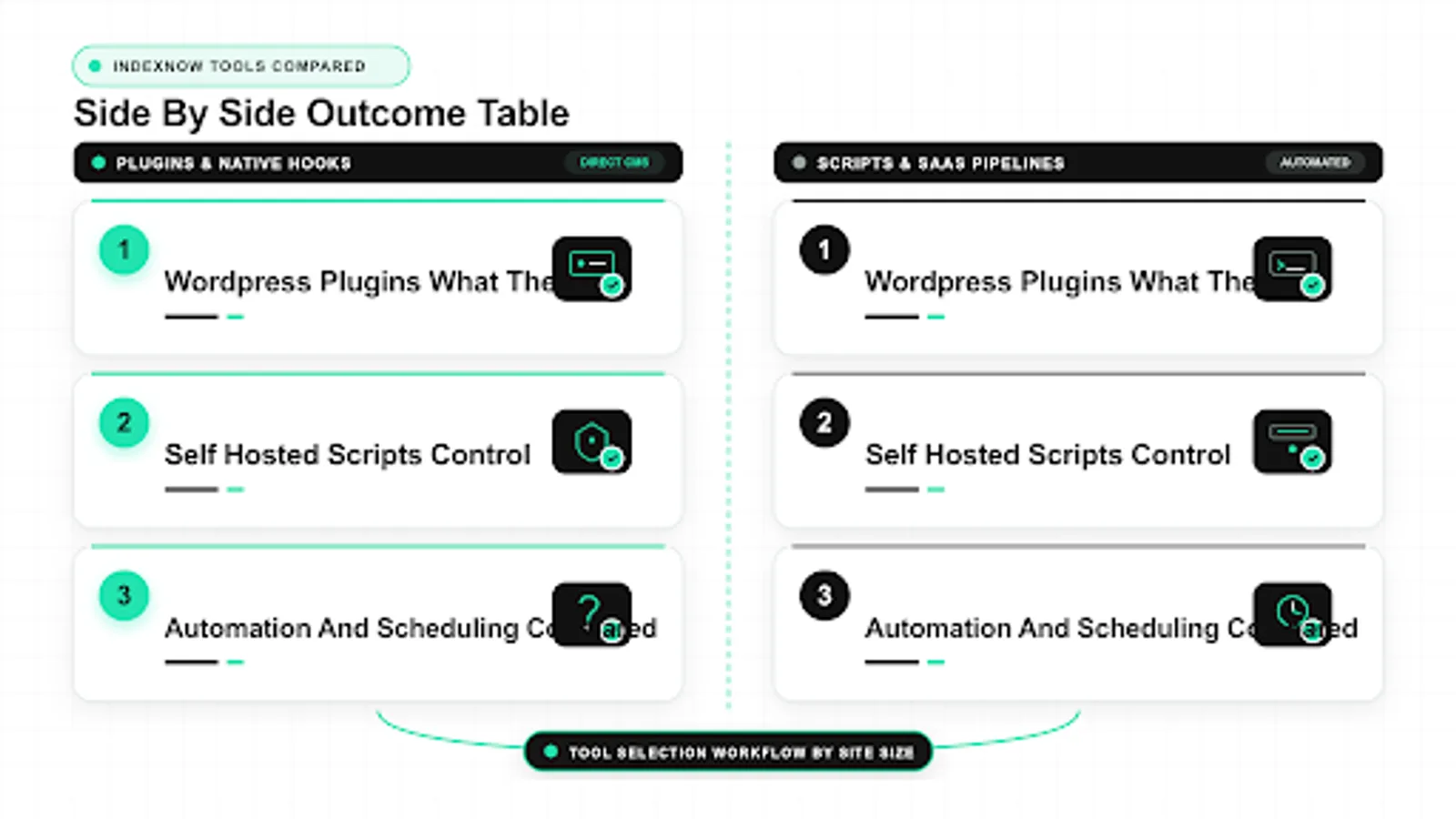 <!-- IMAGE-PROMPT workflow-02: 1600px max, DependsIt brand mint #22E3B0 on charcoal #121212, node-network line art, Clash Display style headings, General Sans clean labels, subject: IndexNow tool selection workflow by site size, flat vector, accessible, high contrast, no em dash in rendered text -->
IndexNow Tools Cost and Effort Compared Honestly
License cost is only part of total cost. Many indexnow tools free options cover basic submission, while indexnow tools paid plans add central logs, longer retention, and multi domain handling. Plugins are often free but need admin time for updates and log reviews. Scripts are free to run but need developer hours for setup plus ongoing care. SaaS charges per domain or volume but can save many hours of queue and dashboard work across teams. Add log storage, monitoring, and weekly review time to every option before comparing. The cheapest sticker price can carry the highest labor tail.
Effort also shifts with site count. One blog costs little under any model, while thirty stores multiply plugin update and log review work fast. Centralized scripts or SaaS spread that effort across properties with shared runbooks. Estimate hours per month per ten sites for each candidate, then choose the model with calm operations rather than the lowest first month bill.
When cost and effort compared honestly involves Bing or Yandex, remember that each supporter applies its own crawl and quality filters after the ping. A 200 or 202 response means the submission was accepted, not that the URL will be indexed or ranked. Watch bot hits in server logs, then check index coverage in the relevant webmaster tools. Use that chain as proof that indexnow tools did its part, and treat ranking separately as a content and relevance task.
Measurement for cost and effort compared honestly works best with dates and server logs rather than rank snapshots alone. Record when each URL was published, when it was pinged, when the engine fetched it, and when it first appeared in results. Compare pinged URLs against a small control set that was left to natural discovery. This shows whether indexnow tools shortened time to crawl without confusing crawl speed with ranking strength. Keep the test window to a few weeks so seasonal moves do not blur the read.
For cost and effort compared honestly, think in terms of crawl budget and priority rather than positions. Engines allocate fetch capacity based on site trust, change rate, and URL value. A focused set of changed canonical URLs earns faster revisits than a bulk dump of everything. Prioritize updated posts, changed product pages, and corrected canonicals, and leave evergreen URLs to sitemaps and natural recrawl. This is how indexnow tools helps important pages get seen sooner without spamming.
For teams tracking indexnow tools, the practical link to cost and effort compared honestly is discovery speed, not a direct position change. When a changed URL is pinged cleanly, participating engines can fetch it sooner, which shortens the wait between publish and crawl. That earlier crawl still passes through the normal quality checks, so relevance, intent match, and page experience decide where the page can rank. Treat cost and effort compared honestly as a way to remove delay, then let content quality do the ranking work.
| Cost item | Plugin | Script | SaaS |
|---|---|---|---|
| License | Often free | Free | Per domain or volume |
| Setup hours | Low | Medium | Low |
| Weekly care | Low | Medium | Low |
| Multi site scaling | Manual per site | Shared code | Central |
Checklist for this section:
- Add labor to license when comparing.
- Estimate hours per ten sites monthly.
- Include monitoring and log storage.
- Prefer calm operations over low sticker price.
Code choices for Bing submission are shown in how to submit URLs to Bing with IndexNow alongside quota notes.
Work through this part before moving on, and record the date and result so later reviews have facts to use.
Security and key handling per tool type
Key handling differs by trust boundary. Plugins store the key inside the CMS and write the root file through the web server user, which is fine when admin access is limited and updates are prompt. Scripts store the key in server config or secrets with file permissions set narrowly, which suits teams with disciplined deploy practices. SaaS holds keys centrally under its own access controls, which requires reading data handling terms and limiting which staff can rotate keys.
Hygiene rules apply everywhere. Limit who can view and rotate keys, log every rotation with date and owner, and verify the public file after each change. Never paste keys into forums or untrusted checkers, and never commit private config to public repos. The IndexNow key is public by design at root, but submitter configs and dashboards around it still deserve access control.
For teams tracking indexnow tools, the practical link to security and key handling per tool type is discovery speed, not a direct position change. When a changed URL is pinged cleanly, participating engines can fetch it sooner, which shortens the wait between publish and crawl. That earlier crawl still passes through the normal quality checks, so relevance, intent match, and page experience decide where the page can rank. Treat security and key handling per tool type as a way to remove delay, then let content quality do the ranking work.
A common mistake around security and key handling per tool type is sending noisy signals and then reading the noise as a ranking effect. Repeated pings for unchanged URLs, pings for non canonical variants, and pings for thin pages all waste attention and can slow trust. Deduplicate the queue, ping only canonical URLs that actually changed, and space batches so engines see a steady pattern. Clean sends make crawl logs easier to read and keep indexnow tools work credible with stakeholders.
Stakeholder reporting on security and key handling per tool type should separate three clocks: time to ping, time to crawl, and time to rank. The first two often improve with indexnow tools because engines learn about changes sooner. The third depends on competition, query intent, and page quality, which pings cannot change. Report all three side by side so faster discovery is visible even when positions move slowly. That honest split builds trust in the indexing work.
When you review security and key handling per tool type, keep sitemaps, internal links, canonical tags, and server health in the same picture. IndexNow complements these foundations, it does not replace them. A clean XML sitemap still lists the canonical set, internal links still pass context, and a stable server still lets crawlers finish the job. If any of those basics are broken, faster pings cannot fix the outcome. Fix structure first, then use indexnow tools pings to surface fresh URLs sooner.
Checklist for this section:
- Limit key view and rotation rights.
- Log rotations with dates.
- Verify public file after changes.
- Keep secrets out of public repos.
Work through this part before moving on, and record the date and result so later reviews have facts to use.
How to pick for your site size and team
Small blogs and brochure sites do well with a maintained plugin or a tiny script plus sitemap hygiene. The decision turns on who will click update and read logs monthly. If the owner logs into the CMS weekly, a plugin fits. If a developer already manages deploys, a post deploy script fits. Either path needs only a few hours per quarter after setup.
Stores, publishers, and agencies with frequent changes or many domains benefit from scripts with shared code or SaaS with central logs. The decision turns on coordination cost across editors and properties. When change volume exceeds a few hundred URLs weekly or domain count exceeds five, central queuing and per URL history pay back quickly. Pilot one property first, then roll out the winner with a shared runbook.
When you review how to pick for your site size and team, keep sitemaps, internal links, canonical tags, and server health in the same picture. IndexNow complements these foundations, it does not replace them. A clean XML sitemap still lists the canonical set, internal links still pass context, and a stable server still lets crawlers finish the job. If any of those basics are broken, faster pings cannot fix the outcome. Fix structure first, then use indexnow tools pings to surface fresh URLs sooner.
From an operations view, how to pick for your site size and team needs a short checklist and one owner. Confirm the key file is reachable, confirm each batch used valid JSON with host and key fields, confirm response codes were logged, and confirm the crawl followed within the expected window. When a step fails, fix that step before resending the same URLs. This keeps indexnow tools effort tied to verifiable actions instead of guesses about ranking moves.
When how to pick for your site size and team involves Bing or Yandex, remember that each supporter applies its own crawl and quality filters after the ping. A 200 or 202 response means the submission was accepted, not that the URL will be indexed or ranked. Watch bot hits in server logs, then check index coverage in the relevant webmaster tools. Use that chain as proof that indexnow tools did its part, and treat ranking separately as a content and relevance task.
Measurement for how to pick for your site size and team works best with dates and server logs rather than rank snapshots alone. Record when each URL was published, when it was pinged, when the engine fetched it, and when it first appeared in results. Compare pinged URLs against a small control set that was left to natural discovery. This shows whether indexnow tools shortened time to crawl without confusing crawl speed with ranking strength. Keep the test window to a few weeks so seasonal moves do not blur the read.
Checklist for this section:
- One site rarely needs a platform.
- Five plus sites reward central logs.
- Match tool to who does weekly care.
- Pilot one property before rollout.
Work through this part before moving on, and record the date and result so later reviews have facts to use.
Recommended shortlists and migration path
A safe shortlist keeps options open. Trial a maintained plugin on a staging copy for CMS sites, trial a small script on one property for developer teams, and trial a SaaS workspace with two domains for multi site teams. Run each for two weeks with matched URL sets, then compare time to crawl, log clarity, 429 handling, and weekly care minutes. Numbers from your own catalog beat generic reviews.
Migration should preserve history and avoid resend storms. Export recent submission logs, carry over the current key or rotate with overlap, and switch traffic one property at a time. Pause the old tool per property only after the new tool shows clean accepts and bot fetches. Document the final schedule, owners, and dashboards so the new setup survives staff changes.
Measurement for recommended shortlists and migration path works best with dates and server logs rather than rank snapshots alone. Record when each URL was published, when it was pinged, when the engine fetched it, and when it first appeared in results. Compare pinged URLs against a small control set that was left to natural discovery. This shows whether indexnow tools shortened time to crawl without confusing crawl speed with ranking strength. Keep the test window to a few weeks so seasonal moves do not blur the read.
For recommended shortlists and migration path, think in terms of crawl budget and priority rather than positions. Engines allocate fetch capacity based on site trust, change rate, and URL value. A focused set of changed canonical URLs earns faster revisits than a bulk dump of everything. Prioritize updated posts, changed product pages, and corrected canonicals, and leave evergreen URLs to sitemaps and natural recrawl. This is how indexnow tools helps important pages get seen sooner without spamming.
For teams tracking indexnow tools, the practical link to recommended shortlists and migration path is discovery speed, not a direct position change. When a changed URL is pinged cleanly, participating engines can fetch it sooner, which shortens the wait between publish and crawl. That earlier crawl still passes through the normal quality checks, so relevance, intent match, and page experience decide where the page can rank. Treat recommended shortlists and migration path as a way to remove delay, then let content quality do the ranking work.
A common mistake around recommended shortlists and migration path is sending noisy signals and then reading the noise as a ranking effect. Repeated pings for unchanged URLs, pings for non canonical variants, and pings for thin pages all waste attention and can slow trust. Deduplicate the queue, ping only canonical URLs that actually changed, and space batches so engines see a steady pattern. Clean sends make crawl logs easier to read and keep indexnow tools work credible with stakeholders.
Checklist for this section:
- Trial each candidate for two weeks.
- Compare crawl time and care minutes.
- Migrate one property at a time.
- Document schedule and owners.
Work through this part before moving on, and record the date and result so later reviews have facts to use.
FAQ
Which best IndexNow tool type fits one WordPress blog?
A maintained IndexNow plugin is usually the best indexnow tool for a single blog because it auto submits on publish and update, logs codes in admin, and needs only monthly checks plus key file monitoring. It handles deduplication of rapid saves, skips revisions and drafts, and keeps setup inside a familiar screen. Add sitemap hygiene and clean canonicals, keep the plugin updated, and confirm bot fetches follow after the first week. Keep a tiny manual catch up path for rare bulk edits so nothing stalls.
When does a self hosted IndexNow submitter tool beat plugins?
A self hosted indexnow submitter tool wins when you manage a few sites, need custom batching up to 10000 URLs, or deploy static builds where post deploy diffs are cleaner than CMS hooks. Scripts give full control over pacing, retries with backoff, and local logs that show per URL codes. Any solid indexnow software candidate should expose queue depth, dead letters, and key health checks. The tradeoff is ownership, so assign a developer owner, document schedules and batch caps, and review logs weekly.
When do IndexNow SaaS and IndexNow platform options pay off?
IndexNow SaaS pays off when domain count, editor count, or change volume makes per site log review painful across teams. A central indexnow platform tracks key health across properties, queues large change sets, and combines IndexNow with sitemap monitoring plus Google API handling for eligible types. Compare per domain pricing, log retention, alert quality, and export options before moving catalogs. Confirm the indexnow service skips non canonicals, respects delete states, and lets you rotate keys without downtime or lost submissions.
Do tools that ping IndexNow replace sitemaps?
No. Even the best tools that ping indexnow assume sitemaps carry the canonical inventory and that internal links add context engines need. Keep sitemaps current and clean of 404s and non canonicals, split by section with real last modified dates. A careful indexnow comparison always shows pings as faster notice for changes on top of that base, not as a replacement. Tools add speed for fresh and corrected canonicals, while sitemaps keep the full inventory interpretable for every supporter each week.
How do we run a fair IndexNow comparison across IndexNow software trials?
Use matched URL sets per candidate, run each trial for two weeks, and record time to ping, time to crawl, log clarity, 429 behavior, and weekly care minutes. Freeze templates during the trial so content edits do not blur the read, and test with one bad URL plus one duplicate to see per URL reporting. Score every indexnow software option on dedup, pacing, retries, and key checks rather than feature count. Pick the calmest reliable option that shows clean accepts and prompt bot fetches.
Can we switch between IndexNow tools free, IndexNow tools paid, and IndexNow service options later?
Yes, with overlap that preserves history and avoids resend storms. Export recent submission logs from the old indexnow service, carry over the current key or rotate with overlap, and migrate one property at a time. Many teams start with indexnow tools free for a pilot, then move to indexnow tools paid when central logs and retention pay back. Pause the old tool per property only after the new tool shows clean accepts and bot fetches, then document schedule, owners, and dashboards.
Sources
- https://www.indexnow.org/documentation
- https://www.bing.com/webmasters/help