Google Indexing API Errors: How to Fix 403, 429, and JWT Failures

When the Google Indexing API returns an error, the message looks terse and the cause feels hidden. A 403 permission denied after a perfect key setup, a 429 quota exceeded on launch morning, or a failed to parse JWT error five minutes before a demo can stall a whole project. This guide decodes every common failure for the focus keyword google indexing api errors, with exact causes, fixes you can apply in minutes, and copy paste checks in Python, Node.js, PHP, and cURL.
You will learn to triage by status code first, fix 403 delegation problems, calm 429 storms with backoff, repair JWT signing and token exchange, handle 400 payload mistakes, and build logs that make the next incident a ten minute task. Each section includes what to check, what to change, and what not to do, so you stop guessing and start resolving.
Key takeaways
- Read the HTTP status code before the message text. 403 means permissions, 429 means pacing, 401 means credentials, 400 means payload.
- Most 403 errors come from the service account missing Owner rights on the exact Search Console property, not from bad code.
- Most 429 errors come from bulk loops without pacing, duplicate sends, or shared project pools. Back off exponentially and resume after reset.
- Most JWT errors come from truncated keys, wrong scopes, clock skew, or mismatched service account email.
- Log timestamp, normalized URL, type, status, error reason, key ID, and project ID for every call to make triage instant.
- Triage google indexing api errors by status code
- Fix 403 permission denied
- Fix 429 quota exceeded
- Fix JWT parse and signature errors
- Fix 401 invalid credentials
- Fix 400 invalid URL and payload
- Handle 5xx and network flakes
- Reproduce with cURL
- Language specific pitfalls
- Build logs that solve incidents
- Prevention checklist
- FAQ
- Sources
- Further reading
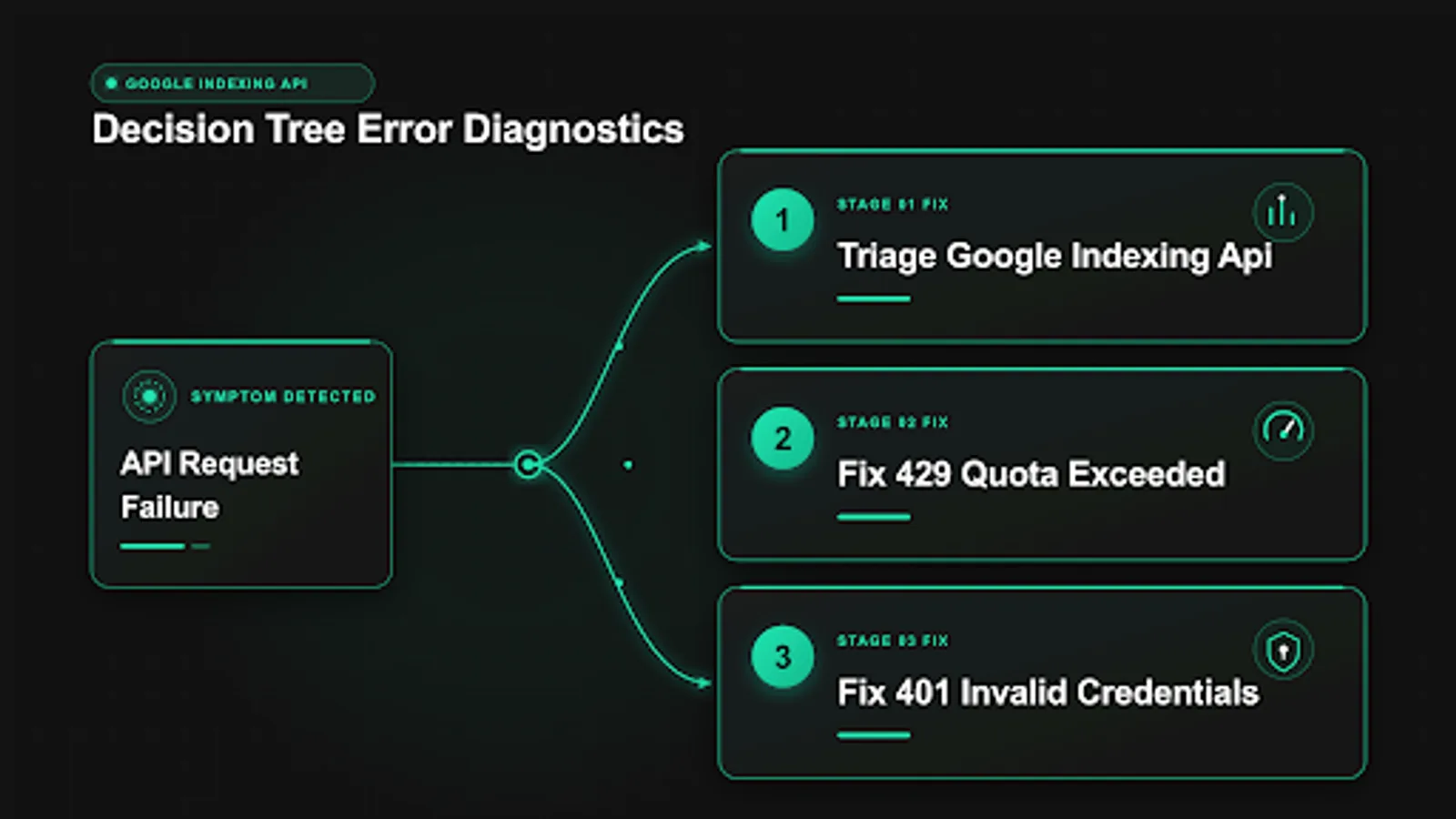
 <!-- IMAGE-PROMPT cover: 1200x630, DependsIt brand, deep charcoal #121212 background, vibrant mint #22E3B0 accent glow, thin node-network line art, Clash Display style bold heading space on left, General Sans clean labels, subject: error code troubleshooting map from 403 429 JWT to fixes flowchart, flat vector, high contrast, accessible, no photorealistic faces, no text smaller than 24px, no em dash in rendered text, export PNG then cwebp -q 82 to WEBP -->
Triage google indexing api errors by status code first
Every Indexing API failure arrives as an HTTP status plus a JSON error body with a reason string. The status tells you which system to fix. The reason tells you which detail inside that system. Start with status, then read reason, then act once. Learning the common indexing api error codes early makes indexing api troubleshooting faster, because each code maps to one owner and one runbook page without debate.
Use this triage table as your first response to any failure.
| Status | Common reason strings | Meaning | First action |
|---|---|---|---|
| 200 | None, success body | Notification accepted | Record notifyTime, verify crawl later |
| 400 | invalid, invalid URL | Malformed payload or URL outside property | Fix URL and JSON, do not retry blindly |
| 401 | unauthorized, invalid credentials | Bad or expired token, wrong key | Refresh token, verify key file |
| 403 | permissionDenied, forbidden | Service account lacks Owner rights or API disabled | Fix Search Console delegation, confirm API enabled |
| 404 | notFound | Wrong endpoint or method | Check URL path and HTTP verb |
| 429 | quotaExceeded, rateLimitExceeded | Too fast or too many | Back off exponentially, resume after reset |
| 500, 503 | backendError, internal | Google side or transient | Retry with backoff, then pause |
Save one full example of each shape you encounter, including request timestamp, normalized URL, type, status, reason, and response body. Those samples become pattern matches for future alerts. A new 403 at 2 a.m. is either a delegation change or a wrong property deploy. Your saved sample distinguishes them in seconds. Without samples, every incident starts from zero.
A second triage habit is separating caller faults from pool faults. Caller faults such as 400, 401, and 403 affect specific URLs or credentials and persist until you change something. Pool faults such as 429 affect everything in the project at once and clear with time. If one URL fails with 403 while others succeed, the failing URL likely sits outside the verified property. If all URLs fail with 429 simultaneously, pacing or quota is the cause. That distinction decides whether to fix a URL list or pause a worker.
The setup context matters for interpretation. If you just created the project, suspect disabled API and propagation delay. If you just rotated keys, suspect truncated files or mismatched emails. If you just launched bulk jobs, suspect pacing. The complete setup guide for faster indexing gives the known good baseline to compare against when failures appear right after a change.
Fix 403 permission denied step by step
The 403 permissionDenied error is the most common Indexing API failure and the most misunderstood. In logs this appears as indexing api 403 with reason indexing api permission denied. It almost never means your code is broken. It means Google authenticated you successfully and then refused authorization for the requested URL. The service account identity is valid, but its rights on the Search Console property are missing, mismatched, or not yet propagated.
Work through these checks in order, without skipping. First, confirm the API is enabled in the same Cloud project that owns the key. Open Enabled APIs and verify the Indexing API appears. If it was just enabled, wait five minutes and retry once. Second, open the JSON key and copy the client_email value exactly. Third, open Search Console, select the exact property containing the failing URL, go to Settings, then Users and permissions, and confirm that email is listed as Owner. Editor and Viewer are not sufficient. Fourth, confirm the failing URL belongs to that property: same host, same protocol, same path prefix for URL prefix properties. Domain properties avoid most variant bugs, so prefer them.
Fifth, check propagation and verification stability. New delegations can take 10 to 15 minutes to take effect. Recently re verified properties can drop delegated owners if verification lapses. Sixth, normalize the URL you send. Enforce https, one host variant, no tracking parameters, and consistent trailing slashes that match canonicals. A subtle variant such as http versus https or www versus apex can place the URL outside the verified scope even when the page renders fine in a browser.
What not to do matters as much. Do not retry 403 in a tight loop. It will not clear with volume. Do not create new keys repeatedly. New keys for the same unprivileged email fail identically and clutter rotation history. Do not switch to a different URL list to dodge the error without understanding scope, because you will mask a delegation gap that later blocks production. Fix access once, then resume.
A typical 403 body looks like this in logs. Keep the reason string alongside the status for alerting.
# Example 403 body shape (fields vary, reason is the key signal)
# {
#   "error": {
#     "code": 403,
#     "message": "Permission denied. Failed to verify the URL ownership.",
#     "status": "PERMISSION_DENIED"
#   }
# }
If delegation looks correct but 403 persists, check for property confusion in multi site setups. Agencies often delegate the staging account to production properties or vice versa. Maintain a table of property to service account to project ID and compare the failing call key ID against it. One mismatch explains a whole class of midnight failures. The delegation pattern is also summarized in the service account creation walkthrough linked under Further reading.
Fix 429 quota exceeded and rate limits
A 429 response means the project pool is empty for now. In practice this is indexing api 429 with quotaExceeded for daily caps and rateLimitExceeded for per minute bursts. The fix is patience with structure: pause, back off exponentially, fix the demand spike, and resume after reset. Operators call this congestion control, and the rule is simple: do not make an empty pool worse with parallel retries.
Immediate response checklist for a live 429: pause the worker and confirm no second sender is still running, note the quota page counters and reset time, export pending rows ordered by priority, and notify stakeholders with sent count, pending depth, and expected catch up days. Do not add parallel workers to catch up faster. Parallelism against an empty pool only extends the block. Do not rotate keys or create new projects to dodge the cap. Evasion patterns risk enforcement and complicate audits.
Root causes cluster into seven familiar shapes. Bulk loops without sleep send dozens per minute. Multiple servers share one project pool without coordination. Metadata polling checks hundreds of URLs per hour. Retries without backoff amplify spikes. Staging shares the production project and burns live budget. Webhook storms during migrations enqueue everything at once. Overlapping cron jobs double send rate when a prior run overruns. Each root cause has the same structural cure: one coordinated worker, fixed pacing of 6 to 10 seconds, deduplication at enqueue, and caps on daily sends with alerts at 70 and 90 percent. The pacing math and queue schema are detailed in the quota limits guide for staying under caps.
Backoff implementation belongs in one shared helper so every caller behaves. The pattern is fixed delay between normal calls plus exponential growth after failures: wait 60 seconds, then 120, then 240, up to a cap, with small jitter to avoid synchronized retries. Stop retrying 400, 401, and 403 quickly, because those need changes, not patience. Retry 429 and 503 with growth, then park after five attempts for next day resume. The code below shows the decision core in Python. Node and PHP versions follow the same shape.
# Backoff decision core: only 429 and 5xx merit patient retries
import time, random
def next_delay(attempt, base=60, cap=3600):
    return min(base * (2 ** (attempt - 1)), cap) + random.uniform(0, 10)
# Usage: on 429 or 503 sleep(next_delay(attempt)); on 400/401/403 raise for human review
Monitor recovery explicitly. After resume, watch the first 20 sends. If 429 reappears within minutes of reset, another sender shares the pool or the reset timestamp was misread. List all keys, workers, and cron schedules for the project before increasing pace. If success returns cleanly, keep the slower pace for 24 hours before considering any increase. Stability first, speed second, because a calm queue that resumes cleanly after reset beats a fast queue that repeatedly trips the limiter.
Fix JWT parse and signature errors
JWT errors sound cryptographic and intimidating, but most have mundane causes. Failed to parse JWT, invalid JWT signature, invalid grant, and invalid credentials all point to the signing or exchange stage before any URL logic runs. Owners often log this as a jwt signing error when the private key was reformatted. The token your code presents is malformed, expired, scoped wrong, or signed by a key Google does not recognize for the claimed email.
Check these in order. First, verify the key file is intact. Download a fresh copy from the console and compare byte size with the deployed file. Files pasted through chat, tickets, or web forms often lose line breaks in the private_key block, which breaks signatures while looking correct at a glance. Set file permissions to owner read only and load by path from a secret manager or env var, never by pasting contents into source. Second, confirm the scope string is exactly https://www.googleapis.com/auth/indexing with no trailing spaces. A single character deviation produces invalid scope errors that resemble JWT failures.
Third, check system clock skew on the sending server. JWTs carry issued at and expiry timestamps with short lifetimes. A server clock off by more than a few minutes generates tokens Google rejects as expired or not yet valid. Sync with NTP and confirm UTC time. Containers and small VMs drift most, so check them first. Fourth, confirm the service account email in code matches the key file and the delegated Search Console owner. Mixed environments where staging keys call production properties produce confusing hybrids of JWT and 403 symptoms.
Fifth, inspect token caching. Reusing an expired access token for hours fails with invalid credentials that look like signing bugs. Request a fresh token per worker run or refresh on 401 once, then retry once. Log token fetch time and expiry alongside call outcomes so reuse bugs are visible. The rotation and storage hygiene for keys is covered in the service account setup article linked under Further reading.
// Node: minimal JWT sanity checks before calling publish
// import { JWT } from "google-auth-library";
// const KEY_FILE = process.env.GOOGLE_APPLICATION_CREDENTIALS;
// const client = new JWT({ keyFile: KEY_FILE, scopes: ["https://www.googleapis.com/auth/indexing"] });
// const tokens = await client.authorize();
// if (!tokens.access_token) throw new Error("No access token, check key file and scope");
// console.log("Token expiry:", tokens.expiry_date);
<?php
// PHP: confirm key file parses and scope is exact before signing
// $p = getenv('GOOGLE_APPLICATION_CREDENTIALS');
// $j = json_decode(file_get_contents($p), true);
// assert(isset($j['client_email'], $j['private_key']));
// echo 'Service account: ' . $j['client_email'] . PHP_EOL;
// echo 'Key starts: ' . substr($j['private_key'], 0, 27) . PHP_EOL; // expect BEGIN PRIVATE KEYWhen JWT errors persist after these checks, isolate layers. First prove the key works with gcloud auth activate-service-account plus a manual publish. If that succeeds, the key and delegation are fine and the bug lives in application signing code. If it fails identically, the problem is account side and no code change will help. That single bisection saves hours of library reinstalls.
Fix 401 invalid credentials and token problems
A 401 means the access token was missing, malformed, or expired when the call arrived. In logs this is indexing api 401, and unlike 403 it doubts the credential itself rather than the rights. Common triggers are expired cached tokens, tokens requested for the wrong scope, Authorization header formatting mistakes, and clock skew that ages tokens prematurely.
Inspect the request construction first. The header must read Authorization: Bearer followed by a single space and the token, with no extra quotes or line breaks. Content Type must be application/json for publish. The endpoint and verb must match: POST for publish, GET for metadata. Logging the header prefix, meaning the first 12 characters of the token plus its length, helps distinguish empty token bugs from expired token bugs without storing secrets in logs.
Next, verify token lifecycle. Request a fresh token, call publish immediately, and confirm success. If fresh tokens work but long running workers fail after an hour, the refresh path is broken. Implement refresh on 401 exactly once per call, then fail loudly if the retry also returns 401. Silent infinite refresh loops burn quota and hide root causes. Record token fetch timestamps so you can correlate failures with token age.
Scope mistakes deserve a dedicated check because they masquerade as auth failures. Requesting cloud platform scope or no scope at all yields tokens the Indexing API rejects. The scope must be the indexing string exactly. When multiple Google integrations share one service account, request per call scoped clients instead of reusing a broad client across products. Least privilege per worker reduces both failure modes and blast radius.
# Confirm a fresh token works before debugging app code
# gcloud auth activate-service-account --key-file="/secrets/indexing-prod-key.json"
# ACCESS_TOKEN=$(gcloud auth print-access-token)
# echo "Token length: ${#ACCESS_TOKEN}"
# curl -s -o /dev/null -w "%{http_code}\n" -X POST \
#   -H "Content-Type: application/json" \
#   -H "Authorization: Bearer $ACCESS_TOKEN" \
#   -d '{"url": "https://example.com/jobs/test-role", "type": "URL_UPDATED"}' \
#   "https://indexing.googleapis.com/v3/urlNotifications:publish"
If gcloud succeeds but application code fails with 401, diff the two paths field by field: key path, service account email, scope, header format, and clock. The difference is always in one of those five. If both fail identically, return to key integrity and delegation checks instead of rewriting HTTP layers.
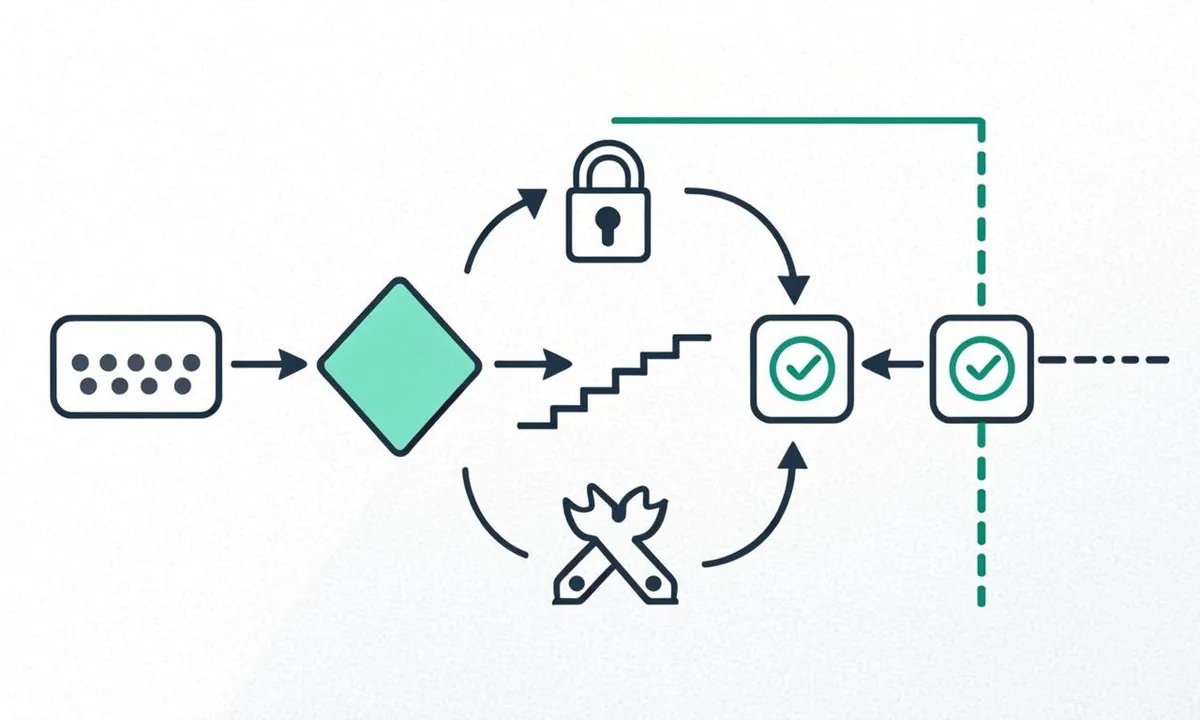
 <!-- IMAGE-PROMPT diagram-01: 1600px max, DependsIt brand mint #22E3B0 on charcoal #121212, node-network line art, subject: JWT signing to token exchange to publish with failure points labeled diagram, flat vector, accessible, no em dash, Clash Display style headings, General Sans clean labels -->
Fix 400 invalid URL and payload mistakes
A 400 error means Google understood your credentials but rejected the request shape or the URL value. Typical bodies name invalid URL, invalid type, or malformed JSON. These are caller bugs that retries will not fix. Read the detail, correct the payload, and resend once.
Validate four fields with strict rules. The url must be a fully qualified https URL including scheme and host, URL encoded where needed, under length limits, and belonging to the verified Search Console property. The type must be exactly URL_UPDATED or URL_DELETED in uppercase with underscore. The JSON body must contain only those fields for publish, with no trailing commas or comments. The HTTP verb must be POST for publish and GET for metadata, with Content Type application/json on POST. A single lowercase letter in the type or a missing scheme in the URL is enough to trigger 400.
URL scope mistakes are the subtle half of 400s. Submitting http when only https is verified, www when only apex is verified, or a staging host when only production is verified produces ownership flavored rejections that resemble payload errors. Normalize before sending: enforce https, enforce one host variant, strip utm and session parameters, collapse duplicate slashes, and align trailing slash policy with canonicals. Keep a normalization function shared by all languages so Python, Node, and PHP workers behave identically.
A preflight checklist before any publish prevents most 400s plus wasted quota on 403s: fetch the URL and confirm expected status, meaning 200 for URL_UPDATED and 404 or 410 for URL_DELETED, confirm robots allows it, confirm no accidental noindex for updates, and confirm Search Console property coverage. Each check is local and free. Each bad send costs quota and log noise. For content type context, the honest answer on normal pages explains why canonical and quality screening matters before you spend sends.
Handle 5xx and network flakes
HTTP 500, 502, and 503 plus timeouts and connection resets are transient far more often than permanent. Google asks you to retry these with backoff, unlike 400 and 403. The discipline is bounded patience: retry a few times with growing delays, then park the URL for later instead of blocking the whole queue on one stubborn row.
Timeout settings shape behavior. Set connect timeout to 10 seconds and total timeout to 30 seconds per attempt so a hung call cannot stall the worker for minutes. Treat timeouts like 503 for retry purposes. Add jitter to delays so multiple workers do not retry in lockstep after a backend blip. Cap attempts at five, then mark the row for next day resume with attempts preserved. Alert when 5xx exceeds 5 percent of sends in an hour, because sustained backend errors plus continued sending can resemble a flood.
Distinguish Google side flakes from local network faults. If all outbound HTTPS from the worker fails, including token endpoint and metadata reads, the local network, proxy, or firewall is suspect. If only publish fails while token fetch succeeds, the API path is implicated. Log DNS resolution time, TLS handshake outcome, and HTTP status separately so the distinction is data driven. Workers behind corporate proxies need explicit proxy config for both token and API hosts, not just one.
Circuit breaker logic protects quota during prolonged outages. After ten consecutive 5xx or timeout failures, pause the worker for 15 minutes and alert. Resume automatically once, then require manual approval if failures continue. This prevents a day long outage from generating thousands of failed attempts that complicate later analysis. Recovery after pause follows the same priority order as quota recovery: deletions and new eligible pages first, cosmetic edits last.
Reproduce any failure with cURL first
Before changing application code, reproduce the failing call with cURL and a fresh gcloud token. This bisection separates account faults from code faults in under two minutes. If cURL with a fresh token succeeds, the account side is healthy and the bug lives in signing, headers, payload, or URL construction. If cURL fails identically, no library change will help until access, quota, or payload is fixed.
Run this sequence for the exact failing URL and type. Activate the service account, print a token, publish once, then fetch metadata. Save the full request and response pair with timestamps as the incident record.
# Reproduce one failure end to end (replace URL with the failing one)
# gcloud auth activate-service-account --key-file="/secrets/indexing-prod-key.json"
# ACCESS_TOKEN=$(gcloud auth print-access-token)
# curl -s -X POST -H "Content-Type: application/json" \
#   -H "Authorization: Bearer $ACCESS_TOKEN" \
#   -d '{"url": "https://example.com/jobs/failing-role", "type": "URL_UPDATED"}' \
#   "https://indexing.googleapis.com/v3/urlNotifications:publish"; echo
# curl -s -H "Authorization: Bearer $ACCESS_TOKEN" \
#   "https://indexing.googleapis.com/v3/urlNotifications/metadata?url=https://example.com/jobs/failing-role"; echo
Interpret results crisply. cURL 200 plus app 403 means the app uses a different service account email or property than you tested. cURL 401 plus app 401 means the key or token path is broken for both, so fix files and scopes. cURL 429 plus app 429 means the pool is empty, so pause both and check for hidden senders. cURL 400 plus app 400 means the payload or URL is wrong in both, so fix normalization. This matrix turns vague failures into assigned owners within minutes.
Keep a known good cURL pair in your runbook from setup day. During incidents, run the known good URL first. If it succeeds while the failing URL still fails, the issue is URL specific, such as scope or status mismatch. If both fail with the same code, the issue is account or pool wide. That two minute test prevents long detours into code that was never broken.
Language specific pitfalls in Python Node and PHP
Each stack fails in characteristic ways even when account setup is correct. Knowing the usual suspects per language shortens debugging from hours to minutes.
Python pitfalls center on discovery caching, credential loading, and error parsing. The googleapiclient discovery document cache can serve stale schemas in containers, so pass cache_discovery=False in workers. Loading credentials from a pasted string instead of a file path risks newline mangling in the private key, so prefer from_service_account_file with an env var path. Parsing HttpError requires reading status_code and content separately, because printing the exception alone hides the reason string your alerts need. Pin google-auth and google-api-python-client versions in requirements to avoid surprise breaking changes during deploys.
Node pitfalls center on key file resolution, fetch behavior, and token reuse. Relative key paths resolve against process working directory, which differs between local runs, PM2, Docker, and serverless, so resolve to an absolute path from env and verify existence at startup. Global fetch does not throw on HTTP error statuses, so check res.ok and parse JSON bodies explicitly or 403 and 429 will pass silently as successes in naive code. Reusing one JWT client across concurrent sends without locking can race token refresh, so create short lived clients per batch or serialize publish calls in the worker.
PHP pitfalls center on cURL defaults, JSON handling, and env loading. cURL does not fail on HTTP error codes by default, so read CURLINFO_HTTP_CODE explicitly and branch on it. json_encode of URLs with slashes is fine, but manual string concatenation of JSON bodies invites trailing comma and quoting bugs, so always encode arrays. getenv behavior differs between FPM, CLI, and hosted panels, so verify the key path at runtime and log a clear startup error when missing instead of sending unsigned calls that fail as 401.
A shared normalization helper prevents cross language drift where Python strips trailing slashes but PHP preserves them, causing duplicate sends for one canonical page. Implement once per language from the same spec: lowercase scheme and host, enforce https, remove default ports, strip tracking params, collapse slashes, and apply one trailing slash rule matching canonicals. Unit test the helper with ten variant inputs in each stack during setup week.
Build logs that solve the next incident
Good logs turn incidents into lookups. For every Indexing API call, record timestamp in UTC, normalized URL, type, HTTP status, error reason string, notifyTime on success, key ID fingerprint, project ID, worker hostname, and attempt number. This is the foundation of api error handling with indexing api logs you can query. Never log private keys or full access tokens. A token prefix plus length is enough to distinguish empty versus expired cases without creating a secret leak in your log store.
Store outcomes in a queryable table, not just text files. A notifications table with indexed columns for date, status, and reason answers the core questions in seconds: how many 429s today, which URLs hit 403, which key sent the spike, and what remains pending. Retain 90 days for trend review. Partition by day if volume is high. A daily summary job posts sent count, success rate, top three error reasons, pending depth, and oldest pending age to chat or email. That message is the heartbeat reviewers actually read.
Alert rules should mirror triage exactly so every code maps to one owner and one runbook page without debate during night incidents. Any 403 triggers same day delegation review. Sustained 429 during business hours triggers pacing review and worker pause. Any 401 triggers credential review. 400 spikes trigger payload review after deploys. 5xx above 5 percent per hour triggers circuit breaker pause. Each alert links to the runbook section and the relevant log query so responders start with context instead of searching. For scope and quota background that informs thresholds, the quota guide linked under Further reading pairs with this error guide.
 <!-- IMAGE-PROMPT workflow-02: 1600px max, DependsIt brand, deep charcoal #121212 background, vibrant mint #22E3B0 accent glow, thin node-network line art, subject: alert to log query to status code triage to fix workflow, flat vector, accessible, no em dash, Clash Display style headings, General Sans clean labels -->
Prevention checklist before your next launch
Prevention is a short list enforced every time. Confirm the API is enabled in the production project and quota caps are recorded. Confirm the service account email is Owner on the exact property and a test publish returns 200. Confirm staging uses a separate project so tests cannot burn live quota. Confirm the worker paces at 6 to 10 seconds with exponential backoff and parks after five attempts. Confirm deduplication by normalized URL plus content hash is active. Confirm preflight checks for status, robots, noindex, and property coverage run before sends. Confirm logs capture all triage fields and alerts route to staffed channels. Confirm key rotation is scheduled and the runbook lists project ID, property URL, service account email, caps, and pause commands.
Load test the queue without touching quota by adding a dry run mode that performs normalization, dedup, preflight, and logging while skipping the publish call. Run the full launch list through dry run first to catch URL scope mistakes and duplicate storms. Only then enable live sends at a conservative pace. During launch, review the daily summary every morning and keep P0 deletions and P1 new pages prioritized over cosmetic edits. After launch, write a one page retro with sent totals, error breakdown, and one process fix for next time.
Official references for auth scopes, error handling, and Search Console roles stay within allowlisted docs. See the Google guide to Search Console ownership and permissions and the Google documentation on the Indexing API lifecycle for the documented behaviors behind these fixes.
FAQ
Why does a valid key return 403 permission denied?
Because authentication succeeded but authorization for the URL failed. The service account email is not an Owner on the exact Search Console property covering the URL, the API is disabled in the key project, or the URL variant sits outside the verified scope. Verify delegation, property match, and API toggle in that order.
How long should I wait after a 429 before retrying?
Start with 60 seconds, then double with jitter up to an hour cap, and park after five attempts for next day resume. Honor any Retry After hint if present by waiting the longer of the hint and your schedule. Do not retry in a tight loop or add parallel workers during the block.
What causes failed to parse JWT most often?
Truncated or reformatted private keys from copy paste through chat or tickets, wrong scope strings, expired cached tokens, and server clock skew. Download a fresh key file, confirm exact scope, sync NTP time, and request a fresh token before changing libraries.
Should I retry 400 errors?
No, not without changing the payload. 400 means the URL or JSON is malformed or outside your property. Fix normalization, type casing, and property coverage first, then send once. Repeated identical retries waste quota and obscure the real bug.
How do I tell staging leakage from real quota exhaustion?
Compare key IDs and worker hostnames in logs against the production inventory. If staging hosts or test key IDs appear in production hour spikes, leakage is confirmed. Move staging to its own project, revoke shared keys, and reissue per environment credentials.
When should I request more quota instead of fixing code?
Only after 30 days near the cap with success above 95 percent, 403 near zero, dedup and pacing already implemented, and a documented backlog of eligible URLs waiting over 48 hours. Otherwise efficiency work removes the need for an increase entirely.
How do I fix a jwt signing error versus an indexing api 401?
A jwt signing error usually means the private key was truncated, the scope string has a typo, or the server clock drifted past token lifetime. Download a fresh JSON key, confirm the scope is exactly the indexing URL, sync NTP time, and request a new token before retrying. When the same key works with gcloud but fails in code, the bug is in signing logic rather than delegation. Log token fetch time and key ID so you can separate a real jwt signing error from an indexing api 401 caused by reuse of an expired token.
How should indexing api logs shape api error handling?
Treat indexing api logs as the core of api error handling, not as an afterthought. Record timestamp, normalized URL, type, status, reason, key ID, and project ID for every call, then review daily sent totals and top error codes. Clear indexing api logs make an indexing api 401 easy to separate from permission issues and show whether retries are helping or hurting. Keep 90 days of history, alert on any 403 the same day, and link each alert to its runbook query so response stays mechanical.
Sources
- https://developers.google.com/search/docs/crawling-indexing/ask-google-to-recrawl
- https://support.google.com/webmasters/answer/4450422
- https://developers.google.com/search/docs/monitor-debug/debugging-search
- https://schema.org/JobPosting