WordPress Indexing Plugins: Which One Actually Helps?

WordPress makes publishing easy, yet many owners watch new posts wait days for discovery while plugins promise instant indexing. This guide tests wordpress indexing plugin claims against real behavior across IndexNow tools, API connectors and SEO suites. It is written for site owners, freelancers and small teams running WordPress on shared or managed hosting. You will learn what plugins can change, which types help which engines, how to test impact on your own site, the setup checklist that matters more than brand choice, and when a lightweight bridge beats another plugin. Small steady improvements in accuracy and linking usually move crawl dates more than switching brands often.
Key takeaways
- Most WordPress indexing gains come from correct sitemaps, canonicals and internal links, with plugins acting as delivery for those basics.
- IndexNow plugins speed Bing, Yandex, Naver and Seznam discovery, while Google needs sitemap plus inspection workflows.
- Test any plugin by comparing publish to crawl times for matched posts before and after activation.
- Keep one submission path per engine, log results, and avoid stacking overlapping plugins that duplicate pings.
- Why WordPress sites struggle with slow indexing
- What an indexing plugin can realistically change
- Types of WordPress indexing plugins compared
- IndexNow plugins for WordPress in detail
- Google Indexing API plugins for WordPress in detail
- Sitemap and SEO suite plugins and their indexing role
- Test method: how to tell if a plugin helps your site
- Setup checklist that matters more than plugin choice
- Common plugin failures and fixes
- When to skip plugins and use a lightweight bridge
- A practical plugin stack for different WordPress site types
 <!-- IMAGE-PROMPT cover: 1200x630, DependsIt brand, deep charcoal #121212 background, vibrant mint #22E3B0 accent glow, thin node-network line art, Clash Display style bold heading space on left, General Sans clean labels, subject: WordPress admin with indexing plugin cards and network lines, flat vector, high contrast, accessible, no photorealistic faces, no text smaller than 24px, no em dash in rendered text, export PNG then cwebp -q 82 to WEBP -->
Why WordPress sites struggle with slow indexing
WordPress sites often accumulate discovery drag from theme and plugin sprawl. Page builders add parameterized URLs, tag and date archives multiply thin pages, media attachments create extra slugs, and outdated sitemaps list redirects or 404s alongside live posts. Crawlers must sift this mixed inventory on limited budgets, so fresh posts wait while engines reprocess low value variants. New blogs feel this as days to first index, while larger sites feel it as sections that never fully index.
Publishing habits add a second layer. Irregular schedules, bulk imports without internal links, and posts left orphaned from categories or homepage hubs give engines weak crawl cues. A strong post with no hub links may be found through sitemaps but crawled late, while a routine update with good links may be recrawled quickly. The fix starts with inventory hygiene and linking discipline, after which a focused plugin can accelerate discovery for participating engines.
Plugin marketing often promises instant indexing, but engines still decide crawl and index based on quality, canonicals and site trust. A plugin can deliver a timely hint and keep sitemaps accurate, yet it cannot make thin duplicates indexable or force Google to consume IndexNow. Teams that set this expectation first choose tools calmly and measure the right stage: hours to first crawl for discovery, then days to index decision for quality.
Checklist for this step:
- Audit archives, tags, media pages and parameterized variants
- Check sitemap for redirects, 404s and non canonicals
- Confirm new posts get hub links within same release
- Review crawl stats for budget spent on low value paths
- Stabilize publishing cadence with complete metadata
| Item | What to do | Why it matters |
|---|---|---|
| Bloat | Thin archives plus attachment slugs | Dilutes crawl priority |
| Sitemap | Stale entries plus wrong lastmod | Slows scheduling |
| Links | Orphan posts without hubs | Weak discovery cues |
| Cadence | Bulk dumps without support | Queues build up |
Record what you changed and what you observed so later steps build on evidence rather than assumptions about plugin speed.
What an indexing plugin can realistically change
A good plugin changes delivery speed and accuracy, not indexability itself. Every WordPress index plugin should regenerate sitemaps on publish with correct lastmod, while WordPress auto index settings decide which post types submit without manual clicks. It should still ping IndexNow with changed canonicals, queue retries with backoff, and log responses for review. It can also surface canonical, robots and status issues before submission. Those functions shorten the path from publish to first crawl for participating engines when content and linking already merit a visit.
It cannot rewrite thin content, consolidate duplicates, fix slow templates or make Google process IndexNow. If posts share near identical text, canonicals point to variants, or server responses are slow, accepted pings will still stall at quality checks. Think of plugins as reliable couriers: they deliver timely notices for worthy pages, but they do not decide whether the recipient keeps the package. Invest in content depth and architecture first, then let the courier amplify the improvement.
In practice the best WordPress setup pairs one clear submission path per engine with solid basics. Accurate sitemaps with correct lastmod, self referencing canonicals, clean robots rules and hub links from relevant archives give every engine a trustworthy inventory. An IndexNow plugin then highlights changed posts for participating engines, while selective inspection covers a few Google priorities. When basics are broken, even the best plugin only delivers bad news faster.
Checklist for this step:
- Automate sitemap rebuilds with accurate lastmod
- Ping changed canonicals with logging and retry
- Surface canonical and robots issues pre submit
- Keep one path per engine to avoid duplicates
- Measure crawl movement, not just sent counts
| Item | What to do | Why it matters |
|---|---|---|
| Can change | Hint delivery plus sitemap freshness | Faster discovery |
| Can surface | Config errors before engines see | Fewer 422 cases |
| Cannot change | Quality plus canonical decisions | Index still earned |
| Cannot reach | Google via IndexNow | Separate Google work |
Record what you changed and what you observed so later steps build on evidence rather than assumptions about plugin speed.
 <!-- IMAGE-PROMPT diagram-01: 1600px max, DependsIt brand mint #22E3B0 on charcoal #121212, node-network line art, subject: WordPress post to plugin to sitemap and IndexNow endpoint diagram, flat vector, accessible, Clash Display headings General Sans labels feel, no em dash -->
Types of WordPress indexing plugins compared
IndexNow plugins focus on push delivery to participating engines. The best WP indexing plugin for a WordPress SEO indexing baseline is the one that stores a key reliably, ensures the key file stays reachable, and builds a short urlList of changed posts, then POSTs with timeouts and logging. Strength is simplicity and speed for Bing and Yandex ecosystems. Limit is scope: no Google coverage and no sitemap repair beyond basic triggers. Best fit is blogs and magazines that publish frequently and need timely Bing discovery.
API connector plugins focus on Google endpoints with service account auth, while SEO suites focus on sitemaps, meta and schema with optional submission toggles. API tools suit eligible content types and small volumes inside quotas, but add credential complexity for general blogs. SEO suites suit baseline health with sitemap control and canonical tools, but overlapping submission features can duplicate pings when stacked. Most sites do best with one suite for baseline plus one focused IndexNow path, rather than three overlapping submitters.
Testing on your own inventory beats feature lists because hosting, theme and content patterns shape results. Two sites with the same plugin can see different gains when one has bloated sitemaps and the other has clean segmentation. Log publish time, submission response and first crawl for matched posts before and after activation, then keep the plugin only if median discovery moves earlier without error growth.
Checklist for this step:
- Use IndexNow tools for Bing and Yandex speed
- Use API connectors only where eligible and small
- Use SEO suites for sitemap and canonical baseline
- Avoid stacking multiple submitters for same URLs
- Match tool to bottleneck, not feature count
| Item | What to do | Why it matters |
|---|---|---|
| IndexNow | Push to participating engines | Fast where supported |
| API connector | Google auth plus quotas | Narrow and complex |
| SEO suite | Sitemap plus meta plus schema | Baseline health |
| Stack risk | Duplicate pings plus 429 | Keep one path each |
Record what you changed and what you observed so later steps build on evidence rather than assumptions about plugin speed.
IndexNow plugins for WordPress in detail
IndexNow plugins for WordPress typically handle key generation, key file placement or verification, post save hooks, batch building and response logging. An IndexNow WP plugin collects the canonical permalink on publish or update, confirms 200 status and allowed robots, and enables WP fast indexing features only for new and materially updated posts that should speed up WP indexing without noise. It adds each URL to a short queue, then sends in small batches spaced minutes apart. Good tools deduplicate rapid edits, respect 429 with backoff, and expose logs with timestamps and status codes without leaking keys.
Evaluate options on reliability signals rather than marketing copy: recent updates, clear key settings, per post controls, batch size limits, retry logic, log visibility and compatibility with your sitemap source. Test with a single post, confirm 200 or 202, verify the key URL returns the exact string, then enable automatic submission for new and materially updated posts only. Exclude drafts, previews, attachments and non canonical variants from auto submission to protect signal quality over weeks.
Stability matters more than extra toggles once publishing is daily. Overlapping plugins that each ping the same URL create duplicate signals, inflate 429 responses and muddy logs. A lean stack with one IndexNow path, one sitemap source and one inspection routine is easier to debug and kinder to quotas. Review error rates monthly and remove any tool that adds noise without moving crawl dates.
Checklist for this step:
- Confirm key file reachable with exact string
- Submit canonical permalinks only, no variants
- Start manual with one post, then automate
- Deduplicate rapid edits and throttle batches
- Review logs weekly for 400, 403, 422, 429
| Item | What to do | Why it matters |
|---|---|---|
| Setup | Key plus reachable key file | Auth must pass |
| Trigger | Publish plus material update | Real change only |
| Batch | Small with spacing | Protects trust |
| Logs | Status plus timing | Auditable |
Record what you changed and what you observed so later steps build on evidence rather than assumptions about plugin speed.
Google Indexing API plugins for WordPress in detail
API plugins for WordPress wrap service account auth, Search Console verification and notification calls for eligible types. Setup still involves a cloud project, enabled API, service account JSON, Search Console ownership and least privilege access. An Indexing API WP plugin then sends URL_UPDATED or URL_DELETED for job or livestream pages and records notification responses. For sites with genuine eligible content, this path can shorten Google attention for time sensitive listings.
For general posts and products, these plugins add complexity without documented bulk benefit. Quotas are small, 403 errors signal permission gaps, and 429 errors signal overuse that needs queueing. General blogs should instead rely on clean sitemaps, selective URL Inspection for a few priorities, strong hub links and fast templates. If a vendor claims universal instant Google indexing through the API, treat the claim skeptically and verify against official docs and your own before and after crawl data.
Google and IndexNow tracks must be reported separately on WordPress as on any stack. IndexNow plugins affect Bing, Yandex, Naver and Seznam, while Google progress depends on sitemaps, inspection, linking and template speed. Dashboards that mix both tracks hide where a plugin helped and where theme or content work is still needed.
Checklist for this step:
- Use API plugins only for eligible job and live pages
- Lock service account to least privilege with rotation
- Queue inside quotas with backoff on 429
- Cover general posts with sitemaps and inspection
- Verify claims against docs and your own logs
| Item | What to do | Why it matters |
|---|---|---|
| Fit | Jobs plus livestreams | Documented scope |
| Auth | Service account plus ownership | 403 without it |
| Quota | Small with throttling needed | Queue carefully |
| General posts | Sitemap plus links | Correct path |
Record what you changed and what you observed so later steps build on evidence rather than assumptions about plugin speed.
Sitemap and SEO suite plugins and their indexing role
SEO suites earn their keep through baseline accuracy that makes every other method faster. They generate sitemap indexes segmented by post, page and taxonomy, keep lastmod tied to real edits, manage canonical tags, titles and robots directives, and expose redirect and 404 workflows. When that baseline is clean, engines poll more often and pings land on pages ready to index. When suites are misconfigured with competing sitemaps or broad noindex rules, they can stall discovery despite fast pings.
Choose one suite as the sitemap owner and disable sitemap features in other tools to avoid competing inventories. Keep post, page and media handling explicit, exclude thin archives where appropriate, and ensure canonicals are self referencing for indexable URLs. Validate sitemap XML after major theme or plugin updates, confirm fetch speed, and resubmit in Webmaster Tools when structure changes. A stable suite with conservative settings usually beats a feature rich stack that duplicates sitemaps and submissions.
Security and maintenance deserve equal weight in plugin choice. Prefer actively maintained tools with clear settings, minimal permissions and no credential sprawl. Store keys outside version control where possible, restrict admin access, and document which plugin owns sitemaps versus submission so future staff do not enable competing features by accident.
Checklist for this step:
- Designate one sitemap owner across plugins
- Segment by type with accurate lastmod
- Keep canonicals self referencing for indexable
- Validate XML and speed after major updates
- Resubmit sitemaps when structure changes
| Item | What to do | Why it matters |
|---|---|---|
| Sitemap | Single accurate inventory | All engines use |
| Canonical | Clean self referencing tags | Avoids duplicate waste |
| Robots | Explicit allowed paths | Prevents blocks |
| Stability | One owner, no duplicates | Trust builds |
Record what you changed and what you observed so later steps build on evidence rather than assumptions about plugin speed.
Test method: how to tell if a plugin helps your site
A credible test compares matched posts before and after activation with stable themes and sitemaps. Publish eight to twelve new posts with similar length, originality and hub links, half before and half after enabling the plugin path. Log publish time, submission response and first crawl from server logs plus Webmaster data, then compare median hours to crawl and share indexed after two weeks. Hold content quality and linking constant so the plugin is the only meaningful change.
Watch error signals alongside speed. A plugin that shaves hours but doubles 422 or triggers frequent 429 adds risk that offsets gains. Review logs for host consistency, key validity, canonical correctness and batch sizes. If discovery improves without error growth, keep the tool and document settings. If medians barely move, the bottleneck likely lives in sitemaps, linking or content depth rather than delivery, and further plugin switching will not help until those basics improve.
Plugin marketing often promises instant indexing, but engines still decide crawl and index based on quality, canonicals and site trust. A plugin can deliver a timely hint and keep sitemaps accurate, yet it cannot make thin duplicates indexable or force Google to consume IndexNow. Teams that set this expectation first choose tools calmly and measure the right stage: hours to first crawl for discovery, then days to index decision for quality.
Checklist for this step:
- Publish matched posts before and after activation
- Log publish, response, crawl and index dates
- Hold quality and linking constant during test
- Compare medians over two to three weeks
- Keep plugin only on clear gain without errors
| Item | What to do | Why it matters |
|---|---|---|
| Sample | Matched posts with similar support | Fair comparison |
| Metrics | Hours to crawl plus index share | Stage separated |
| Errors | 422 plus 429 trends | Risk check |
| Decision | Keep on gain, else fix basics | Evidence based |
Record what you changed and what you observed so later steps build on evidence rather than assumptions about plugin speed.
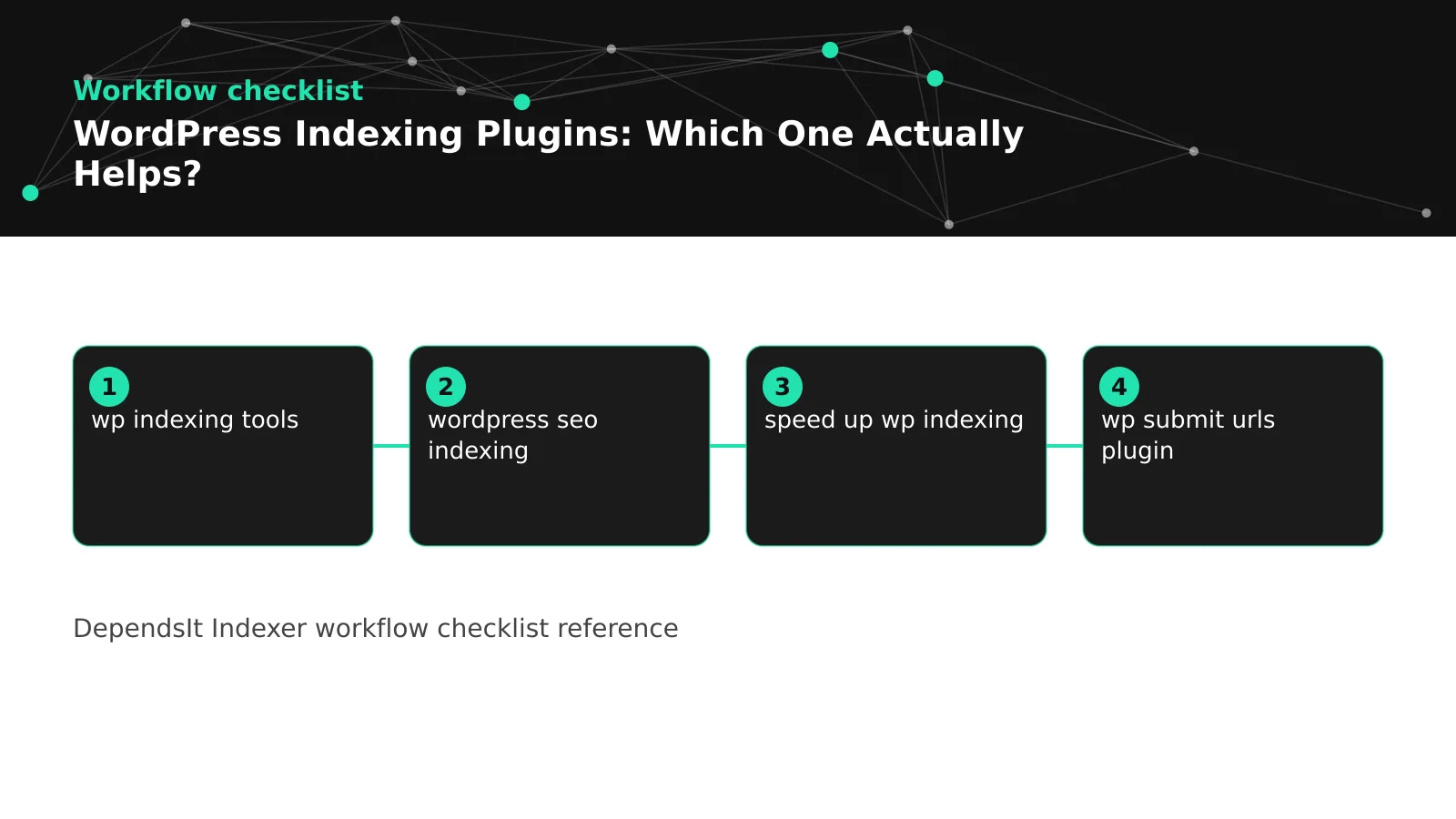 <!-- IMAGE-PROMPT workflow-02: 1600px max, DependsIt brand mint #22E3B0 on charcoal #121212, node-network line art, subject: Baseline to plugin activation to measurement workflow, flat vector, accessible, Clash Display headings General Sans labels feel, no em dash -->
Setup checklist that matters more than plugin choice
Most indexing wins come from a short checklist that any plugin relies on. Confirm permalinks are canonical https without variants, posts return 200 with useful content, canonical tags are self referencing, robots allows post paths, sitemaps list only indexable URLs with correct lastmod, and new posts receive hub links from relevant categories and recent lists. Run this check before installing anything, since plugins amplify whatever state they find.
After the checklist passes, configure the chosen plugin minimally: one IndexNow key with reachable key file, submission on publish and material update only, small batches with spacing, logging enabled, and sitemap ownership left to the designated suite. Test with one post, verify 200 or 202, inspect the live URL for status and canonical, then enable automation. Document settings and ownership so future theme or plugin changes do not silently enable competing submitters.
In practice the best WordPress setup pairs one clear submission path per engine with solid basics. Accurate sitemaps with correct lastmod, self referencing canonicals, clean robots rules and hub links from relevant archives give every engine a trustworthy inventory. An IndexNow plugin then highlights changed posts for participating engines, while selective inspection covers a few Google priorities. When basics are broken, even the best plugin only delivers bad news faster.
Checklist for this step:
- Canonical https permalinks with 200 and content
- Self referencing canonicals plus allowed robots
- Clean sitemap with correct lastmod
- Hub links for every new post
- Minimal plugin config with logging and test
| Item | What to do | Why it matters |
|---|---|---|
| URLs | Canonical plus 200 | Ready to index |
| Sitemap | Accurate plus fast | Trusted inventory |
| Links | Hub support same release | Guides crawl |
| Config | Minimal plus logged | Sustainable |
Record what you changed and what you observed so later steps build on evidence rather than assumptions about plugin speed.
Common plugin failures and fixes
The most common failure is mixed signals from overlapping tools. Two sitemap generators, two IndexNow senders or a suite plus a standalone submitter can each claim ownership, list different URL forms and ping duplicates. Symptoms include fluctuating sitemap counts, repeated 422 for non canonicals, rising 429 and confusing logs. The fix is to designate one owner per function, disable competing features, clear caches, revalidate sitemaps and watch error rates fall within days.
The next cluster involves auth and mapping: missing or mismatched key files, http versus https host drift, www versus apex inconsistency, and submission of drafts, previews or parameterized variants. A 403 points to key mismatch, a 422 points to invalid URL forms, and persistent 400 points to malformed payloads. Reissue keys where needed, normalize hosts to the canonical domain, restrict auto submission to published indexable posts, and retest with a single URL before resuming batches. Steady small batches beat rapid retries after failures.
Testing on your own inventory beats feature lists because hosting, theme and content patterns shape results. Two sites with the same plugin can see different gains when one has bloated sitemaps and the other has clean segmentation. Log publish time, submission response and first crawl for matched posts before and after activation, then keep the plugin only if median discovery moves earlier without error growth.
Checklist for this step:
- One owner per function, disable duplicates
- Normalize host to canonical https domain
- Restrict auto submit to published indexable
- Fix 403 as key, 422 as mapping, 429 as pacing
- Retest single URL before resuming batches
| Item | What to do | Why it matters |
|---|---|---|
| Overlap | Competing sitemaps plus pings | Consolidate owners |
| Auth | Key mismatch plus host drift | Reissue and normalize |
| Mapping | Drafts plus variants submitted | Filter to canonical |
| Pacing | Too much too fast | Throttle and backoff |
Record what you changed and what you observed so later steps build on evidence rather than assumptions about plugin speed.
When to skip plugins and use a lightweight bridge
A bridge suits teams that want minimal WordPress load or must support deploys alongside CMS edits. Instead of another PHP submitter, a small Cloudflare Worker or external script watches the sitemap or RSS feed, diffs for new canonicals, and sends IndexNow batches with logging and backoff. WordPress stays lean, submission logic lives in one auditable place, and the same bridge can handle static sections or headless front ends without extra plugins.
Choose the bridge when plugin conflicts persist, when hosting restricts background tasks, or when releases flow through Git as well as the editor. Keep the bridge simple: poll sitemap or feed on a schedule, filter to changed canonicals, cap batches, handle 429 with backoff and log status codes with timestamps. For pipeline patterns, the guide to automating IndexNow pings from a CMS or deploy pipeline maps well to a Worker that serves both CMS and static paths. Revisit plugins only if the bridge proves too technical to maintain. For pipeline patterns, see automating IndexNow pings from your CMS or deploy pipeline.
Even with a bridge, WordPress must still own clean permalinks, canonicals and hub links. The bridge cannot fix thin archives or missing links, it only delivers hints faster. Maintain the same checklist as plugin setups, document the bridge host and key mapping, and keep one submission owner per engine so CMS and deploy paths do not duplicate pings for the same URLs.
Stability matters more than extra toggles once publishing is daily. Overlapping plugins that each ping the same URL create duplicate signals, inflate 429 responses and muddy logs. A lean stack with one IndexNow path, one sitemap source and one inspection routine is easier to debug and kinder to quotas. Review error rates monthly and remove any tool that adds noise without moving crawl dates.
Checklist for this step:
- Use bridge to keep WordPress lean and auditable
- Poll sitemap or RSS and diff for changed canonicals
- Cap batches with backoff and logging
- Serve CMS plus static paths from one place
- Document ownership to avoid duplicate pings
| Item | What to do | Why it matters |
|---|---|---|
| Bridge | External diff plus submit | Less plugin load |
| Trigger | Sitemap or feed poll | Catches CMS edits |
| Limits | Small batches plus backoff | Protects trust |
| Owner | One path per engine | No duplicates |
Record what you changed and what you observed so later steps build on evidence rather than assumptions about plugin speed.
A practical plugin stack for different WordPress site types
Small blogs do best with one SEO suite for sitemaps plus one maintained IndexNow plugin for participating engines. Keep archives lean, link new posts from homepage and category hubs, and use manual inspection sparingly for a few Google priorities. This minimal stack is easy to maintain, produces clean logs and usually moves Bing discovery to hours without quota drama. Review quarterly and remove any toggle that adds pings without moving crawl dates.
Magazines, shops and membership sites need segmentation plus discipline. Use the suite to split posts, products and restricted areas, exclude thin or gated URLs from sitemaps, and set IndexNow to new and materially updated public posts only. Pair with a lightweight bridge if deploys also change URLs, but keep single ownership per engine. For protocol grounding, the complete guide to IndexNow explains coverage that applies across all these stacks. Measure by section so high value products get priority links and batches while low value archives stay quiet. For protocol grounding, see best IndexNow plugins for WordPress.
Google and IndexNow tracks must be reported separately on WordPress as on any stack. IndexNow plugins affect Bing, Yandex, Naver and Seznam, while Google progress depends on sitemaps, inspection, linking and template speed. Dashboards that mix both tracks hide where a plugin helped and where theme or content work is still needed.
Checklist for this step:
- Small blog: suite plus one IndexNow path
- Large site: segmented sitemaps plus filtered pings
- One submission owner per engine always
- Manual inspection for few Google priorities
- Review quarterly and prune noisy toggles
| Item | What to do | Why it matters |
|---|---|---|
| Blog | Lean stack plus hub links | Fast and simple |
| Magazine | Segmented plus filtered | Priority aware |
| Shop | Public products only | Excludes gated |
| Review | Quarterly prune | Sustains trust |
Record what you changed and what you observed so later steps build on evidence rather than assumptions about plugin speed.
FAQ
Do indexing plugins guarantee faster Google indexing?
No. Plugins can improve delivery through accurate sitemaps and timely hints, but Google does not consume IndexNow and still applies its own crawl scheduling plus quality checks. A plugin may shorten Bing and Yandex discovery within hours while Google follows sitemap, inspection and linking timelines over days. For Google, prioritize clean sitemaps, selective inspection for a few priorities, strong hub links and fast accessible templates. Measure Google and IndexNow tracks separately so plugin value is judged fairly.
How many plugins should handle submission?
One per function. Designate one sitemap owner, one IndexNow sender and one routine for selective Google inspection. Stacking two IndexNow plugins or two sitemap generators creates duplicate pings, competing inventories, rising 429 responses and confusing logs. If you already run an SEO suite with submission toggles, disable overlapping features in any additional tool. A lean stack is faster to debug and kinder to quotas than a feature rich overlap.
Why do my pings succeed but posts stay unindexed?
Accepted means the hint arrived, not that the page passed quality checks. Common causes include thin or duplicated text, missing hub links, canonicals pointing elsewhere, blocked resources, slow templates or low trust for new sections. Deepen content with original detail, link the post from relevant hubs, confirm 200 status with self referencing canonicals, and ensure sitemap accuracy. Resubmit once after material improvement rather than pinging daily without changes.
Should I auto submit updates or only new posts?
Submit new posts plus materially updated posts once, and skip trivial tweaks. Search engines learn to trust senders whose pings correlate with real change. Auto submitting every autosave, typo fix or metafield touch teaches the opposite and inflates 429 throttling. Configure triggers for publish and meaningful update events, deduplicate rapid edits, and cap batches with spacing. Small accurate batches earn faster revisits than noisy high volume streams.
What logs should a good plugin provide?
At minimum, timestamp, submitted URL, host, response code and duration per batch, plus a short retention of full URL lists for replay. Good tools also surface 400 payload issues, 403 key problems, 422 mapping errors and 429 throttling with clear next steps. Logs should mask keys and avoid dumping secrets. Review weekly for error spikes, join submission times to crawl activity in Webmaster Tools, and use the pattern to tune batch size and pacing.
When is a bridge better than another plugin?
When WordPress already runs many plugins, when background tasks are restricted, or when URLs also change through deploys. A small external worker that diffs sitemap or RSS and sends IndexNow batches keeps WordPress lean and centralizes logging for both CMS and static paths. Keep the same hygiene of canonicals, sitemaps and hub links, maintain single ownership per engine, and document the bridge mapping. Choose the path your team can maintain reliably for months, not just install quickly.
How do WP indexing tools compare on logging?
WP indexing tools vary widely, so judge any WP submit URLs plugin on the same log standard: timestamp, submitted URL, host, response code and duration per batch, with keys masked. Review logs weekly for error spikes and join submission times to crawl activity in Webmaster Tools before renewing or replacing a tool.