Why Your Redirected Pages Still Show in Google's Index

You changed a URL, added a 301 redirect, and expected the old address to vanish from Google. Weeks later the old URL still appears in search results, Search Console still lists it under Page with redirect, and your team wonders whether the redirect works at all. This is normal behavior during signal consolidation, but it can also reveal redirect chains, conflicting canonical tags, stale sitemaps, or weak target pages that slow the transition. This guide is for site owners, SEOs, and developers who need to understand redirect handling and clean up lingering URLs. The primary keyword for this guide is redirected pages in google index, and each section connects that symptom to a specific check and fix.
You will learn how Google processes redirects, why old URLs linger, how long consolidation usually takes, how to audit redirect status in Search Console, how to fix chains, loops, and mixed signals, and how to handle site moves, HTTP to HTTPS upgrades, and bulk URL changes. You will also see sitemap and internal link hygiene, measurement methods, and prevention patterns for future migrations. By the end you will know which lingering URLs are harmless and temporary, which ones need action, and exactly what to do for each case.
Key takeaways
- Google keeps the old URL visible while it consolidates ranking signals to the redirect target, so lingering listings are often temporary.
- Chains, loops, conflicting canonicals, thin targets, and stale sitemaps extend the delay from days to months.
- Fix the redirect graph first, then clean sitemaps and internal links, then verify with inspection and log data.
- Stable one hop 301 or 308 redirects to strong, indexable targets consolidate fastest.
- How Google handles a redirect from crawl to index update
- Why redirected pages in google index stay visible after you add a redirect
- How long consolidation takes and what affects the timeline
- Reading Page with redirect in Search Console correctly
- Redirect chains loops and mixed signals that stall cleanup
- Canonical tags and redirects when they agree and conflict
- Sitemap and internal link mistakes that keep old URLs alive
- Site moves HTTPS upgrades and bulk URL changes
- Fixing the redirect graph step by step
- Verifying with inspection logs and rank tracking
- Preventing lingering redirects on future changes
- FAQ
- Sources
- Further reading
 <!-- IMAGE-PROMPT cover: 1200x630, DependsIt brand, deep charcoal #121212 or clean white background, vibrant mint #22E3B0 accent glow, thin node-network line art, Clash Display style bold heading space on left, General Sans clean labels, subject: URL redirect consolidation from old pages to new destination, flat vector, high contrast, accessible, no photorealistic faces, no text smaller than 24px, no em dash in rendered text, export PNG then cwebp -q 82 to WEBP -->
How Google handles a redirect from crawl to index update
When Googlebot requests an old URL and receives a 301 or 308 status with a Location header, it records the redirect relationship and schedules a crawl of the target. The index does not update instantly. Google must fetch the target, confirm it returns 200 with indexable content, compare signals such as content similarity, canonical tags, and link references, then transfer ranking signals from the old URL to the new one. During that window the old URL can still appear in results, especially for navigational or branded queries where the old address has history. Search Console reflects this intermediate state as Page with redirect, which means Google knows about the redirect and has not yet fully consolidated the pair.
The type of redirect matters for how Google interprets permanence. A 301 Moved Permanently and a 308 Permanent Redirect both signal a lasting move and pass the strongest consolidation cues. A 302 Found and a 307 Temporary Redirect signal a short term move, so Google keeps the old URL as the primary and is slower to shift signals. Meta refresh and JavaScript redirects are weaker cues that Google may follow but with less confidence and more delay. Server side 301 or 308 is therefore the default for permanent URL changes. Choosing a temporary code for a permanent move is one of the most common reasons old URLs linger far longer than expected.
Crawl frequency controls the pace. High traffic pages that Google crawls daily can consolidate in days. Deep pages crawled monthly can take several crawl cycles, which stretches into weeks or months. Large sites with millions of URLs face queueing, because Google allocates limited crawl resources per host and must revisit both the old and new URLs to confirm stability. Repeatedly changing targets, adding chains, or serving intermittent errors resets confidence and restarts the clock. Stability is a ranking asset during migrations. Once a redirect ships, the old to new mapping should stay fixed while Google processes it.
Content similarity between old and new URLs also affects confidence. When the target closely matches the old page intent, with equivalent content, titles, and structured data, Google consolidates quickly. When the target is a generic category, the homepage, or a thin placeholder, Google hesitates because the mapping looks evasive rather than helpful. That hesitation shows up as prolonged dual visibility, where both URLs appear intermittently, or as selection of an unexpected canonical. Keeping intent matched one to one is the fastest way to move signals. Redirect each old page to its closest live equivalent, not to a catch all destination.
Finally, external references influence the timeline. Links from other sites, bookmarks, social posts, and feeds that still point to the old URL cause Google to keep checking it. That is fine and expected. Over time, as Google sees consistent redirect behavior plus updated internal links and sitemaps pointing to the target, the old URL fades from results and the target carries the query. The sections below show how to read each stage and where to intervene when progress stalls.
Why redirected pages in google index stay visible after you add a redirect
The most frequent reason is simple timing. You added the redirect yesterday, Google has not recrawled the old URL yet, and the index still serves the last known state. Search results reflect the last successful crawl, not your current server config. Until Googlebot revisits the old address and processes the redirect, the listing stays. This is especially true for low crawl rate pages, new redirects on deep sections, and sites with large crawl queues. A few days of lingering after a fresh change is normal and needs no fix beyond patience and verification that the redirect serves correctly to crawlers.
A second reason is weak target quality. If the destination is thin, blocked by robots, marked noindex, canonicalized elsewhere, or slow and error prone, Google will not confidently shift signals to it. The old URL then remains the better candidate in the index even though it redirects. Owners often blame the redirect when the real problem is the target. Check the target with the same rigor as the source. It must return 200, render substantive content, allow indexing, and declare itself canonical. A redirect to a page that cannot be indexed is a redirect to nowhere from a search perspective.
A third reason is conflicting signals. The old URL redirects to target A, but its canonical tag, sitemap entry, or internal links point to target B or back to itself. Or the target canonicalizes to a third URL. These mixed messages force Google to choose among candidates, which delays consolidation and can leave the old URL visible while the decision is pending. Consistency resolves it. Redirects, canonicals, sitemaps, and prominent internal links should all agree on the same destination. Every exception adds a round trip of recrawls.
A fourth reason is chains and hops. Old URL one redirects to URL two, which redirects to URL three, which finally returns 200. Google follows chains, but each hop dilutes confidence and consumes crawl budget. Long chains are common after repeated migrations, HTTP to HTTPS upgrades stacked on trailing slash changes stacked on CMS moves. Flattening to a single hop from every legacy URL directly to the final destination speeds consolidation measurably. Logs often show Googlebot abandoning deep chains or revisiting them less often, which directly extends visibility of the entry URL.
A fifth reason is stale references that refresh discovery. XML sitemaps that still list old URLs, navigation or footer links that point to legacy addresses, hreflang entries with old variants, and feeds that republish old links all tell Google the old URL is still important. Google keeps checking and reporting it. Cleaning these references does not remove the need for redirects, because external links and bookmarks persist, but it stops your own site from reintroducing the old addresses as current. For broader context on how crawling delays affect new and changed pages, see the guide to discovered currently not indexed causes and fixes.
How long consolidation takes and what affects the timeline
There is no fixed timetable, but practical ranges help planning. For a single URL change on a healthy small site with daily crawling, the target often replaces the old URL in results within one to three weeks. For bulk changes of hundreds of URLs, expect four to eight weeks for most pairs, with a long tail of deep or low link equity URLs taking longer. For full domain moves or protocol changes on large sites, three to six months of monitoring is prudent, because every legacy URL must be recrawled and every signal reevaluated. These ranges assume one hop permanent redirects, strong targets, and clean sitemaps. Deviations from those conditions extend the tail.
Crawl budget and site size dominate the timeline. A site with ten thousand URLs and strong internal linking gets frequent revisits. A site with two million URLs, heavy faceted navigation, and slow responses gets thinner coverage per URL. During migrations, prioritize crawl paths to changed sections. Link new targets from high crawl rate hubs such as the homepage, main category pages, and updated sitemaps with accurate lastmod dates. Avoid launching migrations alongside performance regressions or mass 5xx errors, which divert crawl resources to error handling instead of consolidation.
Redirect quality shortens or lengthens the work. One hop 301 to a matching intent consolidates fastest. Two to three hops add weeks. Five or more hops, mixed 301 and 302 codes, or redirect loops can stall indefinitely until flattened. Changing targets mid migration restarts evaluation for affected pairs. Freezing the mapping table after launch, then batching any corrections, is faster than continuous edits. Version the mapping file and log every change with date and reason so you can correlate index movements with specific edits.
Target strength is the next lever. Pages with original content, clear titles, internal links, and external references consolidate faster than orphaned thin pages. If you redirect 500 old product URLs to five generic categories, expect slower and less complete transfer than one to one product to successor mappings. Where one to one mapping is impossible, choose the closest specific parent and add guidance that preserves intent, such as comparison content or successor links. Thin catch all targets are a common cause of permanent limbo where the old URL never fully drops.
External factors add variance. Old URLs with many external links get recrawled often, which sounds helpful but can prolong visibility if those links keep the legacy address in the link graph. Outreach to update top referring links helps, though it is rarely complete. Competitor and aggregator scrapes that republish old URLs also refresh discovery. You cannot control the whole web, but you can control server behavior. As long as legacy URLs serve clean single hop permanent redirects to strong targets, external references become a minor drag rather than a blocker. Track progress by cohort, not by anecdote, so one stubborn URL does not obscure broad success.
Reading Page with redirect in Search Console correctly
Page with redirect in Search Console Pages indexing is informational, not an error. It lists URLs Google discovered that currently redirect to another address. Google is telling you it knows about the redirect and has chosen not to index the source, which is the correct outcome when the move is intentional. A growing list after a migration is expected. A persistent list months later, or entries for URLs you thought were current, points to hygiene issues. The key is to separate intentional legacy URLs from current URLs that should not redirect at all.
Start by exporting the list and joining it to your mapping table. Tag each entry as expected legacy, unexpected current, or unknown. Expected legacy URLs should have a one hop 301 to the correct target, no sitemap membership, and few or no internal links. Unexpected current URLs are live pages in navigation or sitemaps that redirect, which means users and crawlers take an extra hop on every visit. Those deserve immediate fixes, either by updating links to point directly to targets or by removing unnecessary redirect rules. Unknown URLs need investigation through crawl logs and CMS history to determine whether they are old campaigns, parameter variants, or rule side effects.
Inspect samples from each tag. URL Inspection shows the redirect relationship, last crawl date, and referring page. Check whether Google has discovered the target, whether the target is indexed, and whether the target declares the right canonical. If the target is not indexed, fix the target before worrying about the source listing. The source cannot consolidate to a destination Google will not index. Note crawl dates to judge pace. Recent crawls with correct behavior mean consolidation is in progress. Stale crawl dates on important pairs mean discovery or budget issues that need internal link and sitemap support.
Compare Search Console data with server logs and rank tracking. Logs show whether Googlebot actually hits old URLs and follows to targets, plus response times and error rates. Rank tracking shows whether queries still serve old URLs, targets, or alternate candidates. When logs show clean single hop fetches and rankings shift toward targets over weeks, the system works and patience is correct. When logs show chains, loops, 302 codes, or target errors, the report listing points to real defects. Record these pairings per cohort so developers see evidence tied to specific rules rather than general complaints.
Set review thresholds. During active migration, review weekly. After cutover, review monthly until legacy visibility falls below an agreed baseline, such as fewer than 5 percent of legacy URLs driving impressions. Keep expected legacy redirects in place for at least one year, and longer if external links persist, because removing redirects too early revives old URLs as errors and scatters signals. Page with redirect is then a maintenance list, not a cleanup backlog, and attention shifts to keeping the mapping stable and the targets strong.
Redirect chains loops and mixed signals that stall cleanup
Chains form naturally over time. A 2019 HTTP to HTTPS rule, a 2021 trailing slash normalization, a 2023 CMS migration, and a 2024 category rename can stack into four hops for URLs that lived through every change. Each hop is individually logical, but together they slow crawlers and dilute signals. Browsers follow chains quickly, so humans rarely notice. Crawlers on a budget notice. Audit the full hop path for legacy cohorts with a checker that follows redirects to the final status, records each intermediate code and Location, and flags length greater than one, mixed codes, and slow hops. Flatten every legacy entry to point directly to the final URL in one 301 or 308.
Loops are more severe. URL A redirects to B, B redirects back to A, or a rule cycle through case normalization and slash handling never settles. Browsers show too many redirects errors, crawlers record failure, and index updates stall. Loops often come from conflicting rules in CDN, CMS, and server configs that each assume ownership of normalization. Reproduce with curl showing headers and with a clean browser profile, then consolidate normalization into one layer with explicit order. Test case variants, encoded characters, and trailing slash forms after the fix, because edge cases recreate loops when only the happy path is checked.
Mixed status codes confuse intent. A chain that starts with 301, continues with 302, and ends at 200 sends both permanent and temporary cues for the same move. Google defaults toward caution and preserves the old URL longer. Standardize permanent moves on 301 or 308 end to end. Reserve 302 and 307 for genuinely temporary states such as short maintenance or geo specific holds. Review rule comments and CMS plugin defaults, because many plugins emit 302 unless explicitly configured for 301. A bulk audit that reports code per hop catches these defaults quickly.
Mixed destination signals are equally costly. The redirect points to target A while the old URL canonical tag, if still rendered before redirect, references itself or target B. Or target A canonicalizes to target C. Or hreflang alternates list legacy variants. Crawlers must reconcile the conflict, which adds evaluation cycles. The rule is simple. Redirected URLs should not need canonical tags because they should not render content, and targets should self declare as canonical unless a deliberate consolidation target exists. Align hreflang to final URLs only. After alignment, validate with inspection that Google reports the expected canonical for each target.
Protocol and host normalization deserves a dedicated pass. Decide one canonical host and protocol, such as https with www or without, and enforce it in one place. Every legacy variant should reach the final target in one hop, not bounce through intermediate normalizations. The Google guidance on site moves and redirects explains how permanent redirects transfer signals during URL changes and why consistent single hop handling matters. Use it as the reference when standardizing rules across CDN, origin, and CMS layers so future edits do not reintroduce hops.
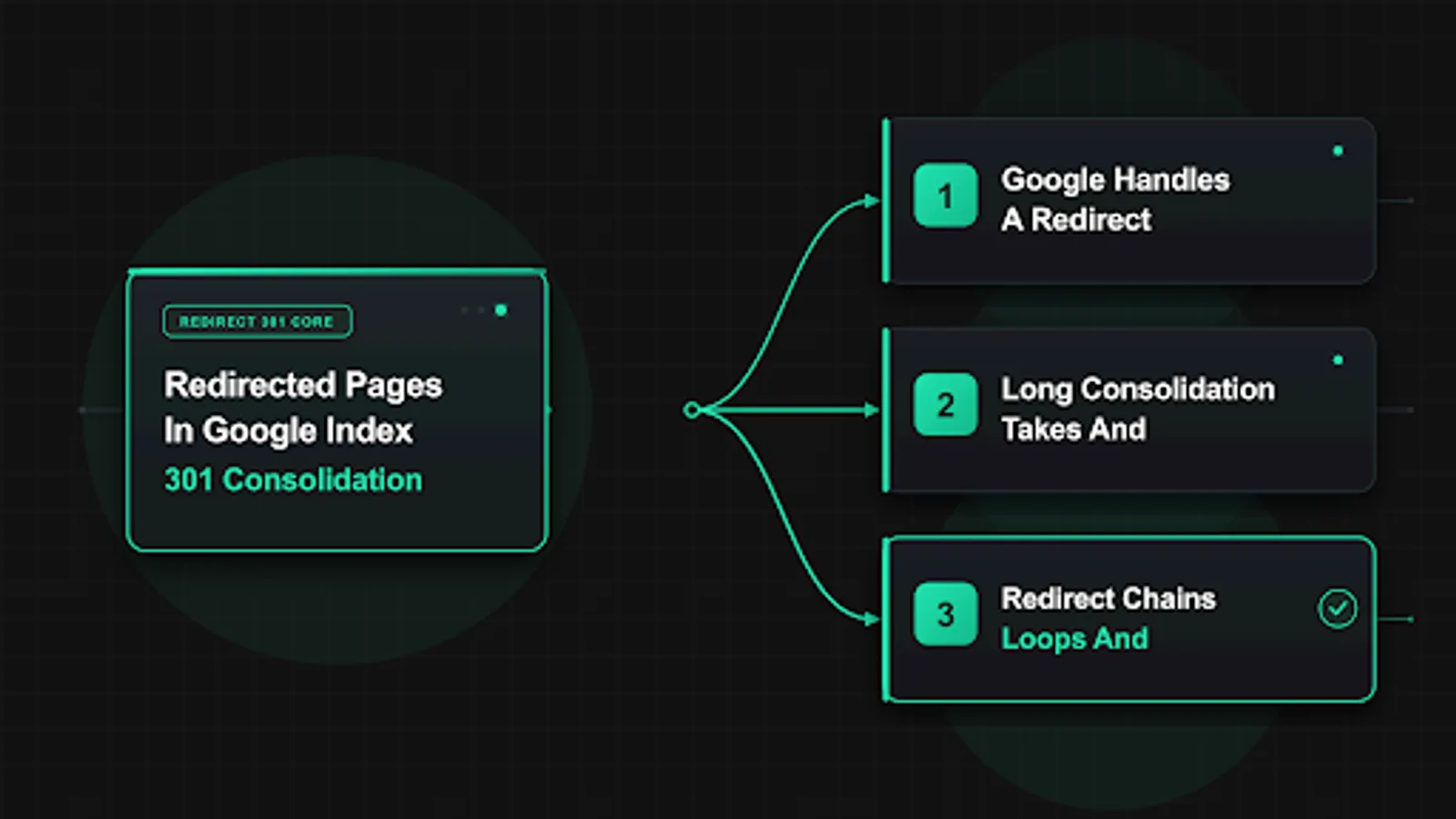 <!-- IMAGE-PROMPT diagram-01: 1600px max, DependsIt brand mint #22E3B0 on charcoal #121212 or white, node-network line art, subject: redirect chain flattening diagram from multi hop to single hop 301, flat vector, accessible, no em dash, Clash Display headings feel and General Sans labels feel -->
Canonical tags and redirects when they agree and conflict
Redirects and canonical tags both address duplication, but they operate at different strengths. A redirect physically sends users and crawlers to a new URL. A canonical tag suggests which URL should represent a group of similar pages while leaving all variants accessible. When a page has truly moved, redirect is the correct tool. When variants must stay accessible, such as print views, sorted listings, or parameterized campaign URLs, canonical is the correct tool. Using canonical alone for a moved page leaves the old URL crawlable and indexable, which prolongs dual visibility. Using redirects for every minor variant can over consolidate and break user expectations. Match the tool to the intent.
Agreement speeds consolidation. The old URL issues a single hop 301 to the target. The target returns 200, allows indexing, and its canonical tag points to itself. Sitemaps and internal links reference the target. In that configuration Google has one clear answer from every signal, and the old URL fades efficiently. Document this pattern as the team standard and encode it in code review checklists for any URL change. Deviations should require explicit justification, because each inconsistency adds weeks to cleanup.
Conflict stalls cleanup. Common conflicts include the target canonicalizing to the old URL, the target canonicalizing to a third URL while the redirect points to the target, and redirected URLs still included in sitemaps as canonical entries. Another frequent conflict is the CMS rendering a canonical tag on the redirect response or on an interstitial page before the redirect fires. Crawlers then receive two answers in sequence. Audit response headers and rendered HTML separately. Headers should show the redirect chain. Final HTML should show a self referencing canonical on the surviving URL and no canonical on redirect hops. Fix template logic that injects canonicals before redirect decisions execute.
Parameter handling needs explicit rules. Campaign parameters, session IDs, and sort orders create variants that should canonicalize to clean targets, not redirect individually unless the parameter form is legacy and should not be linked anywhere. Faceted navigation should use canonicals plus robots controls rather than mass redirects, because redirecting every facet combination creates rule bloat and unexpected matches. Reserve redirects for retired paths and true moves. Use canonicals for live variants that serve users but should not each be indexed. This separation keeps the redirect graph small and reviewable.
Hreflang adds a final check. Each language or regional variant should point to its own final URL, with return tags and a self referencing canonical per variant. Legacy language URLs should redirect to current language targets in one hop, and hreflang should never list a redirecting URL as an alternate. Mismatched hreflang keeps old regional URLs alive in country specific results long after the primary migration looks complete. Validate hreflang with inspection and dedicated testing tools after every bulk change, because one stale alternate can preserve visibility for a whole cluster.
Sitemap and internal link mistakes that keep old URLs alive
Sitemaps should describe the current indexable web, not history. Every URL in an XML sitemap should return 200, allow indexing, declare itself canonical, and contain substantive content. Listing redirecting URLs contradicts that contract. Google must then decide whether your sitemap or your server is correct, and it will keep checking the listed legacy URLs to resolve the conflict. After any URL change, regenerate sitemaps from the live canonical set, remove legacy addresses, add new targets with accurate lastmod dates, and resubmit in Search Console. Monitor the sitemap index for warnings such as submitted URL redirects or submitted URL not found, which directly name the hygiene gaps.
Internal links carry even more weight because they guide both users and crawl prioritization. Navigation menus, footers, breadcrumbs, related post modules, and hardcoded content links that still point to old URLs reintroduce legacy addresses on every crawl. Update templates and content references to point directly to final targets. Prioritize high crawl rate areas first, because a single homepage or main category link to a legacy URL can outweigh dozens of sitemap corrections. Run a sitewide link audit that reports internal references to redirecting URLs, then batch update by template rather than editing posts one by one where possible.
Feeds, APIs, and syndication extend the problem beyond HTML. RSS feeds, product feeds, JavaScript embeds, mobile app deep links, and partner integrations may still emit old URLs. Inventory these sources during migration planning, not after launch. Provide partners with updated URL lists and maintain redirects for external references you cannot update, while cleaning every source you control. The goal is to make your own ecosystem unanimous about current addresses, leaving only third party history to fade naturally through redirect handling.
Historical archives need decisions. Old campaign landing pages, expired content hubs, and retired documentation often accumulate internal links long after retirement. Either restore them as useful evergreen resources with redirects reversed, or commit to retirement with proper redirects and link updates. Leaving them in limbo, linked but redirecting, preserves the old URLs in reports indefinitely. A quarterly link and sitemap audit prevents this drift. It takes an hour on small sites and saves months of confusion about why legacy URLs never disappear.
For teams that also notify search engines about new URLs through push mechanisms, keep those mechanisms aligned too. Submission queues, IndexNow style pings for supporting engines, and any complete Indexing API setup for faster revisits should reference final targets only, never legacy addresses. Pushing old URLs for recrawl while trying to retire them works against consolidation and wastes quota.
Site moves HTTPS upgrades and bulk URL changes
Full site moves combine every redirect challenge at once. Domain changes, protocol upgrades, host normalization, path restructuring, and template updates often ship together, which multiplies hop paths and signal conflicts. Sequence the work to keep the graph reviewable. First, stabilize host and protocol with single hop normalization. Second, ship path to path mappings for content moves. Third, update canonicals, sitemaps, hreflang, and internal links to final URLs. Fourth, validate with logs and inspection before announcing completion. Staging the rollout in this order isolates failures to one layer at a time and prevents stacked hops that are hard to untangle later.
Mapping quality determines migration success. Build a complete old to new table from crawl data, analytics landing pages, Search Console top pages, backlink targets, sitemap history, and server logs. Aim for one to one intent matches. Redirect each old page to its closest equivalent, not to section fronts or the homepage, unless no equivalent exists. Review thin mappings explicitly. A thousand old product URLs mapped to five categories will consolidate slowly and lose relevance. Where equivalents do not exist, consider recreating high value content or accepting true 404 or 410 for low value history rather than forcing weak mappings that linger.
HTTPS upgrades deserve care even though they look trivial. Mixed content, hardcoded HTTP internal links, canonical tags still pointing to HTTP, sitemaps with HTTP entries, and CDN rules that bounce through HTTP intermediaries all create extra hops and conflicts. After the upgrade, every canonical signal should reference HTTPS final URLs. Verify with a crawl that reports protocol per hop and flags any HTTP intermediate. Update external profiles you control, such as social bios and business listings, to HTTPS to reduce legacy discovery, while keeping HTTP to HTTPS redirects permanently for history you do not control.
Bulk path changes, such as date removal from permalinks, category restructuring, or localization prefix changes, need rule based redirects plus exception tables. Rules handle the pattern, exceptions handle high value outliers with custom targets. Test rules against the full legacy URL list before launch, including encoded characters, case variants, pagination, and feed URLs. Monitor Search Console coverage daily for two weeks after launch, watching for spikes in redirect volume, error rates, or unexpected canonical selections. Freeze further URL changes during this window unless a defect requires correction, because stability is what lets Google complete consolidation.
Communication helps too. Tell content teams to link only to final URLs, tell support where legacy bookmarks now land, and tell partners when to update integrations. Publish the mapping internally with owners and dates. The technical redirect is only half the migration. The other half is stopping creation of new references to old addresses while Google processes the change.
Fixing the redirect graph step by step
Start with a full inventory. Crawl the site with a tool that follows redirects, export all redirect hops with codes and final statuses, and join that data to Search Console Page with redirect examples, analytics landing pages, and backlink targets. Prioritize by impact. High traffic pairs, high link equity pairs, and revenue critical templates come first. Low traffic deep pairs follow in batches. This prioritization ensures the fixes users feel most arrive earliest, while the long tail proceeds systematically without blocking progress.
Flatten chains to single hops. For every legacy URL, set the server to issue one 301 or 308 directly to the final 200 target. Remove intermediate rules that bounce through normalization steps. Consolidate logic into one layer with clear order, documenting which system owns host, protocol, slash, case, and path mappings. Retest the full legacy list after the change, including mobile user agents and edge cases, because CDN and origin can behave differently by device or geography. Log before and after hop counts per cohort to prove improvement.
Standardize codes and targets. Convert permanent moves to 301 or 308 consistently. Fix 302 defaults in plugins and custom code. Point each legacy URL to its closest intent match with indexable, self canonical content. Replace homepage catch alls with specific parents or recreate missing high value pages where warranted. Remove redirect loops by reconciling overlapping rules, then verify with header traces that show a clean single hop per legacy entry. Update the mapping table to reflect the flattened state and freeze it while Google recrawls.
Clean supporting signals. Regenerate sitemaps from canonical finals, update internal links by template, align canonical tags to self on survivors, and correct hreflang to final variants. Remove legacy URLs from feeds and submission queues. Request inspection of representative pairs per cohort to prompt reassessment, without hammering request quotas on thousands of URLs at once. Let sitemaps and natural crawling carry the bulk load, reserving manual inspection for high value samples that prove each cohort behaves correctly.
Monitor and hold. Track hop count, redirect volume, target indexation, and query level URL swaps weekly. Expect steady migration of impressions from old to new over several weeks. Investigate cohorts that stall by rechecking target quality, conflicting signals, and crawl frequency. Keep legacy redirects live for at least a year, even after listings fade, because external links persist and removing redirects too early recreates errors. Document the final graph with owners so future changes extend the mapping instead of stacking new hops on top.
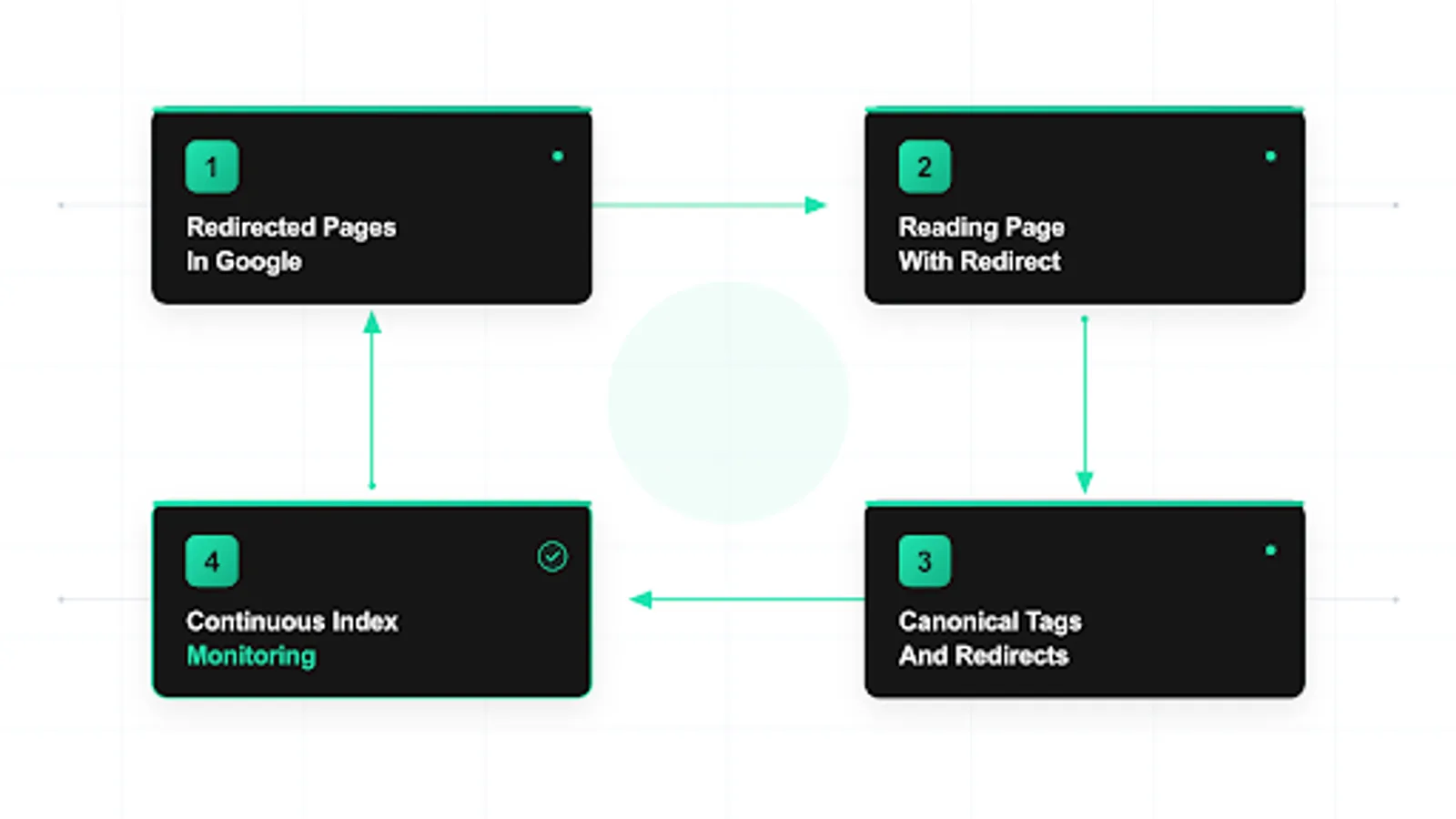 <!-- IMAGE-PROMPT workflow-02: 1600px max, DependsIt brand, deep charcoal #121212 background with mint #22E3B0 node-network line art, subject: redirect audit workflow from inventory to single hop fix and verification, flat vector, accessible, no em dash, Clash Display headings feel and General Sans labels feel -->
Verifying with inspection logs and rank tracking
Verification needs three lenses. URL Inspection shows per URL state. Server logs show crawler behavior. Rank tracking shows user visible outcomes. Together they confirm whether lingering URLs are normal timing or real defects. Start with inspection on samples per cohort. Confirm the legacy URL reports Page with redirect, the target reports indexed or indexable progress, last crawl dates are recent, and referring pages make sense. If the target shows exclusions such as noindex, soft 404, or canonical to another URL, fix the target first. No redirect can succeed to a destination Google will not index.
Logs provide ground truth about fetching. Filter for Googlebot requests to legacy URLs and targets over the last 30 days. Confirm each legacy fetch returns the intended single hop code with correct Location, that Googlebot follows to the target, and that the target returns 200 quickly without errors. Watch for chains in log sequences, mixed codes, slow targets, and 5xx spikes that divert crawl budget. Correlate log dates with Search Console crawl dates to ensure you interpret the same visits. If logs show clean behavior but Search Console still lists old URLs, the likely explanation is pending consolidation rather than broken handling.
Rank tracking closes the loop on visibility. Group queries that historically served old URLs and watch which URL Google serves over time. Healthy consolidation shows a gradual shift from legacy to target URLs, with total impressions preserved or growing as signals transfer. Stalled consolidation shows persistent legacy serving with no target gains. Regressions show impression loss for both, which points to weak targets or broader quality issues beyond redirects. Report by cohort with dates of mapping changes, because index movements lag server changes by days to weeks and need timeline context to interpret correctly.
Do not overuse manual recrawl requests. Inspection requests and sitemap resubmissions help representative samples, but bulk requesting thousands of legacy URLs wastes quota and can look like manipulation. Let clean signals and natural crawl do the heavy lifting. Reserve manual prompts for high value pairs that prove cohort health. The MDN reference on permanent redirect semantics is a useful shared reference for developers when standardizing codes, because it clarifies how clients should treat 301 versus temporary codes. Pair that standard with log evidence so debates about correctness end with data.
Preventing lingering redirects on future changes
Prevention starts with a URL change policy. Any new redirect must be one hop, permanent for permanent moves, mapped to the closest intent match, and recorded in a central mapping table with owner and date. Changes to normalization, such as host, protocol, slash, or case handling, must be reviewed as redirect graph changes, not as isolated server tweaks. Require pre launch testing against the full legacy list plus edge variants before any rule ships. This policy turns redirects from ad hoc edits into a governed asset that stays flat and reviewable.
Build guardrails into tooling. CMS link pickers should offer only final canonical URLs. Sitemap generators should exclude redirecting URLs automatically by verifying status before inclusion. Deploy checks should assert that sitemap entries return 200, that navigation links resolve without hops, and that canonical tags on survivors are self referencing. Add alerts for chain length greater than one, 302 usage on permanent paths, loop detection, and sudden growth in redirect volume. These checks catch regressions within hours of a deploy rather than months later in a Search Console review.
Govern content workflows too. When editors rename slugs, move categories, or retire pages, the CMS should prompt for a target, validate that the target is indexable, create the single hop rule, update internal references, and queue sitemap regeneration. Retirements without a good target should offer true 404 or 410 with link cleanup, not an automatic homepage redirect. Train editors to link to finals and to avoid copying legacy URLs from old posts or external sources. Small habits compound. A team that always links to finals creates far less legacy debt than one that copies whatever address is handy.
Schedule maintenance. Quarterly, audit redirect volume, hop counts, target indexation, and internal references to legacy URLs. Prune rules only when analytics and backlink data confirm no meaningful traffic or references remain, and even then prefer to keep high equity legacies permanently. Document the graph with diagrams and owners so new team members extend it correctly. Sites that treat redirects as long lived infrastructure, rather than temporary patches, see faster consolidation on every future change and far fewer lingering listings that confuse stakeholders.
FAQ
Why does the old URL still rank after I added a 301?
Because Google has not yet recrawled the pair and transferred signals. The index serves the last known state until Googlebot revisits the old URL, follows the redirect, verifies the target, and updates the serving record. A short 301 indexing delay is normal for deep pages and large sites where crawl frequency is low. Verify the redirect serves as a single hop 301, ensure the target is indexable with substantive content, then allow one to several weeks for consolidation while you monitor redirect signals in logs and coverage reports.
Is Page with redirect an error I must fix?
No, when it reflects intentional moves. A page with redirect status means Google knows the source redirects and will not index it, which is the correct outcome for retired addresses. Check the redirected pages search console report to separate expected legacy URLs from current pages that should return 200. Act when live pages in navigation or sitemaps redirect, when chains or loops appear, or when legacy volume stays high months after migration. Otherwise monitor the list as maintenance while keeping redirects stable.
Should I keep redirects forever?
Keep high value legacy redirects for at least one year, and often permanently when external links persist. Removing redirects too early turns legacy URLs into errors, scatters signals, and can revive old listings as 404s. If you try to remove redirect from index handling too soon, you lose signal transfer and confuse recrawl. Review traffic and backlink data before pruning, and retain rules for URLs with meaningful references indefinitely while you keep sitemaps and internal links pointed at final targets.
Do redirect chains really slow down index updates?
Yes. Each hop adds fetch cost, dilutes confidence, and consumes crawl budget, so long chains stall cleanup. Poor redirect chains indexing behavior means Google revisits deep chains less often and takes longer to shift serving to targets. Flatten every legacy URL to one 301 or 308 directly to the final target, and consolidate host, protocol, slash, and path normalization into one layer. When redirect not followed correctly due to loops or slow hops, fix rules first, then validate with header traces and log evidence.
Why does Google show the old URL instead of the new target?
Usually because the target is weak, blocked, or conflicts with other signals. When google keeps old url visibility, check that the target returns 200 with substantive content, allows indexing, self declares as redirect canonical choice, and is referenced by sitemaps and internal links. Also check for canonical conflicts and mixed 301 and 302 codes that send mixed permanence cues. To fix redirect indexing stalls, strengthen the target, align all signals to one destination, and let recrawl complete before requesting again.
Can I remove old URLs from the index with a removal tool?
Temporary removal tools hide URLs briefly but do not transfer signals and are not a migration strategy. For permanent moves, rely on single hop permanent redirects, clean sitemaps and links, and stable targets that preserve intent. Use removals only for urgent cases such as sensitive data exposure, not for routine redirect consolidation. Stable redirect signals plus consistent canonicals and sitemap finals move serving to targets faster than repeated manual requests or short term hides.
Sources
- https://developers.google.com/search/docs/crawling-indexing/site-move-with-url-changes
- https://developers.google.com/search/docs/crawling-indexing/overview
- https://developer.mozilla.org/en-US/docs/Web/HTTP/Status/301
- https://support.google.com/webmasters/answer/7440203
- https://www.indexnow.org/documentation