Google Indexing API Quota Limits Explained (And How to Stay Under Them)

Every Google Indexing API project gets a daily allowance of requests. When you stay inside it, notifications flow and crawls arrive faster. When you exceed it, Google answers with 429 errors, your queue stalls, and new URLs wait until the quota resets. This guide explains the google indexing api quota system in plain terms: which limits apply, where to see your real numbers, what triggers quota exceeded responses, and how to design queues, throttling, and monitoring so you never lose a URL to a preventable cap.
You will see default publish limits, per minute throttles, how metadata calls count against the same pool, how to read the Cloud quota dashboard, and how to pace bulk submissions for sites with hundreds or thousands of changing pages. You will get copy paste Python, Node.js, PHP, and cURL patterns for backoff and queueing, plus a recovery playbook for the morning you wake up to quota exceeded. By the end you can forecast usage, set alerts, and keep submissions smooth during launches.
Key takeaways
- Most new projects allow around 200 publish requests per day plus a small per minute rate. Your exact cap is shown in Cloud console.
- Every publish and metadata call counts. Retries, duplicates, and polling burn the same pool as new submissions.
- 429 means slow down and retry later with exponential backoff. 403 means fix permissions, not retry harder.
- A persistent queue with deduplication, pacing of one request every 5 to 10 seconds, and daily caps prevents most exceedances.
- Alerts at 70 and 90 percent, plus a next day resume plan, turn quota from a crisis into routine operations.
- How quota works in one page
- Default limits for google indexing api quota in new projects
- Where to find your real numbers
- What counts against quota
- Why 429 happens
- Design a queue that respects limits
- Throttling and backoff patterns
- Bulk submission math for large sites
- Monitoring alerts and dashboards
- Recovery when you hit the cap
- Requesting more quota
- FAQ
- Sources
- Further reading
 <!-- IMAGE-PROMPT cover: 1200x630, DependsIt brand, deep charcoal #121212 background, vibrant mint #22E3B0 accent glow, thin node-network line art, Clash Display style bold heading space on left, General Sans clean labels, subject: API quota gauge and submission queue flowing to Google crawl, flat vector, high contrast, accessible, no photorealistic faces, no text smaller than 24px, no em dash in rendered text, export PNG then cwebp -q 82 to WEBP -->
How quota works in one page
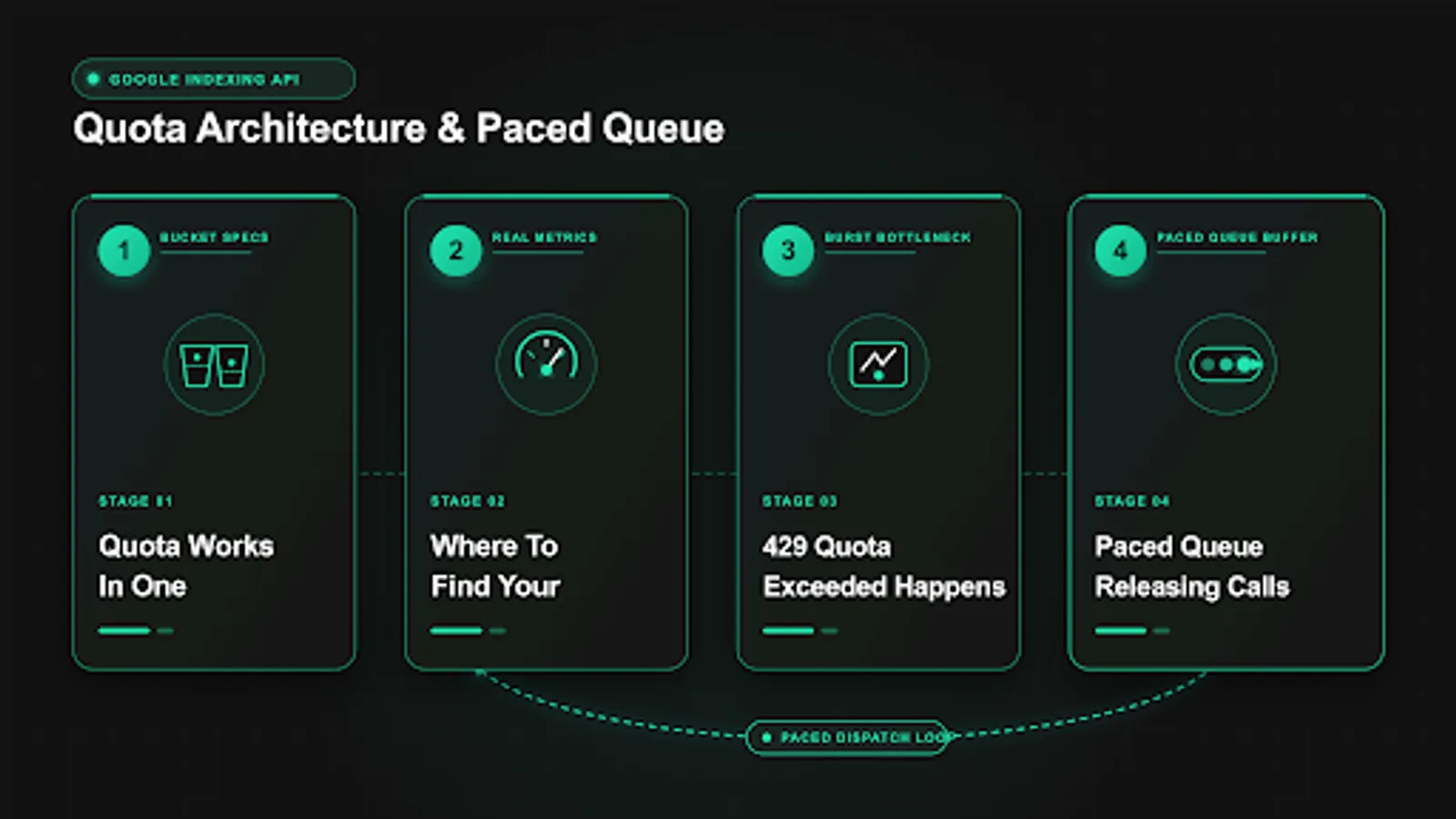
Quota is Google Cloud accounting for how many Indexing API calls one project may make in a time window. Think of it as two buckets. The daily bucket holds your total publish and metadata calls per 24 hours. The per minute bucket holds how fast you may send them. You must respect both. A site that sends 150 requests in 60 seconds can trip the per minute limit while still far below the daily cap. A site that sends 5 requests per minute all day can exhaust the daily cap by evening. Healthy automation watches both rates at once. In practical terms this means watching the indexing api rate limit alongside the indexing api daily limit, and forecasting indexing api requests per day before launch week.
Quota belongs to the Cloud project, not to the service account key, not to the domain, and not to the user. If you create three keys in one project, they share one pool. If you create two projects, each has its own pool. That is why agencies isolate clients into separate projects and why testing should live in a staging project. One runaway script in a shared project can starve every site attached to it. The complete project setup is covered in the complete setup guide for faster indexing.
Quota windows reset on a rolling clock, typically at midnight Pacific Time for daily limits, but you should confirm the reset timestamp shown in your console instead of assuming. Per minute limits reset continuously. When you exceed either, the API returns HTTP 429 with an error body naming quota exceeded or rate limit exceeded. The response may include a Retry After hint. Your code must honor it. Immediate retries in a tight loop extend the block and waste the remaining pool on failures.
Four concepts keep the rest of this guide simple. Publish is the call that sends URL_UPDATED or URL_DELETED. Metadata is the read only call that checks the last notification for a URL. Both consume quota. Throttling is intentional pacing between calls to stay under per minute limits. Backoff is increasing wait times after a 429 before retrying. Queues combine both: they hold pending URLs, release them at a safe pace, and park failures for later instead of hammering the endpoint.
A final clarification prevents wasted planning. Quota grants permission to ask for crawls. It does not grant indexing. Sending 200 notifications per day does not produce 200 indexed pages per day. Google still evaluates quality, duplication, crawlability, and eligibility. If your pages are thin or blocked, quota spent on them returns little. Spend quota on canonical, crawlable, valuable URLs first, and fix quality in parallel. That pairing is what turns a small daily allowance into visible results.
Default limits for google indexing api quota in new projects
New projects commonly start with about 200 publish requests per day and a modest per minute rate that allows roughly one request every few seconds in bursts. Metadata reads share related caps that are similarly small. These numbers are defaults, not guarantees. Google can adjust them by account history, region, or abuse signals, and documentation screenshots age quickly. Treat any number in a blog post as an example and your console as the source of truth.
The table below shows the shape of limits to look for, with example values you must replace with your own console readings.
| Limit name | What it caps | Typical new project example | Where to confirm |
|---|---|---|---|
| Publish requests per day | URL_UPDATED plus URL_DELETED sends | 200 per day | APIs and Services, Quotas |
| Publish requests per minute | Burst speed | Low single digits per minute | Same quota page, per minute row |
| Metadata requests per day | Status checks | Small daily pool | Same quota page |
| Concurrent connections | Parallel workers | Effectively 1 safe worker | Observed 429 behavior |
Why so small. The Indexing API is designed for timely updates to specific content types, JobPosting and BroadcastEvent pages, not for bulk pinging entire catalogs. A job board that posts 50 new jobs per day fits comfortably inside 200. A marketplace that regenerates 50,000 product URLs per night does not, and should not try to force that volume through this endpoint. For catalog scale, sitemaps, internal linking, and crawl budget work carry the load while the API handles the small set of truly time sensitive URLs.
If your volume exceeds the default, you have three honest options. Reduce demand by deduplicating and prioritizing, spread demand across days with a paced queue, or request a limit increase with usage evidence. What you should not do is create many projects to multiply quota artificially or hammer the endpoint from multiple keys in parallel. Both patterns look like abuse, trigger enforcement, and risk broader restrictions. The durable path is a slower, prioritized queue plus a documented increase request if real eligible volume justifies it.
Record your starting limits in your runbook on day one: date, project ID, daily publish cap, per minute cap, metadata cap, and a screenshot link. Recheck monthly, because adjustments and policy changes happen. When you later request an increase, that history shows responsible use and strengthens the case.
Where to find your real numbers
Open Google Cloud console, select your indexing project, then go to APIs and Services, then Enabled APIs, then Indexing API, then Quotas. You will see a table of limit names, current usage, and cap. Change the time range to 7 days to see patterns. A flat line near zero on weekends with spikes on publish days is normal for editorial sites. A sawtooth that hits the cap every afternoon signals a queue without pacing.
Enable quota alerts before you need them. In the same quota view, create alert policies at 70 percent and 90 percent of daily publish usage. Route 70 percent to email or chat as a warning to pause low priority jobs. Route 90 percent to paging or a high priority channel as a stop signal for everything except critical deletions. Test both alerts once by temporarily lowering thresholds, confirming delivery, then restoring real values. An alert no one receives is the same as no alert.
For programmatic monitoring, export quota metrics to Cloud Monitoring and chart publish count, 429 rate, and estimated remaining budget. A simple daily query that logs usage to your own database is enough for most teams: timestamp, project ID, sent count, 429 count, 403 count, pending depth. That five column log answers every later question about whether a stall was caused by quota, permissions, or code. Keep 90 days of history so launch spikes and seasonal patterns are visible.
Common console mistakes include reading quota for the wrong project, reading the wrong method, and confusing per minute with per day. Project mixups happen when staging and production share similar names. Method mixups happen when publish and metadata rows sit next to each other. Always confirm the project picker shows the production ID and the limit name contains publish before concluding you have headroom. When in doubt, send one test notification and watch which quota counter increments.
What counts against quota
Everything that touches the endpoint counts, including successes, client errors, and retries. A publish that returns 200 consumes one unit. A publish that returns 403 still consumed the attempt for rate purposes and, depending on accounting, can count toward short window limits. A publish that returns 429 tells you the pool is empty, but the retry you send a second later is itself a new attempt that must wait for the window to reopen. Polling metadata every minute for 100 URLs burns 144,000 potential checks per day if unchecked, far above any default. The rule is simple: if your code called the API, budget for it.
Duplicates are the largest hidden consumer. Rapid edits to one job can generate five notifications for one URL. Deploy scripts that resubmit the full sitemap nightly can burn 10,000 units on unchanged pages. Webhooks that fire on every autosave or preview can double send. Fix these with normalization and deduplication before increasing pace. Normalize URLs to canonical form, collapse trailing slash variants, strip tracking parameters, and keep a sent log keyed by normalized URL plus content hash. If neither changed since the last success, skip the call.
Preflight checks save more quota than any retry tuning. Before publishing, verify the URL returns 200 for URL_UPDATED or 404 or 410 for URL_DELETED, is not blocked by robots.txt, has no accidental noindex, and matches the Search Console property. Each check is local and free. Each bad notification is quota spent plus noise in your history. For eligible job and livestream content, also confirm structured data presence so the crawl Google performs has something valid to find. The honest answer on normal pages explains why quality screening matters even more when quota is tight.
A worked example shows how fast waste adds up. A board publishes 40 jobs per day, edits each twice on average, and resubmits the full catalog of 500 URLs nightly out of habit. Naive usage is 40 plus 80 edits plus 500, or 620 per day, triple a 200 cap. Deduplicated usage is 40 new plus genuine content changes of perhaps 15, or 55 per day, well inside the cap. Same content, different discipline, completely different outcome.
Why 429 quota exceeded happens
HTTP 429 means you asked faster or more often than your limit allows. The body typically names quotaExceeded, rateLimitExceeded, or userRateLimitExceeded with a short detail string. It is a traffic signal, not a ban. The correct response is to stop, wait, and resume at a slower pace. The incorrect response is to retry immediately in a tight loop, add parallel workers, or rotate keys to dodge the cap. Those reactions prolong the block and can trigger abuse detection. Most owners first meet this as a google indexing api 429 at night, and the log phrase quota exceeded indexing api simply means the daily pool is empty until reset.
Seven triggers cause most 429s. First, bulk loops without sleep that send dozens of requests in seconds. Second, multiple workers or servers sharing one project pool without coordination. Third, metadata polling that checks hundreds of URLs per hour. Fourth, retries without backoff that amplify a small spike into a sustained flood. Fifth, staging and production sharing one project so tests consume live budget. Sixth, webhook storms during migrations where every URL changes at once. Seventh, cron overlap where a new job starts before the prior run finished, doubling send rate. Each has the same fix shape: pace, coordinate, and cap concurrency.
Learn to distinguish 429 from lookalikes. A 403 permissionDenied means the service account lacks Owner rights on the property or the API is disabled. Retrying will not help. A 401 invalid credentials means the token or key is wrong. A 400 invalid URL means the payload is malformed or outside your property. Only 429 and some 503 backend errors merit patient retries. Logging status code plus error reason for every call makes this triage instant. The full code by code guide is in the error fixes for 403, 429, and JWT failures.
Response headers and bodies deserve attention. When Google includes Retry After or a reset timestamp, honor the longer of that hint and your own backoff schedule. When the body names a specific quota metric, record it so increase requests reference the exact limit. Save one full example of each error shape in your runbook with timestamps. Future on call staff will match new failures against those samples in seconds instead of guessing.
Design a queue that respects limits
A queue turns an unpredictable flood of content events into a steady, quotable stream. Events such as publish, update, and delete push rows into a table. A single worker pulls rows in priority order, waits a fixed interval between calls, and marks outcomes. Priority order matters more than raw speed. Deletions for expired jobs and new postings for same day roles outrank minor text edits. A queue without priorities spends scarce quota on low value churn while urgent pages wait.
Minimum schema for a durable queue:
| Column | Purpose | Example |
|---|---|---|
| url | Normalized canonical URL | https://example.com/jobs/night-nurse-austin |
| type | URL_UPDATED or URL_DELETED | URL_UPDATED |
| status | pending, sent, failed, parked | pending |
| attempts | Retry count | 0 |
| next_retry_at | Earliest next attempt | 2026-10-03 14:00 UTC |
| last_error | Code and message | 429 quotaExceeded |
| content_hash | Deduplication key | sha256 of title plus description |
| response_id | Google notify identifier | urlNotificationMetadata id |
Worker rules are deliberately boring. Run one worker per project to avoid coordination bugs. Select up to 20 pending rows where next_retry_at is past, ordered by priority then age. Sleep 6 to 10 seconds between calls. On 200, mark sent with notifyTime. On 400 or 403, mark failed without retry until a human reviews, because these will not clear on their own. On 429 or 5xx, increment attempts and set next_retry_at with exponential backoff: 60 seconds, then 5 minutes, then 30 minutes, then next day. Cap attempts at 5, then park. Alert when pending depth exceeds 500 or when daily sent reaches 70 percent of cap.
Deduplication happens at enqueue time. If a pending row already exists for the normalized URL, update its type and content hash instead of inserting a duplicate. If a sent row exists with the same hash within the last 7 days, skip. That pair of rules eliminates edit storms and nightly resubmission waste in one move. For WordPress and webhook sources, also ignore autosaves, previews, and non public statuses before they reach the queue.
 <!-- IMAGE-PROMPT diagram-01: 1600px max, DependsIt brand mint #22E3B0 on charcoal #121212, node-network line art, subject: daily and per minute quota buckets with paced queue releasing calls diagram, flat vector, accessible, no em dash, Clash Display style headings, General Sans clean labels -->
Throttling and backoff patterns with code
Throttling prevents 429s. Backoff recovers from them. You need both, implemented in one place so every caller benefits. The snippets below show the same logic in four stacks: fixed delay between calls plus exponential backoff on 429 and 5xx, with immediate stop on 403 and 400. Copy the one that matches your worker and keep pacing constants in config, not hardcoded.
Python worker with pacing and backoff:
# pip install google-api-python-client google-auth
import os, time, random
from google.oauth2 import service_account
from googleapiclient.discovery import build
from googleapiclient.errors import HttpError

KEY_PATH = os.environ.get("GOOGLE_APPLICATION_CREDENTIALS", "/secrets/indexing-prod-key.json")
SCOPES = ["https://www.googleapis.com/auth/indexing"]
PACE_SECONDS = 8

def get_service():
    creds = service_account.Credentials.from_service_account_file(KEY_PATH, scopes=SCOPES)
    return build("indexing", "v3", credentials=creds, cache_discovery=False)

def publish_with_backoff(service, url, kind="URL_UPDATED", tries=5):
    delay = 60
    for attempt in range(1, tries + 1):
        try:
            return service.urlNotifications().publish(body={"url": url, "type": kind}).execute()
        except HttpError as e:
            code = e.status_code
            if code in (400, 401, 403):
                raise
            if attempt == tries:
                raise
            time.sleep(delay + random.uniform(0, 10))
            delay = min(delay * 2, 3600)
Node.js worker with the same policy:
// npm install google-auth-library
import { JWT } from "google-auth-library";
const KEY_FILE = process.env.GOOGLE_APPLICATION_CREDENTIALS || "/secrets/indexing-prod-key.json";
const PACE_MS = 8000;
const sleep = (ms) => new Promise((r) => setTimeout(r, ms));

async function getToken() {
  const c = new JWT({ keyFile: KEY_FILE, scopes: ["https://www.googleapis.com/auth/indexing"] });
  const t = await c.authorize();
  return t.access_token;
}

async function publishWithBackoff(url, type = "URL_UPDATED", tries = 5) {
  let delay = 60000;
  for (let a = 1; a <= tries; a++) {
    const token = await getToken();
    const res = await fetch("https://indexing.googleapis.com/v3/urlNotifications:publish", {
      method: "POST",
      headers: { "Content-Type": "application/json", Authorization: "Bearer " + token },
      body: JSON.stringify({ url, type })
    });
    if (res.ok) return res.json();
    if ([400, 401, 403].includes(res.status)) throw new Error("No retry status " + res.status);
    if (a === tries) throw new Error("Gave up after " + tries + " tries, last " + res.status);
    await sleep(delay + Math.random() * 10000);
    delay = Math.min(delay * 2, 3600000);
  }
}
PHP worker excerpt:
<?php
// composer require google/auth
require __DIR__ . '/vendor/autoload.php';
define('PACE_SECONDS', 8);
function accessToken($keyPath) {
    $auth = new Google\Auth\Credentials\ServiceAccountCredentials(
        'https://www.googleapis.com/auth/indexing',
        json_decode(file_get_contents($keyPath), true)
    );
    return $auth->fetchAuthToken()['access_token'] ?? null;
}
function publishWithBackoff($url, $type = 'URL_UPDATED', $tries = 5) {
    $delay = 60;
    for ($a = 1; $a <= $tries; $a++) {
        $token = accessToken(getenv('GOOGLE_APPLICATION_CREDENTIALS'));
        $ch = curl_init('https://indexing.googleapis.com/v3/urlNotifications:publish');
        curl_setopt_array($ch, [CURLOPT_POST => true, CURLOPT_RETURNTRANSFER => true,
            CURLOPT_HTTPHEADER => ['Content-Type: application/json', 'Authorization: Bearer ' . $token],
            CURLOPT_POSTFIELDS => json_encode(['url' => $url, 'type' => $type]), CURLOPT_TIMEOUT => 30]);
        $body = curl_exec($ch); $code = curl_getinfo($ch, CURLINFO_HTTP_CODE); curl_close($ch);
        if ($code >= 200 && $code < 300) return json_decode($body, true);
        if (in_array($code, [400, 401, 403], true)) throw new Exception('No retry status ' . $code . ' ' . $body);
        if ($a === $tries) throw new Exception('Gave up, last ' . $code . ' ' . $body);
        sleep($delay + rand(0, 10)); $delay = min($delay * 2, 3600);
    }
}
cURL loop with pacing for small batches:
# ACCESS_TOKEN=$(gcloud auth print-access-token)
# while read -r U; do
#   curl -s -X POST -H "Content-Type: application/json" \
#     -H "Authorization: Bearer $ACCESS_TOKEN" \
#     -d "{\"url\": \"$U\", \"type\": \"URL_UPDATED\"}" \
#     "https://indexing.googleapis.com/v3/urlNotifications:publish"; echo
#   sleep 8
# done < urls.txt
Keep pacing constants conservative. Eight seconds between calls yields about 450 per hour if run continuously, which still exceeds a 200 daily cap in under 30 minutes, so the daily cap remains the binding constraint. The pause protects the per minute bucket while the queue depth and daily counter protect the daily bucket. Both guards must be active. Log every outcome with timestamp, URL, type, status, and next retry time so recovery is mechanical.
Bulk submission math for large sites
Bulk work through a small daily allowance requires arithmetic, not optimism. Start with demand: new URLs per day plus genuine updates plus deletions. Subtract duplicates and ineligible URLs. The remainder is net demand. Divide by daily cap to get days required. If net demand is 600 and cap is 200, the job needs at least 3 days with perfect efficiency. Add 20 percent buffer for retries and you need 4 days. Any plan that promises same day completion for that backlog through this endpoint alone is wrong. Split the work across days or reduce scope to priority URLs.
Prioritization is how large sites stay useful inside small caps. Score each URL by urgency and value: expiration risk, revenue impact, freshness, and crawl lag. Same day job expirations and new high value postings go first. Minor typo fixes go last or are batched weekly. Deleted pages that still receive search impressions outrank cosmetic edits. A simple scoring table beats first in first out during launches.
| Priority | Example | Daily share of cap |
|---|---|---|
| P0 deletions | Filled roles still ranking | 20 percent |
| P1 new eligible | New jobs or livestreams today | 50 percent |
| P2 meaningful updates | Salary, location, date changes | 20 percent |
| P3 cosmetic | Typos, images, minor copy | 10 percent or deferred |
Batching rules keep multi day jobs clean. Freeze the batch list at start so new arrivals do not starve old rows. Process in priority order, not file order. Write sent and failed outputs incrementally so a midnight reset does not lose progress. Resume from the same files the next day. Never resubmit sent rows just because the job restarted. That single rule saves more quota than any code optimization.
For catalogs beyond a few thousand URLs, accept that the Indexing API is a scalpel, not a shovel. Use sitemaps with accurate lastmod, strong internal linking from high crawl rate hubs, and clean canonicals for breadth. Reserve API quota for the small slice where minutes matter. Teams that invert this, pinging everything through the API while neglecting sitemaps, burn quota and still index slowly because crawl budget and quality signals dominate at scale.
Monitoring alerts and dashboards
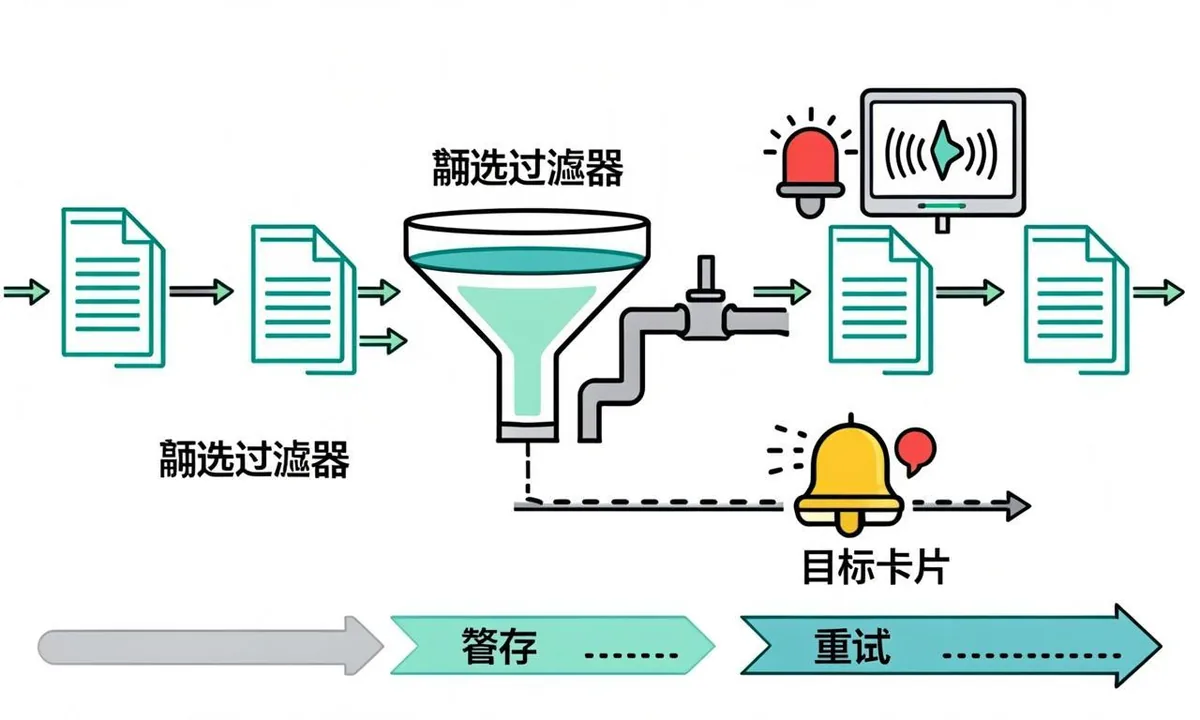
A minimal monitoring stack has four parts: quota alerts in Cloud console, per call logs in your database, a daily summary, and a Search Console effect check. Quota alerts fire at 70 and 90 percent of daily publish usage. Per call logs record timestamp, normalized URL, type, status, error reason, notifyTime, key ID, and project ID. The daily summary aggregates sent, 429 rate, 403 rate, pending depth, and oldest pending age. The effect check samples time from publish to first crawl for 20 URLs per week in URL Inspection.
Dashboard thresholds that work for most small teams:
- Success rate above 95 percent on normal days. Below 90 percent for two days triggers review.
- 429 count zero on normal days. Any sustained run during business hours triggers pacing review.
- 403 count zero always. Any occurrence triggers delegation review the same day.
- Pending depth near zero at midnight. Growth three days in a row triggers prioritization review.
- Oldest pending age under 48 hours. Older signals starvation or a stuck worker.
Log retention of 30 days minimum supports incident review, 90 days supports trend analysis. Partition by day for fast queries. A weekly review takes 15 minutes: compare sent versus cap, list top error reasons, confirm alerts fired correctly, and note any staging leakage into production quota. During launches, review daily. Keep a one page runbook with project ID, property URL, service account email, cap values, alert channels, pause commands, and rotation steps so any teammate can respond.
Search Console completes the picture. URL Inspection shows last crawl for sampled URLs. The Pages report shows indexing direction for groups. Crawl stats show total demand over time. Correlate API sent spikes with crawl activity 24 to 72 hours later. If sent climbs but crawls do not move, the constraint is quality or crawl budget, not notification volume. That insight prevents the common mistake of buying more quota when the real fix is content quality or internal linking.
 <!-- IMAGE-PROMPT workflow-02: 1600px max, DependsIt brand, deep charcoal #121212 background, vibrant mint #22E3B0 accent glow, thin node-network line art, subject: monitoring dashboard to alert to backoff queue to next day resume workflow, flat vector, accessible, no em dash, Clash Display style headings, General Sans clean labels -->
Recovery playbook when you hit the cap
When quota is exhausted, the goal is to preserve every pending URL and resume cleanly after reset. Do not delete the queue, do not switch projects to dodge the cap, and do not retry faster. Follow a calm sequence that protects data and learns from the spike.
Step 1: Pause the worker immediately to stop burning attempts. Confirm no cron or second worker is still sending. Check for overlapping jobs and webhook storms. Step 2: Export pending rows with priority and age. Confirm P0 deletions and P1 new pages are at the front. Step 3: Note the reset time from the quota page and schedule resume 30 minutes after it to avoid edge effects. Step 4: Notify stakeholders with numbers: sent today, pending, oldest age, expected catch up days at safe pace. Step 5: Review logs for waste. Flag duplicates, metadata polling floods, staging leakage, and full resubmissions. Fix at least one root cause before resuming so the same spike does not recur tomorrow.
A sample stakeholder update keeps trust: today we sent 200 of 340 net URLs, 140 remain pending with oldest age 6 hours, 12 were duplicates we will now suppress, resume at 00:30 Pacific at 8 second pace, expected catch up in one day for P0 and P1 plus two days for lower priorities. That message turns an incident into a plan with dates.
After resume, watch the first 20 sends closely. If 429 reappears within minutes of reset, another sender is sharing the pool or the reset time was misread. List all keys and workers for the project, check staging, and confirm the project picker. If 403 appears instead, delegation changed during the incident window. Do not confuse the two. Quota recovery needs patience. Permission recovery needs access changes. The code by code triage is detailed in the dedicated error fixes article.
Postmortem questions that prevent repeats: which source generated the surge, which dedup rule missed it, which alert fired late or not at all, which low priority batch could have waited, and what daily cap would have absorbed the surge without harming P0 work. Record answers in the runbook with dates. Quota incidents are usually process failures with technical symptoms, and process fixes compound over time.
Requesting more quota the honest picture
Google allows increase requests from the quota page, but approval is neither instant nor guaranteed. Reviewers look for sustained legitimate use inside documented scope, clean error rates, and evidence that current caps block real eligible volume. A new project requesting 10x on day one with no history is unlikely to succeed. A mature job board sending 200 per day for 60 days with 98 percent success, asking for 500 with logs and property samples, has a credible case.
Before requesting, complete this checklist: 30 days of usage at or near the cap, success rate above 95 percent, 403 rate near zero, deduplication and pacing already implemented, staging separated from production, and a prioritized backlog showing eligible URLs waiting more than 48 hours. Attach specific property URLs with valid JobPosting or BroadcastEvent markup, daily volume math, and the monitoring you run. Ask for the smallest increase that clears the backlog, not the largest imaginable. In api console quotas the form asks for current google api usage limits and justification, so a clean google api quota increase case cites urlnotifications quota history and explains why an indexing api limit workaround alone cannot absorb genuine eligible demand.
Even with approval, keep the queue. Higher caps raise the ceiling but per minute limits, error handling, and prioritization still matter. Many teams find that disciplined queues remove the need for an increase entirely once duplicates and polling waste are fixed. Treat the request as a last step after efficiency, not a first step before it. If the request is denied, the same efficiency work plus scope reduction to P0 and P1 keeps the integration valuable inside the default.
For broader discovery beyond Google, remember that quota discussions apply only to Google. Bing, Yandex, Naver, and Seznam use IndexNow with separate limits and key files. Google does not support IndexNow, so plan two budgets: Google daily publish cap here, IndexNow batch practices there. The comparison of both paths is summarized in the Indexing API versus Request Indexing comparison.
Official quota and error guidance is documented in the Google search developer docs on debugging and general Search Console help on indexing. Use those pages as Sources for stakeholder discussions about what quota can and cannot change.
FAQ
How many Indexing API requests do I get per day?
Most new projects show about 200 publish requests per day plus small per minute and metadata caps. Confirm your exact numbers on the API quotas page in Cloud console for your project, because values vary. Treat blog screenshots as examples only.
Do failed requests count against quota?
They can consume short window budget and certainly cost time and log noise. 403 and 400 responses indicate problems that retries will not fix, so stop and repair permissions or payloads. 429 responses indicate the pool is empty, so back off and resume after reset. Either way, log every attempt and fix root causes quickly.
What is the difference between 429 and quota exceeded?
429 is the HTTP status code for too many requests. Quota exceeded is one reason for a 429, alongside per minute rate limits. The body detail names the specific metric. All variants mean the same action: slow down, honor Retry After, and retry with exponential backoff instead of hammering.
Can I use multiple projects to multiply quota?
Creating extra projects to dodge limits looks like abuse and risks enforcement. Use one production project with a paced queue, separate staging, and an honest increase request if eligible volume truly exceeds the default. Multi project sprawl also complicates key rotation and incident response.
Should metadata checks run on a schedule?
No. Polling metadata on a timer burns quota for little benefit. Check metadata only when debugging a specific URL after a publish, and keep results in your own logs for history. Scheduled sweeps of hundreds of URLs will exhaust the daily pool before real submissions run.
How do I know quota is the problem versus permissions?
429 with quotaExceeded or rateLimitExceeded in the body means quota or pacing. 403 with permissionDenied means Search Console delegation or disabled API. 401 means token or key issues. 400 means payload or URL problems. Match the code first, then act. Quota needs waiting, permissions need access changes.
What does urlnotifications quota cover, and what is a safe indexing api limit workaround?
The urlnotifications quota is the Cloud project pool that counts every publish and metadata call, so even small test loops can drain it when polling is careless. A safe indexing api limit workaround is to deduplicate by normalized URL plus content hash, pace sends every 8 seconds, and cap daily volume below the indexing api daily limit. Track indexing api requests per day in your own log with sent count, 429 count, and pending depth. When you respect the indexing api rate limit and keep staging in a separate project, the same quota comfortably serves daily job updates without morning surprises.
How do api console quotas and google api usage limits affect a google api quota increase?
A google api quota increase starts in api console quotas where you select the publish metric, review current google api usage limits, and file a request with 30 days of history near the cap. Include success rate above 95 percent, proof that 403 errors are near zero, and a backlog of eligible URLs waiting over 48 hours. Teams hitting a google indexing api 429 daily often discover that fixing a quota exceeded indexing api pattern with pacing and dedup removes the need for a larger cap. Request the smallest increase that clears genuine backlog, then keep the queue so per minute limits still protect you.
Sources
- https://developers.google.com/search/docs/monitor-debug/debugging-search
- https://support.google.com/webmasters/answer/7440203
- https://developers.google.com/search/docs/crawling-indexing/overview
- https://schema.org/JobPosting