AI Overviews and Your Traffic: How to Adapt
If informational clicks feel softer this year, AI Overviews are a likely part of the story. When Google shows a generated summary above classic results, many users get enough context without clicking. For owners who depend on how to guides, definitions, and comparisons, that shift shows up as steady impressions but lower click through rates. The ai overviews traffic impact is real, but it is manageable once you diagnose exposure, protect pages that still convert, and build traffic sources that do not depend on a single SERP layout.
This guide is for content owners, SEOs, and small teams who need a practical adaptation plan. You will learn how AI Overviews change click behavior, which queries and niches lose most, how to measure your own exposure with Search Console and manual sampling, and how to adjust content, technical health, and distribution. You will also get workflow changes and a 90 day plan that protects revenue while you earn citations where they matter. By the end, you will know exactly which pages to rewrite, which to reposition, and which to leave alone.
Key takeaways
- AI Overviews compress clicks mainly on informational queries. Transactional, local, and community driven queries hold clicks better.
- Diagnose before you rewrite. Segment queries by overview presence, intent, and CTR change to find pages where action pays.
- Hold traffic with clearer intent match, stronger structure, original detail, and faster technically healthy pages.
- Earn citations for authority plus visits, while shifting effort toward formats that require interaction, tools, and trust.
- Build direct traffic through email, RSS, brand search, and referrals so one SERP feature cannot decide your quarter.
- AI overviews traffic impact: how click behavior changes
- Which queries and niches lose most
- Diagnosing your exposure
- Holding informational traffic
- Shifting content mix
- Earning citations that still send visits
- Building direct traffic
- Adjusting measurement
- Technical fixes that protect clicks
- Team workflow for the AI search era
- A 90 day adaptation plan
- FAQ
- Sources
- Further reading
 <!-- IMAGE-PROMPT cover: 1200x630, DependsIt brand, deep charcoal #121212 background, vibrant mint #22E3B0 accent glow, thin node-network line art, Clash Display style bold heading space on left, General Sans clean labels, subject: line chart showing informational clicks dipping while direct email and brand visits grow beside AI search panel, flat vector, high contrast, accessible, no photorealistic faces, no text smaller than 24px, no em dash in rendered text, export PNG then cwebp -q 82 to WEBP -->
AI overviews traffic impact: how click behavior changes
AI Overviews change the first screen from a list of links into an answer plus links. For simple informational needs, that answer is often enough. The user reads the summary, perhaps expands one source, and leaves without opening three classic results. The result is not always lower rankings. Your page can hold position four while receiving fewer clicks than the same position earned last year, because the overview now absorbs a share of attention that used to flow to organic listings. Teams that only track average position miss this shift entirely. A practical ai search traffic strategy starts from that diagnosis: protect pages that still earn clicks, attach artifacts to pages that feed summaries, and build direct paths that survive further results page change.
The effect is strongest for questions with a single stable answer. Definitions, quick facts, simple how to steps, and basic comparisons are easy to summarize and therefore easy to satisfy without a click. Complex tasks behave differently. Multi step troubleshooting, purchase decisions with trade offs, local choices with photos and reviews, and problems that require tools or downloads still drive clicks, because the summary cannot replace interaction. Understanding this spectrum keeps you from treating every impression drop as a quality failure. Sometimes the query itself became less click prone, not your page less relevant.
Click loss also varies by layout. An overview with three prominent source cards plus inline links behaves differently from a compact text answer with one small link icon. Device matters too. Mobile overviews can push classic results far below the fold, while desktop layouts may still show two organic listings alongside the panel. Signed in state, location, and query wording all shift presentation. Rather than assuming a universal click penalty, sample your own priority queries monthly and record layout, source count, and your citation status alongside Search Console clicks.
The strategic response starts with acceptance plus focus. You cannot restore the old click curve for every informational query by rewriting alone. You can protect total business outcomes by holding clicks where intent still requires a visit, earning citations that build familiarity and send qualified referrals, and growing direct and transactional paths that AI summaries cannot replace. The rest of this guide turns that strategy into page level actions. For background on how citations are earned in the first place, see getting into Google AI Overviews and what the data shows. That companion guide covers source selection while this guide covers traffic defense.
Which queries and niches lose most clicks
Informational how to content loses most on average, especially beginner guides, definitions, and general advice that can be summarized in five bullets. Health explainers, finance basics, travel overviews, DIY instructions, and software how to articles all report CTR compression in studies and publisher anecdotes, though exact percentages vary by sample and layout. The common thread is not topic alone but answer substitutability. If a competent summary can replace the visit for most users, clicks fall even when impressions hold.
Transactional and local queries hold better. Product pages with pricing, availability, variants, and checkout cannot be replaced by a paragraph. Local pages with maps, hours, photos, and reviews still earn taps because the user needs to act, not just learn. Navigational queries for your own brand also hold, because the user already intends to reach you. Community and opinion content holds better than generic explainers, because users seek voices, examples, and debate rather than a single consensus answer. Original research, proprietary data, calculators, templates, and tools hold best of all, because the summary can describe them but cannot deliver the artifact.
Niche matters within informational content. Queries with regulatory, safety, or financial consequences often retain clicks because users verify sources before acting. Users may read the overview for orientation, then click a trusted source for dosage, code compliance, tax thresholds, or contract language. Queries with fast changing facts, such as pricing, version numbers, and policy dates, also retain clicks when your page is clearly current. A visible updated date, a changelog, and current screenshots signal that your page reflects present reality better than a cached summary.
To apply this, label every important query by intent and substitutability. Create columns for informational versus transactional versus local versus navigational, plus a rating for how easily a summary could satisfy the need without interaction. High substitutability plus overview presence marks pages that need repositioning toward tools, examples, and next steps rather than more definitions. Low substitutability plus stable CTR marks pages to protect with conversion and speed work, not AI rewrites. That simple table prevents wasted effort on pages that were never at risk and focuses rewrites where the SERP actually changed.
Diagnosing your exposure with Search Console
Start with Search Console performance data segmented by query and page. Export the last three months for your top 200 queries, including impressions, clicks, average CTR, and average position. Flag queries where impressions hold steady while CTR falls and position stays within two spots. That pattern often signals SERP feature absorption rather than a ranking loss. Separately flag queries where both impressions and position fall, which points to relevance, technical, or competition issues rather than AI layout alone. The two patterns need different fixes, so separating them early saves weeks.
Add manual sampling for your top 30 to 50 queries. In a consistent browser state, record whether an AI Overview appears, how many sources are shown, whether your domain is cited, and which competitors are cited. Repeat monthly with dates. Join this sheet to Search Console data by query. You will quickly see four groups. Cited with stable clicks, cited with soft clicks, not cited with soft clicks, and no overview with stable clicks. Each group gets a different action. Cited pages need conversion and retention work. Not cited pages with soft clicks need rewrite or reposition tests. Stable pages need protection, not rewrites.
Check page level signals alongside query data. Review index status, canonicals, rendering, and speed for pages with soft clicks to rule out technical drag. A page that slipped from indexed to discovered or crawled but not indexed will lose clicks for reasons unrelated to AI, and no rewrite will help until eligibility is restored. For those checks, see discovered currently not indexed fixes. Confirming eligibility first keeps AI analysis honest.
Finally, quantify business impact, not just CTR. Map each affected page to revenue, signups, or assisted value. A 20 percent CTR drop on a glossary page with no conversions matters less than a 10 percent drop on a buying guide that drives trials. Prioritize pages by business value times exposure, not by CTR drama alone. That prioritization turns a scary site wide chart into a focused list of 10 to 15 pages where adaptation work actually protects outcomes.
Holding informational traffic with better intent match
Pages that match specific intent hold clicks better than broad pages that try to serve everyone. Audit each exposed guide for the exact task behind its core query. A user searching how to submit URLs to Bing needs steps, quotas, and error handling, not a history of search engines. A user comparing two tools needs a table with limits, costs, and best use cases, not general advice. Tighten the H1 to the query, state the direct answer in the first 150 words, then expand with specifics that a summary cannot replace, such as thresholds, error codes, version notes, and worked examples.
Structure for scanning and quoting at the same time. Use H2 headings phrased as questions or tasks, short paragraphs, numbered steps with verbs, comparison tables, and FAQ blocks that answer real follow ups. Add original detail in every major section. Instead of saying bulk limits apply, state the batch size, the daily behavior, and what happens on a 429 with retry guidance. That specificity earns both human trust and citation eligibility. It also gives users a reason to click when the overview only shows the generic part of the answer.
Strengthen proof and freshness. Show the author with relevant experience, show publication and updated dates, note what changed in the last update, replace outdated screenshots, and link to primary docs for quotas and endpoints. For background on crawler fundamentals that keep these pages eligible, see the Google documentation on crawling and indexing. Fresh, accountable pages retain clicks better than anonymous, stale pages that read as interchangeable with any summary.
Improve the click itself. Rewrite titles to promise the artifact beyond the answer, such as checklist, template, error table, or video walkthrough. Rewrite meta descriptions to state who the page helps and what they can do after reading. Add descriptive alt text and clean layout so the listing looks credible next to an AI panel. Test title and description changes one page at a time and watch CTR for four weeks. Small, specific promises often recover more clicks than broad rewrites that add length without adding utility.
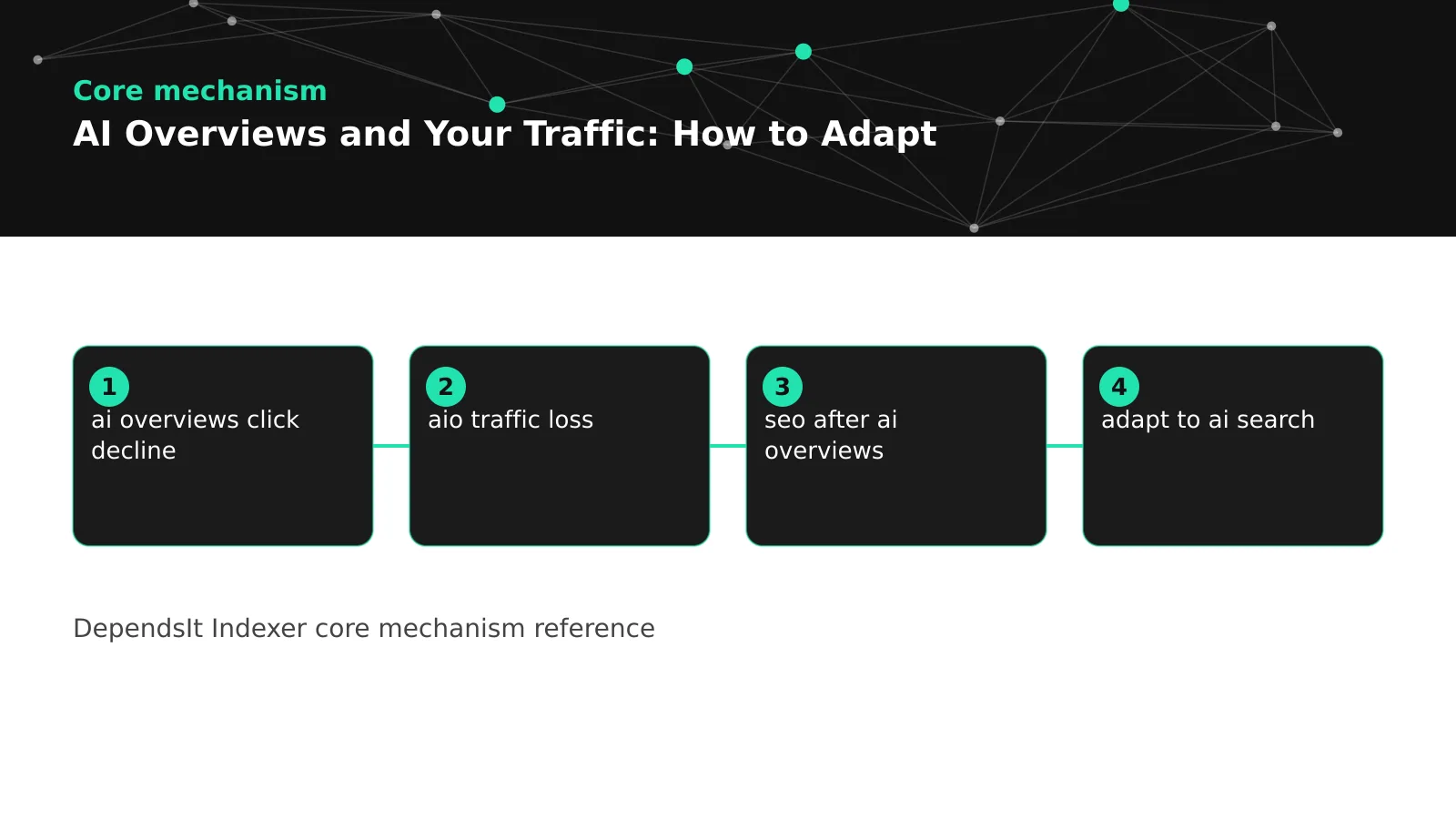 <!-- IMAGE-PROMPT diagram-01: 1600px max, DependsIt brand mint #22E3B0 on charcoal #121212, node-network line art, subject: traffic impact diagram showing informational queries dipping and transactional plus tool pages holding clicks, flat vector, accessible, no em dash, Clash Display style headings, General Sans clean labels -->
Shifting to transactional local and community content
The most durable defense is a content mix that AI summaries cannot replace. Shift a share of effort from pure explainers toward pages that require interaction, transaction, or community. Buying guides with live pricing, compatibility filters, and checkout paths earn clicks because the user must act. Local service pages with booking, quotes, maps, and reviews earn calls because proximity and trust cannot be summarized. Calculators, templates, checklists, and code generators earn visits because the user needs the artifact, not just the explanation.
Local content deserves special attention for service businesses. Keep Google Business Profile data accurate, collect and respond to reviews, publish location pages with real photos, staff, service areas, and booking options, and build local citations with consistent NAP data. An overview can summarize general advice about hiring a plumber, but it cannot book your 2 PM slot or show your 200 nearby reviews. That action gap is where local clicks persist. Measure calls, direction requests, and bookings alongside organic clicks so value is visible even when informational CTR softens.
Community and opinion content also resists summarization. Case studies with real numbers, build logs with mistakes and fixes, benchmark reports with methodology, and opinion pieces with clear stance give users voices and evidence rather than consensus. Users click to see the data table, the screenshot, or the argument, not just the conclusion. Publish one original asset per quarter, such as a survey, a teardown, or a tool, and support it with three to five explanatory posts that link back. That hub pattern concentrates authority while giving summaries something they must cite rather than replace.
Rebalance gradually. A practical target for many blogs is to move from 80 percent pure explainers toward 50 percent explainers, 30 percent actionable tools and templates, and 20 percent transactional or local pages over two quarters. That shift does not abandon informational traffic. It surrounds it with formats that convert even when summaries satisfy simple needs. Track share of traffic by content type monthly to confirm the mix is actually changing, not just the editorial calendar.
Earning citations that still send visits
Citations remain worth earning even when not every citation sends a click. A cited source builds familiarity that later surfaces as branded search, direct visits, newsletter signups, and sales conversations that mention your guide. To earn citations that also send visits, focus on queries where the overview cannot finish the job. Troubleshooting with multiple causes, comparisons with conditional recommendations, and tasks that need downloads or code all create natural click reasons. Write the quotable answer for the overview plus the detailed artifact for the visit.
Make the artifact obvious in both the listing and the page. Titles should name the tool, template, table, or dataset. The first screen should show the download, the calculator, or the step list without scrolling past large heroes. Headings should promise specifics, such as error code table or rate limit checklist, rather than general discussion. When the overview cites your definition but the user needs your table to act, you win both visibility and the qualified click. That dual structure is the core skill for the AI search era.
Internal linking supports citation plus visit behavior. Link cited guides to related tools, templates, and transactional pages with descriptive anchors so referred visitors can continue without searching again. Keep those paths fast and stable, because a cited page that loads slowly or breaks on mobile wastes a rare qualified referral. For a practical linking method that also helps discovery, see how internal linking speeds up indexing with examples. The same links that help crawlers understand context also guide referred readers toward action.
Track citation value beyond last click. For each cited guide, monitor referral clicks where identifiable, branded search volume, direct traffic to the guide, email signups from the guide, and contact requests that mention it. A guide with soft last click CTR but rising branded search and signups is still working. Report that assisted picture to stakeholders so citation effort is judged on business contribution rather than on a single CTR number that AI layouts distort.
Building direct traffic email RSS and brand search
Direct traffic is the ultimate hedge against SERP volatility. Email remains the most reliable channel for most small teams. Offer a concise newsletter tied to your niche, promise a specific outcome per issue, and place signup forms on high exposure guides with a relevant lead magnet such as a checklist or template. Send consistently, link back to new tools and deep dives, and measure subscribers per 1000 guide visits. Even a modest list of 2000 engaged readers can offset a soft quarter of informational clicks with stable launches and repeat visits.
RSS, YouTube, podcasts, and social profiles each add resilience when matched to audience habits. A developer audience may prefer RSS and GitHub releases. A local audience may prefer short video and reviews. A B2B audience may prefer LinkedIn plus email. Pick one secondary channel you can sustain weekly and link it clearly from every guide. Do not chase five channels at once. Depth in one beats thin presence in many, especially when the goal is repeat visits that do not depend on rankings.
Brand search deserves deliberate investment. A memorable site name, consistent publishing voice, and one flagship tool or dataset give users a reason to search for you by name after seeing a citation. Track branded versus non branded query share monthly. If branded share rises while non branded informational CTR softens, your expertise is still growing even as generic clicks compress. Support that trend with About, author bios, speaking, partnerships, and community answers that reinforce the name behind the content.
Referrals from complementary sites, docs, and communities also stabilize traffic. Contribute genuinely useful answers with links to your tools and tables where relevant, maintain integration listings, and co publish benchmarks with partners. These links send qualified visitors who already trust the referrer, and they diversify acquisition beyond any single search feature. Review referral traffic monthly and double down on sources that send engaged visits rather than raw volume.
Adjusting measurement when CTR curves shift
Old CTR benchmarks mislead when AI layouts change the SERP. A position three listing that earned 12 percent CTR last year may earn 7 percent today for the same query with an overview, without any quality drop. Teams that judge pages against stale curves rewrite good pages unnecessarily while missing real technical faults elsewhere. Update expectations by segmenting CTR by overview presence, intent, and layout rather than by position alone. Compare current CTR with peers that share the same SERP conditions, not with historical averages from a different layout.
Build a simple segmented report. For each priority query, record overview presence, your citation status, position, impressions, clicks, and CTR monthly. Calculate median CTR for four segments. Overview plus cited, overview plus not cited, no overview informational, and transactional or local. Use those medians as your new benchmarks. A page that beats its segment median is performing well even if its absolute CTR fell year over year. A page that trails its segment median by 30 percent or more for two months deserves action, starting with title, intent match, and technical checks.
Attribute value across the journey. Last click understates guides that introduce your brand through citations and overstates pages that merely capture existing demand. Add assisted metrics per guide, including email signups, tool uses, template downloads, trial starts, and contact requests within 30 days of first visit. Use UTM discipline for newsletter and referral links so direct and email contributions are visible. When stakeholders ask why citation work matters despite soft CTR, show assisted conversions plus branded search growth rather than defending a single click number.
Set thresholds for action. If a cited guide holds impressions and beats segment CTR, protect it with conversion and speed work. If a not cited guide trails segment CTR for two months, test one focused rewrite. If a transactional page drops in both position and clicks, treat it as a classic ranking or technical issue first. Segmented benchmarks plus assisted value turn noisy SERP changes into calm prioritization.
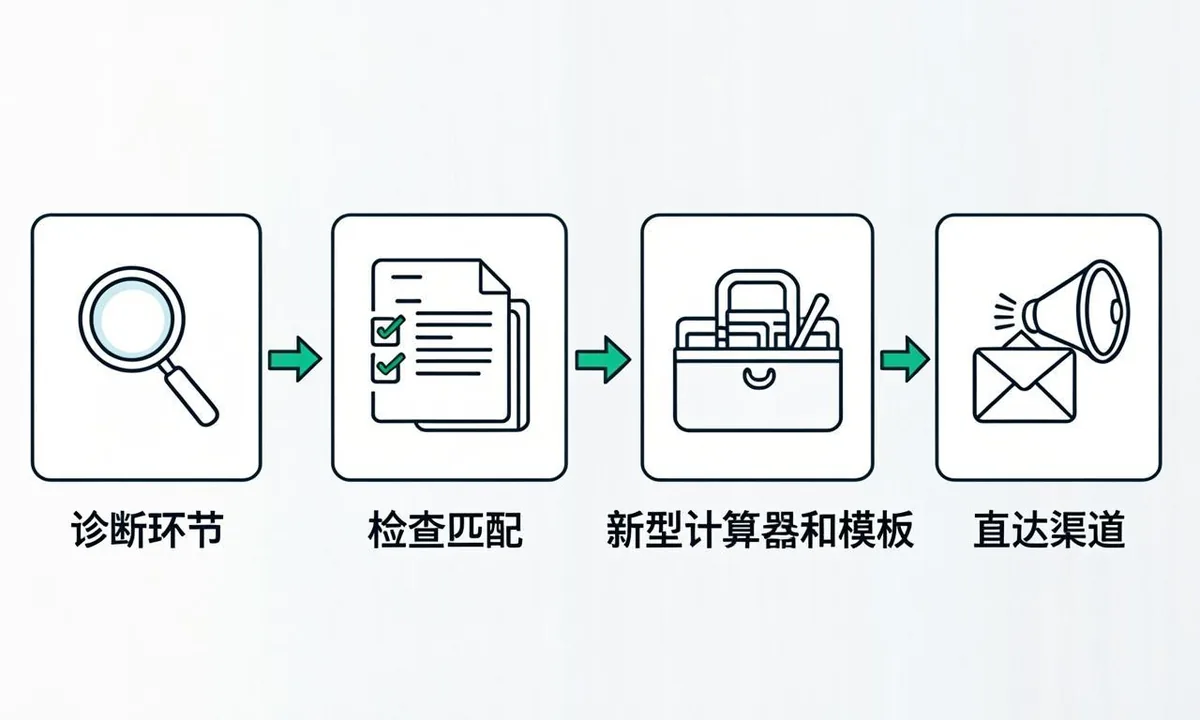 <!-- IMAGE-PROMPT workflow-02: 1600px max, DependsIt brand, deep charcoal #121212 background, vibrant mint #22E3B0 accent glow, thin node-network line art, subject: adaptation workflow from exposure diagnosis to content mix shift to direct traffic growth, flat vector, accessible, no em dash, Clash Display style headings, General Sans clean labels -->
Technical fixes that protect remaining clicks
Technical health protects every remaining click because it keeps pages eligible, fast, and credible next to AI panels. Start with index eligibility. Confirm that important guides return 200, are not blocked by robots, do not carry accidental noindex, and have clean canonicals to the preferred URL. Fix duplicate clusters that split signals across variants, because a split cluster rarely earns citations and often ranks below its potential. For sitemap hygiene that helps all crawlers, see XML sitemap best practices for faster indexing. A focused sitemap plus clear canonicals concentrates authority where clicks still convert.
Speed and stability come next. Compress images, cache public HTML at the CDN where possible, defer non critical scripts, and test Core Web Vitals on mobile for exposed guides. A fast page wins the click when users compare a snappy listing with a heavy competitor, and it retains the referred visit after the click. Monitor field data monthly for top templates rather than lab scores alone, because real device and network conditions decide bounce behavior.
Structured data and rendering reduce ambiguity. Keep Article, FAQ, HowTo, Product, or LocalBusiness markup honest and in sync with visible copy. Server render core answers so crawlers and answer systems see headings, tables, and FAQ text without interaction. Validate markup after each template change and after major copy edits. For background on crawler processing, see the MDN guide to robots handling alongside official search docs. Clean rendering plus valid markup keeps you eligible for both classic enhancements and AI citations.
Finally, fix discovery. Link new tools and updated guides from hubs, navigation, and related posts with descriptive anchors so crawlers find them quickly. Update sitemap lastmod on real changes and monitor coverage for excluded spikes after deploys. Prompt discovery matters more when layouts shift quickly, because a guide that is recrawled this week can earn citations next week, while an orphaned guide waits months regardless of quality.
Team workflow for the AI search era
Small teams adapt fastest with a simple operating cadence. Monthly, refresh query sampling for the top 50 queries, update overview presence and citation status, and review Search Console segment CTRs. Decide which three pages to rewrite, which two tools or templates to build, and which transactional pages need conversion work. Keep the decision list short. Three rewrites done well beat ten superficial edits that change little.
Quarterly, review content mix and channel health. Check traffic share by explainers versus tools versus transactional or local pages, email growth per 1000 visits, branded search share, and referral quality. Rebalance the next quarter's calendar based on those shares rather than on opinion. If tools drive trials while pure explainers only drive impressions, shift effort accordingly. If email stabilizes launches despite SERP volatility, invest in signup placement and lead magnets.
Roles stay light but explicit. One owner tracks sampling and Search Console segments. One owns content rewrites and new artifacts with QA. One owns technical health including index status, speed, and structured data. One owns distribution including email, referrals, and community. A 60 minute monthly review with these owners plus a shared log of changes and results beats sporadic large projects. Consistency compounds while intensity fades.
Document decisions and results in one place. Store the query sample sheet, the page change log with dates, before and after segment CTRs, and assisted conversion notes together. When leadership asks whether AI Overviews hurt traffic, answer with exposure share, segment performance, and business outcomes rather than anecdotes. A calm evidence routine turns a stressful SERP change into manageable operations.
A 90 day adaptation plan
Weeks one to two focus on diagnosis. Export Search Console data for the top 200 queries, sample overview presence for the top 50, label intent and substitutability, and map pages to revenue or signup value. Confirm technical eligibility for the top 15 pages, including index status, canonicals, rendering, and speed. By day 14, you should have a prioritized list of 10 pages where action protects business outcomes, not just a long list of CTR declines.
Weeks three to six focus on holding and earning. Rewrite five high value informational pages with tighter intent match, quotable answers plus detailed artifacts, updated dates and proof, and improved titles that promise the tool or table beyond the summary. Build or improve one artifact, such as a checklist, calculator, or template, that gives users a reason to click. Launch or tighten email capture on those five pages with a relevant magnet. Request recrawls, update sitemaps, and link the refreshed pages from hubs.
Weeks seven to ten focus on mix shift. Publish two transactional, local, or tool pages that serve needs summaries cannot replace. Improve two existing conversion paths with clearer calls to action, faster loads, and trust signals such as reviews and case data. Continue citation sampling weekly for rewritten pages and note which formats earn both citations and visits. Expand what works into adjacent queries rather than starting new topics from scratch.
Weeks eleven to thirteen focus on measurement and planning. Compare segment CTRs before and after, review assisted conversions and email growth, and consolidate learnings into a one page playbook with heading patterns, artifact templates, and QA steps. Schedule monthly sampling and quarterly mix reviews so adaptation persists. By day 90, success looks like stable business outcomes from a healthier mix, even if raw informational CTR remains below historical highs. That is the real goal. Not restoring an old curve, but building traffic that lasts through layout changes.
FAQ
How much traffic do AI Overviews take?
Impact varies by query and layout. Simple informational queries with stable answers show the steepest ai overviews click decline, while transactional, local, and tool based queries hold better. Segment your own queries by overview presence and compare ai overviews ctr within matched segments rather than relying on site wide averages. Track impressions, clicks, and position side by side for at least eight weeks. That baseline tells you which templates need rewrites, which need new artifacts, and which are healthy enough to leave alone.
Should I delete informational content that loses clicks?
Usually no. Refresh high value guides to match specific intent, add artifacts such as tables and templates that require a visit, and build transactional and direct paths around them. Treat aio traffic loss as a mix problem rather than a quality verdict: the guide may still earn links, citations, and assisted conversions even as direct clicks soften. Delete only thin duplicates and outdated pages with no traffic, links, or conversions after consolidation. Redirect removed URLs to the closest surviving page so equity and bookmarks keep working.
Do AI citations send visits?
Some do, especially for complex tasks where users need detail, tools, or verification. Many informational impressions still end without a click, so measure beyond last click attribution. Track citations plus referrals, branded search, email signups, and assisted conversions to see full value. Improving aio click through starts with quotable structure: a direct answer block, supporting data, and a clear next step that the summary cannot fully satisfy. Pages that give the overview something worth quoting tend to earn the visible link beside it.
What content holds clicks best after AI Overviews?
Content that requires interaction holds best against zero click ai behavior. Tools, calculators, templates, downloads, local booking, product configuration, community discussion, original research, and opinion with evidence all give users reasons to click that a summary cannot replace. Audit your top informational templates and attach at least one interactive artifact to each. Then interlink guides with the tools they mention, so readers who land on a summary adjacent query still find a reason to visit, try, and return. Measure artifact assisted conversions separately so guides that feed tools get credit for the visits they create.
How fast can I recover traffic?
Most teams see early signals in four to eight weeks after focused rewrites, artifact launches, and recrawls. The broader traffic shift ai editors describe, from informational clicks toward tools and transactional pages, compounds over two quarters. To compensate ai overviews exposure, pair content fixes with email, RSS, and community distribution so returning visits grow while the search mix stabilizes. Expect stabilization plus channel diversification rather than a quick return to old CTR curves for every query, and report progress by segment.
Should I block AI crawlers to protect traffic?
Blocking training crawlers does not restore classic CTR and can remove you from cited answers that still send visits. Address training posture separately from traffic strategy through legal and licensing review. To adapt to ai search for traffic, focus on intent match, artifacts, technical health, and direct channels rather than broad blocks. Keep public content fetchable for answer engines while you build the portfolio that earns clicks: tools, data, local depth, and community. That is the durable version of seo after ai overviews, measured in diversified visits rather than recovered positions.
Sources
- https://developers.google.com/search/docs/crawling-indexing/overview
- https://support.google.com/webmasters/answer/7443459