Using the Google Indexing API with Node.js: A Developer Tutorial

This tutorial shows how to call the Google Indexing API from Node.js for google indexing api nodejs workflows, from JWT signing to retries. It is for JavaScript developers, SEO engineers, and site owners who run Node services or scripts and want dependable URL submissions. You will configure google-auth-library, submit URL_UPDATED and URL_DELETED notifications, read notification metadata, handle 403 and 429 responses, and deploy a small worker that respects quotas.
Key takeaways
- Node.js needs google-auth-library plus your service account JSON to mint tokens and POST notifications with fetch or axios.
- The API is documented for JobPosting and BroadcastEvent pages, so monitor Search Console when you submit other page types.
- Treat 403 as a Search Console permission task, 429 as a backoff and queue task, and JWT errors as key, scope, or clock tasks.
- Log every attempt with URL, status, and notifyTime, and keep daily volume below your Cloud quota with paced workers.
- How Node.js fits the Indexing API flow
- Prerequisites: project, key, and Search Console access
- Setting up a Node project and dependencies
- Signing JWTs with google-auth-library
- Submitting URL_UPDATED with google indexing api nodejs
- Reading notification status with getMetadata
- Sending URL_DELETED for retired pages
- Retry logic, backoff, and queue design in Node
- Handling auth, permission, and quota errors
- Logging and observability for Node workers
- Deploying Node automation to production
- Checklist before you scale Node submissions
- FAQ
 <!-- IMAGE-PROMPT cover: 1200x630, DependsIt brand, deep charcoal #121212 or clean white background, vibrant mint #22E3B0 accent glow, thin node-network line art, Clash Display style bold heading space on left, General Sans clean labels, subject: Node.js JavaScript code calling Google Indexing API with JWT auth and JSON response, flat vector, high contrast, accessible, no photorealistic faces, no text smaller than 24px, no em dash in rendered text, export PNG then cwebp -q 82 to WEBP -->
How Node.js fits the Indexing API flow
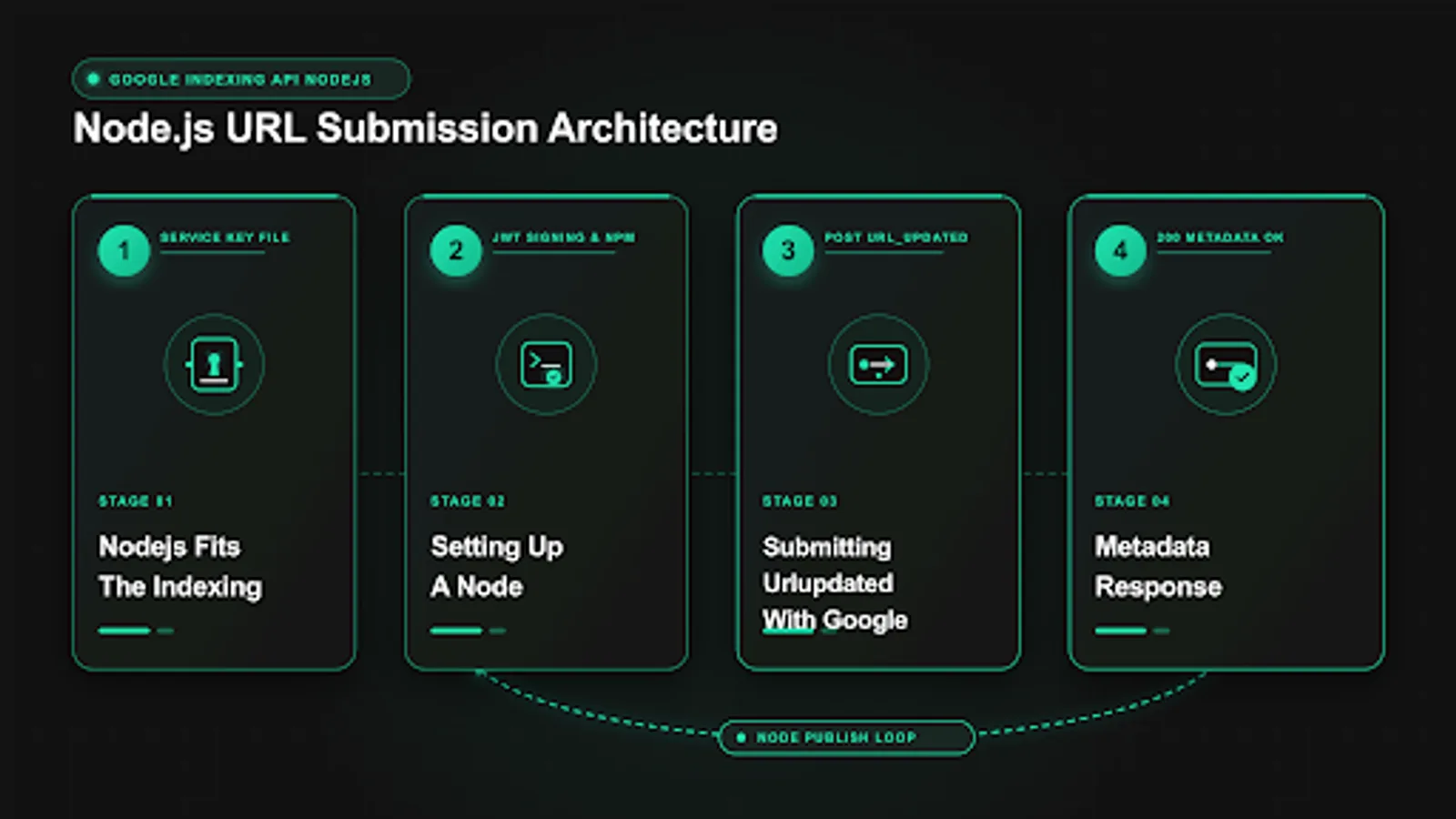
Node.js suits Indexing API work because submissions are small HTTPS requests that fit naturally into JavaScript async flows. A typical worker loads a service account key, creates a JWT client scoped to the indexing API, obtains an access token, POSTs a JSON body with url and type, and logs the response. The same process can run as a one off script on your laptop, as a cron job on a VPS, as a Cloud Run service that reacts to CMS webhooks, or as part of a Next.js or Astro build that notifies Google after deploy. The HTTP shape never changes, only the runtime wrapper around it.
The API surface is narrow and stable. You POST to indexing.googleapis.com/v3/urlNotifications:publish with URL_UPDATED for new or updated pages and URL_DELETED for removed pages. You GET from indexing.googleapis.com/v3/urlNotifications/metadata with a url query parameter to read the last stored notification. Responses include urlNotificationMetadata with notifyTime on success, or a structured error with code and message on failure. The API records a hint for later crawl scheduling. It does not crawl synchronously, return index state, or guarantee ranking. That separation matters for how you report results to stakeholders.
In Node, you have two practical HTTP choices. Use google-auth-library with its JWT client plus fetch or axios for direct control, or use the googleapis npm package with its discovery based indexing client for a higher level interface. Direct control makes timeouts, retries, and logging explicit, which helps in production workers that must respect quotas. The higher level client reduces boilerplate for quick scripts. Both use the same service account email, the same scope, and the same Search Console delegation. Pick one per codebase and keep error handling consistent, so 403 and 429 are handled the same way in every script.
Scope expectations should be set before you write code. Google documents the Indexing API for JobPosting and BroadcastEvent pages, with structured data requirements described in its search developer guides. If your URLs carry that markup, you are inside documented use. If you submit articles, product pages, or category pages, treat each 200 response as an accepted hint with varied downstream effect, keep sitemaps and internal links healthy, and verify movement in Search Console rather than assuming instant indexing. The mechanics in this tutorial are identical either way. Only the interpretation of results differs, which is why logging and Search Console checks are built into every example.
Plan for about forty minutes from empty folder to first 200 if your service account already has Owner access in Search Console. If that delegation is missing, fix it first using the service account setup guide. Keep first tests to one or two URLs you control, with 200 status, indexable robots, self referencing canonicals, and valid structured data where applicable. Broader background on when the API helps is in the complete setup guide for faster indexing.
Prerequisites: project, key, and Search Console access
You need a Cloud project with the Indexing API enabled, a service account with a JSON key, and Owner delegation for that service account on each Search Console property you will submit for. Confirm all three in the consoles before coding. Open Enabled APIs and see Indexing API listed. Open IAM Service Accounts and see your account with an active key ID and creation date. Open Search Console Settings then Users and permissions for each property and see the exact service account email with Owner status. Record project ID, service account email, property URLs, and quota values in a runbook. Missing any item produces errors that look like code bugs but are actually setup gaps.
Your Node runtime should be Node 18 or newer, with npm or pnpm, and outbound HTTPS to oauth2.googleapis.com and indexing.googleapis.com. Verify with a simple fetch to a public Google endpoint or a DNS lookup from the host. Corporate proxies sometimes block token traffic. If you use a proxy, set HTTPS_PROXY and HTTP_PROXY and confirm that Node fetch and google-auth-library respect them. Also confirm system time with NTP. JWT signing includes issued at and expiry, and skew beyond a few minutes causes invalid grant failures that mimic key corruption.
Prepare test URLs that isolate code correctness from content issues. Use a stable job posting or livestream page for documented scope testing, plus one stable article you own for general behavior. Each should return 200, allow crawling in robots.txt, have no noindex, and use absolute canonicals that match the submitted string exactly. Avoid staging hosts, session parameters, and faceted filters for first runs. Note URL, property, and structured data type for each test so log review later is direct.
Decide key storage before you npm install. Locally, keep the JSON outside the repo at mode 600 and reference it with INDEXING_KEY_PATH. In production, prefer a secret manager, CI secret, or mounted secret volume, with the file written to a temp path at runtime or loaded from memory. Never commit keys to git, never paste them into docs or chat, and never bundle them into client side code. A clean node indexing script keeps secrets in server only paths and loads them once at startup. Node projects that share a monorepo with frontend code need extra care to keep the key in server only paths. If vendors need to nodejs submit url to google on your behalf, have them use their own Cloud project and grant their service account Owner on your property, rather than sharing your JSON.
Setting up a Node project and dependencies
Create a focused folder with a package.json, an env example, a submit script, a status script, and a logs directory. This keeps scheduling and log rotation simple and avoids mixing indexing code with unrelated app logic. The commands below scaffold the project and install the minimal set. google-auth-library handles JWT and tokens. axios or native fetch handles HTTP. pino or plain JSON lines handle logging. Start minimal and add only what you operate reliably.
mkdir -p indexer-node/logs indexer-node/urls
npm init -y
npm install google-auth-library axios
npm install --save-dev nodemon
node --version
npm list google-auth-library axios
The google-auth-library JWT class signs with your private key and manages token refresh. Axios gives timeout control, interceptors for auth headers, and clear error objects with response status and data. If you prefer native fetch in Node 18 and newer, you can skip axios and use fetch with AbortController for timeouts. Developers who prefer indexing api javascript with minimal dependencies can use the same JWT client plus native fetch, while teams that want typed helpers can add the google api node client alongside it. Either path works with the same credential object. Pin versions in package.json and commit package-lock.json so production installs match your tested tree. Record the indexing api npm versions you tested, since auth library major changes can alter token caching behavior.
Keep configuration in environment variables with a .env.example checked into git and a real .env excluded. Required variables are key path, property root, daily quota target, and log level. The example below shows a practical set. URL input starts as a text file with one URL per line. Later you can source from sitemaps, a database, or CMS webhooks, but a file makes first runs easy to audit.
INDEXING_KEY_PATH=/etc/secrets/indexing-publisher-key.json
INDEXING_PROPERTY=https://example.com/jobs/
INDEXING_QUOTA_PER_DAY=150
LOG_LEVEL=info
Verify the install with a version check and a credential load dry run that does not call the API. The google-auth library node setup is confirmed when the dry run prints your service account email. Run as the same OS user that will run production, because file permissions and env loading often differ between your login shell and the service user. If imports fail, confirm node_modules exists in the project root and that NODE_PATH is not overriding resolution. If the dry run prints the service account email, your project layout, dependencies, and key path are ready for token minting.
import { JWT } from 'google-auth-library';
console.log('google-auth-library loaded, Node', process.version);
Signing JWTs with google-auth-library
JWT signing in Node is handled by the JWT client, which reads the JSON key, scopes it to the indexing API, and exchanges it for an access token. You rarely need to construct JWT claims by hand. The client sets issuer to your client_email, audience to the token URI, scope to the indexing scope, and expiry to one hour, signs with the RSA private key, and caches the token until near expiry. Your code then attaches the token as a Bearer header on each Indexing API request. Understanding this flow helps you diagnose invalid signature and invalid grant errors without guessing.
The snippet below creates a client from a key file, authorizes once, and prints the service account email plus token expiry. It stops before calling the Indexing API, so it isolates key, scope, and clock from property permissions. Run it on the production host with production env values to catch path and permission issues early. If it prints expiry about an hour ahead, your signing path is healthy.
import { JWT } to be replacedIn practice the import is from google-auth-library, as shown in the runnable example below. Keep scope exactly https://www.googleapis.com/auth/indexing. Broader scopes or typos cause token failures or unexpected permission checks. Store the client as a singleton per worker process and reuse it across requests, rather than creating a new client per URL. Reuse reduces signing overhead and keeps token caching effective for long batches.
import { JWT } from 'google-auth-library';

const auth = new JWT({
  keyFile: process.env.INDEXING_KEY_PATH || '/etc/secrets/indexing-publisher-key.json',
  scopes: ['https://www.googleapis.com/auth/indexing'],
});

const tokens = await auth.authorize();
console.log('Authorized as:', auth.email);
console.log('Token expiry:', new Date(tokens.expiry_date).toISOString());
console.log('Access token prefix:', tokens.access_token.slice(0, 10));
If authorize fails with failed to parse JWT or invalid signature, re-download the JSON, confirm newlines in private_key are intact, and verify keyFile points to the file, not to a directory. The jwt nodejs google api flow is sensitive to clock skew and scope typos, so sync time with NTP and confirm the exact indexing scope before editing code. If it fails with invalid grant, check system clock with NTP and confirm the key has not been deleted in Cloud IAM. If it succeeds but later publish calls return 403 permission denied, the problem is Search Console delegation, not signing. Confirm the exact email from auth.email appears as Owner on the exact property. Log auth.email at startup on every run so permission debugging never requires guessing which identity was used.
Submitting URL_UPDATED with google indexing api nodejs
Publishing from Node is a POST with JSON body and Bearer auth. Build the payload with absolute url and type URL_UPDATED, set Content-Type to application/json, set Authorization to Bearer plus the access token, and use a 30 second timeout. Log HTTP status, notifyTime on success, and full error body on failure at debug level. The example below uses axios with an explicit token fetch so headers and retries stay visible. Replace the example URL with your own test page and run once before batching.
import axios from 'axios';

async function publishUrl(auth, url, type = 'URL_UPDATED') {
  const { token } = await auth.getAccessToken();
  const resp = await axios.post(
    'https://indexing.googleapis.com/v3/urlNotifications:publish',
    { url, type },
    { headers: { Authorization: 'Bearer ' + token, 'Content-Type': 'application/json' }, timeout: 30000 }
  );
  return resp.data;
}

const data = await publishUrl(auth, 'https://example.com/jobs/senior-support-specialist', 'URL_UPDATED');
console.log('Publish accepted:', JSON.stringify(data).slice(0, 1000));
Validate URLs before POST to protect quota. Trim whitespace, require absolute https URLs, enforce your canonical trailing slash rule, and reject robots disallowed or noindex pages in a preflight check. Submitting variants of the same canonical wastes quota and splits reporting. For job boards, submit the canonical job URL once on creation and again on material updates such as title, location, or closing date changes. For livestreams, submit on schedule publication and on going live. For general pages used as a hint, submit on creation and on substantial content updates, not on every minor edit.
Success means 200 with urlNotificationMetadata containing url, latestUpdate, and notifyTime. Save the full JSON with timestamp and request ID in your log. A 200 does not mean indexed. It means the hint was recorded. Check Search Console URL Inspection and server logs for Googlebot visits in the following days to see downstream effect. If you need Python parity for mixed teams, compare patterns with our Python tutorial for submitting URLs and checking status, which uses the same endpoint and quota logic with different syntax.
 <!-- IMAGE-PROMPT diagram-01: 1600px max, DependsIt brand mint #22E3B0 on charcoal #121212 or white, node-network line art, subject: Node.js publish flow diagram showing key file then JWT signing then POST publish then 200 metadata, flat vector, accessible, no em dash, Clash Display style headings, General Sans labels -->
Reading notification status with getMetadata
Metadata reads show the last notification Google stored for a URL through this channel. Use GET on urlNotifications/metadata with the URL encoded as a query parameter, with the same Bearer token. A stored notification returns 200 with latestUpdate and notifyTime. A never submitted URL returns 404 with a message that no notification was found. This distinction helps you audit queue correctness, confirm worker output, and separate never submitted from submitted but not yet crawled. It is not an index status check. Use URL Inspection for index state.
async function getMetadata(auth, url) {
  const { token } = await auth.getAccessToken();
  const endpoint = 'https://indexing.googleapis.com/v3/urlNotifications/metadata?url=' + encodeURIComponent(url);
  const resp = await axios.get(endpoint, {
    headers: { Authorization: 'Bearer ' + token },
    timeout: 30000,
    validateStatus: () => true,
  });
  return { status: resp.status, data: resp.data };
}

const meta = await getMetadata(auth, 'https://example.com/jobs/senior-support-specialist');
console.log('Metadata status:', meta.status);
console.log(JSON.stringify(meta.data).slice(0, 1000));
Call metadata sparingly and on a reporting schedule, not in a tight loop after every publish. A practical pattern is to check once per URL the next day, plus immediate checks for failures you need to diagnose. For bulk audits, sample ten percent plus all errors, rather than reading thousands of URLs hourly. Metadata uses a separate read quota that is usually generous, but wasteful polling still adds noise and can mask real publish quota pressure in shared dashboards.
Normalize URLs identically for publish and metadata. A trailing slash difference, http versus https, or an added query string creates a different lookup key, so publish can succeed while metadata returns 404 for a slightly different string. Every node url submit helper and metadata helper should share one normalization function that matches your canonical policy. Centralize normalization in one function used by both paths, with rules for protocol, host lowercasing, trailing slashes, and query stripping that match your canonical policy. Store the normalized URL in your queue and logs, so publish and metadata rows join cleanly without manual cleanup.
Sending URL_DELETED for retired pages
Retired job postings and expired livestream pages should send URL_DELETED through the same publish endpoint with type changed. Use it only for URLs you control that now return 404 or 410, or that show an expired notice with appropriate noindex handling. Do not use URL_DELETED for moved content. For moves, publish URL_UPDATED for the new canonical and rely on 301 redirects plus sitemap updates to consolidate signals for the old URL. Matching notification type to on page reality keeps coverage states clean.
const deleted = await publishUrl(auth, 'https://example.com/jobs/closed-role-123', 'URL_DELETED');
console.log('Delete notification:', JSON.stringify(deleted).slice(0, 800));
Preflight deletions like publications. Fetch the URL, confirm status code, check robots and canonical, and confirm structured data reflects closed state where applicable, such as validThrough in the past for JobPosting. A URL_DELETED for a page that still returns 200 indexable contradicts page state and can cause extra recrawls. Update the page first, then notify. For bulk closures, pace deletions like updates, one every 30 to 60 seconds, prioritized by search impressions and indexed stale snippets. Low traffic expired pages can wait for sitemap decay without spending quota.
Log deletions in the same queue table as updates, with type recorded explicitly. This keeps audits simple when you later ask which URLs were retired versus updated. Include closed date, last publish status, and metadata check the next day. If metadata still shows URL_UPDATED after a URL_DELETED 200, wait and recheck, as storage can lag. Persistent mismatch usually means URL normalization differed between the two calls, so compare strings character by character before assuming an API issue.
Retry logic, backoff, and queue design in Node
A production Node worker needs pacing, persistence, and backoff, not just a for loop over URLs. The minimal reliable design is a SQLite or Postgres table, or a JSON lines file for small sites, with fields for url, type, priority, attempts, next_retry, last_status, and last_response. The worker selects due rows ordered by priority and age, publishes one at a time with a sleep interval, updates the row, and handles 429 by pushing next_retry forward with exponential delay. Persistence ensures a crash does not lose track of what was sent.
Implement retry with exponential backoff and jitter. On 429 or 5xx, sleep 60 seconds, then 120, then 300, up to 900, with a small random addition to avoid synchronized retries across workers. On 401, refresh the token once and retry once. On 403, park for manual review without retry, because permission errors do not resolve with repetition. On network timeouts, retry with backoff up to a capped attempts count, then park with a clear error. The helper below shows the structure with axios and google-auth-library. Tune base delays to your quota and volume.
function sleep(ms) { return new Promise((r) => setTimeout(r, ms)); }

async function publishWithRetry(auth, url, type = 'URL_UPDATED', maxTries = 4) {
  let delayMs = 60000;
  for (let attempt = 1; attempt <= maxTries; attempt++) {
    try {
      const { token } = await auth.getAccessToken();
      const resp = await axios.post(
        'https://indexing.googleapis.com/v3/urlNotifications:publish',
        { url, type },
        { headers: { Authorization: 'Bearer ' + token }, timeout: 30000, validateStatus: () => true }
      );
      if (resp.status === 200) return { ok: true, data: resp.data };
      if (resp.status === 401 && attempt === 1) continue;
      if ([429, 500, 502, 503].includes(resp.status)) {
        console.log('retryable ' + resp.status + ' attempt ' + attempt + ' sleep ' + delayMs);
        await sleep(delayMs + Math.random() * 10000);
        delayMs = Math.min(delayMs * 2, 900000);
        continue;
      }
      return { ok: false, status: resp.status, body: JSON.stringify(resp.data).slice(0, 500) };
    } catch (e) {
      console.log('network error attempt ' + attempt + ': ' + (e.code || e.message));
      await sleep(delayMs + Math.random() * 10000);
      delayMs = Math.min(delayMs * 2, 900000);
    }
  }
  return { ok: false, status: 'max-tries', body: 'max tries reached' };
}
Pace to your quota. With 200 publishes per day, target 150 to leave room for retries. One request every 45 to 60 seconds spreads 150 calls over about two hours. Avoid parallel workers sharing one quota without a shared counter, because concurrency multiplies rate and triggers 429 faster than logs explain. One worker with clear logs is easier to operate than four with interleaved output. For large backlogs, window intake by date. Load 150 per day in priority order, schedule the rest forward, and let retries from yesterday join today's window. This keeps next_retry meaningful.
Handling auth, permission, and quota errors
Map each error to one fix and implement that mapping in code. Token and JWT errors happen before any Indexing API logic. Permission errors happen after auth succeeds but Search Console delegation fails. Quota errors happen after both succeed but daily or per minute limits are reached. Mixing these up leads to wasted retries. The table below gives a compact runbook you can encode in branches and alerts.
| Symptom | Cause | Node fix | Alert |
|---|---|---|---|
| invalid_grant, invalid signature | Bad key, clock skew, wrong scope | Re-download key, sync NTP, verify scope | After 2 fails |
| 401 unauthorized | Expired token | Refresh once, retry once | Log only |
| 403 permission denied | Not Owner on property | Park, notify owner, no retry | Immediate ticket |
| 403 API not enabled | Wrong project | Enable API in correct project | Immediate ticket |
| 429 too many requests | Quota or rate | Backoff, pause until reset | If before noon |
| 5xx | Temporary Google issue | Backoff with jitter, limited retries | After 3 fails |
JWT errors deserve isolation. Test authorize in a standalone script before debugging publish logic. Confirm keyFile path, file mode 600 for the runtime user, intact private_key newlines, exact scope string, and NTP sync. Do not add broad IAM roles to fix signing. Roles do not repair signatures. Re-download the key if there is any doubt about corruption, update the secret store, and retest. Log auth.email at startup so every later 403 can be matched to the exact identity without guessing.
Permission errors need human action in Search Console. Park the URL, record property, service account email, timestamp, and full error body, then notify the property Owner. Do not retry in a loop. Each retry consumes no publish quota on 403 in most cases, but it pollutes logs and hides new issues. After delegation is added, retry parked items once and confirm 200 plus next day metadata. For a full field guide to each code, see our reference on Indexing API errors including 403, 429, and JWT failures. For quota planning, review quota limits for your Cloud project in Enabled APIs then Quotas, and keep daily volume below the cap with headroom for retries.
Logging and observability for Node workers
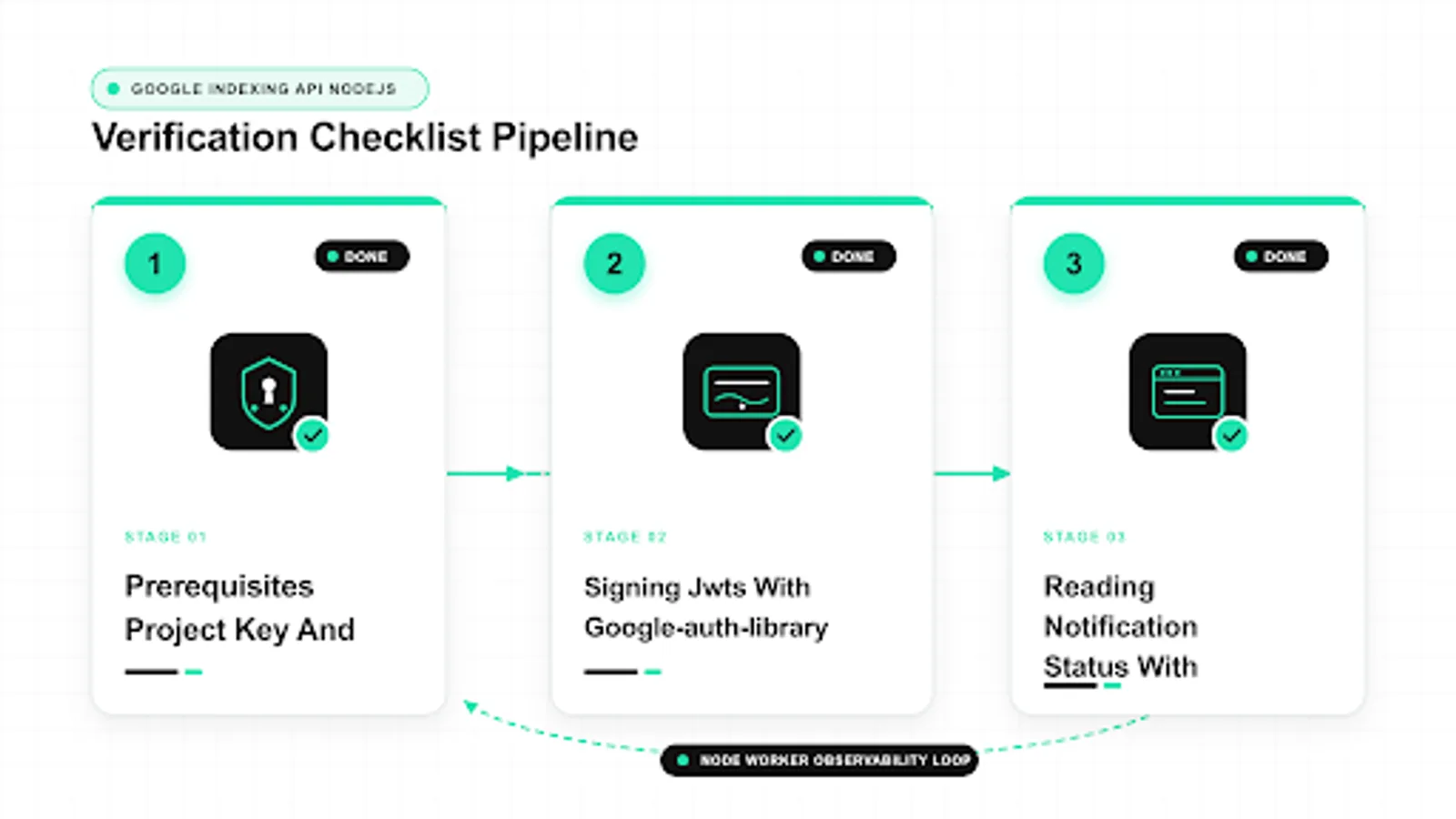
Log one JSON line per attempt with timestamp, url, type, http status, notifyTime on success, error code and message on failure, attempts count, and worker ID. JSON lines work with jq, SQLite imports, and log aggregators without custom parsing. Keep console output to one short line per URL for human tailing, with full detail in the JSON file. Rotate daily, retain thirty days, and include auth.email and project ID in the run header so later analysis can separate projects when you manage several clients from one host.
Reconcile Node logs against Cloud console quotas daily. If logs show 120 successes but console shows higher consumption, check for other workers, manual tests, or duplicate projects sharing quota. For stable node seo automation, graph publish success rate, 403 rate, and 429 rate separately, because each points to a different owner. A five minute evening check of log count versus console count catches drift early. Auth and permission spikes go to the access owner. Quota spikes go to the queue owner. Code errors go to the developer. Keep indexing automation node runs on one worker with concurrency one, so quota graphs stay readable.
Alert on patterns with thresholds. More than five 403s in an hour suggests revoked access or a new property without delegation. Any 429 before noon suggests a loop or a second worker. Three 5xx in a row suggests a temporary Google issue where backoff should continue quietly. Route alerts to the runbook owner with recent redacted log lines, so response does not require asking for more data. Never include full access tokens or private keys in alerts or error tracker payloads. Prefixes and request IDs are enough for correlation.
Track downstream effect separately from submission success. Sample ten URLs per batch and check URL Inspection status plus server logs for Googlebot fetches after notifyTime. A healthy pipeline shows 200s, then bot visits within days, then gradual coverage improvement for eligible pages. If 200s stay high with no downstream movement for weeks, revisit structured data validity, canonicals, robots, internal linking, and page quality. The API notifies. Indexing still depends on crawlable pages that merit inclusion.
 <!-- IMAGE-PROMPT workflow-02: 1600px max, DependsIt brand, subject: Node.js worker observability workflow showing paced queue then JSON logs then quota dashboard then Search Console checks, flat vector, accessible, no em dash, mint #22E3B0 on charcoal #121212, node-network line art, Clash Display style headings, General Sans labels -->
Deploying Node automation to production
Start with a single host cron or systemd timer that runs a queue drain twice daily. Cron is simple and visible. Systemd timers add logging and dependency control. Either is fine for low volume. Use a lock file to prevent overlap, activate the correct Node version, set env from a restricted file, and append output to dated logs. Test the exact command as the service user, not as your login user, to catch permission and path gaps. Keep the schedule and script in git so changes are reviewed.
0 8,16 * * * /usr/bin/flock -n /tmp/indexer-node.lock /usr/bin/node /opt/indexer-node/drain.js >> /opt/indexer-node/logs/cron.log 2>&1Move to event driven intake when polling lags behind publishing. Have your CMS append new URLs to the queue on publish, via webhook or post save hook, then let the scheduled drain handle pacing and retries. Do not call the Indexing API synchronously inside the web request, because token or API latency will slow saves and traffic spikes can burst quota. Fast local intake plus paced background output keeps authoring responsive and submissions reliable. This pattern works for Express, Fastify, Next.js API routes, and Astro endpoints alike.
For Cloud native teams, Cloud Run Jobs or Cloud Scheduler with a Job handler are clean upgrades. Mount the JSON key as a secret volume or use workload identity to avoid files entirely, set concurrency to one for quota safety, and export logs to Cloud Logging with JSON payloads. Set a budget alert and a quota alert so growth pages the right person. Keep separate projects per client with separate secret versions, so rotation and revocation stay scoped. Document deploy, rollback, and rotation steps in the same runbook as quotas and property mappings.
Before scaling, confirm dual engine coverage. Google does not support IndexNow, so this Node flow covers Google only. For Bing, Yandex, Naver, and Seznam, run IndexNow in parallel with its own key file and endpoint, with separate logs and quotas. Share the queue schema across stacks where possible, so Python, Node, and PHP workers can drain the same table with per stack auth. For official scope and auth details, see Indexing API prerequisites and the Indexing API quickstart.
Checklist before you scale Node submissions
Before you raise daily volume, confirm that every layer from key storage to Search Console reporting is ready for steady load. Start with identity. Verify that auth.email logged at startup matches the Owner entry in Search Console for each property you will submit for, including domain and prefix variants. Confirm the JSON key ID in Cloud matches the file or secret version deployed to production, and that no extra unknown keys remain active. Check that INDEXING_KEY_PATH resolves for the service user, with file mode 600 or secret manager read limited to the worker role. These checks take ten minutes and prevent the common scale failure where staging keys work but production keys fail under the service user.
Next, confirm quota and pacing settings against real numbers from your Cloud console. Record publish quota per day, read quota, and per minute limits, then set worker targets to about 75 percent of publish quota to leave room for retries and manual tests. Verify sleep intervals between requests, backoff steps for 429 and 5xx, and park behavior for 403. Run a dry run with ten URLs in priority order and confirm logs show one JSON line per attempt with timestamp, normalized URL, type, HTTP status, notifyTime on success, and error body on failure. Reconcile log counts against console quota graphs the same evening. If counts diverge, look for duplicate workers, forgotten cron entries, or manual tests sharing the same project.
Then validate content readiness and downstream monitoring. Confirm test URLs return 200, allow crawling, have no noindex, use self referencing canonicals, and carry valid structured data where applicable for JobPosting or BroadcastEvent pages. Confirm your queue stores normalized URLs, priority, attempts, next retry, and last status, with date windowing for large backlogs so only today window is due. Set alerts for more than five 403s in an hour and for any 429 before noon, routed to the runbook owner with redacted log excerpts. Sample ten URLs for URL Inspection and server log checks for Googlebot visits after notifyTime. When identity, quota, content, queue, and monitoring all pass, raise volume gradually, for example from 20 to 80 to 150 per day, pausing a day between steps to observe 429 rate and coverage movement.
FAQ
Which Node version should I use for a node indexing script?
Use Node 18 or newer for native fetch, stable ESM, and current google-auth-library support in any node indexing script. Pin the version in your runtime, Dockerfile, and CI, test upgrades in staging with one publish plus one metadata read, and keep package-lock.json committed so production matches local behavior. Record the indexing api npm versions alongside the Node version in your runbook. Older Node releases can still run, but missing fetch, weaker ESM, and outdated auth behavior make debugging harder. When incidents arise, the first check is whether production actually runs the pinned version or drifted to latest during a rebuild.
Should I use google api node client or direct fetch with indexing api javascript?
Both patterns work for indexing api javascript, so pick one per codebase and stay consistent. Direct fetch or axios with google-auth-library gives clearer timeout and retry control for production workers that must respect quotas and log uniformly. The google api node client reduces boilerplate for quick scripts by wrapping discovery and method calls. Log timestamp, URL, type, status, and notifyTime either way, keep 403 parked without retry and 429 on exponential backoff, and handle token refresh identically. For mixed teams, document the chosen pattern in the runbook so Python and PHP workers follow the same queue schema and reporting fields.
Why does authorize succeed but publish return 403 in jwt nodejs google api flows?
Authorize proves key, scope, and clock for the jwt nodejs google api handshake, while publish permission is checked separately in Search Console. The service account email from auth.email must be Owner on the exact property containing the URL, with no typos and no domain versus prefix mismatch. Open Users and permissions for that property, confirm the exact email and Owner role, and retry one canonical URL after a refresh. Also confirm the google-auth library node client uses the exact indexing scope and the correct key file, because a staging key with production property mapping fails the same way. Park the queue without retry until delegation is fixed.
How do I avoid duplicate submissions when I nodejs submit url to google at scale?
Centralize normalization so every node url submit path uses one helper for protocol, host casing, trailing slashes, and query stripping that matches your canonical policy. Store a hash of normalized URL plus type in your queue and skip inserts that are pending or recently succeeded. This protects quota when CMS hooks, nightly catch ups, and manual retries can enqueue the same link twice. Keep publish and metadata lookups on the same normalized string, otherwise publish succeeds while metadata returns 404 for a slightly different form. Audit the queue weekly for near duplicates and enforce that only the canonical variant ever reaches the API.
Can I submit product pages and blog posts from node seo automation?
The endpoint accepts any URL you have rights to, but docs support JobPosting and BroadcastEvent, so treat other types as a hint with varied outcomes. If your node seo automation covers articles or products, monitor Search Console coverage and server logs for bot visits after notifyTime, keep structured data valid where applicable, and keep sitemaps, canonicals, and internal links clean. Do not report a 200 as proof of indexing. Present submission success from worker logs separately from downstream crawl movement, prioritize documented page types when quota is tight, and sample ten URLs for URL Inspection before raising daily volume.
How should I schedule indexing automation node workers safely?
Start with cron or systemd twice daily and a lock file, with concurrency one per quota to avoid accidental rate spikes. Append new URLs from CMS hooks to a persistent queue with url, type, priority, attempts, next retry, and last status, then drain with pacing of 45 to 60 seconds plus exponential backoff for 429 and 5xx. Alert on more than five 403s in an hour or any 429 before noon, routed to the runbook owner with redacted excerpts. Keep intake fast and local while API output stays paced in the background. When volume grows, window backlogs by date and move to Cloud Scheduler only after the single worker baseline is stable and reconciled against console quotas.
Sources
- https://developers.google.com/search/apis/indexing-api/v3/prereqs
- https://developers.google.com/search/apis/indexing-api/v3/quickstart
- https://developers.google.com/search/apis/indexing-api/v3/using-api
- https://support.google.com/webmasters/answer/9008080
- https://www.indexnow.org/documentation