Should You Block GPTBot? The Trade-Off Nobody Mentions
If you run a content site, the question to block GPTBot sounds simple and feels urgent. Headlines warn about training reuse. Peers share robots snippets. Legal asks for a position. Yet the decision involves more than one bot and more than one outcome. Blocking GPTBot affects future model training collection where OpenAI honors your rules, but it does not by itself control live ChatGPT browsing, OpenAI search discovery, or copies already collected. This guide explains the full trade off in plain terms so you decide with evidence, not pressure.
This guide is for publishers, SaaS teams, ecommerce owners, bloggers, and developers who manage crawling policy. You will learn what GPTBot is and is not, what blocking actually stops, the case for allowing and the case for blocking, how the choice interacts with search and citations, copyright and business model angles, middle paths that avoid all or nothing thinking, exact implementation, and how to measure impact after you decide. By the end, you will have a one page checklist you can use this week with editorial, legal, and engineering.
Key takeaways
- GPTBot is OpenAI's training crawler. It is separate from OAI-SearchBot for search and ChatGPT-User for on demand browsing.
- Blocking GPTBot limits future training collection where honored. It does not delete past copies and does not always remove live answer citations.
- Allowing keeps broad discovery and answer eligibility. Blocking protects training opt out posture at the cost of reduced AI data presence.
- Most mixed sites choose selective paths. Open guides stay available while licensed archives stay closed to training collection.
- Decide per path, implement per token, monitor logs and coverage, and review quarterly as products and docs change.
- What GPTBot is and what it does
- What blocking actually stops
- The case for allowing GPTBot
- The case to block GPTBot for licensed archives
- Effects on search and citations
- Copyright licensing and business models
- Middle paths beyond all or nothing
- How to block or allow correctly
- How different site types decide
- Measuring impact after you decide
- A decision checklist
- FAQ
- Sources
- Further reading
 <!-- IMAGE-PROMPT cover: 1200x630, DependsIt brand, deep charcoal #121212 background, vibrant mint #22E3B0 accent glow, thin node-network line art, Clash Display style bold heading space on left, General Sans clean labels, subject: balance scale with GPTBot icon and website content blocks weighing allow versus block choice, flat vector, high contrast, accessible, no photorealistic faces, no text smaller than 24px, no em dash in rendered text, export PNG then cwebp -q 82 to WEBP -->
What GPTBot is and what it does
GPTBot is the user agent OpenAI uses for broad collection supporting future model training. Its token appears as GPTBot in the user agent string. OpenAI publishes documentation describing its purpose and stating that it respects robots.txt rules. When allowed, GPTBot crawls public pages on a schedule, follows links, and collects text for training pipelines. When disallowed for its token, compliant GPTBot fetches skip disallowed paths, though already collected copies and other OpenAI agents follow their own rules.
Confusion comes from treating all OpenAI activity as one bot. OpenAI operates at least three distinct behaviors. GPTBot handles bulk training collection. OAI-SearchBot handles search oriented discovery that supports search features inside OpenAI products. Clear docs on openai crawler policy help teams write correct gptbot robots rules without guessing token names. When policy pages define each agent purpose, robots groups stay narrow and search stability improves. ChatGPT-User handles on demand fetch when a user asks ChatGPT to browse a specific URL. Each has its own token and its own policy effect. Blocking GPTBot alone does not block OAI-SearchBot discovery and does not block ChatGPT-User browsing of a pasted link. Allowing GPTBot does not automatically grant search visibility. You need per token rules to express intent accurately.
Observed crawl patterns for GPTBot resemble a polite bulk crawler on most sites. It fetches robots.txt first, spaces requests, and focuses on text heavy HTML rather than media binaries, though exact behavior varies by site size and link structure. Large blogs and docs sites often see steady low rate crawling across sections. Smaller sites see infrequent bursts after new internal links or sitemap updates. If you see aggressive sequential ID crawling under a GPTBot token with no robots fetch and failed reverse DNS, treat it as spoofing rather than genuine OpenAI activity and handle it at the CDN layer.
For a complete map of how GPTBot fits alongside ClaudeBot, PerplexityBot, Bytespider, and other agents, see the complete list of AI crawlers and what they do. That inventory helps you avoid single bot thinking. GPTBot is important, but it is one row in a broader table that also includes answer fetchers and data pipelines with different purposes and traffic effects.
What blocking actually stops and what it does not
Blocking GPTBot with a robots Disallow stops compliant future training fetches for disallowed paths. Teams considering blocking openai crawler activity for training should target the training token narrowly rather than using wildcards. A focused rule to block ai training collection on licensed archives protects posture while keeping public guides open. That is the core effect and, for many teams, the entire goal. It signals that you do not want those paths used for training collection where OpenAI honors the signal. It is most meaningful for original guides, research, photography captions, code samples, and other content where reuse without permission conflicts with licensing or business goals. It is least meaningful for short facts that appear identically across many sources, where exclusion has little practical effect.
Blocking does not delete copies already collected. If GPTBot fetched your pages before the block, those bytes may remain in existing datasets, caches, and derived artifacts according to the operator's retention and legal posture. Blocking also does not control other OpenAI retrieval paths by itself. OAI-SearchBot and ChatGPT-User follow their own groups. A page blocked for GPTBot but allowed for OAI-SearchBot can still be discovered for OpenAI search experiences. A page blocked for GPTBot but allowed generally can still be browsed when a user pastes its URL into chat. If your goal is to limit answer visibility rather than training reuse, you need to address retrieval agents and access controls for those paths as well.
Blocking also does not stop non compliant scrapers that fake the GPTBot token. Logs sometimes show aggressive fetches labeled GPTBot from IPs with no matching reverse DNS and no robots.txt fetch. Those are not genuine policy followers. Adding more robots lines will not slow them. Rate limiting, bot management, and authentication for sensitive paths handle abuse better than repeated robots tightening that risks catching good bots.
Finally, blocking does not affect classic Google or Bing search by itself, provided your rules target the GPTBot token narrowly. Search traffic changes after a GPTBot block usually trace to accidental wildcard scope, CDN caching of a stale file, or unrelated template changes deployed at the same time. Keep GPTBot rules narrow, test Googlebot and Bingbot access separately, and monitor Search Console coverage for 7 days. For audit steps that catch accidental search blocks early, see is robots.txt blocking your indexing and how to audit it. Narrow scope plus monitoring keeps the decision about training rather than about search.
The case for allowing GPTBot
Allowing GPTBot keeps your content in the broad data flows that shape future model behavior. Choosing to allow gptbot crawling for open guides keeps broad data presence that can shape future model familiarity. While direct gptbot traffic value is diffuse rather than a traffic spike, the long term benefit compounds for sites that publish consistently. For open educational content, docs, and marketing guides, that presence can be valuable. When models learn from clear, accurate explanations, they are more likely to reproduce that framing in answers, which can reinforce category language you helped define. For developer tools, open source projects, and standards style docs, broad training presence supports ecosystem familiarity that later converts to trials and adoption.
Allowing also simplifies operations. One less exception means a shorter robots file, fewer edge cases during redesigns, and less risk of accidental over blocking through copy paste errors. Teams with small engineering capacity often prefer a simple allow default for public guides while reserving strict controls for truly sensitive paths such as member data and licensed archives. That balance keeps maintenance light without abandoning protection where it matters most.
There is also a discovery argument, though it is indirect. Allowing bulk collection does not guarantee citations, but it keeps your pages in pipelines that researchers and product teams reuse for evaluation and grounding experiments. Combined with clear structure, original detail, and topical authority, broad availability gives your best pages more chances to be selected when retrieval happens at answer time. Content clarity still does the heavy lifting for citations. Availability simply keeps you in the candidate pool.
Allowing makes most sense when your content is original but not licensed for resale, when attribution and familiarity benefit outweigh reuse concerns, when bandwidth is healthy, and when legal has no objection to training reuse under current terms. Many SaaS blogs, docs sites, and personal blogs land here for public guides while still restricting member areas and client exports through auth. That split posture captures openness benefits without exposing sensitive assets.
The case to block GPTBot for licensed archives
Blocking GPTBot makes sense when bulk training reuse conflicts with rights, revenue, or competitive position. A short review of gptbot pros cons helps editorial, legal, and engineering align before any file change. Framing the choice as a gptbot block or allow decision per path, rather than a site wide verdict, usually leads to selective rules that match revenue. Publishers with paid research, stock photo captions, proprietary benchmarks, and syndicated columns often block training collection for archives because unrestricted reuse undermines subscription value. Marketplaces with unique listings data, review text, and seller content may block to protect data moats. Agencies with client work under contract may be required to block by client terms. In these cases, the block is not about traffic next week. It is about licensing posture and business durability.
Legal and contractual reasons often drive the choice. Client contracts, contributor agreements, image licenses, and data provider terms may prohibit redistribution for model training or require explicit opt in. A documented GPTBot disallow, paired with broader training bot limits and access controls for sensitive paths, shows a consistent enforcement effort. It will not resolve every legal question, but it is clearer than silence. Involve legal early, record the reason, and apply the same logic to equivalent training agents rather than singling out one brand while leaving identical collectors open.
Competitive reasons also matter. If your core asset is a unique dataset, calculator outputs, or benchmark methodology that competitors could distill from model behavior, limiting training collection reduces one path of leakage among many. It is not a complete shield. Facts, short phrases, and widely mirrored content remain available through other channels. Treat the block as one layer alongside rate limits, terms of use, watermarking where appropriate, and product differentiation that is hard to copy.
Blocking makes most sense for licensed archives, paywalled research, member directories, client exports, and high resolution originals where reuse without permission harms revenue or violates terms. For these buckets, go beyond a single GPTBot line. Limit equivalent training and pipeline bots, require auth where humans must log in, and serve originals through signed URLs. A coherent set of controls beats a symbolic single line that leaves identical collectors open.
How blocking affects search ChatGPT citations and future models
A narrow GPTBot block should not change Google or Bing search rankings on its own, because it targets a different token than Googlebot or Bingbot. If search traffic shifts after the change, investigate scope and deployment rather than assuming AI cause. Check for User-agent star scope that accidentally caught search crawlers, check CDN caching of an old file, and check for template or canonical changes released in the same window. Search Console coverage and URL Inspection give quick answers. A clean per token rule plus monitoring keeps search stable while training policy changes.
Effects on ChatGPT citations are nuanced. Blocking GPTBot alone does not always remove live citations, because citations often come from retrieval at answer time through OAI-SearchBot or ChatGPT-User rather than from bulk training memory. If a page remains allowed for those retrieval agents and remains indexed for search grounded features, it can still be cited. If your goal is to reduce answer visibility for specific paths, you need to address retrieval agents and, for truly private content, require authentication so there is nothing public to retrieve. For public marketing guides where citations send qualified visits, many teams allow retrieval while blocking bulk training, which preserves answer eligibility while expressing training preference.
Effects on future models are probabilistic, not immediate. Allowing keeps your content available to training pipelines where honored. This nuanced outcome is the core ai bot tradeoff that teams must explain to stakeholders. Training presence and answer visibility follow different agents, so one rule cannot control both. Blocking removes disallowed paths from future compliant collection. Neither guarantees a specific model behavior, because training blends many sources, filtering, and weighting. Think in terms of presence over quarters rather than prompts next week. If your content defines category language, allowing keeps that language in the mix. If your content is licensed for resale, blocking protects posture even when immediate model effects are invisible.
Measure across all three layers. Track search impressions and clicks for affected sections, sample citation presence for priority queries in OpenAI and Perplexity style answers monthly, and track training fetch volume for GPTBot in logs. A decision that holds search steady, aligns citations with goals for public versus restricted paths, and reduces training fetches for blocked paths is working as intended, even when no single metric jumps dramatically.
 <!-- IMAGE-PROMPT diagram-01: 1600px max, DependsIt brand mint #22E3B0 on charcoal #121212, node-network line art, subject: GPTBot trade off diagram showing training collection versus live answer citation paths from website, flat vector, accessible, no em dash, Clash Display style headings, General Sans clean labels -->
Copyright licensing and business model questions
Copyright questions around training remain active and jurisdiction specific. This guide is not legal advice, but site owners need a practical way to act while law evolves. Start by sorting content by rights. Content you fully own with no third party limits is simplest. Contributor content, client work, stock images, embedded videos, and data feeds each carry their own terms that may restrict redistribution or require attribution. A GPTBot decision that ignores those upstream terms creates risk even when intent is good. Review agreements before you set defaults, not after.
Licensing posture usually points to selective paths rather than site wide extremes. Public guides that market your expertise often benefit from broad availability, including training presence where allowed. Licensed research, syndicated columns with redistribution limits, and image heavy archives often require training limits plus access controls. Put each bucket under a distinct URL prefix so robots rules and auth controls can be applied cleanly. Mixed URLs that combine public and restricted content under the same path force fragile patterns that break on redesign.
Business model sharpens the choice. Subscription publishers protect archives because the archive is the product. Lead generation blogs protect less because the guide is marketing for services. Marketplaces protect structured listing data while keeping buying guides open. Stock media sites protect high resolution originals while allowing compressed previews for discovery. Map revenue to paths, then map paths to bot policy. When revenue depends on scarcity, restrict training and pipeline bots plus auth. When revenue depends on familiarity, allow broadly for public guides.
Record decisions in plain language with owner and date. For example, allow GPTBot for slash guides and slash blog to support ecosystem presence, disallow GPTBot plus equivalent training bots for slash research and slash archive per contributor terms, require auth for slash members. That record helps future staff, partners, and counsel understand intent without reconstructing debates. Revisit when contracts renew or when product packaging changes, because a path that was marketing last year can become licensed product this year.
Middle paths selective access paywalls and licensing
All or nothing thinking causes most regret. Selective access usually serves mixed sites better than site wide allow or block. Keep public guides open to GPTBot and other training bots where posture permits, while closing licensed archives, member areas, and high cost media originals to training and pipeline collection. Use distinct URL prefixes, consistent internal linking, and clean sitemaps so both humans and bots experience the intended boundary. Selective rules require more maintenance than a single line, but they match how most businesses actually earn revenue.
Paywalls and login walls provide stronger boundaries than robots alone for truly restricted content. Serve member pages only to authenticated sessions, use signed URLs with expiry for PDFs and exports, and keep staging and preview hosts closed to all compliant bots. For search driven subscription growth, use paywall markup and consistent crawler handling that allows discovery without giving away the full asset. Pair those search rules with training bot disallows for the same paths where policy requires. Layers beat single file reliance every time.
Licensing programs offer another middle path for sites with high value data. Instead of debating only allow versus block, explore structured licensing where model providers or data partners pay for clean, updated feeds with clear rights. Even if you do not sign a deal this quarter, organizing content into licensable buckets with fresh timestamps and stable IDs prepares you for future options. At minimum, keep an updated inventory of what is public, what is licensable, and what is never for reuse. That inventory informs both robots rules and commercial discussions.
Rate shaping sits between allow and block for operational concerns. If training crawl volume is the issue rather than rights, use CDN caching, path pruning, and polite rate limits to smooth spikes without hard blocks. Reserve hard Disallow for rights based cases. This order matters because caching helps humans and all bots at once, while blocks only affect compliant bots and do nothing against spoofed agents. Solve cost with performance first, solve rights with policy plus enforcement.
Staging and preview hygiene also support whichever path you choose. Many GPTBot debates focus on production rules while staging hosts remain open with identical content under a different hostname. Close staging to all compliant bots with a simple site wide disallow for that host, require authentication where possible, and keep staging URLs out of production sitemaps and internal links. This prevents duplicate collection from a host you never intended to expose. It also keeps log analysis clean, because production GPTBot volume is no longer mixed with staging fetches that should never have happened.
How to block or allow correctly
Use per token groups with explicit comments so intent survives staff changes. To block GPTBot site wide for training while keeping search untouched, disallow slash for the GPTBot token only. To allow GPTBot for public guides while blocking it for research archives, use Allow for public prefixes plus Disallow for restricted prefixes under the same GPTBot group and rely on longest match behavior. Keep Googlebot and OAI-SearchBot in separate groups with their own intent. Never bundle training and search intent in one ambiguous rule.
User-agent: GPTBot
Disallow: /
User-agent: OAI-SearchBot
Allow: /
User-agent: ChatGPT-User
Allow: /
User-agent: Googlebot
Allow: /
User-agent: GPTBot
Allow: /guides/
Allow: /blog/
Disallow: /research/
Disallow: /archive/
Disallow: /members/Validate after every edit. Fetch slash robots.txt from production, confirm 200 and consistent content across edges, test representative URLs for GPTBot versus Googlebot, purge CDN cache for the file, and monitor logs for the expected pattern of robots fetch followed by reduced or continued page fetches. For background on directive handling, see the MDN guide to robots handling. For crawler fundamentals that apply to search stability during AI edits, see the Google documentation on crawling and indexing. Keep validation evidence with dates so audits are fast.
Avoid common mistakes. Do not place AI rules under User-agent star when you mean a single token. Do not use Disallow without a leading slash. Do not add BOM or smart quotes from copy paste. Do not serve different robots content per edge. Do not combine Disallow with noindex expectations for the same URLs, since the Disallow prevents fetching the noindex. For precise syntax plus path patterns, follow the detailed method in robots.txt for AI bots block allow or something in between. That companion guide shows tested patterns you can copy.
How publishers SaaS ecommerce and blogs decide
Publishers with subscription archives usually choose selective restriction. Public news, explainers, and marketing guides stay open for discovery and citations. Paid research, data tables, and full archive text stay closed to GPTBot plus equivalent training and pipeline bots, with auth for members. Success looks like stable search traffic for open sections, reduced training fetches for restricted paths, and clear contractual alignment with contributors. The key operational task is maintaining clean URL prefixes so new archive content inherits restriction automatically.
SaaS companies with docs and blogs usually choose open defaults for public content. Docs, changelogs, integration guides, and engineering blogs benefit from broad presence that shapes how models explain the category. Member dashboards, usage data exports, and customer workspaces stay behind auth regardless of robots content. Success looks like steady docs discovery, citation presence for how to queries, and no exposure of authenticated paths in logs. The main risk is accidental exposure of staging or preview hosts, which calls for host level blocks plus auth, not just path rules.
Ecommerce sites focus on crawl efficiency more than training philosophy. Product guides and buying advice often stay open because they drive consideration and citations. Order accounts, cart, checkout, internal search results, and faceted filter explosions stay closed to all bulk bots to save budget. For training posture, many stores allow GPTBot for guides while blocking it for supplier provided spec sheets under license or for review text where terms require. Success looks like faster discovery of new products, fewer wasted bot hits on variants, and stable conversion from organic entry pages.
Independent blogs and personal sites often choose simplicity. Allow GPTBot and other documented bots for public posts, keep admin and utility paths closed, and revisit only if bandwidth spikes or licensing changes. The cost of complex selective rules outweighs the benefit at small scale. Success looks like a short file, consistent indexing, and time spent on writing rather than bot management. When a post becomes licensed product, such as a paid course or book chapter, move it under a restricted prefix and update rules at that time.
Measuring the impact after you decide
Measure three layers for 30 to 60 days after any GPTBot change. First, training fetch volume in logs. Compare GPTBot requests per day, bytes per day, and top paths before and after. A correct block shows a sharp drop on disallowed paths with continued robots.txt fetches. Continued full rate fetching suggests spoofing, edge caching of an old file, or token misspelling. Segment by path to confirm that public guides behave differently from restricted archives when you chose selective rules.
Second, search stability. Monitor Search Console coverage for indexed versus excluded counts, check URL Inspection for representative allowed URLs, and compare organic traffic for affected sections week over week. A narrow GPTBot rule should leave search essentially unchanged. Any coverage drop or traffic dip in allowed sections points to scope error or coincidental template changes. For index verification beyond headline counts, see how to check if a page is indexed beyond site search. Stable search plus intended training fetch change means the deploy worked.
Third, answer visibility and business proxies. Sample priority queries monthly for citation presence in AI answers where relevant, track referral clicks from answer engines where identifiable, and watch branded search plus direct visits to flagship guides. Do not expect instant citation shifts from a training block alone, since retrieval agents follow separate rules. Judge the decision on the combined picture. Rights posture for restricted paths, stable search for open paths, and citation presence aligned with goals for public guides together indicate success.
 <!-- IMAGE-PROMPT workflow-02: 1600px max, DependsIt brand, deep charcoal #121212 background, vibrant mint #22E3B0 accent glow, thin node-network line art, subject: decision workflow from content audit to robots deploy to impact measurement to quarterly review, flat vector, accessible, no em dash, Clash Display style headings, General Sans clean labels -->
A decision checklist you can use this week
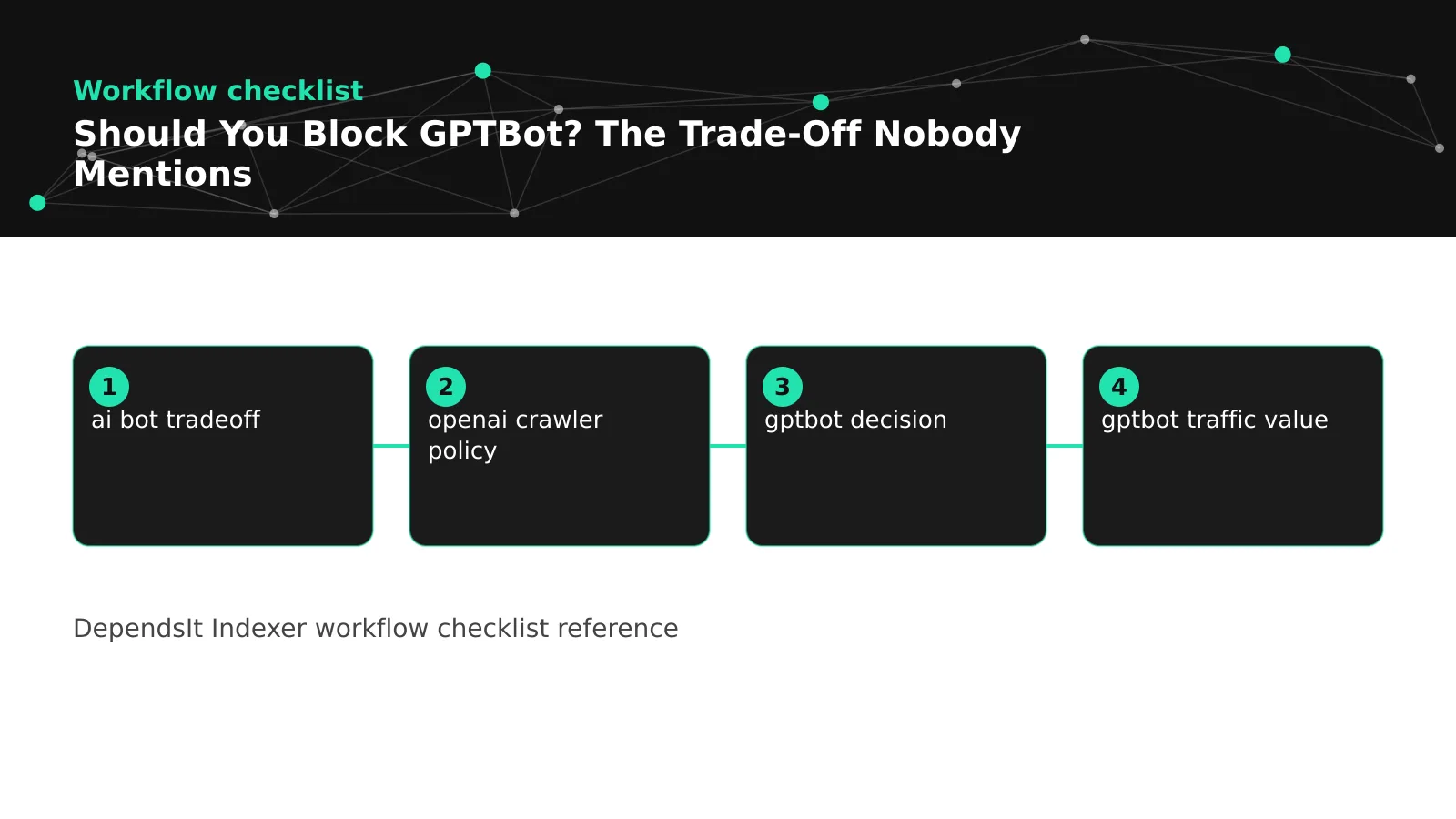
Run this checklist in a 60 minute session with editorial, legal, and engineering. First, map paths. List public guides, blog, docs, research, archives, members, media originals, staging, and utility paths with example URLs. Mark each as open, licensable, or never for reuse. Second, review contracts. Note contributor terms, client terms, image licenses, and data feed limits that constrain training reuse. Third, check logs. Export 30 days of GPTBot plus OAI-SearchBot and ChatGPT-User activity with top paths and bandwidth. Fourth, choose policy per bucket. Allow, selective, or block with reasons tied to rights and revenue rather than headlines.
Fifth, implement per token. Write GPTBot rules plus equivalent training bot rules for restricted buckets, keep OAI-SearchBot and ChatGPT-User rules aligned with answer visibility goals, and keep Googlebot search rules untouched. Validate with fetch tests, purge CDN cache, and save evidence. Sixth, monitor. Track training fetches, search coverage, and citation sampling for 30 days. Schedule a 30 day review and a quarterly policy review. Document everything with dates and owners so the next debate starts from evidence.
If you cannot complete the full session, do a minimal safe version. Keep public guides open, add a narrow GPTBot disallow only for clearly licensed archives under a distinct prefix, validate, and monitor. Avoid site wide blocks made in haste without path mapping, because they are hard to justify later and easy to get wrong. A small precise step beats a broad symbolic gesture that creates confusion across teams.
Revisit the decision when facts change. New product launches, new licensing deals, contract renewals, redesigns that alter URL structure, and major vendor doc updates all warrant a fresh look. The right answer for a 50 page blog is not the right answer for a 500000 page marketplace with licensed data. A repeatable checklist keeps the answer tied to your site rather than to the latest announcement.
Ownership keeps the checklist alive after the meeting ends. Assign one owner for the bot matrix, one for robots deployment and CDN cache purges, one for monthly log snapshots, and one for Search Console coverage checks. Put the next review date on the calendar before you leave the room. Without named owners and a scheduled review, even a good decision drifts as new sections launch and old rules go stale. With clear ownership, each quarter starts with data rather than debate.
FAQ
What is GPTBot?
GPTBot is OpenAI's crawler for bulk collection supporting model training. It uses the GPTBot user agent token and, according to OpenAI docs, respects robots.txt. Correct gptbot robots rules start from the official openai crawler policy page that defines each agent purpose and token. GPTBot is separate from OAI-SearchBot for search and ChatGPT-User for on demand browsing. Each token follows its own group rules, so narrow per token groups keep training policy separate from search and browsing. Review docs quarterly because agent names and purposes evolve as products change.
Will blocking GPTBot hurt my Google rankings?
A narrow block that targets only the GPTBot token should not affect Googlebot search crawling or rankings. Problems arise when teams considering blocking openai crawler activity use a wildcard that catches search bots. Keep the gptbot block or allow choice in a dedicated GPTBot group with explicit Allow and Disallow lines per path. If rankings shift after the change, check for wildcard scope errors, CDN caching of an old file, or unrelated releases deployed at the same time. Test Googlebot and Bingbot access separately and monitor coverage for seven days.
Does blocking GPTBot remove me from ChatGPT answers?
Not always. Live citations often come from retrieval agents such as OAI-SearchBot or ChatGPT-User rather than from training memory. A rule to block ai training collection limits future training fetches where honored but does not by itself stop browsing of allowed URLs. To limit answer visibility for specific paths, address retrieval agents and use access controls for private content. Many teams choose to allow gptbot crawling for public guides while restricting archives, which preserves answer eligibility while expressing training preference. Align each agent group with visibility goals.
Should small blogs block GPTBot?
Most small blogs with original public posts keep GPTBot allowed for public content and restrict only admin and utility paths. A quick review of gptbot pros cons usually shows that openness benefits outweigh reuse concerns at small scale. Direct gptbot traffic value is modest, but broad presence supports familiarity that can help later discovery. Complexity is rarely worth it unless bandwidth spikes, contracts require restriction, or content becomes licensed product. When a post becomes a paid course or book chapter, move it under a restricted prefix and update rules at that time.
How do I block GPTBot but allow OpenAI search?
Disallow slash for the GPTBot token while allowing slash for OAI-SearchBot and ChatGPT-User in separate groups. This gptbot block or allow pattern keeps training limits separate from search discovery. Write clean gptbot robots groups with comments, explicit paths, and no wildcard leakage. Test representative URLs per token, purge CDN cache for robots.txt, and confirm in logs that training fetches drop while search discovery continues. Save validation evidence with dates so audits stay fast and future staff understand intent without reconstructing debates.
How long until a GPTBot block takes effect?
Compliant fetches usually respect the new file after the next robots.txt fetch, often within hours to days once CDN caching is purged. Record the gptbot decision with date, owner, and affected paths so the 30 day review starts from evidence. Already collected copies remain subject to retention policies described in the openai crawler policy docs. This delay reflects the wider ai bot tradeoff where training and retrieval follow separate agents and schedules. Monitor logs for reduced page fetches following robots fetches to confirm the change works as intended.
Sources
- https://developer.mozilla.org/en-US/docs/Web/HTTP/Headers/Robots
- https://developers.google.com/search/docs/crawling-indexing/overview