How to Check If a Page Is Indexed (Beyond site:)

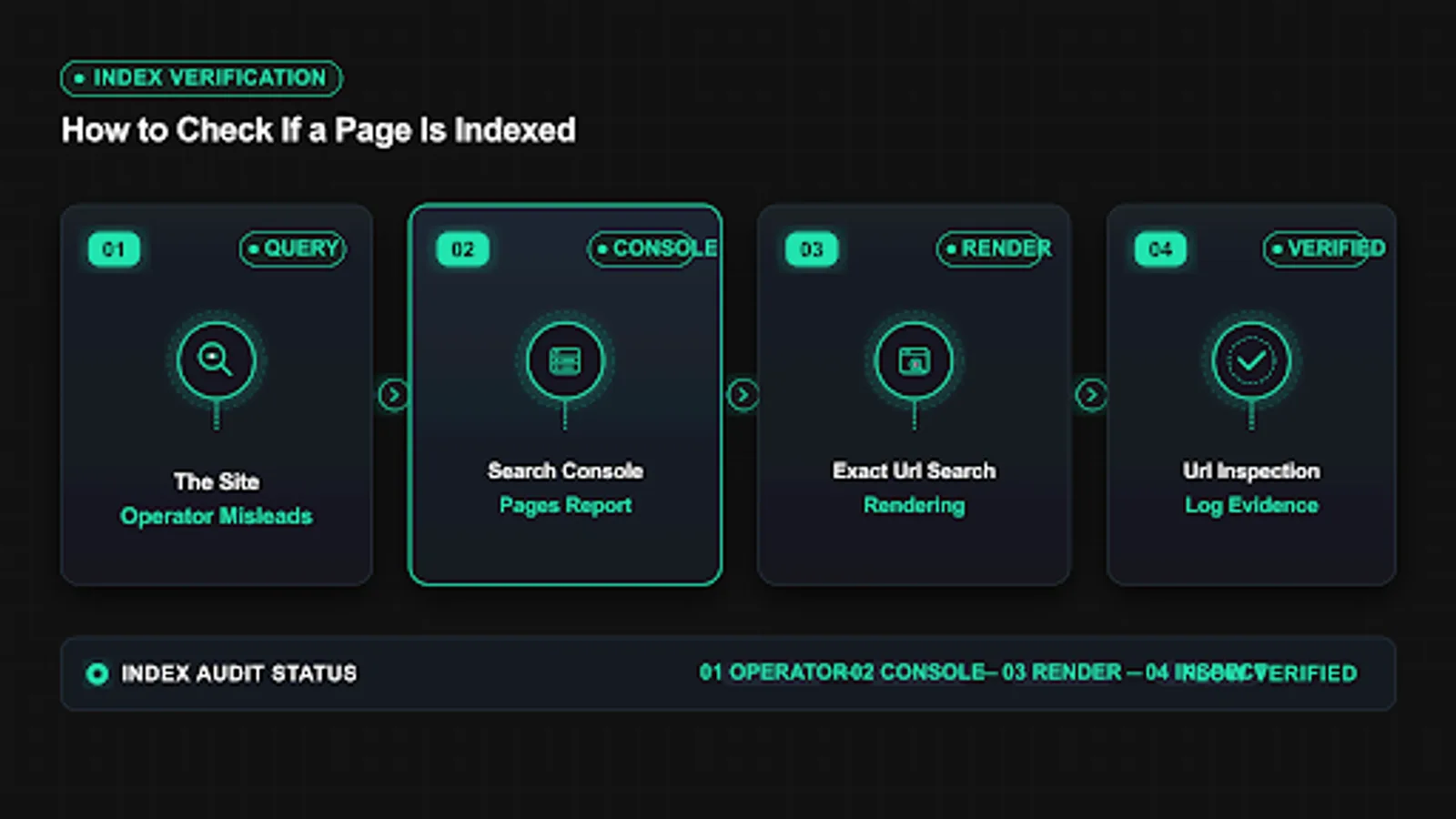
When you need to check if page is indexed, the fastest answer is often wrong. The site: operator shows estimates, personalized results, and delayed data that can suggest a page is missing when it is present, or present when it is excluded. This guide is for site owners, publishers, and developers who need reliable verification for a single URL. You will learn why site: misleads, how to use URL Inspection as the source of truth, how to read the Pages report for context, how to confirm with logs and rendering checks, and how to build a simple weekly routine. The focus keyword check if page is indexed appears throughout so you can match each method to the right question and avoid wasted fixes.
Key takeaways
- To check if a page is indexed reliably, start with URL Inspection in Search Console and read the exact Coverage wording plus last crawl date.
- The site: operator is useful for rough discovery but it is not proof of index status for a single URL.
- Confirm weak signals with server logs, rendered HTML checks, and canonical review before changing content or settings.
- Track each check with date, status, and action so patterns across templates become visible within two to three cycles.
- Why the site: operator misleads and what to use instead
- URL Inspection tool to check if page is indexed reliably
- Search Console Pages report for bulk status context
- Server logs and crawl evidence that confirm visits
- Exact URL search, rendering checks, and API cross checks
- Common reasons a check says not indexed when the page is fine
- A repeatable weekly check workflow for owners and teams
- FAQ
- Sources
- Further reading
 <!-- IMAGE-PROMPT cover: 1200x630, DependsIt brand, deep charcoal #121212 background, vibrant mint #22E3B0 accent glow, thin node-network line art, Clash Display style bold heading space on left, General Sans clean labels, subject: index status verification methods for a single URL for site owners, flat vector, high contrast, accessible, no photorealistic faces, no text smaller than 24px, no em dash in rendered text, export PNG then cwebp -q 82 to WEBP -->
Why the site: operator misleads and what to use instead
The site: operator queries an estimate layer, not the live index record for one URL. Results vary by data center, personalization, query terms, and whether Google chooses to show the URL for that phrasing. A missing result does not prove exclusion. A shown result does not prove the canonical URL is indexed. For owners who need to check if page is indexed, this uncertainty creates false alarms and false comfort in equal measure. The fix is to treat site: as a rough discovery hint and to verify every important URL with account level tools that read the same systems Search Console uses. Think of the site search operator as a rough google index check, not a verdict.
The site: operator returns an approximate count that changes between refreshes, locations, and signed in states, so exact totals drift without any site change. In practice this means you should record the exact state, the date, and the sample URL before changing anything. Owners who skip this note often repeat fixes that already failed. A short log with before and after values makes the next review faster and keeps the team aligned on what was tried and what remains open.
A page can rank for its exact title yet remain excluded under a different canonical, which site: output hides unless you inspect the canonical record. For most small teams this step takes less than fifteen minutes per URL once the process is documented. Open the relevant report, copy the status wording exactly, and save a screenshot or export for reference. That evidence helps you compare later crawl cycles and helps developers reproduce the issue without guesswork about which template or setting caused it.
Omitted results and grouping collapse similar URLs, which makes thin archives and parameter variants appear missing even when one version is indexed. A common mistake is to treat one URL as proof for the whole site. Instead group URLs by template, section, and publish date to see whether the pattern is isolated or broad. Template level patterns point to code or configuration. Scattered patterns point to content depth, linking, or demand signals that need steady improvement across many pages.
Personalization and localization reorder site: output, so two team members can see different answers for the same query within minutes. When you apply a fix, change one variable at a time and note the date in your site log. If you change content, links, and technical settings on the same day, you will not know which action moved the count. Clear notes also help future audits because anyone can trace why a setting exists and whether it should stay or be revised.
Time lag means site: reflects older crawls, while URL Inspection shows fresher Coverage state, last crawl timestamp, and crawl allowed status. Measurement matters more than activity. After the change, check the same report on the same weekday for two to three cycles and compare valid counts, excluded counts, and sample URLs. Small steady gains beat sudden spikes. If numbers stall, revisit grouping and sampling instead of repeating the same submission or request on every URL.
Key checks for why the site: operator misleads and what to use instead:
- Run site: with the exact URL in quotes only as a first hint, then move to Search Console.
- Compare results in a signed out window and one location before drawing conclusions.
- Note whether omitted results or grouping messages appear at the bottom of the page.
- Never delete or noindex a page based solely on a site: miss.
- Record the date and query used so later checks remain comparable.
Use this quick reference while working on why the site: operator misleads and what to use instead.
| Check | What to confirm | Tool |
|---|---|---|
| Signal | What site: shows | What to verify instead |
| Count total | Rounded estimate that shifts | Pages report indexed total over time |
| Single URL presence | May hide under grouping | URL Inspection Coverage and canonical |
| Freshness | Cached snippets lag | Last crawl date and live test |
| Duplicates | One representative shown | Google selected canonical field |
Treat site: as triage, not verdict. When the hint suggests a problem, open URL Inspection and read the Coverage block word for word. Copy the status, the last crawl time, and the declared canonical into your log. That record becomes the baseline for every later step. Teams that keep this habit resolve indexing questions in minutes because they compare current tool output with prior tool output, not with memory of what search showed last week. The rest of this guide builds on that baseline with bulk context, log proof, and rendering checks.
URL Inspection tool to check if page is indexed reliably
URL Inspection is the most direct way to check if page is indexed for one URL on a verified property. It reports Coverage state, last crawl, crawl allowed status, page fetch result, indexing allowed status, canonical declarations, and referring sitemaps. Because it reads the property record, it avoids the estimation and personalization problems that affect public search queries. Learn to read each field in order and you will answer most single URL questions without extra tools. The report shows the true url index status for the exact canonical, which is how you verify indexing google systems record.
Coverage state uses fixed wording such as URL is on Google, Excluded, or Error, and each wording maps to a different next action. For most small teams this step takes less than fifteen minutes per URL once the process is documented. Open the relevant report, copy the status wording exactly, and save a screenshot or export for reference. That evidence helps you compare later crawl cycles and helps developers reproduce the issue without guesswork about which template or setting caused it.
Last crawl timestamp tells you whether your recent fix has been seen yet, which prevents premature conclusions after same day edits. A common mistake is to treat one URL as proof for the whole site. Instead group URLs by template, section, and publish date to see whether the pattern is isolated or broad. Template level patterns point to code or configuration. Scattered patterns point to content depth, linking, or demand signals that need steady improvement across many pages.
Crawl allowed and page fetch fields separate robots and network issues from indexing decisions, so you fix the right layer first. When you apply a fix, change one variable at a time and note the date in your site log. If you change content, links, and technical settings on the same day, you will not know which action moved the count. Clear notes also help future audits because anyone can trace why a setting exists and whether it should stay or be revised.
Indexing allowed shows noindex detected in meta or headers, including cases where a plugin injects the tag only for certain templates. Measurement matters more than activity. After the change, check the same report on the same weekday for two to three cycles and compare valid counts, excluded counts, and sample URLs. Small steady gains beat sudden spikes. If numbers stall, revisit grouping and sampling instead of repeating the same submission or request on every URL.
User declared and Google selected canonical fields reveal consolidation choices that explain why a URL looks missing but its canonical is present. Documentation keeps this work repeatable. Store the export, the fix date, the template name, and the validation result in one place that the whole team can find. When ownership changes or when a plugin updates, that record prevents regressions and shortens debugging because the prior context is already written down and easy to scan.
Key checks for url inspection tool: the reliable source of truth:
- Inspect the exact URL including trailing slash and protocol variant.
- Run live test after fixes to confirm fetch, allowed status, and rendered content.
- Save Coverage wording, last crawl date, and canonical values with the check date.
- Compare inspected URL with Google selected canonical before editing content.
- Limit manual recrawl requests to priority samples to avoid queue noise.
Use this quick reference while working on url inspection tool: the reliable source of truth.
| Check | What to confirm | Tool |
|---|---|---|
| Field | What it proves | Next step if wrong |
| Coverage | Index or exclusion reason | Follow the stated reason path |
| Last crawl | Fix seen or not | Wait one cycle or request recrawl for sample |
| Crawl allowed | Robots and fetch health | Fix robots or server errors |
| Indexing allowed | Noindex presence | Remove tag at source template |
| Canonicals | Which URL accumulates signals | Align declarations and links |
For background on related coverage states, see Discovered, Currently Not Indexed: Why It Happens and How to Fix It. That context helps you interpret Excluded variants without overreacting. In URL Inspection, precision matters. Copy wording exactly instead of paraphrasing. A small difference such as Crawled versus Discovered changes the diagnosis from quality evaluation to crawl scheduling. When the wording is saved, the fix path stays clear and the team avoids debating what the tool said.
Search Console Pages report for bulk status context
Single URL checks answer one question. The Pages indexing report answers whether that answer is part of a pattern. It groups verified URLs into Valid and Excluded reasons with sample lists and trend lines. When you check if a page is indexed and find an exclusion, open the Pages report to see how many URLs share the same reason. A singleton needs a page fix. A cluster of hundreds needs a template, sitemap, or linking fix that moves many URLs at once.
Valid pages include indexed and indexed with issues, and the trend line matters more than any single day count for measuring progress. A common mistake is to treat one URL as proof for the whole site. Instead group URLs by template, section, and publish date to see whether the pattern is isolated or broad. Template level patterns point to code or configuration. Scattered patterns point to content depth, linking, or demand signals that need steady improvement across many pages.
Excluded reasons such as Excluded by noindex tag, Duplicate without user selected canonical, and Crawled currently not indexed each imply a different work queue. When you apply a fix, change one variable at a time and note the date in your site log. If you change content, links, and technical settings on the same day, you will not know which action moved the count. Clear notes also help future audits because anyone can trace why a setting exists and whether it should stay or be revised.
Sample lists cap at 1,000 rows, so export and add template, word count, inlink count, and sitemap presence columns for grouping. Measurement matters more than activity. After the change, check the same report on the same weekday for two to three cycles and compare valid counts, excluded counts, and sample URLs. Small steady gains beat sudden spikes. If numbers stall, revisit grouping and sampling instead of repeating the same submission or request on every URL.
Trend comparison across two to three crawl cycles shows whether fixes move URLs from Excluded to Valid or merely shift between excluded reasons. Documentation keeps this work repeatable. Store the export, the fix date, the template name, and the validation result in one place that the whole team can find. When ownership changes or when a plugin updates, that record prevents regressions and shortens debugging because the prior context is already written down and easy to scan.
Property scope matters because domain, www, http, and https variants split data unless the property and canonical strategy are consistent. In practice this means you should record the exact state, the date, and the sample URL before changing anything. Owners who skip this note often repeat fixes that already failed. A short log with before and after values makes the next review faster and keeps the team aligned on what was tried and what remains open.
Key checks for search console pages report for bulk status context:
- Export the relevant reason sample before editing any page.
- Group by template and section to find the largest cluster first.
- Record baseline Valid and Excluded totals with the export date.
- Re-export on the same weekday to keep crawl cycle comparisons fair.
- Promote fixes that move whole clusters, not singletons.
Use this quick reference while working on search console pages report for bulk status context.
| Check | What to confirm | Tool |
|---|---|---|
| Reason group | Likely cause | Work queue |
| Noindex excluded | Template tag or header | Remove at source and validate |
| Duplicate without canonical | Near duplicates | Consolidate or differentiate |
| Crawled not indexed | Quality or demand | Improve depth and links |
| Discovered not indexed | Scheduling or budget | Strengthen signals and wait |
| Server error | 5xx or timeout | Fix hosting and revalidate |
Use the Pages report to prioritize. If your single URL sits in a reason with 800 siblings on the same template, fix the template and validate with five samples instead of editing one page repeatedly. If the URL is alone in its reason, treat it as a page level issue with content, canonical, or linking causes. Either way, keep the export and the before totals. Without that baseline, later gains feel anecdotal and the team cannot tell which change worked.
 <!-- IMAGE-PROMPT diagram-01: 1600px max, DependsIt brand mint #22E3B0 on charcoal #121212, node-network line art, Clash Display style headings, General Sans clean labels, subject: URL Inspection to Pages report to log evidence flow for index status checks, flat vector, accessible, no em dash in rendered text -->
Server logs and crawl evidence that confirm visits
Tool status tells you what Google recorded. Server logs tell you what Googlebot actually requested. When the two disagree, logs resolve the tie. If logs show no Googlebot hits for a URL in 30 days, the issue is discovery or scheduling, not content quality. If logs show frequent hits with 200 responses yet status stays excluded, the issue is post fetch evaluation. Keep log checks simple and repeatable so any team member can run them without engineering help each time. Logs strengthen any indexed or not check because they add fetch proof to the list of index check methods owners already use.
Filter logs by verified Googlebot IP ranges and user agent strings, then confirm with reverse DNS so imposter crawlers do not inflate counts. When you apply a fix, change one variable at a time and note the date in your site log. If you change content, links, and technical settings on the same day, you will not know which action moved the count. Clear notes also help future audits because anyone can trace why a setting exists and whether it should stay or be revised.
Search for the exact URL path plus variants with trailing slash, parameters, and case differences that split log lines for one logical page. Measurement matters more than activity. After the change, check the same report on the same weekday for two to three cycles and compare valid counts, excluded counts, and sample URLs. Small steady gains beat sudden spikes. If numbers stall, revisit grouping and sampling instead of repeating the same submission or request on every URL.
Compare first hit, last hit, response code, bytes, and time to first byte to separate discovery gaps from rendering or server slowness. Documentation keeps this work repeatable. Store the export, the fix date, the template name, and the validation result in one place that the whole team can find. When ownership changes or when a plugin updates, that record prevents regressions and shortens debugging because the prior context is already written down and easy to scan.
Correlate log hits with Search Console last crawl dates to confirm whether recent fixes have been fetched since deployment. In practice this means you should record the exact state, the date, and the sample URL before changing anything. Owners who skip this note often repeat fixes that already failed. A short log with before and after values makes the next review faster and keeps the team aligned on what was tried and what remains open.
Retain at least 30 days of logs for small sites and longer for large sites so seasonal and deploy related changes remain visible. For most small teams this step takes less than fifteen minutes per URL once the process is documented. Open the relevant report, copy the status wording exactly, and save a screenshot or export for reference. That evidence helps you compare later crawl cycles and helps developers reproduce the issue without guesswork about which template or setting caused it.
Key checks for server logs and crawl evidence that confirm visits:
- Verify crawler identity with reverse DNS before trusting hit counts.
- Normalize URL variants so one page does not split across many log lines.
- Save the date range and filter used with every log conclusion.
- Share a one page summary with developers when server fixes are needed.
- Re-check logs after fixes to confirm fresh fetches.
Use this quick reference while working on server logs and crawl evidence that confirm visits.
| Check | What to confirm | Tool |
|---|---|---|
| Log finding | Meaning | Action |
| No hits 30 days | Not discovered or deprioritized | Add internal links and sitemap entry |
| Hits with 301 chain | Signal dilution | Shorten to single hop to final URL |
| Hits with 304 | Unchanged since last fetch | Update content meaningfully if indexing lags |
| Hits with 500 | Server instability | Fix hosting and monitor |
| Hits with 200 but excluded | Quality or duplicate decision | Improve depth and consolidation |
Logs prevent wasted content work. There is no value in rewriting a page that Googlebot has not requested in a month. Discovery comes first through internal links, sitemaps, and hub placement. Content improvement comes after fetching resumes. When logs show steady 200 fetches and status still lags, shift effort to differentiation, canonical clarity, and internal context instead of repeated technical resubmissions.
curl -sI https://example.com/sample-page/ | grep -i -E "HTTP/|x-robots|canonical"Run the snippet on staging first, then on production for one sample URL. Save the output with the date so later reviews can compare behavior before and after the fix without rerunning every manual step from memory.
Exact URL search, rendering checks, and API cross checks
After tool and log checks, a few targeted public checks add confidence without replacing Search Console. Search the exact URL in quotes to see whether Google surfaces it for navigational intent. View rendered HTML to confirm critical text appears without interaction. Cross check sitemap presence and canonical consistency. Each check is weak alone, but together they catch mismatches such as JavaScript only content, wrong canonicals, and sitemap drift that keep a page out of results even when the server returns 200.
Quoted exact URL search can surface the canonical when the tested variant is a duplicate, which clarifies consolidation instead of absence. Measurement matters more than activity. After the change, check the same report on the same weekday for two to three cycles and compare valid counts, excluded counts, and sample URLs. Small steady gains beat sudden spikes. If numbers stall, revisit grouping and sampling instead of repeating the same submission or request on every URL.
Text only and no JavaScript views reveal whether key headings and body copy exist in initial HTML or depend on delayed rendering. Documentation keeps this work repeatable. Store the export, the fix date, the template name, and the validation result in one place that the whole team can find. When ownership changes or when a plugin updates, that record prevents regressions and shortens debugging because the prior context is already written down and easy to scan.
Mobile friendly and rich result tests render like Googlebot and expose blocked resources, failed scripts, and layout shifts that hide content. In practice this means you should record the exact state, the date, and the sample URL before changing anything. Owners who skip this note often repeat fixes that already failed. A short log with before and after values makes the next review faster and keeps the team aligned on what was tried and what remains open.
Sitemap cross checks confirm the URL is listed once as canonical 200 with accurate lastmod, not as a redirect or variant that wastes signals. For most small teams this step takes less than fifteen minutes per URL once the process is documented. Open the relevant report, copy the status wording exactly, and save a screenshot or export for reference. That evidence helps you compare later crawl cycles and helps developers reproduce the issue without guesswork about which template or setting caused it.
Header checks for X Robots Tag catch server level noindex that page source views miss, especially on PDFs, images, and app routes. A common mistake is to treat one URL as proof for the whole site. Instead group URLs by template, section, and publish date to see whether the pattern is isolated or broad. Template level patterns point to code or configuration. Scattered patterns point to content depth, linking, or demand signals that need steady improvement across many pages.
Key checks for exact url search, rendering checks, and api cross checks:
- Compare raw source with rendered DOM for the main heading and first 200 words.
- Fetch headers to confirm 200 status and absence of X Robots noindex.
- Search the sitemap files for exact URL duplicates or variant entries.
- Test one mobile and one desktop render when layout differs by device.
- Save screenshots and HTML snippets with the check date.
Use this quick reference while working on exact url search, rendering checks, and api cross checks.
| Check | What to confirm | Tool |
|---|---|---|
| Check | What it catches | Tool |
| Quoted URL | Canonical mismatch | Web search with quotes |
| Rendered HTML | JS only content | View source versus inspect |
| Header scan | X Robots noindex | Header fetch or curl |
| Sitemap lookup | Drift and variants | Sitemap XML search |
| Status code | Soft 404 or chain | HTTP status fetch |
Treat these as confirmation, not proof. If URL Inspection says excluded, a quoted search hit does not override it. If Inspection says indexed, a missing quoted hit often reflects query phrasing or grouping rather than removal. The value lies in catching rendering and canonical mismatches early. Those issues are cheap to fix when found and expensive when left to accumulate across templates.
 <!-- IMAGE-PROMPT workflow-02: 1600px max, DependsIt brand mint #22E3B0 on charcoal #121212 or white, node-network line art, Clash Display style headings, General Sans clean labels, subject: weekly single URL index verification workflow from check to record to action, flat vector, accessible, no em dash in rendered text -->
Common reasons a check says not indexed when the page is fine
Many not indexed conclusions trace to checking the wrong URL, reading the wrong property, or testing before the crawl cycle completes. Protocol variants, trailing slashes, uppercase paths, parameter order, and www versus apex hostnames create separate records. A fix deployed this morning rarely appears in status by afternoon. Before escalating, rule out identity and timing errors that mimic real exclusions and lead teams to edit healthy pages.
Protocol and host variants split records, so https apex and https www can show different Coverage for what looks like one page. Documentation keeps this work repeatable. Store the export, the fix date, the template name, and the validation result in one place that the whole team can find. When ownership changes or when a plugin updates, that record prevents regressions and shortens debugging because the prior context is already written down and easy to scan.
Trailing slash and parameter variants create separate inspection records that each need canonical alignment to consolidate correctly. In practice this means you should record the exact state, the date, and the sample URL before changing anything. Owners who skip this note often repeat fixes that already failed. A short log with before and after values makes the next review faster and keeps the team aligned on what was tried and what remains open.
Unverified properties show incomplete data, which is why checks must run on the exact verified property that serves the URL. For most small teams this step takes less than fifteen minutes per URL once the process is documented. Open the relevant report, copy the status wording exactly, and save a screenshot or export for reference. That evidence helps you compare later crawl cycles and helps developers reproduce the issue without guesswork about which template or setting caused it.
Recent publishes and edits need at least one crawl cycle before status changes, and large sites may need several cycles for deep URLs. A common mistake is to treat one URL as proof for the whole site. Instead group URLs by template, section, and publish date to see whether the pattern is isolated or broad. Template level patterns point to code or configuration. Scattered patterns point to content depth, linking, or demand signals that need steady improvement across many pages.
Staging blocks, password gates, and IP rules can leak into production through copied headers or shared configs after deploys. When you apply a fix, change one variable at a time and note the date in your site log. If you change content, links, and technical settings on the same day, you will not know which action moved the count. Clear notes also help future audits because anyone can trace why a setting exists and whether it should stay or be revised.
Key checks for common reasons a check says not indexed when the page is fine:
- Copy the URL from the browser address bar instead of typing it from memory.
- Confirm property, protocol, host, slash, and parameter handling match production.
- Compare last crawl timestamp with deploy time before judging a fix.
- Check staging and production headers side by side after releases.
- Consolidate variants with consistent internal links and sitemap entries.
Use this quick reference while working on common reasons a check says not indexed when the page is fine.
| Check | What to confirm | Tool |
|---|---|---|
| False alarm | How to spot it | Correction |
| Wrong variant | Slash or host differs | Inspect exact canonical |
| Unverified property | Data looks thin | Switch to verified property |
| Too early | Last crawl predates fix | Wait and live test sample |
| Staging leak | Auth or noindex on live | Diff headers prod versus stage |
| Param split | Many variants listed | Set canonical and clean links |
A disciplined identity check saves hours. Most teams find at least one recurring variant problem per quarter, especially after migrations, CMS updates, or CDN changes. Document the canonical URL pattern for each section and share it with editors so new internal links point to the canonical form from day one. That habit reduces future false alarms and keeps inspection records clean.
A repeatable weekly check workflow for owners and teams
One off checks answer urgent questions. A weekly routine prevents most urgent questions. The goal is a 30 minute cadence that reviews new URLs, priority money pages, and error clusters without drowning in exports. Assign ownership, use the same sheet each week, and tie every status change to a dated action. Over two months this routine reveals which templates recover quickly and which need structural work.
Maintain a watchlist of new, updated, and priority URLs with publish date, template, owner, and target status for each entry. In practice this means you should record the exact state, the date, and the sample URL before changing anything. Owners who skip this note often repeat fixes that already failed. A short log with before and after values makes the next review faster and keeps the team aligned on what was tried and what remains open.
Review Pages report deltas week over week instead of absolute totals so real movement stands out from normal sampling noise. For most small teams this step takes less than fifteen minutes per URL once the process is documented. Open the relevant report, copy the status wording exactly, and save a screenshot or export for reference. That evidence helps you compare later crawl cycles and helps developers reproduce the issue without guesswork about which template or setting caused it.
Inspect five samples per active reason rather than every URL, then apply template fixes and revalidate the same samples. A common mistake is to treat one URL as proof for the whole site. Instead group URLs by template, section, and publish date to see whether the pattern is isolated or broad. Template level patterns point to code or configuration. Scattered patterns point to content depth, linking, or demand signals that need steady improvement across many pages.
Request recrawls only for priority samples after eligibility and content fixes are confirmed with live tests. When you apply a fix, change one variable at a time and note the date in your site log. If you change content, links, and technical settings on the same day, you will not know which action moved the count. Clear notes also help future audits because anyone can trace why a setting exists and whether it should stay or be revised.
Close the loop with a short note on what changed, what was measured, and what happens next if counts do not move. Measurement matters more than activity. After the change, check the same report on the same weekday for two to three cycles and compare valid counts, excluded counts, and sample URLs. Small steady gains beat sudden spikes. If numbers stall, revisit grouping and sampling instead of repeating the same submission or request on every URL.
Key checks for a repeatable weekly check workflow for owners and teams:
- Keep one sheet with URL, template, status, last crawl, action, and owner.
- Use the same weekday and property scope for every comparison.
- Limit recrawl requests to validated priority samples.
- Escalate clusters that do not move after two cycles.
- Archive weekly exports for at least 90 days.
Use this quick reference while working on a repeatable weekly check workflow for owners and teams.
| Check | What to confirm | Tool |
|---|---|---|
| Step | Timebox | Output |
| Export deltas | 10 minutes | Week over week Valid versus Excluded |
| Sample inspection | 10 minutes | Five saved Coverage records |
| Fix and validate | 10 minutes | Live test pass on samples |
| Log and assign | 5 minutes | Dated actions and owners |
| Review next week | 5 minutes | Trend check and escalation |
Consistency beats intensity. A short weekly check with saved exports outperforms occasional deep audits because it catches drift early when fixes are cheap. New templates, plugin updates, and sitemap errors surface within days instead of quarters. The log becomes team memory. When someone asks whether a page is indexed, the answer is already dated, sourced, and linked to the next action instead of being reconstructed from scratch.
FAQ
Is the site: operator ever enough to check if a page is indexed?
For rough discovery it can hint that a section has presence, but it is not enough for a single URL decision. Counts are estimates and grouping can hide the exact variant. Use URL Inspection for the verdict, then use site: only to spot broad patterns. Save both outputs with dates when you need to explain the conclusion to stakeholders.
How long after publishing should I check index status?
Check technical eligibility on day one with a live test, then check Coverage after the first recorded crawl. New sites and deep URLs may need days to weeks for the first crawl. If logs show no hits after two weeks, strengthen internal links and sitemap signals before rewriting content. Judge content fixes only after fresh fetches appear. If you wonder is my page indexed, this staged routine is how to know page indexed status without relying on estimates.
Why does URL Inspection say Excluded while Google shows the page?
Usually the inspected variant differs from the Google selected canonical. Google may show the canonical while the tested duplicate stays excluded. Read both canonical fields and inspect the canonical URL as well. Align internal links and sitemaps to the canonical to consolidate signals and reduce confusion.
Should I request indexing every time a check fails?
No. Request recrawls only for priority URLs after you confirm crawl allowed, indexing allowed, 200 status, and clean canonicals with a live test. Bulk requests without fixes add queue noise and hide whether the fix worked. For clusters, fix the template, validate samples, and let normal crawling carry the rest.
Can server logs prove index status alone?
Logs prove fetching, not indexing. They confirm discovery, frequency, and response health, which helps separate scheduling gaps from quality decisions. Pair log evidence with Coverage wording. No hits points to discovery work. Steady 200 hits with exclusion points to content, duplication, or demand signals. Use a page indexed checker only as a rough check index status tool alongside Search Console, not as proof.
What should I record for every index check?
Record the exact URL, property, Coverage wording, last crawl date, canonical values, sitemap presence, and the action taken. Add the checker name and date. This six field note takes one minute and makes week over week comparison possible. Without it, teams debate memories instead of reviewing evidence.
Sources
- Google Search Central: URL Inspection tool help
- Google Search Central: Crawl and index troubleshooting