How to Count Your Indexed Pages Accurately

How many pages does Google index on your site. Every tool gives a different answer, and each answer is wrong in a different way. Site: counts estimate. Search Console samples. Sitemaps list intent, not results. This guide is for owners and SEOs who need to count indexed pages accurately enough to make decisions. You will learn why methods disagree, how to read the Pages report correctly, how to use sitemap math without fooling yourself, and how to track indexation rate over time. The focus keyword count indexed pages appears throughout so you can pick the right number for reporting, debugging, and cleanup.
Key takeaways
- To count indexed pages accurately, trend Search Console Valid counts by template instead of chasing one absolute total.
- Site: totals are estimates for discovery, not audits, and they drift with location, grouping, and personalization.
- Indexation rate, which is indexed divided by indexable submitted, is more useful than raw totals for large sites.
- Clean the denominator first by removing duplicates, parameters, and bloat so the count reflects pages that deserve indexing.
- Why every count method disagrees
- Search Console Pages report to count indexed pages by section
- Site: operator estimates and why they drift
- Sitemap math: submitted versus indexed
- API and export counting for large sites
- Tracking indexation rate over time instead of absolute counts
- Cleaning the count: duplicates, params, and bloat removal
- FAQ
- Sources
- Further reading
 <!-- IMAGE-PROMPT cover: 1200x630, DependsIt brand, deep charcoal #121212 background, vibrant mint #22E3B0 accent glow, thin node-network line art, Clash Display style bold heading space on left, General Sans clean labels, subject: indexed page counting methods that avoid estimate errors for site owners, flat vector, high contrast, accessible, no photorealistic faces, no text smaller than 24px, no em dash in rendered text, export PNG then cwebp -q 82 to WEBP -->
Why every count method disagrees
Each counting method reads a different layer. Public search reads an estimate layer tuned for fast answers. Search Console reads the property record with sampling and delayed processing. Sitemaps read publisher intent. Crawlers read eligibility at fetch time. Logs read fetch history. Because layers update on different schedules and with different scopes, totals rarely match on the same day. Accurate work starts by naming which layer each number comes from and using each number only for the question it can answer. When stakeholders ask how many pages indexed you have, explain index count accuracy limits before quoting any total.
Estimate layers round, cap, and personalize totals, so repeated queries return nearby but different numbers without any site change. In practice this means you should record the exact state, the date, and the sample URL before changing anything. Owners who skip this note often repeat fixes that already failed. A short log with before and after values makes the next review faster and keeps the team aligned on what was tried and what remains open.
Property records sample large sets and delay processing, which means exports show representative slices rather than exhaustive lists. For most small teams this step takes less than fifteen minutes per URL once the process is documented. Open the relevant report, copy the status wording exactly, and save a screenshot or export for reference. That evidence helps you compare later crawl cycles and helps developers reproduce the issue without guesswork about which template or setting caused it.
Publisher intent overstates results because sitemaps often list redirects, variants, and excluded URLs that never enter Valid counts. A common mistake is to treat one URL as proof for the whole site. Instead group URLs by template, section, and publish date to see whether the pattern is isolated or broad. Template level patterns point to code or configuration. Scattered patterns point to content depth, linking, or demand signals that need steady improvement across many pages.
Eligibility snapshots miss consolidation because a 200 page can still collapse under a canonical that accumulates the signals. When you apply a fix, change one variable at a time and note the date in your site log. If you change content, links, and technical settings on the same day, you will not know which action moved the count. Clear notes also help future audits because anyone can trace why a setting exists and whether it should stay or be revised.
Scope splits across www, apex, http, https, and subdomains divide counts unless domain properties and canonical strategy unify them. Measurement matters more than activity. After the change, check the same report on the same weekday for two to three cycles and compare valid counts, excluded counts, and sample URLs. Small steady gains beat sudden spikes. If numbers stall, revisit grouping and sampling instead of repeating the same submission or request on every URL.
Key checks for why every count method disagrees:
- Label every reported number with method, date, property scope, and URL set.
- Never compare a site: total with a Pages Valid total as if they share a definition.
- Freeze canonical patterns before trending any count over time.
- Separate indexable submitted from raw published when calculating rates.
- Archive weekly numbers for at least 90 days.
Use this quick reference while working on why every count method disagrees.
| Check | What to confirm | Tool |
|---|---|---|
| Method | Layer read | Best use |
| Site query | Estimate | Rough discovery hint |
| Pages report | Property record | Trend and triage |
| Sitemap count | Intent | Denominator hygiene |
| Crawler audit | Eligibility | Pre submission fixes |
| Logs | Fetch history | Discovery proof |
Disagreement is normal. Error comes from mixing definitions in one report. Pick one authoritative trend for stakeholders, usually Valid by template from Search Console, and relegate other numbers to diagnostic footnotes. When everyone reads the same definition, debates shift from which number is right to what action moves the trend.
Search Console Pages report to count indexed pages by section
The Pages indexing report is the closest thing to an official count for verified properties. Valid pages represent indexed URLs plus indexed with issues. Excluded pages group the rest by reason with samples. The power lies in trends and segmentation, not in quoting one total on one day. Learn to read Valid over four to eight weeks, split by sitemap or directory, and you will have a defensible count indexed pages workflow that survives sampling quirks. Compare indexed pages vs submitted totals weekly and use the result to count urls in index for each section.
Valid trend lines smooth daily variance and reveal whether template fixes, launches, or cleanups actually move indexed totals. For most small teams this step takes less than fifteen minutes per URL once the process is documented. Open the relevant report, copy the status wording exactly, and save a screenshot or export for reference. That evidence helps you compare later crawl cycles and helps developers reproduce the issue without guesswork about which template or setting caused it.
Excluded reason groups map to owners, which turns a vague total drop into assigned work for noindex, duplicate, crawl, or server queues. A common mistake is to treat one URL as proof for the whole site. Instead group URLs by template, section, and publish date to see whether the pattern is isolated or broad. Template level patterns point to code or configuration. Scattered patterns point to content depth, linking, or demand signals that need steady improvement across many pages.
Sample exports with 1,000 rows per reason support template grouping when joined with CMS fields such as template, word count, and inlinks. When you apply a fix, change one variable at a time and note the date in your site log. If you change content, links, and technical settings on the same day, you will not know which action moved the count. Clear notes also help future audits because anyone can trace why a setting exists and whether it should stay or be revised.
Sitemap and directory filters isolate sections so a blog cleanup does not mask a product drop in the sitewide total. Measurement matters more than activity. After the change, check the same report on the same weekday for two to three cycles and compare valid counts, excluded counts, and sample URLs. Small steady gains beat sudden spikes. If numbers stall, revisit grouping and sampling instead of repeating the same submission or request on every URL.
Domain property scope prevents host variant splits that otherwise make counts appear to fall when they merely moved properties. Documentation keeps this work repeatable. Store the export, the fix date, the template name, and the validation result in one place that the whole team can find. When ownership changes or when a plugin updates, that record prevents regressions and shortens debugging because the prior context is already written down and easy to scan.
Key checks for search console pages report: indexed versus not indexed:
- Record Valid and Excluded totals on the same weekday each week.
- Export active reasons and group by template before assigning work.
- Use section filters to confirm whether movement is isolated or sitewide.
- Keep property scope constant across the whole history.
- Annotate releases and cleanups on the trend line.
Use this quick reference while working on search console pages report: indexed versus not indexed.
| Check | What to confirm | Tool |
|---|---|---|
| View | What to read | Decision |
| Valid trend | Direction over 4 to 8 weeks | Continue or escalate fixes |
| Excluded by reason | Largest cluster | Assign template owner |
| Sample export | Template distribution | Fix template, validate samples |
| Section filter | Isolated movement | Target section sprint |
| History | Pre versus post release | Correlate with deploys |
To interpret Excluded variants that affect totals, see Discovered, Currently Not Indexed: Why It Happens and How to Fix It. That background prevents miscounting scheduling states as quality failures. In counting work, context beats precision. A Valid trend with annotated actions and stable scope informs better than a precise looking total pulled from mixed methods on a single afternoon.
Site: operator estimates and why they drift
Site: queries ask a public estimate system for a fast total. That system rounds aggressively, caps display, groups near duplicates, and personalizes by location and session. Totals can swing by hundreds between refreshes on large sites. For counting, this makes site: useful only for spotting gross anomalies, such as a sudden collapse from thousands to dozens, and useless for proving exact index size or week over week progress.
Rounding and capping mean reported totals are buckets, not counts, and nearby buckets can alternate without any index change. A common mistake is to treat one URL as proof for the whole site. Instead group URLs by template, section, and publish date to see whether the pattern is isolated or broad. Template level patterns point to code or configuration. Scattered patterns point to content depth, linking, or demand signals that need steady improvement across many pages.
Grouping collapses parameter variants and near duplicates under one representative, which understates raw published but overstates unique value. When you apply a fix, change one variable at a time and note the date in your site log. If you change content, links, and technical settings on the same day, you will not know which action moved the count. Clear notes also help future audits because anyone can trace why a setting exists and whether it should stay or be revised.
Localization and personalization reorder which representatives appear, so two testers see different totals for the same query. Measurement matters more than activity. After the change, check the same report on the same weekday for two to three cycles and compare valid counts, excluded counts, and sample URLs. Small steady gains beat sudden spikes. If numbers stall, revisit grouping and sampling instead of repeating the same submission or request on every URL.
Query additions such as inurl, intitle, or date filters change the estimate pool, which breaks comparability across differently phrased checks. Documentation keeps this work repeatable. Store the export, the fix date, the template name, and the validation result in one place that the whole team can find. When ownership changes or when a plugin updates, that record prevents regressions and shortens debugging because the prior context is already written down and easy to scan.
Index versus serving confusion arises because a URL can be indexed yet omitted from a specific results page due to relevance and grouping. In practice this means you should record the exact state, the date, and the sample URL before changing anything. Owners who skip this note often repeat fixes that already failed. A short log with before and after values makes the next review faster and keeps the team aligned on what was tried and what remains open.
Key checks for site: operator estimates and why they drift:
- Use site: only for gross anomaly spotting, never for stakeholder totals.
- Keep query text, location, and session identical if you must repeat it.
- Do not report site: deltas as wins or losses in monthly reviews.
- Confirm any alarming site: drop with Pages report before escalating.
- Document that site: is an estimate in any shared note.
Use this quick reference while working on site: operator estimates and why they drift.
| Check | What to confirm | Tool |
|---|---|---|
| Behavior | Cause | How to avoid misuse |
| Total swings | Rounding buckets | Do not trend site: totals |
| Low total on large site | Grouping | Use Pages Valid trend |
| Different totals per tester | Personalization | Use one property record |
| Filter variance | Pool change | Keep queries identical or stop using |
| Missing URL but indexed | Omission | Verify with Inspection |
If site: suggests a collapse, verify with Search Console before acting. Open Valid trends, check error spikes, and inspect samples. Most site: alarms resolve as estimate noise once the property record is reviewed. The few real collapses show clearly in Valid counts and error rates, which is why the property trend stays the primary count.
 <!-- IMAGE-PROMPT diagram-01: 1600px max, DependsIt brand mint #22E3B0 on charcoal #121212, node-network line art, Clash Display style headings, General Sans clean labels, subject: Pages report versus site operator versus sitemap math comparison for index counts, flat vector, accessible, no em dash in rendered text -->
Sitemap math: submitted versus indexed
Sitemap files list URLs you want crawled. They do not list what Google indexed. Sitemap math compares submitted indexable URLs with Valid indexed URLs to produce indexation rate by section. That rate is more actionable than any raw total because it ties results to inventory you control. Clean sitemaps with canonical 200 URLs and accurate lastmod make the rate meaningful. Bloated sitemaps with variants and redirects make the rate meaningless. Do not use total indexed pages google estimates or site operator count totals as denominators for this math.
Submitted counts should include only canonical 200 URLs that allow indexing, otherwise the denominator inflates and the rate understates success. When you apply a fix, change one variable at a time and note the date in your site log. If you change content, links, and technical settings on the same day, you will not know which action moved the count. Clear notes also help future audits because anyone can trace why a setting exists and whether it should stay or be revised.
Indexed counts should come from Valid trends filtered to the same section as the sitemap, not from sitewide totals that mix sections. Measurement matters more than activity. After the change, check the same report on the same weekday for two to three cycles and compare valid counts, excluded counts, and sample URLs. Small steady gains beat sudden spikes. If numbers stall, revisit grouping and sampling instead of repeating the same submission or request on every URL.
Lastmod accuracy affects crawl scheduling, so false fresh dates waste attention while stale dates on real updates delay revisits. Documentation keeps this work repeatable. Store the export, the fix date, the template name, and the validation result in one place that the whole team can find. When ownership changes or when a plugin updates, that record prevents regressions and shortens debugging because the prior context is already written down and easy to scan.
Sitemap index files must stay under size and count limits with clean segmentation by section, date, or content type for readable math. In practice this means you should record the exact state, the date, and the sample URL before changing anything. Owners who skip this note often repeat fixes that already failed. A short log with before and after values makes the next review faster and keeps the team aligned on what was tried and what remains open.
Variant and redirect entries dilute signals, which is why weekly sitemap scans that remove non canonical entries improve both rate and crawl focus. For most small teams this step takes less than fifteen minutes per URL once the process is documented. Open the relevant report, copy the status wording exactly, and save a screenshot or export for reference. That evidence helps you compare later crawl cycles and helps developers reproduce the issue without guesswork about which template or setting caused it.
Key checks for sitemap math: submitted versus indexed:
- Scan sitemaps weekly for redirects, 404s, noindex, and non canonical entries.
- Keep one sitemap per major section for readable rate math.
- Update lastmod only when content truly changes.
- Compare submitted versus Valid on the same date each week.
- Remove variant and parameter URLs from sitemaps.
Use this quick reference while working on sitemap math: submitted versus indexed.
| Check | What to confirm | Tool |
|---|---|---|
| Metric | Formula | Target |
| Indexation rate | Valid section divided by submitted indexable | Track trend, not absolute |
| Denominator hygiene | Share of sitemap URLs canonical 200 | Near 100 percent |
| Freshness accuracy | Share of lastmod matching real change | High, manually sampled |
| Segment clarity | One sitemap per section | Clean splits |
| Drift | Non canonical entries per week | Near zero |
Report indexation rate by section, not sitewide raw totals. A store with 90 percent on products and 30 percent on faceted filters needs filter consolidation, not more product content. That insight never appears in a single sitewide total. Section math turns counting into assignment, which is the only reason to count in the first place.
curl -s https://example.com/sitemap.xml | grep -o '<loc>[^<]*</loc>' | wc -lRun the snippet on staging first, then on production for one sample URL. Save the output with the date so later reviews can compare behavior before and after the fix without rerunning every manual step from memory.
API and export counting for large sites
Large sites exceed manual export limits and need repeatable pulls. Search Console API and scheduled exports build a history table with URL, reason, template, and date. That table supports accurate counting through segmentation and deltas rather than single day totals. The work is front loaded in defining canonical inventory and template rules, but once stable, weekly counting takes minutes and survives team changes.
API history tables preserve daily Valid and Excluded snapshots that UI trends smooth over, which helps correlate drops with releases. Measurement matters more than activity. After the change, check the same report on the same weekday for two to three cycles and compare valid counts, excluded counts, and sample URLs. Small steady gains beat sudden spikes. If numbers stall, revisit grouping and sampling instead of repeating the same submission or request on every URL.
Segmentation by sitemap, directory, or publish date bypasses 1,000 row caps and reveals which slice drives total movement. Documentation keeps this work repeatable. Store the export, the fix date, the template name, and the validation result in one place that the whole team can find. When ownership changes or when a plugin updates, that record prevents regressions and shortens debugging because the prior context is already written down and easy to scan.
Canonical inventory joins prevent double counting variants that inflate published totals and depress apparent indexation rates. In practice this means you should record the exact state, the date, and the sample URL before changing anything. Owners who skip this note often repeat fixes that already failed. A short log with before and after values makes the next review faster and keeps the team aligned on what was tried and what remains open.
Template enrichment with word count, inlinks, and freshness separates thin template problems from sitewide demand problems. For most small teams this step takes less than fifteen minutes per URL once the process is documented. Open the relevant report, copy the status wording exactly, and save a screenshot or export for reference. That evidence helps you compare later crawl cycles and helps developers reproduce the issue without guesswork about which template or setting caused it.
Scheduled pulls at fixed hours keep day boundaries stable so week over week deltas reflect crawling, not clock skew. A common mistake is to treat one URL as proof for the whole site. Instead group URLs by template, section, and publish date to see whether the pattern is isolated or broad. Template level patterns point to code or configuration. Scattered patterns point to content depth, linking, or demand signals that need steady improvement across many pages.
Key checks for api and export counting for large sites:
- Freeze canonical inventory before building history.
- Pull at the same hour daily and store raw responses.
- Enrich with template and section columns for grouping.
- Build delta views before adding alerts.
- Document every column definition for future owners.
Use this quick reference while working on api and export counting for large sites.
| Check | What to confirm | Tool |
|---|---|---|
| Build step | Output | Effort |
| Inventory freeze | Deduped canonical list | One time plus weekly delta |
| API pull | Daily history table | Scheduled job |
| Enrichment | Template columns | Weekly join |
| Delta view | Week over week change | Automated |
| Annotation | Release markers | Per deploy |
Counting at scale is a data pipeline problem, not a query problem. Invest in inventory, history, and definitions. The payoff is a count that survives sampling, explains movement by section, and points to owners without weekly spreadsheet surgery. Small sites can mimic this with versioned weekly tabs that follow the same column rules.
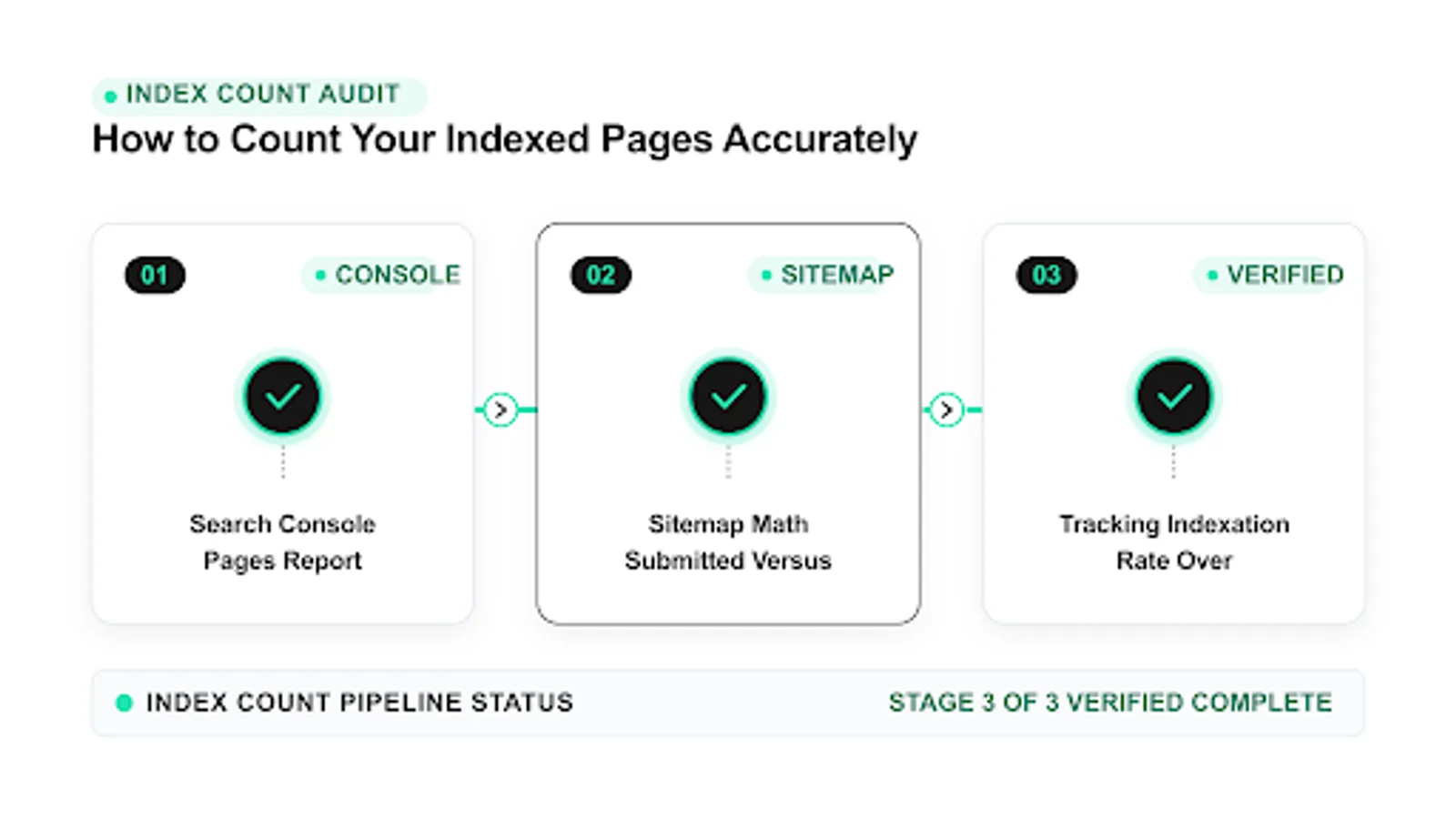 <!-- IMAGE-PROMPT workflow-02: 1600px max, DependsIt brand mint #22E3B0 on charcoal #121212 or white, node-network line art, Clash Display style headings, General Sans clean labels, subject: monthly indexation rate tracking workflow from inventory to trend to cleanup, flat vector, accessible, no em dash in rendered text -->
Tracking indexation rate over time instead of absolute counts
Absolute totals rise when you publish and fall when you prune, even when quality improves. Indexation rate divides Valid indexed by indexable submitted, which controls for inventory change. A rising rate with flat totals after pruning means quality improved. A falling rate with rising totals means bloat outpaces value. For teams that count indexed pages to guide work, rate trends beat totals every time.
Define indexable submitted narrowly as canonical 200 URLs that allow indexing and appear in clean sitemaps for the section. Documentation keeps this work repeatable. Store the export, the fix date, the template name, and the validation result in one place that the whole team can find. When ownership changes or when a plugin updates, that record prevents regressions and shortens debugging because the prior context is already written down and easy to scan.
Track rate by section because sitewide rates hide product strength behind filter weakness or blog strength behind tag bloat. In practice this means you should record the exact state, the date, and the sample URL before changing anything. Owners who skip this note often repeat fixes that already failed. A short log with before and after values makes the next review faster and keeps the team aligned on what was tried and what remains open.
Annotate publishes, migrations, cleanups, and template changes on the rate line to separate intentional moves from regressions. For most small teams this step takes less than fifteen minutes per URL once the process is documented. Open the relevant report, copy the status wording exactly, and save a screenshot or export for reference. That evidence helps you compare later crawl cycles and helps developers reproduce the issue without guesswork about which template or setting caused it.
Compare rate over four to eight weeks rather than day to day to avoid reacting to sampling jitter and processing delays. A common mistake is to treat one URL as proof for the whole site. Instead group URLs by template, section, and publish date to see whether the pattern is isolated or broad. Template level patterns point to code or configuration. Scattered patterns point to content depth, linking, or demand signals that need steady improvement across many pages.
Set section specific targets that reflect intent, such as high for products and articles and intentionally lower for archives and filters. When you apply a fix, change one variable at a time and note the date in your site log. If you change content, links, and technical settings on the same day, you will not know which action moved the count. Clear notes also help future audits because anyone can trace why a setting exists and whether it should stay or be revised.
Key checks for tracking indexation rate over time instead of absolute counts:
- Calculate rate per section, not just sitewide.
- Freeze denominator definitions before trending.
- Annotate every intentional inventory change.
- Review rate on the same weekday each week.
- Report rate plus action, never rate alone.
Use this quick reference while working on tracking indexation rate over time instead of absolute counts.
| Check | What to confirm | Tool |
|---|---|---|
| Scenario | Totals do | Rate does |
| Prune bloat | Falls | Rises if quality improves |
| Publish thin | Rises briefly | Falls as denominator grows |
| Template fix | Flat then rises | Rises steadily |
| Migration error | Falls | Falls sharply |
| Consolidation | Falls | Rises as duplicates merge |
Stakeholders grasp rates faster than raw totals once definitions are fixed. Show Valid, submitted indexable, and rate together with annotations for the last eight weeks. That three line view answers whether growth reflects value or bloat and whether drops reflect cleanup or failure. Counting becomes governance instead of trivia.
Cleaning the count: duplicates, params, and bloat removal
Most disappointing counts trace to denominators full of pages that should never be indexed. Faceted filter combinations, session parameters, sort orders, thin tag archives, and near duplicate location pages inflate submitted totals and dilute crawl attention. Cleaning does not mean hiding value. It means consolidating variants with canonicals and robots controls, noindexing low value archives, and removing non canonical entries from sitemaps so the count reflects pages that deserve to rank.
Parameter audits with crawl samples reveal which combinations get fetched, which get indexed, and which merely waste budget without value. In practice this means you should record the exact state, the date, and the sample URL before changing anything. Owners who skip this note often repeat fixes that already failed. A short log with before and after values makes the next review faster and keeps the team aligned on what was tried and what remains open.
Canonical consolidation merges variant signals to one preferred URL, which often raises Valid for the canonical while lowering raw totals. For most small teams this step takes less than fifteen minutes per URL once the process is documented. Open the relevant report, copy the status wording exactly, and save a screenshot or export for reference. That evidence helps you compare later crawl cycles and helps developers reproduce the issue without guesswork about which template or setting caused it.
Robots and noindex controls keep faceted and internal search paths crawlable in limited ways without inviting index bloat. A common mistake is to treat one URL as proof for the whole site. Instead group URLs by template, section, and publish date to see whether the pattern is isolated or broad. Template level patterns point to code or configuration. Scattered patterns point to content depth, linking, or demand signals that need steady improvement across many pages.
Tag and archive pruning with redirects or consolidation preserves link equity while removing thin rows from denominator and crawl queues. When you apply a fix, change one variable at a time and note the date in your site log. If you change content, links, and technical settings on the same day, you will not know which action moved the count. Clear notes also help future audits because anyone can trace why a setting exists and whether it should stay or be revised.
Sitemap hygiene after cleanup locks in gains by listing only surviving canonicals with accurate lastmod and section segmentation. Measurement matters more than activity. After the change, check the same report on the same weekday for two to three cycles and compare valid counts, excluded counts, and sample URLs. Small steady gains beat sudden spikes. If numbers stall, revisit grouping and sampling instead of repeating the same submission or request on every URL.
Key checks for cleaning the count: duplicates, params, and bloat removal:
- Crawl a sample to list parameter and variant patterns before changing rules.
- Consolidate with canonicals first, then add robots or noindex where needed.
- Redirect removed URLs with equity to the closest surviving canonical.
- Rescan sitemaps and internal links after cleanup.
- Track rate for four weeks to confirm intentional improvement.
Use this quick reference while working on cleaning the count: duplicates, params, and bloat removal.
| Check | What to confirm | Tool |
|---|---|---|
| Bloat type | Control | Count effect |
| Filter combos | Canonical plus limits | Denominator falls, rate rises |
| Params | Consistent links plus canonical | Variants collapse |
| Thin tags | Consolidate or noindex | Excluded shifts to intentional |
| Search pages | Disallow plus omit | Removed from submitted |
| Duplicates | Merge and redirect | Valid consolidates |
Clean counts recover on their own once denominators reflect intent. Expect raw totals to fall while rates rise in the first month. That is success, not failure. Communicate the plan before pruning so stakeholders read the rate line correctly. With bloat controlled, future counting stays simple because every listed URL has a reason to be indexed and an owner who maintains it.
FAQ
What is the most accurate way to count indexed pages?
Trend Search Console Valid counts by section over four to eight weeks using a stable domain property and clean sitemap denominators. That method reflects the property record with context. Single day totals from any method mislead. Pair the trend with indexation rate, which is Valid divided by indexable submitted, to control for publishing and pruning. Reliable index count tools help you measure indexation consistently instead of copying volatile totals.
Why does site: show a different number than Search Console?
Site: reads a public estimate layer that rounds, caps, groups duplicates, and personalizes by session. Search Console reads the verified property record with sampling and delays. They answer different questions on different schedules. Use site: only for gross anomaly hints and Search Console for reporting and triage.
Should I report total indexed pages or indexation rate?
Report both, with emphasis on rate by section. Totals show scale. Rates show efficiency. A store with 5,000 Valid from 6,000 submitted at 83 percent is healthier than a site with 20,000 Valid from 100,000 submitted at 20 percent. Annotate publishes and cleanups so readers interpret movement correctly. A growing google index size means little unless the rate proves those URLs deserve to be indexed.
How do parameters affect the count?
Parameters multiply crawlable variants that split signals and inflate denominators. Consistent internal links, canonicals to the preferred URL, and clean sitemaps collapse variants so counts reflect unique value. Audit which parameters get fetched and indexed before adding controls, then track rate to confirm consolidation.
How long should I track before judging a fix?
Allow two to three crawl cycles, often two to four weeks for small sites and longer for deep large sections. Compare the same weekday across weeks with stable scope. Judge template fixes by section rate movement and sample validation, not by single day sitewide totals that include unrelated sections.
Does pruning pages hurt the count?
Raw totals fall when you remove bloat, but indexation rate usually rises as Valid consolidates on surviving canonicals. That is healthy. Redirect removed URLs with value to the closest canonical, clean sitemaps and links, and report rate with annotations so stakeholders see improvement instead of alarming drops.
Sources
- Google Search Central: Crawl and index troubleshooting
- Google Search Central: URL Inspection tool help