Duplicate Without Canonical: How Duplicate URLs Kill Your Indexation
When Search Console reports duplicate without canonical, Google has found overlapping URLs and cannot tell which one should rank. This guide is for SEOs, developers, and store owners who need to turn messy duplicate sets into clean canonical clusters that index reliably. You will learn what the status means, which URL patterns create it, how to audit at scale, how to write correct canonical tags, and when to use redirects instead. The focus keyword duplicate without canonical appears in each diagnostic step so you can connect status examples to exact template fixes.
Key takeaways
- Duplicate without user selected canonical means Google sees similar URLs with no clear preferred version and indexes them poorly.
- Cluster affected URLs by pattern to find parameter, slash, protocol, and template causes at scale.
- Apply consistent canonicals, redirects for obsolete variants, and sitemaps that list only canonical targets.
- Monitor Google selected canonical in inspection tools and track Duplicate counts down as Valid pages grow.
- What duplicate without user selected canonical means
- Why duplicates block indexing and waste crawl budget
- Common duplicate patterns: parameters, slashes, protocols, variants
- How to audit duplicates in Search Console and crawls
- Canonical tags done correctly with examples
- Consolidation for duplicate without canonical: redirects, parameter handling, sitemaps
- Monitoring canonical acceptance and index growth
- FAQ
- Sources
- Further reading
 <!-- IMAGE-PROMPT cover: 1200x630, DependsIt brand, deep charcoal #121212 background, vibrant mint #22E3B0 accent glow, thin node-network line art, Clash Display style bold heading space on left, General Sans clean labels, subject: duplicate without canonical explanatory cover for site owners, flat vector, high contrast, accessible, no photorealistic faces, no text smaller than 24px, no em dash in rendered text, export PNG then cwebp -q 82 to WEBP -->
What duplicate without user selected canonical means
Search Console uses this status when Google found several similar URLs, could not determine which one you prefer, and did not select any as canonical. The duplicates stay out of the index or compete weakly. It signals missing or conflicting canonical guidance across a URL set. In practical terms, this relates directly to duplicate without canonical. Site owners often treat each URL in isolation, but Google evaluates patterns across templates, link graphs, and quality thresholds. Understanding the pattern saves time because one template fix can move hundreds of URLs at once.
Consider how duplicate without canonical appears in the Pages indexing report. Google groups sample URLs under one status, yet the underlying causes vary by section, CMS, and history. Some sites accumulate the status after migrations where redirects and canonicals were incomplete. Others accumulate it gradually as thin archives, tag pages, or faceted filters grow unchecked. Large catalogs add parameter combinations that multiply crawlable paths faster than editorial value grows. Blogs add date archives, author archives, and paginated series that look similar to crawlers. In each case the fix starts with grouping, not with editing a single page. Export up to 1,000 examples, add columns for template, word count, internal inlinks, canonical target, status code, and sitemap presence. That sheet reveals whether duplicate without canonical clusters on one template or spreads across the site. Template clusters point to code or settings. Spread points to broader quality or linking weakness.
For what duplicate without user selected canonical means, start with three checks that catch most issues. First, verify technical eligibility. Confirm the URL returns 200, allows crawling in robots.txt, has no noindex in meta or headers, and declares a clean canonical. Use view source, dev tools network headers, and a header fetch. Second, verify discovery signals. Check which sitemaps list the URL, how many internal links point to it, and whether those links use descriptive anchors from relevant hubs. Pages with zero referring internal links rely solely on sitemaps, which weakens demand. Third, verify value signals. Compare title, headings, intro, and main content against indexed competitors. Look for boilerplate repetition, missing specifics, and unclear intent. If a page could be mistaken for another page on your own site, Google may hesitate. Document each check with dates and examples so later monitoring ties changes to outcomes.
Key checks for this stage:
- Audit templates first because duplicate without canonical rarely affects random singletons. One header, plugin, or filter rule often explains hundreds of rows.
- Compare rendered HTML to raw HTML. JavaScript delayed content can make a page look thin to crawlers even when browsers show full text.
- Review canonical chains. A canonical that points to a redirect, a 404, or a noindexed page confuses consolidation and delays indexing.
- Clean sitemap signals. List only canonical 200 URLs with accurate lastmod. Remove variants, redirects, and excluded pages that dilute attention.
- Strengthen internal context. Add specific links from indexed hubs with natural anchors. Avoid sitewide boilerplate links that carry little topical weight.
Next, apply fixes in priority order. Address eligibility blockers first because no content improvement can overcome a noindex or crawl block. Then fix canonical and duplicate clarity so Google knows which URL should accumulate signals. Then improve content differentiation with specifics such as steps, examples, data points,FAQs, and original observations that separate the page from near duplicates. Then improve internal linking so the page sits fewer clicks from the homepage and receives topical context. Finally, improve freshness and maintenance by updating dates only when content truly changes, fixing broken outbound links, compressing images, and stabilizing server response times. Each layer builds on the previous one. Skipping eligibility and jumping to content expansion wastes effort when a header still carries noindex.
Measurement closes the loop for duplicate without canonical. Record baseline counts for Valid, Excluded, Discovered, and Crawled statuses. After changes, inspect live samples to confirm eligibility, check Google selected canonical where relevant, and confirm referring sitemap correctness. Request recrawls for a handful of priority URLs rather than every affected URL. Watch crawl stats for increased fetching without server errors. Expect gradual movement across one to two crawl cycles. If counts stall, revisit grouping. Perhaps a second template contributes, or quality thresholds remain unmet. Keep a simple log with change date, template, action, sample URLs, and before and after counts. That log turns duplicate without canonical from a confusing label into a manageable workflow with clear ownership and repeatable steps.
Use this quick reference while working on what duplicate without user selected canonical means.
| Check | What to confirm | Tool |
|---|---|---|
| Status code and robots | 200 response, allowed by robots, no noindex in meta or headers | View source, headers, URL Inspection live test |
| Canonical intent | Single absolute canonical to preferred 200 URL, matching sitemap | Crawl export, inspection |
| Discovery path | Sitemap inclusion plus at least one contextual internal link | Sitemap index, crawl inlinks |
| Uniqueness | Specific details that differ from site siblings and search competitors | Manual comparison, similarity check |
| Stability | Fast responses, no 5xx spikes, consistent rendering | Crawl stats, server logs |
To finish this stage, pick one cluster related to duplicate without canonical, apply the checks above, and document the result before expanding to the next cluster. Small batches reduce risk and make cause and effect visible. Share the sheet with developers when code changes are needed, with editors when content rewrites are needed, and with site owners when pruning decisions are needed. Clear ownership keeps what duplicate without user selected canonical means from drifting back after temporary gains.
Why duplicates block indexing and waste crawl budget
Each duplicate consumes fetch resources while adding no new value. Google may crawl variants repeatedly, delay discovery of unique pages, split link signals across versions, and choose to index none of them cleanly. Over time this lowers overall index efficiency and slows new content. In practical terms, this relates directly to duplicate without canonical. Site owners often treat each URL in isolation, but Google evaluates patterns across templates, link graphs, and quality thresholds. Understanding the pattern saves time because one template fix can move hundreds of URLs at once.
Consider how duplicate without canonical appears in the Pages indexing report. Google groups sample URLs under one status, yet the underlying causes vary by section, CMS, and history. Some sites accumulate the status after migrations where redirects and canonicals were incomplete. Others accumulate it gradually as thin archives, tag pages, or faceted filters grow unchecked. Large catalogs add parameter combinations that multiply crawlable paths faster than editorial value grows. Blogs add date archives, author archives, and paginated series that look similar to crawlers. In each case the fix starts with grouping, not with editing a single page. Export up to 1,000 examples, add columns for template, word count, internal inlinks, canonical target, status code, and sitemap presence. That sheet reveals whether duplicate without canonical clusters on one template or spreads across the site. Template clusters point to code or settings. Spread points to broader quality or linking weakness.
For why duplicates block indexing and waste crawl budget, start with three checks that catch most issues. First, verify technical eligibility. Confirm the URL returns 200, allows crawling in robots.txt, has no noindex in meta or headers, and declares a clean canonical. Use view source, dev tools network headers, and a header fetch. Second, verify discovery signals. Check which sitemaps list the URL, how many internal links point to it, and whether those links use descriptive anchors from relevant hubs. Pages with zero referring internal links rely solely on sitemaps, which weakens demand. Third, verify value signals. Compare title, headings, intro, and main content against indexed competitors. Look for boilerplate repetition, missing specifics, and unclear intent. If a page could be mistaken for another page on your own site, Google may hesitate. Document each check with dates and examples so later monitoring ties changes to outcomes.
Key checks for this stage:
- Audit templates first because duplicate without canonical rarely affects random singletons. One header, plugin, or filter rule often explains hundreds of rows.
- Compare rendered HTML to raw HTML. JavaScript delayed content can make a page look thin to crawlers even when browsers show full text.
- Review canonical chains. A canonical that points to a redirect, a 404, or a noindexed page confuses consolidation and delays indexing.
- Clean sitemap signals. List only canonical 200 URLs with accurate lastmod. Remove variants, redirects, and excluded pages that dilute attention.
- Strengthen internal context. Add specific links from indexed hubs with natural anchors. Avoid sitewide boilerplate links that carry little topical weight.
Next, apply fixes in priority order. Address eligibility blockers first because no content improvement can overcome a noindex or crawl block. Then fix canonical and duplicate clarity so Google knows which URL should accumulate signals. Then improve content differentiation with specifics such as steps, examples, data points,FAQs, and original observations that separate the page from near duplicates. Then improve internal linking so the page sits fewer clicks from the homepage and receives topical context. Finally, improve freshness and maintenance by updating dates only when content truly changes, fixing broken outbound links, compressing images, and stabilizing server response times. Each layer builds on the previous one. Skipping eligibility and jumping to content expansion wastes effort when a header still carries noindex.
Measurement closes the loop for duplicate without canonical. Record baseline counts for Valid, Excluded, Discovered, and Crawled statuses. After changes, inspect live samples to confirm eligibility, check Google selected canonical where relevant, and confirm referring sitemap correctness. Request recrawls for a handful of priority URLs rather than every affected URL. Watch crawl stats for increased fetching without server errors. Expect gradual movement across one to two crawl cycles. If counts stall, revisit grouping. Perhaps a second template contributes, or quality thresholds remain unmet. Keep a simple log with change date, template, action, sample URLs, and before and after counts. That log turns duplicate without canonical from a confusing label into a manageable workflow with clear ownership and repeatable steps.
Use this quick reference while working on why duplicates block indexing and waste crawl budget.
| Check | What to confirm | Tool |
|---|---|---|
| Status code and robots | 200 response, allowed by robots, no noindex in meta or headers | View source, headers, URL Inspection live test |
| Canonical intent | Single absolute canonical to preferred 200 URL, matching sitemap | Crawl export, inspection |
| Discovery path | Sitemap inclusion plus at least one contextual internal link | Sitemap index, crawl inlinks |
| Uniqueness | Specific details that differ from site siblings and search competitors | Manual comparison, similarity check |
| Stability | Fast responses, no 5xx spikes, consistent rendering | Crawl stats, server logs |
To finish this stage, pick one cluster related to duplicate without canonical, apply the checks above, and document the result before expanding to the next cluster. Small batches reduce risk and make cause and effect visible. Share the sheet with developers when code changes are needed, with editors when content rewrites are needed, and with site owners when pruning decisions are needed. Clear ownership keeps why duplicates block indexing and waste crawl budget from drifting back after temporary gains.
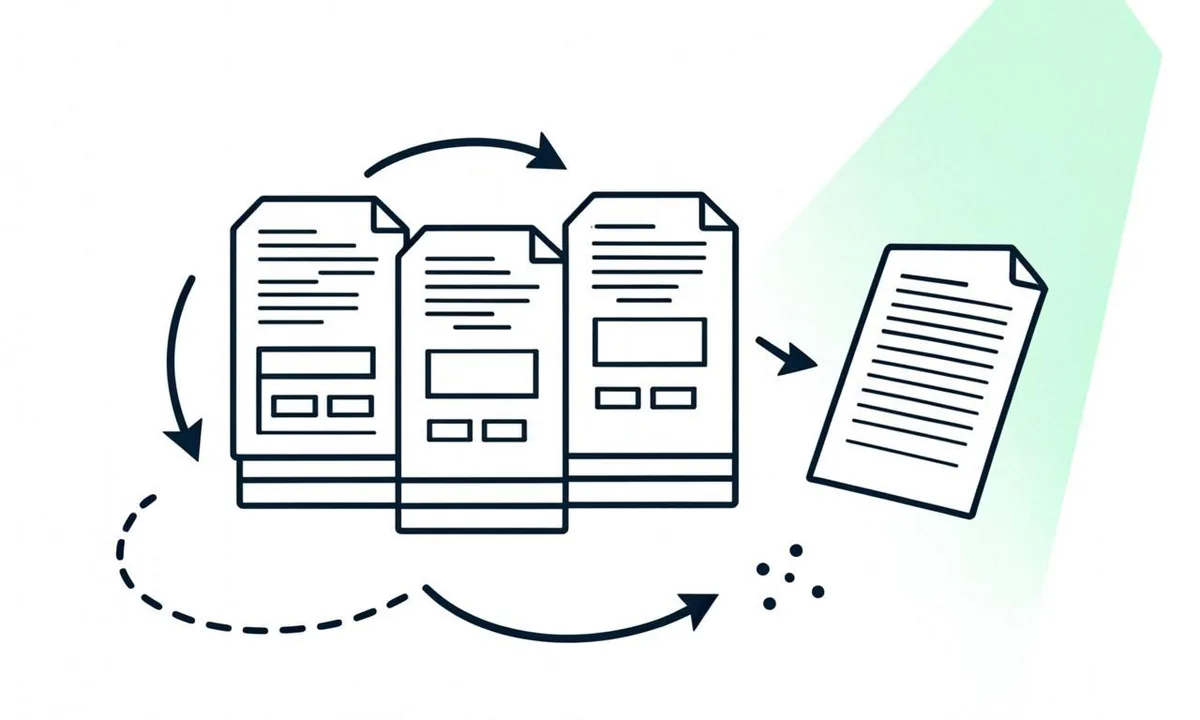 <!-- IMAGE-PROMPT diagram-01: 1600px max, DependsIt brand mint #22E3B0 on charcoal #121212, node-network line art, Clash Display style headings, General Sans clean labels, subject: duplicate without canonical pipeline diagram from discovery through crawl to indexing decision, flat vector, accessible, no em dash in rendered text -->
 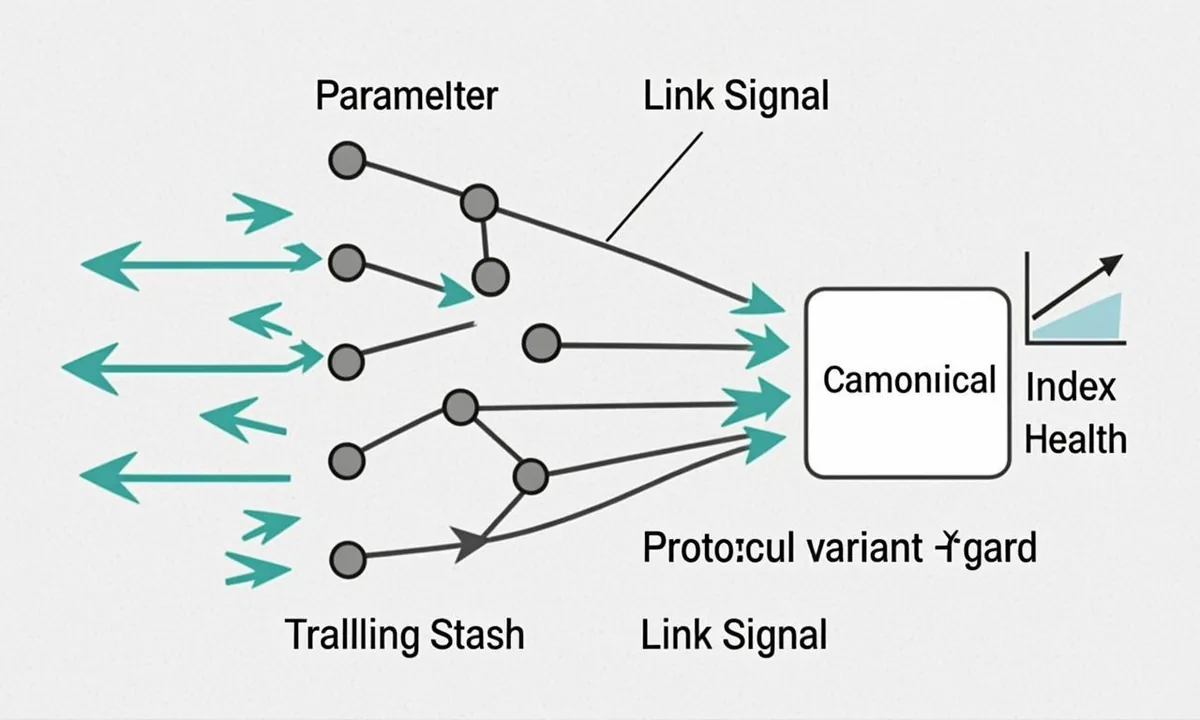 <!-- IMAGE-PROMPT diagram-02: 1600px max, DependsIt brand, subject: lifecycle loop with 4 stages and return arrow about Why duplicates block indexing and waste crawl budget | How to audit duplicates in Search, flat vector, accessible, no em dash -->
Common duplicate patterns: parameters, slashes, protocols, variants
Typical causes include UTM and filter parameters, trailing slash versus non slash, http versus https, www versus non www, uppercase paths, session IDs, print versions, AMP pairs without proper linking, and product variants with near identical text. Templates often generate these at scale. In practical terms, this relates directly to duplicate without canonical. Site owners often treat each URL in isolation, but Google evaluates patterns across templates, link graphs, and quality thresholds. Understanding the pattern saves time because one template fix can move hundreds of URLs at once.
Consider how duplicate without canonical appears in the Pages indexing report. Google groups sample URLs under one status, yet the underlying causes vary by section, CMS, and history. Some sites accumulate the status after migrations where redirects and canonicals were incomplete. Others accumulate it gradually as thin archives, tag pages, or faceted filters grow unchecked. Large catalogs add parameter combinations that multiply crawlable paths faster than editorial value grows. Blogs add date archives, author archives, and paginated series that look similar to crawlers. In each case the fix starts with grouping, not with editing a single page. Export up to 1,000 examples, add columns for template, word count, internal inlinks, canonical target, status code, and sitemap presence. That sheet reveals whether duplicate without canonical clusters on one template or spreads across the site. Template clusters point to code or settings. Spread points to broader quality or linking weakness.
For common duplicate patterns: parameters, slashes, protocols, variants, start with three checks that catch most issues. First, verify technical eligibility. Confirm the URL returns 200, allows crawling in robots.txt, has no noindex in meta or headers, and declares a clean canonical. Use view source, dev tools network headers, and a header fetch. Second, verify discovery signals. Check which sitemaps list the URL, how many internal links point to it, and whether those links use descriptive anchors from relevant hubs. Pages with zero referring internal links rely solely on sitemaps, which weakens demand. Third, verify value signals. Compare title, headings, intro, and main content against indexed competitors. Look for boilerplate repetition, missing specifics, and unclear intent. If a page could be mistaken for another page on your own site, Google may hesitate. Document each check with dates and examples so later monitoring ties changes to outcomes.
Key checks for this stage:
- Audit templates first because duplicate without canonical rarely affects random singletons. One header, plugin, or filter rule often explains hundreds of rows.
- Compare rendered HTML to raw HTML. JavaScript delayed content can make a page look thin to crawlers even when browsers show full text.
- Review canonical chains. A canonical that points to a redirect, a 404, or a noindexed page confuses consolidation and delays indexing.
- Clean sitemap signals. List only canonical 200 URLs with accurate lastmod. Remove variants, redirects, and excluded pages that dilute attention.
- Strengthen internal context. Add specific links from indexed hubs with natural anchors. Avoid sitewide boilerplate links that carry little topical weight.
Next, apply fixes in priority order. Address eligibility blockers first because no content improvement can overcome a noindex or crawl block. Then fix canonical and duplicate clarity so Google knows which URL should accumulate signals. Then improve content differentiation with specifics such as steps, examples, data points,FAQs, and original observations that separate the page from near duplicates. Then improve internal linking so the page sits fewer clicks from the homepage and receives topical context. Finally, improve freshness and maintenance by updating dates only when content truly changes, fixing broken outbound links, compressing images, and stabilizing server response times. Each layer builds on the previous one. Skipping eligibility and jumping to content expansion wastes effort when a header still carries noindex.
Measurement closes the loop for duplicate without canonical. Record baseline counts for Valid, Excluded, Discovered, and Crawled statuses. After changes, inspect live samples to confirm eligibility, check Google selected canonical where relevant, and confirm referring sitemap correctness. Request recrawls for a handful of priority URLs rather than every affected URL. Watch crawl stats for increased fetching without server errors. Expect gradual movement across one to two crawl cycles. If counts stall, revisit grouping. Perhaps a second template contributes, or quality thresholds remain unmet. Keep a simple log with change date, template, action, sample URLs, and before and after counts. That log turns duplicate without canonical from a confusing label into a manageable workflow with clear ownership and repeatable steps.
Use this quick reference while working on common duplicate patterns: parameters, slashes, protocols, variants.
| Check | What to confirm | Tool |
|---|---|---|
| Status code and robots | 200 response, allowed by robots, no noindex in meta or headers | View source, headers, URL Inspection live test |
| Canonical intent | Single absolute canonical to preferred 200 URL, matching sitemap | Crawl export, inspection |
| Discovery path | Sitemap inclusion plus at least one contextual internal link | Sitemap index, crawl inlinks |
| Uniqueness | Specific details that differ from site siblings and search competitors | Manual comparison, similarity check |
| Stability | Fast responses, no 5xx spikes, consistent rendering | Crawl stats, server logs |
To finish this stage, pick one cluster related to duplicate without canonical, apply the checks above, and document the result before expanding to the next cluster. Small batches reduce risk and make cause and effect visible. Share the sheet with developers when code changes are needed, with editors when content rewrites are needed, and with site owners when pruning decisions are needed. Clear ownership keeps common duplicate patterns: parameters, slashes, protocols, variants from drifting back after temporary gains.
For a related status that often appears alongside this one, see alternate page with proper canonical explained.
When you open duplicate urls search console data, cluster examples by path and parameter before editing anything. The full status name duplicate without user-selected canonical means Google sees similarity but no clear preference, which directly affects duplicate content indexing across the cluster. Export up to 1,000 examples, compare titles and word overlap, and map referring sitemaps so duplicate pages not indexed can be tied to specific templates rather than treated as isolated URLs.
How to audit duplicates in Search Console and crawls
Export the Duplicate without user selected canonical examples, cluster by path and parameter, crawl with canonical and status extraction, compare titles and word overlap, and map referring sitemaps and internal links. Prioritize clusters with traffic potential or large URL counts. In practical terms, this relates directly to duplicate without canonical. Site owners often treat each URL in isolation, but Google evaluates patterns across templates, link graphs, and quality thresholds. Understanding the pattern saves time because one template fix can move hundreds of URLs at once.
Consider how duplicate without canonical appears in the Pages indexing report. Google groups sample URLs under one status, yet the underlying causes vary by section, CMS, and history. Some sites accumulate the status after migrations where redirects and canonicals were incomplete. Others accumulate it gradually as thin archives, tag pages, or faceted filters grow unchecked. Large catalogs add parameter combinations that multiply crawlable paths faster than editorial value grows. Blogs add date archives, author archives, and paginated series that look similar to crawlers. In each case the fix starts with grouping, not with editing a single page. Export up to 1,000 examples, add columns for template, word count, internal inlinks, canonical target, status code, and sitemap presence. That sheet reveals whether duplicate without canonical clusters on one template or spreads across the site. Template clusters point to code or settings. Spread points to broader quality or linking weakness.
For how to audit duplicates in search console and crawls, start with three checks that catch most issues. First, verify technical eligibility. Confirm the URL returns 200, allows crawling in robots.txt, has no noindex in meta or headers, and declares a clean canonical. Use view source, dev tools network headers, and a header fetch. Second, verify discovery signals. Check which sitemaps list the URL, how many internal links point to it, and whether those links use descriptive anchors from relevant hubs. Pages with zero referring internal links rely solely on sitemaps, which weakens demand. Third, verify value signals. Compare title, headings, intro, and main content against indexed competitors. Look for boilerplate repetition, missing specifics, and unclear intent. If a page could be mistaken for another page on your own site, Google may hesitate. Document each check with dates and examples so later monitoring ties changes to outcomes.
Key checks for this stage:
- Audit templates first because duplicate without canonical rarely affects random singletons. One header, plugin, or filter rule often explains hundreds of rows.
- Compare rendered HTML to raw HTML. JavaScript delayed content can make a page look thin to crawlers even when browsers show full text.
- Review canonical chains. A canonical that points to a redirect, a 404, or a noindexed page confuses consolidation and delays indexing.
- Clean sitemap signals. List only canonical 200 URLs with accurate lastmod. Remove variants, redirects, and excluded pages that dilute attention.
- Strengthen internal context. Add specific links from indexed hubs with natural anchors. Avoid sitewide boilerplate links that carry little topical weight.
Next, apply fixes in priority order. Address eligibility blockers first because no content improvement can overcome a noindex or crawl block. Then fix canonical and duplicate clarity so Google knows which URL should accumulate signals. Then improve content differentiation with specifics such as steps, examples, data points,FAQs, and original observations that separate the page from near duplicates. Then improve internal linking so the page sits fewer clicks from the homepage and receives topical context. Finally, improve freshness and maintenance by updating dates only when content truly changes, fixing broken outbound links, compressing images, and stabilizing server response times. Each layer builds on the previous one. Skipping eligibility and jumping to content expansion wastes effort when a header still carries noindex.
Measurement closes the loop for duplicate without canonical. Record baseline counts for Valid, Excluded, Discovered, and Crawled statuses. After changes, inspect live samples to confirm eligibility, check Google selected canonical where relevant, and confirm referring sitemap correctness. Request recrawls for a handful of priority URLs rather than every affected URL. Watch crawl stats for increased fetching without server errors. Expect gradual movement across one to two crawl cycles. If counts stall, revisit grouping. Perhaps a second template contributes, or quality thresholds remain unmet. Keep a simple log with change date, template, action, sample URLs, and before and after counts. That log turns duplicate without canonical from a confusing label into a manageable workflow with clear ownership and repeatable steps.
Use this quick reference while working on how to audit duplicates in search console and crawls.
| Check | What to confirm | Tool |
|---|---|---|
| Status code and robots | 200 response, allowed by robots, no noindex in meta or headers | View source, headers, URL Inspection live test |
| Canonical intent | Single absolute canonical to preferred 200 URL, matching sitemap | Crawl export, inspection |
| Discovery path | Sitemap inclusion plus at least one contextual internal link | Sitemap index, crawl inlinks |
| Uniqueness | Specific details that differ from site siblings and search competitors | Manual comparison, similarity check |
| Stability | Fast responses, no 5xx spikes, consistent rendering | Crawl stats, server logs |
To finish this stage, pick one cluster related to duplicate without canonical, apply the checks above, and document the result before expanding to the next cluster. Small batches reduce risk and make cause and effect visible. Share the sheet with developers when code changes are needed, with editors when content rewrites are needed, and with site owners when pruning decisions are needed. Clear ownership keeps how to audit duplicates in search console and crawls from drifting back after temporary gains.
Check headers and HTML quickly with these commands. Replace the example URL with one of your affected pages.
curl -sI "https://www.example.com/sample-page" | grep -i -E "HTTP|robots|x-robots"
curl -s "https://www.example.com/sample-page" | grep -i -o "<meta[^>]*robots[^>]*>"
import requests
url = "https://www.example.com/sample-page"
r = requests.get(url, timeout=20)
print(r.status_code)
print(r.headers.get("X-Robots-Tag", "no header"))
print("noindex in html:", "noindex" in r.text.lower())Canonical tags done correctly with examples
Use absolute self referencing canonicals on canonical pages, point duplicates to the preferred URL, keep one canonical per page, match scheme host path and trailing slash, avoid pointing to redirects or noindexed pages, and keep sitemaps aligned with canonical targets. Consistency across HTML, headers, and sitemaps matters. In practical terms, this relates directly to duplicate without canonical. Site owners often treat each URL in isolation, but Google evaluates patterns across templates, link graphs, and quality thresholds. Understanding the pattern saves time because one template fix can move hundreds of URLs at once.
Consider how duplicate without canonical appears in the Pages indexing report. Google groups sample URLs under one status, yet the underlying causes vary by section, CMS, and history. Some sites accumulate the status after migrations where redirects and canonicals were incomplete. Others accumulate it gradually as thin archives, tag pages, or faceted filters grow unchecked. Large catalogs add parameter combinations that multiply crawlable paths faster than editorial value grows. Blogs add date archives, author archives, and paginated series that look similar to crawlers. In each case the fix starts with grouping, not with editing a single page. Export up to 1,000 examples, add columns for template, word count, internal inlinks, canonical target, status code, and sitemap presence. That sheet reveals whether duplicate without canonical clusters on one template or spreads across the site. Template clusters point to code or settings. Spread points to broader quality or linking weakness.
For canonical tags done correctly with examples, start with three checks that catch most issues. First, verify technical eligibility. Confirm the URL returns 200, allows crawling in robots.txt, has no noindex in meta or headers, and declares a clean canonical. Use view source, dev tools network headers, and a header fetch. Second, verify discovery signals. Check which sitemaps list the URL, how many internal links point to it, and whether those links use descriptive anchors from relevant hubs. Pages with zero referring internal links rely solely on sitemaps, which weakens demand. Third, verify value signals. Compare title, headings, intro, and main content against indexed competitors. Look for boilerplate repetition, missing specifics, and unclear intent. If a page could be mistaken for another page on your own site, Google may hesitate. Document each check with dates and examples so later monitoring ties changes to outcomes.
Key checks for this stage:
- Audit templates first because duplicate without canonical rarely affects random singletons. One header, plugin, or filter rule often explains hundreds of rows.
- Compare rendered HTML to raw HTML. JavaScript delayed content can make a page look thin to crawlers even when browsers show full text.
- Review canonical chains. A canonical that points to a redirect, a 404, or a noindexed page confuses consolidation and delays indexing.
- Clean sitemap signals. List only canonical 200 URLs with accurate lastmod. Remove variants, redirects, and excluded pages that dilute attention.
- Strengthen internal context. Add specific links from indexed hubs with natural anchors. Avoid sitewide boilerplate links that carry little topical weight.
Next, apply fixes in priority order. Address eligibility blockers first because no content improvement can overcome a noindex or crawl block. Then fix canonical and duplicate clarity so Google knows which URL should accumulate signals. Then improve content differentiation with specifics such as steps, examples, data points,FAQs, and original observations that separate the page from near duplicates. Then improve internal linking so the page sits fewer clicks from the homepage and receives topical context. Finally, improve freshness and maintenance by updating dates only when content truly changes, fixing broken outbound links, compressing images, and stabilizing server response times. Each layer builds on the previous one. Skipping eligibility and jumping to content expansion wastes effort when a header still carries noindex.
Measurement closes the loop for duplicate without canonical. Record baseline counts for Valid, Excluded, Discovered, and Crawled statuses. After changes, inspect live samples to confirm eligibility, check Google selected canonical where relevant, and confirm referring sitemap correctness. Request recrawls for a handful of priority URLs rather than every affected URL. Watch crawl stats for increased fetching without server errors. Expect gradual movement across one to two crawl cycles. If counts stall, revisit grouping. Perhaps a second template contributes, or quality thresholds remain unmet. Keep a simple log with change date, template, action, sample URLs, and before and after counts. That log turns duplicate without canonical from a confusing label into a manageable workflow with clear ownership and repeatable steps.
Use this quick reference while working on canonical tags done correctly with examples.
| Check | What to confirm | Tool |
|---|---|---|
| Status code and robots | 200 response, allowed by robots, no noindex in meta or headers | View source, headers, URL Inspection live test |
| Canonical intent | Single absolute canonical to preferred 200 URL, matching sitemap | Crawl export, inspection |
| Discovery path | Sitemap inclusion plus at least one contextual internal link | Sitemap index, crawl inlinks |
| Uniqueness | Specific details that differ from site siblings and search competitors | Manual comparison, similarity check |
| Stability | Fast responses, no 5xx spikes, consistent rendering | Crawl stats, server logs |
To finish this stage, pick one cluster related to duplicate without canonical, apply the checks above, and document the result before expanding to the next cluster. Small batches reduce risk and make cause and effect visible. Share the sheet with developers when code changes are needed, with editors when content rewrites are needed, and with site owners when pruning decisions are needed. Clear ownership keeps canonical tags done correctly with examples from drifting back after temporary gains.
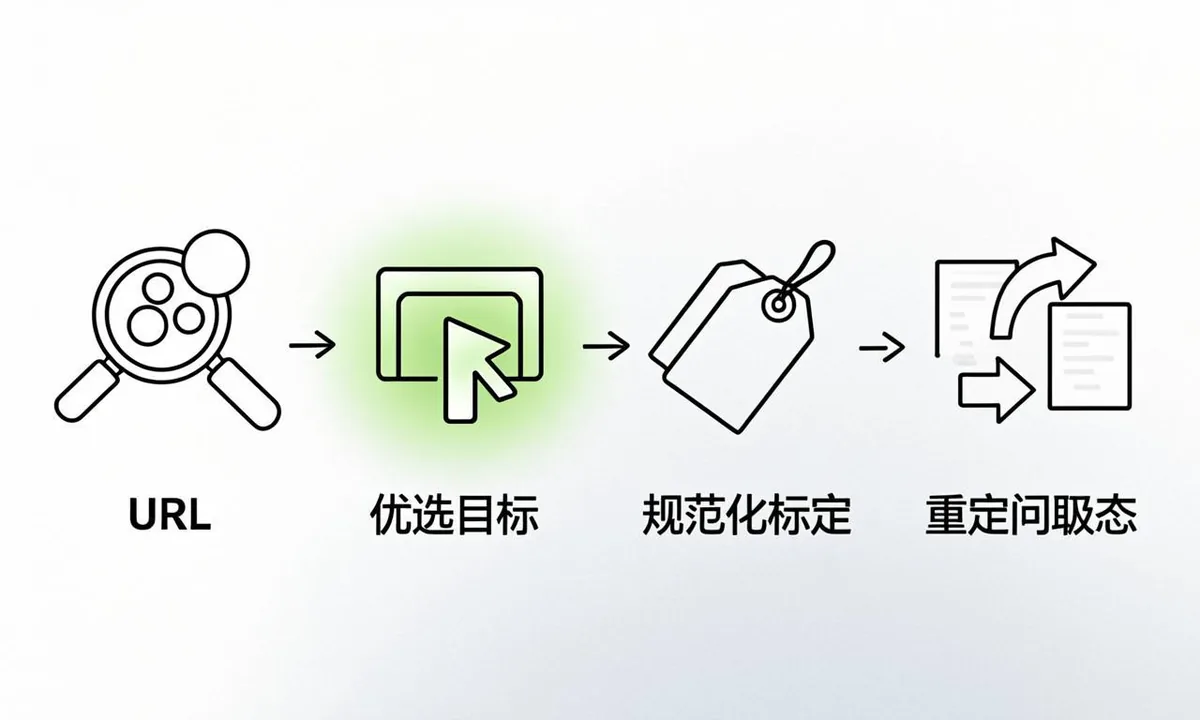 <!-- IMAGE-PROMPT workflow-02: 1600px max, DependsIt brand mint #22E3B0 on charcoal #121212 or white, node-network line art, Clash Display style headings, General Sans clean labels, subject: duplicate without canonical remediation workflow from audit to fix to monitoring, flat vector, accessible, no em dash in rendered text -->
Consolidation for duplicate without canonical: redirects, parameter handling, sitemaps
Where duplicates serve no user need, redirect variants to the canonical with 301s. Configure parameter handling, pagination, and faceted navigation to limit crawlable combinations. Prune sitemaps to canonicals only. Strengthen internal links to point at canonical URLs, not variants. In practical terms, this relates directly to duplicate without canonical. Site owners often treat each URL in isolation, but Google evaluates patterns across templates, link graphs, and quality thresholds. Understanding the pattern saves time because one template fix can move hundreds of URLs at once.
Consider how duplicate without canonical appears in the Pages indexing report. Google groups sample URLs under one status, yet the underlying causes vary by section, CMS, and history. Some sites accumulate the status after migrations where redirects and canonicals were incomplete. Others accumulate it gradually as thin archives, tag pages, or faceted filters grow unchecked. Large catalogs add parameter combinations that multiply crawlable paths faster than editorial value grows. Blogs add date archives, author archives, and paginated series that look similar to crawlers. In each case the fix starts with grouping, not with editing a single page. Export up to 1,000 examples, add columns for template, word count, internal inlinks, canonical target, status code, and sitemap presence. That sheet reveals whether duplicate without canonical clusters on one template or spreads across the site. Template clusters point to code or settings. Spread points to broader quality or linking weakness.
For consolidation: redirects, parameter handling, sitemaps, start with three checks that catch most issues. First, verify technical eligibility. Confirm the URL returns 200, allows crawling in robots.txt, has no noindex in meta or headers, and declares a clean canonical. Use view source, dev tools network headers, and a header fetch. Second, verify discovery signals. Check which sitemaps list the URL, how many internal links point to it, and whether those links use descriptive anchors from relevant hubs. Pages with zero referring internal links rely solely on sitemaps, which weakens demand. Third, verify value signals. Compare title, headings, intro, and main content against indexed competitors. Look for boilerplate repetition, missing specifics, and unclear intent. If a page could be mistaken for another page on your own site, Google may hesitate. Document each check with dates and examples so later monitoring ties changes to outcomes.
Key checks for this stage:
- Audit templates first because duplicate without canonical rarely affects random singletons. One header, plugin, or filter rule often explains hundreds of rows.
- Compare rendered HTML to raw HTML. JavaScript delayed content can make a page look thin to crawlers even when browsers show full text.
- Review canonical chains. A canonical that points to a redirect, a 404, or a noindexed page confuses consolidation and delays indexing.
- Clean sitemap signals. List only canonical 200 URLs with accurate lastmod. Remove variants, redirects, and excluded pages that dilute attention.
- Strengthen internal context. Add specific links from indexed hubs with natural anchors. Avoid sitewide boilerplate links that carry little topical weight.
Next, apply fixes in priority order. Address eligibility blockers first because no content improvement can overcome a noindex or crawl block. Then fix canonical and duplicate clarity so Google knows which URL should accumulate signals. Then improve content differentiation with specifics such as steps, examples, data points,FAQs, and original observations that separate the page from near duplicates. Then improve internal linking so the page sits fewer clicks from the homepage and receives topical context. Finally, improve freshness and maintenance by updating dates only when content truly changes, fixing broken outbound links, compressing images, and stabilizing server response times. Each layer builds on the previous one. Skipping eligibility and jumping to content expansion wastes effort when a header still carries noindex.
Measurement closes the loop for duplicate without canonical. Record baseline counts for Valid, Excluded, Discovered, and Crawled statuses. After changes, inspect live samples to confirm eligibility, check Google selected canonical where relevant, and confirm referring sitemap correctness. Request recrawls for a handful of priority URLs rather than every affected URL. Watch crawl stats for increased fetching without server errors. Expect gradual movement across one to two crawl cycles. If counts stall, revisit grouping. Perhaps a second template contributes, or quality thresholds remain unmet. Keep a simple log with change date, template, action, sample URLs, and before and after counts. That log turns duplicate without canonical from a confusing label into a manageable workflow with clear ownership and repeatable steps.
Use this quick reference while working on consolidation: redirects, parameter handling, sitemaps.
| Check | What to confirm | Tool |
|---|---|---|
| Status code and robots | 200 response, allowed by robots, no noindex in meta or headers | View source, headers, URL Inspection live test |
| Canonical intent | Single absolute canonical to preferred 200 URL, matching sitemap | Crawl export, inspection |
| Discovery path | Sitemap inclusion plus at least one contextual internal link | Sitemap index, crawl inlinks |
| Uniqueness | Specific details that differ from site siblings and search competitors | Manual comparison, similarity check |
| Stability | Fast responses, no 5xx spikes, consistent rendering | Crawl stats, server logs |
To finish this stage, pick one cluster related to duplicate without canonical, apply the checks above, and document the result before expanding to the next cluster. Small batches reduce risk and make cause and effect visible. Share the sheet with developers when code changes are needed, with editors when content rewrites are needed, and with site owners when pruning decisions are needed. Clear ownership keeps consolidation: redirects, parameter handling, sitemaps from drifting back after temporary gains.
Monitoring canonical acceptance and index growth
After fixes, use URL Inspection to confirm Google selected canonical matches your intent, track Duplicate status counts downward, watch Valid pages upward, review referring pages for stray variant links, and log template changes. Expect gradual improvement across crawl cycles rather than instant flips. In practical terms, this relates directly to duplicate without canonical. Site owners often treat each URL in isolation, but Google evaluates patterns across templates, link graphs, and quality thresholds. Understanding the pattern saves time because one template fix can move hundreds of URLs at once.
Strong canonicalization seo depends on consistent signals, so follow canonical best practices across HTML, headers, links and sitemaps. When canonical tags explained clearly in your internal docs, developers keep one absolute self reference per page and avoid pointing to redirects or noindexed targets. Audit duplicate url issues monthly by comparing sitemap entries against crawl data, since variant links in navigation or feeds can recreate clusters even after a successful canonical fix.
Consider how duplicate without canonical appears in the Pages indexing report. Google groups sample URLs under one status, yet the underlying causes vary by section, CMS, and history. Some sites accumulate the status after migrations where redirects and canonicals were incomplete. Others accumulate it gradually as thin archives, tag pages, or faceted filters grow unchecked. Large catalogs add parameter combinations that multiply crawlable paths faster than editorial value grows. Blogs add date archives, author archives, and paginated series that look similar to crawlers. In each case the fix starts with grouping, not with editing a single page. Export up to 1,000 examples, add columns for template, word count, internal inlinks, canonical target, status code, and sitemap presence. That sheet reveals whether duplicate without canonical clusters on one template or spreads across the site. Template clusters point to code or settings. Spread points to broader quality or linking weakness.
For monitoring canonical acceptance and index growth, start with three checks that catch most issues. First, verify technical eligibility. Confirm the URL returns 200, allows crawling in robots.txt, has no noindex in meta or headers, and declares a clean canonical. Use view source, dev tools network headers, and a header fetch. Second, verify discovery signals. Check which sitemaps list the URL, how many internal links point to it, and whether those links use descriptive anchors from relevant hubs. Pages with zero referring internal links rely solely on sitemaps, which weakens demand. Third, verify value signals. Compare title, headings, intro, and main content against indexed competitors. Look for boilerplate repetition, missing specifics, and unclear intent. If a page could be mistaken for another page on your own site, Google may hesitate. Document each check with dates and examples so later monitoring ties changes to outcomes.
Key checks for this stage:
- Audit templates first because duplicate without canonical rarely affects random singletons. One header, plugin, or filter rule often explains hundreds of rows.
- Compare rendered HTML to raw HTML. JavaScript delayed content can make a page look thin to crawlers even when browsers show full text.
- Review canonical chains. A canonical that points to a redirect, a 404, or a noindexed page confuses consolidation and delays indexing.
- Clean sitemap signals. List only canonical 200 URLs with accurate lastmod. Remove variants, redirects, and excluded pages that dilute attention.
- Strengthen internal context. Add specific links from indexed hubs with natural anchors. Avoid sitewide boilerplate links that carry little topical weight.
Next, apply fixes in priority order. Address eligibility blockers first because no content improvement can overcome a noindex or crawl block. Then fix canonical and duplicate clarity so Google knows which URL should accumulate signals. Then improve content differentiation with specifics such as steps, examples, data points,FAQs, and original observations that separate the page from near duplicates. Then improve internal linking so the page sits fewer clicks from the homepage and receives topical context. Finally, improve freshness and maintenance by updating dates only when content truly changes, fixing broken outbound links, compressing images, and stabilizing server response times. Each layer builds on the previous one. Skipping eligibility and jumping to content expansion wastes effort when a header still carries noindex.
Measurement closes the loop for duplicate without canonical. Record baseline counts for Valid, Excluded, Discovered, and Crawled statuses. After changes, inspect live samples to confirm eligibility, check Google selected canonical where relevant, and confirm referring sitemap correctness. Request recrawls for a handful of priority URLs rather than every affected URL. Watch crawl stats for increased fetching without server errors. Expect gradual movement across one to two crawl cycles. If counts stall, revisit grouping. Perhaps a second template contributes, or quality thresholds remain unmet. Keep a simple log with change date, template, action, sample URLs, and before and after counts. That log turns duplicate without canonical from a confusing label into a manageable workflow with clear ownership and repeatable steps.
Use this quick reference while working on monitoring canonical acceptance and index growth.
| Check | What to confirm | Tool |
|---|---|---|
| Status code and robots | 200 response, allowed by robots, no noindex in meta or headers | View source, headers, URL Inspection live test |
| Canonical intent | Single absolute canonical to preferred 200 URL, matching sitemap | Crawl export, inspection |
| Discovery path | Sitemap inclusion plus at least one contextual internal link | Sitemap index, crawl inlinks |
| Uniqueness | Specific details that differ from site siblings and search competitors | Manual comparison, similarity check |
| Stability | Fast responses, no 5xx spikes, consistent rendering | Crawl stats, server logs |
To finish this stage, pick one cluster related to duplicate without canonical, apply the checks above, and document the result before expanding to the next cluster. Small batches reduce risk and make cause and effect visible. Share the sheet with developers when code changes are needed, with editors when content rewrites are needed, and with site owners when pruning decisions are needed. Clear ownership keeps monitoring canonical acceptance and index growth from drifting back after temporary gains.
FAQ
Is duplicate without canonical a penalty?
No, the status duplicate without user-selected canonical is an indexing status, not a manual action. Google is telling you it sees duplication and lacks clear preference signals, which weakens duplicate content indexing across the cluster. Apply a clear canonical fix by choosing preferred URLs, consolidating variants, and aligning links and sitemaps. Rankings usually improve as signals consolidate, but there is no penalty to remove, only efficiency to regain. Track Duplicate counts downward and Valid counts upward weekly to confirm that consolidation is working as intended.
Should I canonicalize or redirect duplicates?
Use canonicals when variants must remain accessible for users, such as filtered views or tracking parameters that support navigation or measurement. Use 301 redirects when variants have no standalone value and traffic can safely land on the main URL. Many sites need both as part of a complete fix duplicate without canonical plan. Redirect obsolete variants, canonicalize useful variants, and keep internal links pointed at canonicals. Document each decision by template so future changes do not recreate duplicate pages not indexed in the same clusters.
Why does Google ignore my canonical tag?
Common reasons include conflicting signals where sitemaps or internal links point to variants, canonicals that target redirects or noindexed pages, near identical pages where Google prefers a different cluster member, or mixed http https and slash inconsistencies. When canonical tags explained in audits reveal these conflicts, align all signals to the same target and ensure the canonical returns 200 with self reference. Check duplicate urls search console examples against live headers and HTML, then correct sitemaps and link targets together. Consistent signals across layers help Google accept your preference faster.
Do UTM parameters cause duplicate without canonical?
They can when parameterized URLs get crawled and linked, creating duplicate url issues that split signals. Keep canonicals clean without tracking parameters, avoid linking internally to UTM versions, and ensure sharing and ad systems do not create crawlable UTM paths. Google often consolidates these correctly, but explicit canonicals reduce wasted crawls and clarify intent. Follow canonical best practices by using absolute self referencing canonicals on clean URLs, pointing variants to the preferred version, and keeping sitemaps limited to canonical targets that return 200.
How long until duplicate status clears after fixes?
Expect several weeks for large clusters as Google recrawls variants and reassigns canonicals, since duplicate content indexing updates gradually. Small clusters on frequently crawled sites move faster when signals are consistent. Monitor Duplicate counts downward and Valid counts upward weekly. Use inspection on samples to confirm Google selected canonical now matches your intent. Teams focused on canonicalization seo log template changes with dates, then correlate those dates with Pages report movement to prove which canonical fix produced the improvement. Prioritize clusters with traffic potential so early wins support broader rollout.
Can sitemaps fix duplicate without canonical alone?
Sitemaps help but cannot fix conflicting on page signals by themselves. Listing only canonical URLs supports your preference, yet Google still weighs HTML canonicals, redirects and link targets together. Clean sitemaps plus consistent canonical tags plus variant reduction together resolve most clusters that leave duplicate pages not indexed. Review duplicate urls search console samples after sitemap updates to confirm variants are no longer listed as referring URLs. Sitemap hygiene is necessary but not sufficient by itself, so pair it with a complete fix duplicate without canonical checklist.