Getting Single-Page Apps (SPAs) Indexed Correctly

Single page apps feel fast to users and fragile to crawlers. One HTML shell, client side routing, and late data fetches can leave Googlebot with empty views, duplicate URLs, and missing metadata. Yet React, Vue, and Angular sites rank every day when routing, rendering, and signals are built for crawlers as well as users. This guide is for product teams, developers, and SEOs who need spa indexing that holds up in production. You will learn why SPAs struggle, how to choose routing and rendering, how to handle metadata and status codes, and how to test before launch. The focus keyword spa indexing appears throughout so each decision ties to crawlability and measurable index outcomes.
Key takeaways
- Spa indexing depends on crawlable URLs, server meaningful HTML, and stable metadata for every public route.
- History API routes with server support beat hash URLs for discovery, linking, and canonical consolidation.
- Server rendering or prerendering for public routes removes most SPA indexing risk without abandoning app architecture.
- Test routing, status, metadata, and rendered content on staging with live tools before any production launch.
- Why SPAs struggle with crawling by default
- Routing choices for spa indexing: history API versus hash URLs
- Rendering options for React, Vue, and Angular
- Meta tags, canonicals, and status codes in SPAs
- Sitemaps and internal linking for app routes
- Testing SPA indexability step by step
- An SPA launch and maintenance workflow
- FAQ
- Sources
- Further reading
 <!-- IMAGE-PROMPT cover: 1200x630, DependsIt brand, deep charcoal #121212 background, vibrant mint #22E3B0 accent glow, thin node-network line art, Clash Display style bold heading space on left, General Sans clean labels, subject: single page app indexing for React Vue and Angular for product teams, flat vector, high contrast, accessible, no photorealistic faces, no text smaller than 24px, no em dash in rendered text, export PNG then cwebp -q 82 to WEBP -->
Why SPAs struggle with crawling by default
A typical SPA serves one shell HTML file and builds views in the browser after routing and data calls complete. Crawlers that fetch without full rendering see the shell, not the content. Even with rendering, late routes, missing links, and unstable metadata create discovery and consolidation gaps. Understanding these defaults helps teams fix spa indexing at the source instead of patching symptoms with repeated resubmissions. Any single page app seo plan should start with a spa crawlability audit across three representative routes.
Shell only first HTML hides headings, copy, and product data until scripts and APIs succeed, which delays evaluation until rendering completes. In practice this means you should record the exact state, the date, and the sample URL before changing anything. Owners who skip this note often repeat fixes that already failed. A short log with before and after values makes the next review faster and keeps the team aligned on what was tried and what remains open.
Client side navigation without server routes leaves deep views without stable URLs that crawlers can request directly and link to. For most small teams this step takes less than fifteen minutes per URL once the process is documented. Open the relevant report, copy the status wording exactly, and save a screenshot or export for reference. That evidence helps you compare later crawl cycles and helps developers reproduce the issue without guesswork about which template or setting caused it.
Late data fetches for prices, inventory, and article bodies create empty or partial renders when APIs are slow, blocked, or require interaction. A common mistake is to treat one URL as proof for the whole site. Instead group URLs by template, section, and publish date to see whether the pattern is isolated or broad. Template level patterns point to code or configuration. Scattered patterns point to content depth, linking, or demand signals that need steady improvement across many pages.
Shared shell metadata across routes produces duplicate titles and descriptions that weaken consolidation and click relevance. When you apply a fix, change one variable at a time and note the date in your site log. If you change content, links, and technical settings on the same day, you will not know which action moved the count. Clear notes also help future audits because anyone can trace why a setting exists and whether it should stay or be revised.
Error handling that always returns 200 for unknown app paths creates soft duplicates that dilute quality signals for real routes. Measurement matters more than activity. After the change, check the same report on the same weekday for two to three cycles and compare valid counts, excluded counts, and sample URLs. Small steady gains beat sudden spikes. If numbers stall, revisit grouping and sampling instead of repeating the same submission or request on every URL.
Key checks for why spas struggle with crawling by default:
- Inventory public versus private routes before any rendering decision.
- Confirm which views need search traffic and which should stay out of the index.
- Record first HTML content for three representative routes.
- List data dependencies that block meaningful render per route.
- Decide server support scope based on search value, not app convenience.
Use this quick reference while working on why spas struggle with crawling by default.
| Check | What to confirm | Tool |
|---|---|---|
| Default | Crawler view | Index risk |
| Shell HTML | No body content | High delay |
| Client routes only | No direct URLs | Poor discovery |
| Late APIs | Partial render | Thin assessment |
| Shared meta | Duplicates | Weak consolidation |
| 200 for missing | Soft duplicates | Dilution |
Defaults are not destiny. Once the team names which routes must index, the fixes become concrete. Public marketing, docs, listings, and detail pages deserve server meaningful HTML and stable URLs. Private dashboards and checkout flows do not. That split focuses effort where search value exists and prevents overengineering screens that should never enter the index.
Routing choices for spa indexing: history API versus hash URLs
Routing decides whether each view has a crawlable address. History API routes look like normal paths and can be supported by the server. Hash fragments after the number sign are typically ignored for indexing and rarely make good canonical addresses. For spa indexing, history routes with server fallback plus consistent internal links give crawlers stable URLs to fetch, link, and consolidate. Poor hash routing indexing hides distinct views, while clean history routes help spa google index coverage grow.
History API paths such as /docs/getting-started can each return meaningful HTML with server support and accumulate links cleanly. For most small teams this step takes less than fifteen minutes per URL once the process is documented. Open the relevant report, copy the status wording exactly, and save a screenshot or export for reference. That evidence helps you compare later crawl cycles and helps developers reproduce the issue without guesswork about which template or setting caused it.
Hash URLs such as /app#docs collapse to the base path for most indexing purposes, which hides distinct views from discovery. A common mistake is to treat one URL as proof for the whole site. Instead group URLs by template, section, and publish date to see whether the pattern is isolated or broad. Template level patterns point to code or configuration. Scattered patterns point to content depth, linking, or demand signals that need steady improvement across many pages.
Server fallback must return route specific HTML or a correct 404 for unknown paths instead of always serving the shell with 200. When you apply a fix, change one variable at a time and note the date in your site log. If you change content, links, and technical settings on the same day, you will not know which action moved the count. Clear notes also help future audits because anyone can trace why a setting exists and whether it should stay or be revised.
Parameter order and trailing slash consistency prevent duplicate route records that split signals across variants. Measurement matters more than activity. After the change, check the same report on the same weekday for two to three cycles and compare valid counts, excluded counts, and sample URLs. Small steady gains beat sudden spikes. If numbers stall, revisit grouping and sampling instead of repeating the same submission or request on every URL.
Internal links must point to canonical route URLs with href values, not to click handlers that update views without changing address. Documentation keeps this work repeatable. Store the export, the fix date, the template name, and the validation result in one place that the whole team can find. When ownership changes or when a plugin updates, that record prevents regressions and shortens debugging because the prior context is already written down and easy to scan.
Key checks for routing choices: history api versus hash urls:
- Use history routes for all public indexable views.
- Serve route HTML or correct 404 from the server for direct hits.
- Standardize slash and parameter handling across router and links.
- Replace hash navigation for public content with real paths.
- Audit internal links for href presence to canonical routes.
Use this quick reference while working on routing choices: history api versus hash urls.
| Check | What to confirm | Tool |
|---|---|---|
| Choice | URL form | Index suitability |
| History plus server | /guides/start | Strong |
| History without server | /guides/start shell 200 | Weak until fixed |
| Hash fragment | /app#start | Poor for public |
| Param views | /view?id=1 | Fragile, needs canonical |
| Mixed forms | Both forms live | Splits signals |
Routing fixes are foundational. No rendering improvement compensates for addresses that crawlers cannot request or distinguish. Migrate public hash views to history routes early, add server support, and update links and sitemaps together. That single migration often moves more URLs than months of content tweaks on unaddressable views.
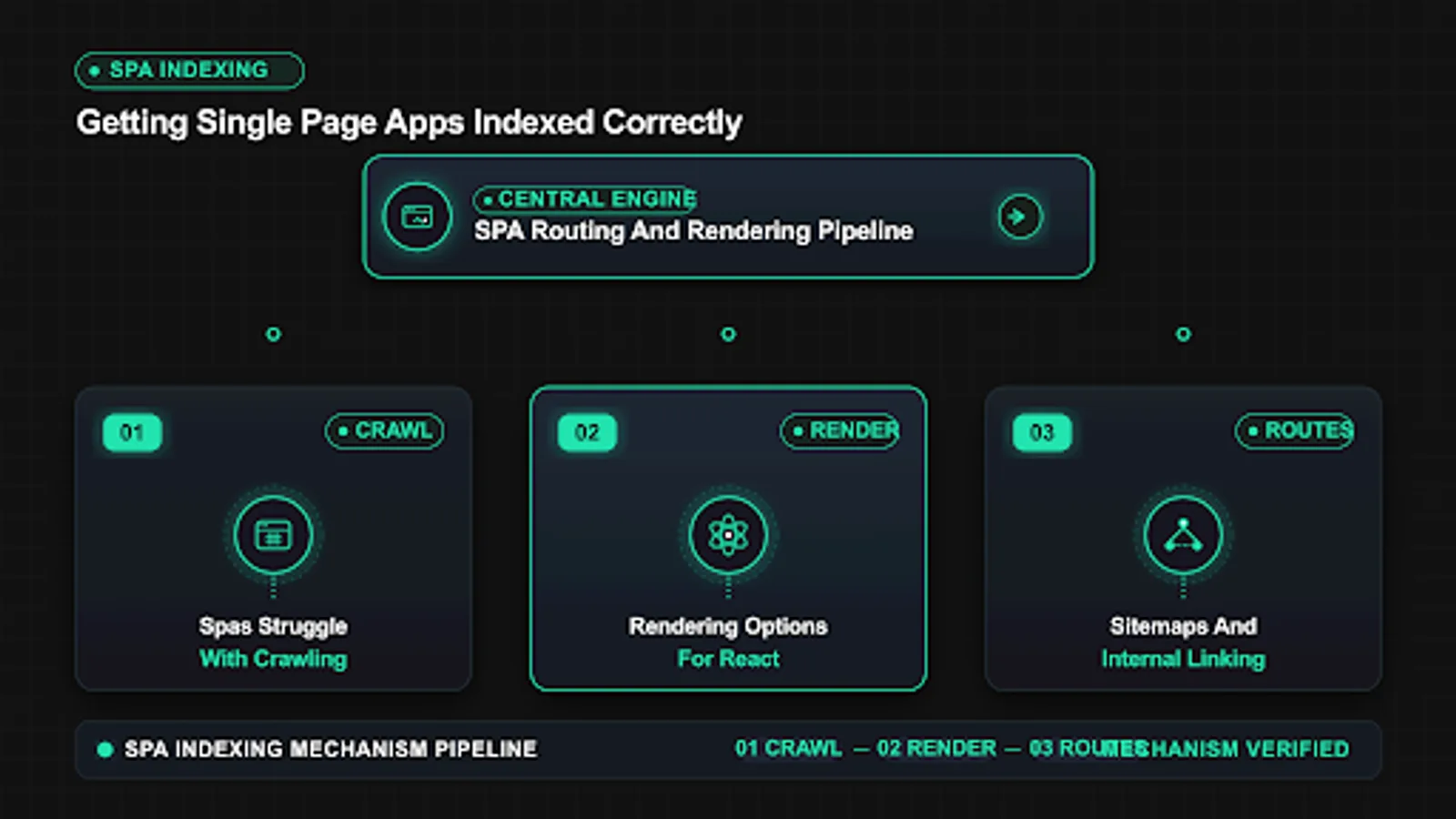
Rendering options for React, Vue, and Angular
Frameworks do not prevent indexing, but default client only setups maximize rendering delay. Server side rendering, static generation, and prerendering put meaningful HTML on first response for public routes while preserving app interactivity. The right option depends on update frequency, personalization, and hosting. For most marketing and catalog sections, static or server output for known routes delivers fast indexing without abandoning component architecture. A practical spa ssr seo rollout covers react app indexing, vue seo indexing and angular indexing for hubs first, then expands to detail templates.
Server side rendering builds HTML per request, which suits frequently updated listings and personalized content that must index fresh. A common mistake is to treat one URL as proof for the whole site. Instead group URLs by template, section, and publish date to see whether the pattern is isolated or broad. Template level patterns point to code or configuration. Scattered patterns point to content depth, linking, or demand signals that need steady improvement across many pages.
Static generation prebuilds HTML at deploy time, which suits docs, marketing, and product detail pages with predictable routes. When you apply a fix, change one variable at a time and note the date in your site log. If you change content, links, and technical settings on the same day, you will not know which action moved the count. Clear notes also help future audits because anyone can trace why a setting exists and whether it should stay or be revised.
Prerendering crawls app routes and saves snapshots served to crawlers or all users on first hit, which helps as a staged improvement. Measurement matters more than activity. After the change, check the same report on the same weekday for two to three cycles and compare valid counts, excluded counts, and sample URLs. Small steady gains beat sudden spikes. If numbers stall, revisit grouping and sampling instead of repeating the same submission or request on every URL.
Hydration restores interactivity after server HTML loads, so event wiring must not depend on slow third parties that block meaning. Documentation keeps this work repeatable. Store the export, the fix date, the template name, and the validation result in one place that the whole team can find. When ownership changes or when a plugin updates, that record prevents regressions and shortens debugging because the prior context is already written down and easy to scan.
Incremental adoption that server renders hubs and money routes first captures most value while limiting rewrite scope and risk. In practice this means you should record the exact state, the date, and the sample URL before changing anything. Owners who skip this note often repeat fixes that already failed. A short log with before and after values makes the next review faster and keeps the team aligned on what was tried and what remains open.
Key checks for rendering options for react, vue, and angular:
- Map routes to render option by freshness and search value.
- Server render or prebuild all public hubs and detail templates.
- Keep private screens client only and out of sitemaps.
- Monitor snapshot freshness if prerendering.
- Test each framework output with source diffs.
Use this quick reference while working on rendering options for react, vue, and angular.
| Check | What to confirm | Tool |
|---|---|---|
| Option | Best for | Operational note |
| Server render | Fresh listings | Needs render infra |
| Static gen | Docs and marketing | Rebuild on change |
| Prerender | Staged rescue | Keep snapshots fresh |
| Hydration | App feel | Slim client bundles |
| Incremental | Mixed apps | Hubs first |
Pick rendering by route value, not by framework default. Docs and marketing deserve static output. Listings with frequent change deserve server output. Private screens deserve no server SEO investment. When teams align rendering spend with search demand, spa indexing improves quickly without wholesale rewrites.
 <!-- IMAGE-PROMPT diagram-01: 1600px max, DependsIt brand mint #22E3B0 on charcoal #121212, node-network line art, Clash Display style headings, General Sans clean labels, subject: SPA routing and rendering options from hash URLs to server output, flat vector, accessible, no em dash in rendered text -->
Meta tags, canonicals, and status codes in SPAs
Shell apps often share one title and description across all views, set canonicals late in script, and return 200 for every path. Those signals confuse consolidation and waste crawl attention on missing routes. Correct spa indexing requires route specific metadata in server HTML, stable canonicals that match links and sitemaps, and honest status codes for unknown or removed views.
Route specific titles and descriptions in server HTML prevent duplicate metadata that weakens relevance and click performance. When you apply a fix, change one variable at a time and note the date in your site log. If you change content, links, and technical settings on the same day, you will not know which action moved the count. Clear notes also help future audits because anyone can trace why a setting exists and whether it should stay or be revised.
Canonical tags must match the crawlable route URL and agree with internal links and sitemap entries to consolidate signals cleanly. Measurement matters more than activity. After the change, check the same report on the same weekday for two to three cycles and compare valid counts, excluded counts, and sample URLs. Small steady gains beat sudden spikes. If numbers stall, revisit grouping and sampling instead of repeating the same submission or request on every URL.
Robots directives for app search, filters, and private screens keep low value views out while preserving crawl paths to value. Documentation keeps this work repeatable. Store the export, the fix date, the template name, and the validation result in one place that the whole team can find. When ownership changes or when a plugin updates, that record prevents regressions and shortens debugging because the prior context is already written down and easy to scan.
Unknown app paths should return 404 or 410 with helpful navigation, not 200 shells that read as thin duplicates. In practice this means you should record the exact state, the date, and the sample URL before changing anything. Owners who skip this note often repeat fixes that already failed. A short log with before and after values makes the next review faster and keeps the team aligned on what was tried and what remains open.
Structured data for articles, products, and breadcrumbs should render server side so rich result tests and indexing see complete entities. For most small teams this step takes less than fifteen minutes per URL once the process is documented. Open the relevant report, copy the status wording exactly, and save a screenshot or export for reference. That evidence helps you compare later crawl cycles and helps developers reproduce the issue without guesswork about which template or setting caused it.
Key checks for meta tags, canonicals, and status codes in spas:
- Render title, description, canonical, and robots server side per route.
- Align canonicals with internal hrefs and sitemap URLs.
- Return 404 or 410 for removed app paths with server status.
- Keep private screens noindexed with UI that still guides users.
- Validate structured data with render tests per template.
Use this quick reference while working on meta tags, canonicals, and status codes in spas.
| Check | What to confirm | Tool |
|---|---|---|
| Signal | Correct pattern | Failure symptom |
| Title | Unique per route server side | Duplicates in coverage |
| Canonical | Matches links plus sitemap | Split Valid |
| Robots | Selective for low value | Bloat growth |
| Status | 404 for missing | Soft duplicate rise |
| Schema | Server complete | Missed rich eligibility |
For consolidation background that applies directly to app routes, see Duplicate Without Canonical: How Duplicate URLs Kill Your Indexation. SPA variants multiply quickly through parameters, sort states, and hash legacies. Clean canonicals plus honest status codes collapse that sprawl so surviving routes accumulate enough signals to stay Valid.
// React Router example: history route with server fallback
// Server must return route HTML for /guides/start and 404 for unknown paths
Run the snippet on staging first, then on production for one sample URL. Save the output with the date so later reviews can compare behavior before and after the fix without rerunning every manual step from memory.
Sitemaps and internal linking for app routes
Even with good rendering, SPAs need discovery paths that do not depend on script execution. Server rendered hub pages with paginated links, clean sitemaps with canonical 200 routes, and descriptive anchors guide crawlers to depth. Without these, new app views wait for render dependent discovery that arrives late or never. Build discovery from first HTML and sitemaps together for resilient spa indexing.
Hub pages with server rendered lists and pagination expose deep app views through stable hrefs that crawlers follow without scripts. Measurement matters more than activity. After the change, check the same report on the same weekday for two to three cycles and compare valid counts, excluded counts, and sample URLs. Small steady gains beat sudden spikes. If numbers stall, revisit grouping and sampling instead of repeating the same submission or request on every URL.
Sitemaps should list only canonical 200 app routes with accurate lastmod, segmented by section for readable indexation math. Documentation keeps this work repeatable. Store the export, the fix date, the template name, and the validation result in one place that the whole team can find. When ownership changes or when a plugin updates, that record prevents regressions and shortens debugging because the prior context is already written down and easy to scan.
Descriptive anchors from related views and breadcrumbs add topical context that app shell navigation often omits. In practice this means you should record the exact state, the date, and the sample URL before changing anything. Owners who skip this note often repeat fixes that already failed. A short log with before and after values makes the next review faster and keeps the team aligned on what was tried and what remains open.
New route publication should update hubs, sitemaps, and related links in the same deploy so discovery starts immediately. For most small teams this step takes less than fifteen minutes per URL once the process is documented. Open the relevant report, copy the status wording exactly, and save a screenshot or export for reference. That evidence helps you compare later crawl cycles and helps developers reproduce the issue without guesswork about which template or setting caused it.
Orphaned app views without inbound hrefs rely solely on sitemaps and index slowly, which is why link audits matter after every release. A common mistake is to treat one URL as proof for the whole site. Instead group URLs by template, section, and publish date to see whether the pattern is isolated or broad. Template level patterns point to code or configuration. Scattered patterns point to content depth, linking, or demand signals that need steady improvement across many pages.
Key checks for sitemaps and internal linking for app routes:
- Render hub lists and pagination in first HTML.
- List only canonical app routes in sitemaps.
- Add breadcrumbs with hrefs on detail views.
- Update hubs and sitemaps in the same deploy as new routes.
- Audit orphan routes monthly and link or remove.
Use this quick reference while working on sitemaps and internal linking for app routes.
| Check | What to confirm | Tool |
|---|---|---|
| Discovery path | Depends on script | Priority |
| Hub hrefs | No | Highest for depth |
| Sitemap entry | No | Required for new |
| Related links | No when server | High for context |
| App nav only | Yes | Insufficient alone |
| Social shares | Indirect | Supplementary |
Discovery is a contract. Every public route deserves at least one server rendered href from a hub plus one sitemap entry. When that contract holds, new views get fetched quickly and rendering improvements pay off. When it breaks, even perfect server HTML sits unseen while teams debate content quality that was never evaluated.
 <!-- IMAGE-PROMPT workflow-02: 1600px max, DependsIt brand mint #22E3B0 on charcoal #121212 or white, node-network line art, Clash Display style headings, General Sans clean labels, subject: SPA launch workflow from audit to rendering fix to validation, flat vector, accessible, no em dash in rendered text -->
Testing SPA indexability step by step
SPA launches fail when teams test only in fast browsers as logged in users. A staging protocol that mimics fresh crawlers catches routing, rendering, and signal gaps before production. Run direct URL hits, source diffs, live render tests, header checks, and link crawls for each route type. Attach proof to release notes so regressions trace to specific changes instead of vague front end updates.
Direct hits to deep routes in clean sessions confirm server fallback returns route HTML or correct 404 without app navigation. Documentation keeps this work repeatable. Store the export, the fix date, the template name, and the validation result in one place that the whole team can find. When ownership changes or when a plugin updates, that record prevents regressions and shortens debugging because the prior context is already written down and easy to scan.
Source versus rendered diffs for H1, body, and links prove which content exists before hydration for each template. In practice this means you should record the exact state, the date, and the sample URL before changing anything. Owners who skip this note often repeat fixes that already failed. A short log with before and after values makes the next review faster and keeps the team aligned on what was tried and what remains open.
Live URL tests on staging validate fetch, blocked resources, indexing allowed status, and canonical selection per route type. For most small teams this step takes less than fifteen minutes per URL once the process is documented. Open the relevant report, copy the status wording exactly, and save a screenshot or export for reference. That evidence helps you compare later crawl cycles and helps developers reproduce the issue without guesswork about which template or setting caused it.
Header scans catch X Robots noindex, wrong status, and cache rules that differ between staging and production configs. A common mistake is to treat one URL as proof for the whole site. Instead group URLs by template, section, and publish date to see whether the pattern is isolated or broad. Template level patterns point to code or configuration. Scattered patterns point to content depth, linking, or demand signals that need steady improvement across many pages.
Link crawls from hubs verify depth, href presence, canonical agreement, and orphan counts across the app route graph. When you apply a fix, change one variable at a time and note the date in your site log. If you change content, links, and technical settings on the same day, you will not know which action moved the count. Clear notes also help future audits because anyone can trace why a setting exists and whether it should stay or be revised.
Key checks for testing spa indexability step by step:
- Test listing, detail, paginated, and error routes separately.
- Save source snippets and live test outputs with release tags.
- Diff staging versus production headers after infra changes.
- Crawl from hubs without executing app navigation first.
- Block launch on failures for money route types.
Use this quick reference while working on testing spa indexability step by step.
| Check | What to confirm | Tool |
|---|---|---|
| Test | Route sample | Pass bar |
| Direct hit | Listing plus detail | Route HTML or 404 |
| Source diff | H1 plus 200 words | Present pre script |
| Live render | One per template | No blocks, clean meta |
| Headers | All public routes | 200 plus allow |
| Link crawl | From hubs | No orphans for priority |
Testing discipline compounds. After three releases with attached proofs, the team knows normal render output for each template and spots anomalies in minutes. That speed matters when routers, auth wrappers, or consent banners change globally. Early detection keeps one bad deploy from emptying renders across thousands of app URLs.
An SPA launch and maintenance workflow
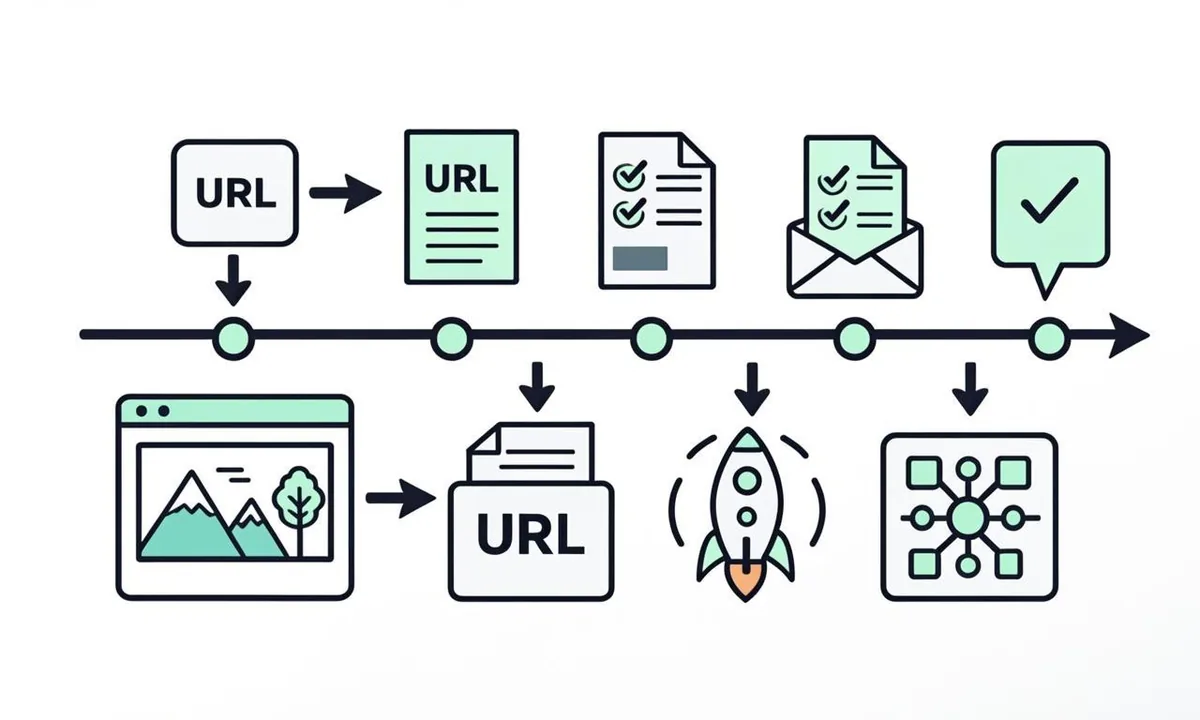
Sustainable spa indexing is a maintenance routine, not a launch trick. Publish with server support, validate with live tests, monitor Valid trends by route group, and prune or consolidate low value app states before they bloat the index. Assign owners for routing, rendering, content, and monitoring so app velocity does not erode crawlability. This workflow fits Agile sprints with small gates that prevent large recoveries.
Pre launch gates require route inventory, rendering map, metadata proof, status tests, and hub plus sitemap updates for public views. In practice this means you should record the exact state, the date, and the sample URL before changing anything. Owners who skip this note often repeat fixes that already failed. A short log with before and after values makes the next review faster and keeps the team aligned on what was tried and what remains open.
Post launch monitoring tracks Valid by route group, error rate, render errors, and orphan counts for four weeks after each major release. For most small teams this step takes less than fifteen minutes per URL once the process is documented. Open the relevant report, copy the status wording exactly, and save a screenshot or export for reference. That evidence helps you compare later crawl cycles and helps developers reproduce the issue without guesswork about which template or setting caused it.
Quarterly pruning consolidates filter states, removes stale app views, and aligns sitemaps and links with surviving canonicals. A common mistake is to treat one URL as proof for the whole site. Instead group URLs by template, section, and publish date to see whether the pattern is isolated or broad. Template level patterns point to code or configuration. Scattered patterns point to content depth, linking, or demand signals that need steady improvement across many pages.
Incident runbooks define who checks routing versus rendering versus hosting when Valid drops concentrate on app templates. When you apply a fix, change one variable at a time and note the date in your site log. If you change content, links, and technical settings on the same day, you will not know which action moved the count. Clear notes also help future audits because anyone can trace why a setting exists and whether it should stay or be revised.
Documentation of exceptions with expiry dates prevents temporary noindex and dynamic rendering workarounds from becoming permanent debt. Measurement matters more than activity. After the change, check the same report on the same weekday for two to three cycles and compare valid counts, excluded counts, and sample URLs. Small steady gains beat sudden spikes. If numbers stall, revisit grouping and sampling instead of repeating the same submission or request on every URL.
Key checks for an spa launch and maintenance workflow:
- Require route inventory and render proof before launch approval.
- Monitor app route groups separately from marketing pages.
- Prune low value states quarterly with redirects where needed.
- Keep runbooks linked from every Valid drop alert.
- Expire temporary workarounds with dated owners.
Use this quick reference while working on an spa launch and maintenance workflow.
| Check | What to confirm | Tool |
|---|---|---|
| Phase | Gate | Owner |
| Pre launch | Route plus render proof | Front end plus SEO |
| Release | Live test pass | SEO |
| Monitor | Valid by group 4 weeks | SEO plus content |
| Prune | Quarterly consolidation | Content ops |
| Incident | Runbook routing | Engineering |
Treat crawlability as a product requirement with acceptance tests. When routing, rendering, and discovery gates live in pull request templates, app teams ship indexable views by default. The result is steady spa indexing that survives framework upgrades because proof, not memory, governs what ships.
FAQ
Can single page apps rank as well as multi page sites?
Yes when public routes have stable URLs, server meaningful HTML, unique metadata, and strong internal links. Framework choice matters less than routing and rendering execution. Teams that server render hubs and money routes, keep canonicals clean, and test with live tools see app pages enter Valid status and compete normally. Ensure spa content googlebot can access is complete on first render to support client rendered seo without extra passes.
Are hash URLs ever acceptable for public SPA content?
No for content that needs search traffic. Hash fragments hide distinct views and complicate canonicals and linking. Migrate public hash views to history API paths with server support, update links and sitemaps together, and reserve hash behavior for private in app states that should not index.
Do we need server side rendering for the whole app?
No. Server render public routes with search demand and keep private screens client only. Static generation suits docs and marketing. Server rendering suits fresh listings. Incremental coverage of hubs and detail templates captures most indexing value without rewriting dashboards, checkout, or settings screens.
How should SPAs handle 404s?
Return real 404 or 410 status from the server for unknown or removed app paths, with helpful navigation and search. Avoid serving the shell with 200 for missing routes, which creates soft duplicates. Test valid, missing, and parameterized routes separately after every router change.
What belongs in SPA sitemaps?
Only canonical 200 public routes with accurate lastmod, segmented by section. Exclude private screens, filter states, and hash variants. Update sitemaps in the same deploy as new routes and hub links. Clean sitemaps keep indexation math meaningful and focus crawl attention on survivors.
How do we test an SPA before launch?
Hit deep routes directly, diff source versus rendered content, run live URL tests per template, scan headers for status and robots, and crawl from hubs for orphans. Attach proofs to release notes. Block launch on failures for money routes. Monitor Valid by route group for four weeks after release.