Canonical Tags and Indexing: Common Mistakes That Cost You Rankings

When pages lose traffic after a redesign or platform change, the cause is often a quiet canonical tag error rather than a penalty. This guide is for site owners, SEOs, and developers who need to understand canonical tag indexing, find the mistakes that remove good pages from Google search, and fix them without breaking valid consolidation. You will learn how Google reads canonical hints alongside sitemaps and links, which template errors cause the most index loss, how to audit every template with crawl data and Search Console, and how to roll out repairs that restore stable indexation. The focus keyword canonical tag indexing appears early so this page matches the query while staying practical and plain.
Key takeaways
- Canonical tags are hints that need matching sitemap and link signals to hold.
- Targets that redirect, miss, or carry noindex can remove good pages from search.
- Audit by template with crawl exports before editing single URLs.
- Roll out fixes in stages and track valid indexed trends for the section.
- How canonical tag indexing guides Google index selection
- Mistake 1: pointing canonicals to redirects, 404s, or noindexed pages
- Mistake 2: mixed signals from sitemaps, internal links, and canonicals
- Mistake 3: wrong use of relative URLs, trailing slashes, and parameters
- Mistake 4: duplicate templates, pagination, and faceted pages without rules
- How to audit canonical tags across templates and crawl data
- A canonical repair workflow that restores indexation
- FAQ
- Sources
- Further reading
 <!-- IMAGE-PROMPT cover: 1200x630, DependsIt brand, deep charcoal #121212 background, vibrant mint #22E3B0 accent glow, thin node-network line art, Clash Display style bold heading space on left, General Sans clean labels, subject: canonical tag indexing cover for site owners, flat vector, high contrast, accessible, no photorealistic faces, no text smaller than 24px, no em dash in rendered text, export PNG then cwebp -q 82 to WEBP -->
How canonical tag indexing guides Google index selection
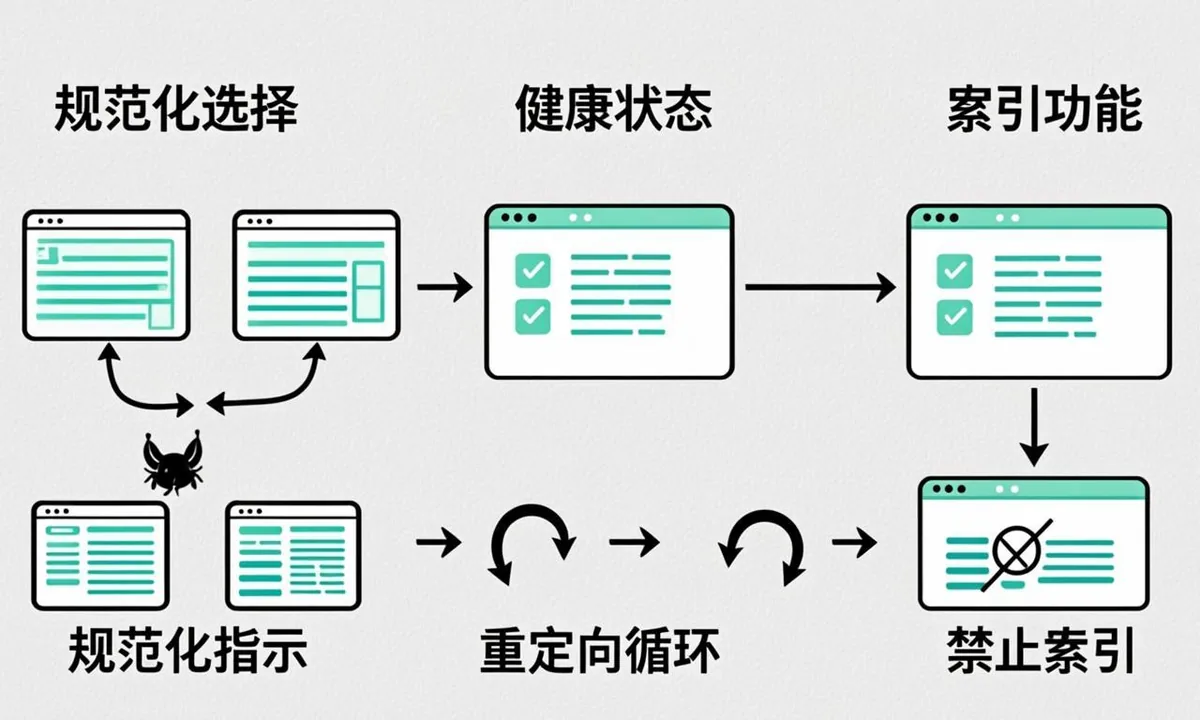
Canonical tags tell Google which URL should collect ranking signals when similar pages exist. For canonical tag indexing, the tag is a hint, not a directive, so Google compares it with sitemaps, internal links, redirects, and content similarity before choosing the indexed URL. When the hint is clean and consistent, consolidation works and the preferred page stays in the index. Most canonical mistakes share the same root cause, which is a template that emits one pattern while sitemaps and links emit another. Those mismatches create canonical indexing issues that keep good pages out of results even when content quality is solid. When the hint conflicts with other signals, Google may pick a different URL, keep both out, or waste crawl time switching between variants. This section explains how that choice happens, what inputs matter most, and why small template errors can move whole sections out of search results.
To make progress on how canonical tags guide google index selection, start with live evidence rather than assumptions. Open the URL in a clean browser session, view source, and compare it with the rendered DOM. Note the title, meta robots, canonical link, headings, and main body length in both views. Then fetch response headers to confirm status code, content type, X Robots Tag, cache directives, and redirect chain length. For canonical tag indexing, these first facts decide whether deeper work is needed or whether a single header or tag explains the symptom. Record the date, template name, and test URLs so later changes can be tied to outcomes without guesswork.
Practical checks for how canonical tags guide google index selection work best as a short checklist with owners and dates. Confirm crawl access in robots.txt for the exact path and user agent, confirm index permission in meta and headers, confirm the canonical target returns 200 and allows indexing, confirm sitemap inclusion only for preferred URLs, and confirm at least a few relevant internal inlinks from indexed hubs. For canonical tag indexing, each check takes minutes but together they catch most blocks. Log which check failed for each sample so the repair targets the true source instead of applying broad changes that risk new issues.
Checklist for how canonical tags guide google index selection:
- Confirm live status, headers, and rendered output on two samples from this template.
- Compare Search Console samples with crawl exports grouped by template and path.
- Align sitemap entries, internal anchors, and canonical targets to one preferred URL form.
- Fix the template or setting once, then retest across post types and archives.
- Purge page cache and edge cache, then recheck logged out HTML and headers.
- Log the change with dates and watch valid indexed counts for two weeks.
| Check for canonical tag indexing | What to look for | Next step |
|---|---|---|
| --- | --- | --- |
| Crawl access | robots result and log fetch rate | Narrow the exact disallow or allow pattern |
|---|---|---|
| Index permission | meta robots and X Robots Tag | Remove noindex from the true source layer |
| Canonical clarity | declared versus selected URL | Point all cues to one 200 indexable target |
|---|---|---|
| Internal support | inlink count and click depth | Add hub and contextual links with clear anchors |
Example: a site working on canonical tag indexing found that how canonical tags guide google index selection affected one template more than others. The team listed fifty sample URLs, added template and inlink columns, and saw that archive pages carried the same canonical as single posts while receiving almost no internal links. They updated the template so archives self reference only when they add unique value, added three contextual links from related hubs to priority singles, cleaned the sitemap to preferred URLs only, and purged cache. Live tests then showed consistent canonicals, logs showed steadier fetching of the priority section, and the valid indexed trend rose without bulk resubmits. For more context on adjacent coverage states, see Duplicate Without Canonical: How Duplicate URLs Kill Your Indexation which explains how discovery and crawl states connect to this fix.
Next, widen the lens from one URL to its template group. For canonical tag indexing, single page fixes rarely move coverage because the same include, plugin, or layout rule affects hundreds of pages. Export Search Console samples for the relevant status, add columns for template, word count, inlink count, canonical target, and sitemap presence, then sort by template. When how canonical tags guide google index selection clusters on one layout, the fix belongs in code or settings, not in the editor. When it spreads across layouts, look at sitewide signals such as navigation depth, crawl budget pressure, or recent deploy dates that shifted many pages at once.
Do not overlook rendering and performance. For canonical tag indexing, JavaScript that injects main content late, lazy loads critical links, or blocks CSS and scripts can make a healthy page look thin to crawlers. Test raw versus rendered word counts, list blocked resources reported in live tests, and confirm that canonicals, hreflang, and structured data appear in rendered HTML as well as source. Compress images, stabilize response times, and ensure the edge cache serves bots the same HTML as browsers. Faster stable rendering helps every other fix for how canonical tags guide google index selection get noticed sooner.
curl -I https://example.com/sample-pageMistake 1: pointing canonicals to redirects, 404s, or noindexed pages
One of the most damaging patterns is a canonical that points to a URL that cannot be indexed. For canonical tag indexing, a target that redirects, returns a 404, triggers a soft 404, or carries noindex tells Google to consolidate signals onto a page that is not eligible for the index. The result is often that neither the source nor the target ranks. This happens after migrations when slugs change, after staging settings leak into production, or when a CMS plugin writes absolute URLs with old domains. A clean self canonical on indexable pages removes doubt about slashes and parameters without forcing consolidation. Never combine a canonical with noindex on the same URL, since canonical vs noindex sends conflicting cues and Google may drop the page entirely. This section shows how to spot these dead end canonicals, why they persist unnoticed, and what a healthy target looks like.
Next, widen the lens from one URL to its template group. For canonical tag indexing, single page fixes rarely move coverage because the same include, plugin, or layout rule affects hundreds of pages. Export Search Console samples for the relevant status, add columns for template, word count, inlink count, canonical target, and sitemap presence, then sort by template. When mistake 1: pointing canonicals to redirects, 404s, or noindexed pages clusters on one layout, the fix belongs in code or settings, not in the editor. When it spreads across layouts, look at sitewide signals such as navigation depth, crawl budget pressure, or recent deploy dates that shifted many pages at once.
Content quality still decides many close calls. For canonical tag indexing, compare the thin or duplicated page against indexed competitors on specificity, steps, examples, data, and intent fit. Add concrete details that a crawler can distinguish, such as exact procedures, error strings, thresholds, timelines, and follow up actions. Keep titles and H1s distinct across the section, tighten intros that repeat the same boilerplate, and remove auto generated archives that compete with priority pages. When mistake 1: pointing canonicals to redirects, 404s, or noindexed pages improves uniqueness and intent match, Google has a clearer reason to keep the preferred URL in the index.
Checklist for mistake 1: pointing canonicals to redirects, 404s, or noindexed pages:
- Confirm live status, headers, and rendered output on two samples from this template.
- Compare Search Console samples with crawl exports grouped by template and path.
- Align sitemap entries, internal anchors, and canonical targets to one preferred URL form.
- Fix the template or setting once, then retest across post types and archives.
- Purge page cache and edge cache, then recheck logged out HTML and headers.
- Log the change with dates and watch valid indexed counts for two weeks.
| Check for canonical tag indexing | What to look for | Next step |
|---|---|---|
| --- | --- | --- |
| Crawl access | robots result and log fetch rate | Narrow the exact disallow or allow pattern |
|---|---|---|
| Index permission | meta robots and X Robots Tag | Remove noindex from the true source layer |
| Canonical clarity | declared versus selected URL | Point all cues to one 200 indexable target |
|---|---|---|
| Internal support | inlink count and click depth | Add hub and contextual links with clear anchors |
Example: a site working on canonical tag indexing found that mistake 1: pointing canonicals to redirects, 404s, or noindexed pages affected one template more than others. The team listed fifty sample URLs, added template and inlink columns, and saw that archive pages carried the same canonical as single posts while receiving almost no internal links. They updated the template so archives self reference only when they add unique value, added three contextual links from related hubs to priority singles, cleaned the sitemap to preferred URLs only, and purged cache. Live tests then showed consistent canonicals, logs showed steadier fetching of the priority section, and the valid indexed trend rose without bulk resubmits. For more context on adjacent coverage states, see our guide on Duplicate Without Canonical: How Duplicate URLs Kill Your Indexation which explains how discovery and crawl states connect to this fix.
Then align the supporting signals that Google weighs alongside the main tag or directive. For canonical tag indexing, sitemaps should list only canonical 200 URLs with accurate lastmod, internal links should point to the same canonical variant with descriptive anchors, and alternate cues such as hreflang, pagination, or feed links should agree rather than compete. Mixed cues force Google to choose, which delays indexing. Pick one preferred URL form with consistent protocol, host, trailing slash, and parameter handling, update templates and feeds to emit it, and remove stale variants from sitemaps so crawlers spend time on pages that can actually be indexed.
Rollout discipline protects gains. For canonical tag indexing, back up templates and settings, change one layer at a time, and keep a simple log with template, change, date, and sample URLs. After deploy, clear caches, retest live output, and compare before and after exports rather than relying on memory. Share the log with editors and developers so no one reintroduces the old pattern during the next theme update. When mistake 1: pointing canonicals to redirects, 404s, or noindexed pages is fixed at the template level with monitoring in place, coverage usually stays stable through future releases.
 <!-- IMAGE-PROMPT diagram-01: 1600px max, DependsIt brand mint #22E3B0 on charcoal #121212, node-network line art, Clash Display style headings, General Sans clean labels, subject: canonical tag indexing pipeline diagram from discovery through crawl to index, flat vector, accessible, no em dash -->
curl -I https://example.com/sample-pageMistake 2: mixed signals from sitemaps, internal links, and canonicals
Mixed signals are common on large sites. For canonical tag indexing, the canonical may name one URL while the XML sitemap lists another variant, internal links point to a third, and hreflang or pagination tags suggest a fourth. Google must then guess which version the site really prefers. Often it defers indexing or picks the wrong URL. When a canonical not respected pattern appears in Search Console, compare declared versus selected URLs across templates to find the conflict. Aligning canonical signals google trusts, such as sitemap entries, internal anchors, and the tag itself, usually restores respect within one to two crawl cycles. This section walks through typical conflicts between navigation links, feed links, sitemap entries, and canonical declarations. It explains how to align all four so every crawlable cue names the same canonical URL with the same protocol, host, trailing slash, and parameter handling.
Then align the supporting signals that Google weighs alongside the main tag or directive. For canonical tag indexing, sitemaps should list only canonical 200 URLs with accurate lastmod, internal links should point to the same canonical variant with descriptive anchors, and alternate cues such as hreflang, pagination, or feed links should agree rather than compete. Mixed cues force Google to choose, which delays indexing. Pick one preferred URL form with consistent protocol, host, trailing slash, and parameter handling, update templates and feeds to emit it, and remove stale variants from sitemaps so crawlers spend time on pages that can actually be indexed.
Do not overlook rendering and performance. For canonical tag indexing, JavaScript that injects main content late, lazy loads critical links, or blocks CSS and scripts can make a healthy page look thin to crawlers. Test raw versus rendered word counts, list blocked resources reported in live tests, and confirm that canonicals, hreflang, and structured data appear in rendered HTML as well as source. Compress images, stabilize response times, and ensure the edge cache serves bots the same HTML as browsers. Faster stable rendering helps every other fix for mistake 2: mixed signals from sitemaps, internal links, and canonicals get noticed sooner.
Checklist for mistake 2: mixed signals from sitemaps, internal links, and canonicals:
- Confirm live status, headers, and rendered output on two samples from this template.
- Compare Search Console samples with crawl exports grouped by template and path.
- Align sitemap entries, internal anchors, and canonical targets to one preferred URL form.
- Fix the template or setting once, then retest across post types and archives.
- Purge page cache and edge cache, then recheck logged out HTML and headers.
- Log the change with dates and watch valid indexed counts for two weeks.
| Check for canonical tag indexing | What to look for | Next step |
|---|---|---|
| --- | --- | --- |
| Crawl access | robots result and log fetch rate | Narrow the exact disallow or allow pattern |
|---|---|---|
| Index permission | meta robots and X Robots Tag | Remove noindex from the true source layer |
| Canonical clarity | declared versus selected URL | Point all cues to one 200 indexable target |
|---|---|---|
| Internal support | inlink count and click depth | Add hub and contextual links with clear anchors |
Example: a site working on canonical tag indexing found that mistake 2: mixed signals from sitemaps, internal links, and canonicals affected one template more than others. The team listed fifty sample URLs, added template and inlink columns, and saw that archive pages carried the same canonical as single posts while receiving almost no internal links. They updated the template so archives self reference only when they add unique value, added three contextual links from related hubs to priority singles, cleaned the sitemap to preferred URLs only, and purged cache. Live tests then showed consistent canonicals, logs showed steadier fetching of the priority section, and the valid indexed trend rose without bulk resubmits. For more context on adjacent coverage states, see our guide on Duplicate Without Canonical: How Duplicate URLs Kill Your Indexation which explains how discovery and crawl states connect to this fix.
Finally, validate in small loops and track trends. For canonical tag indexing, fix staging first, deploy to production, purge page and edge caches, and retest headers and source on live URLs while logged out. Run URL Inspection live tests on two to three samples per template, not on thousands of URLs. Note last crawl dates and canonical selection, then watch the Pages report for the section over one to two weeks. Stable templates plus steady internal links usually move the valid count before any single URL is manually resubmitted. If movement stalls, revisit rendering, duplication, and depth before adding more requests.
Practical checks for mistake 2: mixed signals from sitemaps, internal links, and canonicals work best as a short checklist with owners and dates. Confirm crawl access in robots.txt for the exact path and user agent, confirm index permission in meta and headers, confirm the canonical target returns 200 and allows indexing, confirm sitemap inclusion only for preferred URLs, and confirm at least a few relevant internal inlinks from indexed hubs. For canonical tag indexing, each check takes minutes but together they catch most blocks. Log which check failed for each sample so the repair targets the true source instead of applying broad changes that risk new issues.
curl -I https://example.com/sample-pageMistake 3: wrong use of relative URLs, trailing slashes, and parameters
Canonical tags should use absolute URLs, yet many templates output relative paths or omit the host. To fix canonical tags safely, standardize to absolute URLs with consistent host and slash handling across all templates. Document canonical rules per template, including when to self reference, when to consolidate facets, and when to allow cross domain targets. For canonical tag indexing, relative canonicals are resolved against the page URL, which works until proxies, staging domains, or mixed content rewrite the base. Trailing slash mismatches, http versus https, www versus apex, uppercase paths, and tracking parameters create similar splits. Google may treat these as separate candidates and divide signals. This section covers how to standardize hosts, schemes, slashes, and parameter stripping, plus how to test that the rendered canonical matches the intended absolute URL on every template.
Finally, validate in small loops and track trends. For canonical tag indexing, fix staging first, deploy to production, purge page and edge caches, and retest headers and source on live URLs while logged out. Run URL Inspection live tests on two to three samples per template, not on thousands of URLs. Note last crawl dates and canonical selection, then watch the Pages report for the section over one to two weeks. Stable templates plus steady internal links usually move the valid count before any single URL is manually resubmitted. If movement stalls, revisit rendering, duplication, and depth before adding more requests.
Rollout discipline protects gains. For canonical tag indexing, back up templates and settings, change one layer at a time, and keep a simple log with template, change, date, and sample URLs. After deploy, clear caches, retest live output, and compare before and after exports rather than relying on memory. Share the log with editors and developers so no one reintroduces the old pattern during the next theme update. When mistake 3: wrong use of relative urls, trailing slashes, and parameters is fixed at the template level with monitoring in place, coverage usually stays stable through future releases.
Checklist for mistake 3: wrong use of relative urls, trailing slashes, and parameters:
- Confirm live status, headers, and rendered output on two samples from this template.
- Compare Search Console samples with crawl exports grouped by template and path.
- Align sitemap entries, internal anchors, and canonical targets to one preferred URL form.
- Fix the template or setting once, then retest across post types and archives.
- Purge page cache and edge cache, then recheck logged out HTML and headers.
- Log the change with dates and watch valid indexed counts for two weeks.
| Check for canonical tag indexing | What to look for | Next step |
|---|---|---|
| --- | --- | --- |
| Crawl access | robots result and log fetch rate | Narrow the exact disallow or allow pattern |
|---|---|---|
| Index permission | meta robots and X Robots Tag | Remove noindex from the true source layer |
| Canonical clarity | declared versus selected URL | Point all cues to one 200 indexable target |
|---|---|---|
| Internal support | inlink count and click depth | Add hub and contextual links with clear anchors |
Example: a site working on canonical tag indexing found that mistake 3: wrong use of relative urls, trailing slashes, and parameters affected one template more than others. The team listed fifty sample URLs, added template and inlink columns, and saw that archive pages carried the same canonical as single posts while receiving almost no internal links. They updated the template so archives self reference only when they add unique value, added three contextual links from related hubs to priority singles, cleaned the sitemap to preferred URLs only, and purged cache. Live tests then showed consistent canonicals, logs showed steadier fetching of the priority section, and the valid indexed trend rose without bulk resubmits. For more context on adjacent coverage states, see our guide on Duplicate Without Canonical: How Duplicate URLs Kill Your Indexation which explains how discovery and crawl states connect to this fix.
To make progress on mistake 3: wrong use of relative urls, trailing slashes, and parameters, start with live evidence rather than assumptions. Open the URL in a clean browser session, view source, and compare it with the rendered DOM. Note the title, meta robots, canonical link, headings, and main body length in both views. Then fetch response headers to confirm status code, content type, X Robots Tag, cache directives, and redirect chain length. For canonical tag indexing, these first facts decide whether deeper work is needed or whether a single header or tag explains the symptom. Record the date, template name, and test URLs so later changes can be tied to outcomes without guesswork.
Content quality still decides many close calls. For canonical tag indexing, compare the thin or duplicated page against indexed competitors on specificity, steps, examples, data, and intent fit. Add concrete details that a crawler can distinguish, such as exact procedures, error strings, thresholds, timelines, and follow up actions. Keep titles and H1s distinct across the section, tighten intros that repeat the same boilerplate, and remove auto generated archives that compete with priority pages. When mistake 3: wrong use of relative urls, trailing slashes, and parameters improves uniqueness and intent match, Google has a clearer reason to keep the preferred URL in the index.
curl -I https://example.com/sample-pageMistake 4: duplicate templates, pagination, and faceted pages without rules
Faceted navigation, session IDs, sort orders, and paginated archives generate thousands of near duplicate URLs. For canonical tag indexing, each variant needs a clear rule that tells Google whether it should consolidate to the main page or stand alone with unique value. Without rules, crawlers discover endless combinations and index coverage thins out. This section explains when to self reference, when to point facets to the category root, how to handle page two and beyond, and why view all pages, infinite scroll endpoints, and print versions need explicit decisions rather than inherited defaults.
To make progress on mistake 4: duplicate templates, pagination, and faceted pages without rules, start with live evidence rather than assumptions. Open the URL in a clean browser session, view source, and compare it with the rendered DOM. Note the title, meta robots, canonical link, headings, and main body length in both views. Then fetch response headers to confirm status code, content type, X Robots Tag, cache directives, and redirect chain length. For canonical tag indexing, these first facts decide whether deeper work is needed or whether a single header or tag explains the symptom. Record the date, template name, and test URLs so later changes can be tied to outcomes without guesswork.
Practical checks for mistake 4: duplicate templates, pagination, and faceted pages without rules work best as a short checklist with owners and dates. Confirm crawl access in robots.txt for the exact path and user agent, confirm index permission in meta and headers, confirm the canonical target returns 200 and allows indexing, confirm sitemap inclusion only for preferred URLs, and confirm at least a few relevant internal inlinks from indexed hubs. For canonical tag indexing, each check takes minutes but together they catch most blocks. Log which check failed for each sample so the repair targets the true source instead of applying broad changes that risk new issues.
Checklist for mistake 4: duplicate templates, pagination, and faceted pages without rules:
- Confirm live status, headers, and rendered output on two samples from this template.
- Compare Search Console samples with crawl exports grouped by template and path.
- Align sitemap entries, internal anchors, and canonical targets to one preferred URL form.
- Fix the template or setting once, then retest across post types and archives.
- Purge page cache and edge cache, then recheck logged out HTML and headers.
- Log the change with dates and watch valid indexed counts for two weeks.
| Check for canonical tag indexing | What to look for | Next step |
|---|---|---|
| --- | --- | --- |
| Crawl access | robots result and log fetch rate | Narrow the exact disallow or allow pattern |
|---|---|---|
| Index permission | meta robots and X Robots Tag | Remove noindex from the true source layer |
| Canonical clarity | declared versus selected URL | Point all cues to one 200 indexable target |
|---|---|---|
| Internal support | inlink count and click depth | Add hub and contextual links with clear anchors |
Example: a site working on canonical tag indexing found that mistake 4: duplicate templates, pagination, and faceted pages without rules affected one template more than others. The team listed fifty sample URLs, added template and inlink columns, and saw that archive pages carried the same canonical as single posts while receiving almost no internal links. They updated the template so archives self reference only when they add unique value, added three contextual links from related hubs to priority singles, cleaned the sitemap to preferred URLs only, and purged cache. Live tests then showed consistent canonicals, logs showed steadier fetching of the priority section, and the valid indexed trend rose without bulk resubmits. For more context on adjacent coverage states, see our guide on Duplicate Without Canonical: How Duplicate URLs Kill Your Indexation which explains how discovery and crawl states connect to this fix.
Next, widen the lens from one URL to its template group. For canonical tag indexing, single page fixes rarely move coverage because the same include, plugin, or layout rule affects hundreds of pages. Export Search Console samples for the relevant status, add columns for template, word count, inlink count, canonical target, and sitemap presence, then sort by template. When mistake 4: duplicate templates, pagination, and faceted pages without rules clusters on one layout, the fix belongs in code or settings, not in the editor. When it spreads across layouts, look at sitewide signals such as navigation depth, crawl budget pressure, or recent deploy dates that shifted many pages at once.
Do not overlook rendering and performance. For canonical tag indexing, JavaScript that injects main content late, lazy loads critical links, or blocks CSS and scripts can make a healthy page look thin to crawlers. Test raw versus rendered word counts, list blocked resources reported in live tests, and confirm that canonicals, hreflang, and structured data appear in rendered HTML as well as source. Compress images, stabilize response times, and ensure the edge cache serves bots the same HTML as browsers. Faster stable rendering helps every other fix for mistake 4: duplicate templates, pagination, and faceted pages without rules get noticed sooner.
 <!-- IMAGE-PROMPT workflow-02: 1600px max, DependsIt brand mint #22E3B0 on charcoal #121212 or white, node-network line art, Clash Display style headings, General Sans clean labels, subject: canonical tag indexing remediation workflow from audit to fix to monitoring, flat vector, accessible, no em dash -->
curl -I https://example.com/sample-pageHow to audit canonical tags across templates and crawl data
A reliable audit combines crawl data, Search Console reports, and manual spot checks. For canonical tag indexing, the goal is to list every indexable URL, its declared canonical, its HTTP status, its robots status, and whether it appears in sitemaps or receives internal links. Patterns emerge quickly once templates are grouped. One bad header include can affect ten thousand pages. This section gives a repeatable audit sequence that works with desktop crawlers, log files, and Search Console exports. It shows which columns to add, how to filter for conflicts, and how to prioritize fixes that restore the most indexable pages first.
Next, widen the lens from one URL to its template group. For canonical tag indexing, single page fixes rarely move coverage because the same include, plugin, or layout rule affects hundreds of pages. Export Search Console samples for the relevant status, add columns for template, word count, inlink count, canonical target, and sitemap presence, then sort by template. When how to audit canonical tags across templates and crawl data clusters on one layout, the fix belongs in code or settings, not in the editor. When it spreads across layouts, look at sitewide signals such as navigation depth, crawl budget pressure, or recent deploy dates that shifted many pages at once.
Content quality still decides many close calls. For canonical tag indexing, compare the thin or duplicated page against indexed competitors on specificity, steps, examples, data, and intent fit. Add concrete details that a crawler can distinguish, such as exact procedures, error strings, thresholds, timelines, and follow up actions. Keep titles and H1s distinct across the section, tighten intros that repeat the same boilerplate, and remove auto generated archives that compete with priority pages. When how to audit canonical tags across templates and crawl data improves uniqueness and intent match, Google has a clearer reason to keep the preferred URL in the index.
Checklist for how to audit canonical tags across templates and crawl data:
- Confirm live status, headers, and rendered output on two samples from this template.
- Compare Search Console samples with crawl exports grouped by template and path.
- Align sitemap entries, internal anchors, and canonical targets to one preferred URL form.
- Fix the template or setting once, then retest across post types and archives.
- Purge page cache and edge cache, then recheck logged out HTML and headers.
- Log the change with dates and watch valid indexed counts for two weeks.
| Check for canonical tag indexing | What to look for | Next step |
|---|---|---|
| --- | --- | --- |
| Crawl access | robots result and log fetch rate | Narrow the exact disallow or allow pattern |
|---|---|---|
| Index permission | meta robots and X Robots Tag | Remove noindex from the true source layer |
| Canonical clarity | declared versus selected URL | Point all cues to one 200 indexable target |
|---|---|---|
| Internal support | inlink count and click depth | Add hub and contextual links with clear anchors |
Example: a site working on canonical tag indexing found that how to audit canonical tags across templates and crawl data affected one template more than others. The team listed fifty sample URLs, added template and inlink columns, and saw that archive pages carried the same canonical as single posts while receiving almost no internal links. They updated the template so archives self reference only when they add unique value, added three contextual links from related hubs to priority singles, cleaned the sitemap to preferred URLs only, and purged cache. Live tests then showed consistent canonicals, logs showed steadier fetching of the priority section, and the valid indexed trend rose without bulk resubmits. For more context on adjacent coverage states, see our guide on Duplicate Without Canonical: How Duplicate URLs Kill Your Indexation which explains how discovery and crawl states connect to this fix.
Then align the supporting signals that Google weighs alongside the main tag or directive. For canonical tag indexing, sitemaps should list only canonical 200 URLs with accurate lastmod, internal links should point to the same canonical variant with descriptive anchors, and alternate cues such as hreflang, pagination, or feed links should agree rather than compete. Mixed cues force Google to choose, which delays indexing. Pick one preferred URL form with consistent protocol, host, trailing slash, and parameter handling, update templates and feeds to emit it, and remove stale variants from sitemaps so crawlers spend time on pages that can actually be indexed.
Rollout discipline protects gains. For canonical tag indexing, back up templates and settings, change one layer at a time, and keep a simple log with template, change, date, and sample URLs. After deploy, clear caches, retest live output, and compare before and after exports rather than relying on memory. Share the log with editors and developers so no one reintroduces the old pattern during the next theme update. When how to audit canonical tags across templates and crawl data is fixed at the template level with monitoring in place, coverage usually stays stable through future releases.
curl -I https://example.com/sample-pageA canonical repair workflow that restores indexation
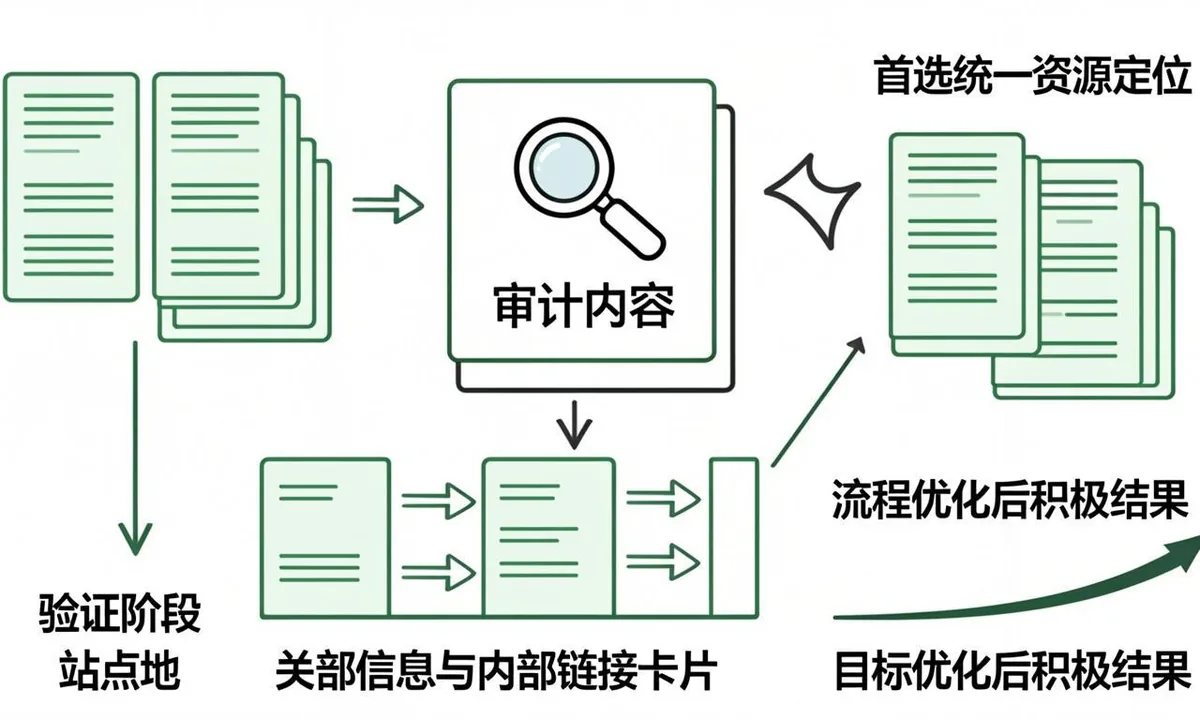
Fixing canonicals is not just editing tags. For canonical tag indexing, repairs must roll out in the right order so Google sees a stable, consistent signal over several crawl cycles. Eligibility comes first, then canonical clarity, then sitemap and link alignment, then validation and monitoring. Rushing to request recrawls before the underlying template is stable wastes quota and confuses measurement. This section lays out a staged workflow from backup and staging tests through production deploy, cache clearing, live header checks, Search Console validation, and trend tracking that confirms the indexed count is moving in the right direction.
Then align the supporting signals that Google weighs alongside the main tag or directive. For canonical tag indexing, sitemaps should list only canonical 200 URLs with accurate lastmod, internal links should point to the same canonical variant with descriptive anchors, and alternate cues such as hreflang, pagination, or feed links should agree rather than compete. Mixed cues force Google to choose, which delays indexing. Pick one preferred URL form with consistent protocol, host, trailing slash, and parameter handling, update templates and feeds to emit it, and remove stale variants from sitemaps so crawlers spend time on pages that can actually be indexed.
Do not overlook rendering and performance. For canonical tag indexing, JavaScript that injects main content late, lazy loads critical links, or blocks CSS and scripts can make a healthy page look thin to crawlers. Test raw versus rendered word counts, list blocked resources reported in live tests, and confirm that canonicals, hreflang, and structured data appear in rendered HTML as well as source. Compress images, stabilize response times, and ensure the edge cache serves bots the same HTML as browsers. Faster stable rendering helps every other fix for a canonical repair workflow that restores indexation get noticed sooner.
Checklist for a canonical repair workflow that restores indexation:
- Confirm live status, headers, and rendered output on two samples from this template.
- Compare Search Console samples with crawl exports grouped by template and path.
- Align sitemap entries, internal anchors, and canonical targets to one preferred URL form.
- Fix the template or setting once, then retest across post types and archives.
- Purge page cache and edge cache, then recheck logged out HTML and headers.
- Log the change with dates and watch valid indexed counts for two weeks.
| Check for canonical tag indexing | What to look for | Next step |
|---|---|---|
| --- | --- | --- |
| Crawl access | robots result and log fetch rate | Narrow the exact disallow or allow pattern |
|---|---|---|
| Index permission | meta robots and X Robots Tag | Remove noindex from the true source layer |
| Canonical clarity | declared versus selected URL | Point all cues to one 200 indexable target |
|---|---|---|
| Internal support | inlink count and click depth | Add hub and contextual links with clear anchors |
Example: a site working on canonical tag indexing found that a canonical repair workflow that restores indexation affected one template more than others. The team listed fifty sample URLs, added template and inlink columns, and saw that archive pages carried the same canonical as single posts while receiving almost no internal links. They updated the template so archives self reference only when they add unique value, added three contextual links from related hubs to priority singles, cleaned the sitemap to preferred URLs only, and purged cache. Live tests then showed consistent canonicals, logs showed steadier fetching of the priority section, and the valid indexed trend rose without bulk resubmits. For more context on adjacent coverage states, see our guide on Duplicate Without Canonical: How Duplicate URLs Kill Your Indexation which explains how discovery and crawl states connect to this fix.
Finally, validate in small loops and track trends. For canonical tag indexing, fix staging first, deploy to production, purge page and edge caches, and retest headers and source on live URLs while logged out. Run URL Inspection live tests on two to three samples per template, not on thousands of URLs. Note last crawl dates and canonical selection, then watch the Pages report for the section over one to two weeks. Stable templates plus steady internal links usually move the valid count before any single URL is manually resubmitted. If movement stalls, revisit rendering, duplication, and depth before adding more requests.
Practical checks for a canonical repair workflow that restores indexation work best as a short checklist with owners and dates. Confirm crawl access in robots.txt for the exact path and user agent, confirm index permission in meta and headers, confirm the canonical target returns 200 and allows indexing, confirm sitemap inclusion only for preferred URLs, and confirm at least a few relevant internal inlinks from indexed hubs. For canonical tag indexing, each check takes minutes but together they catch most blocks. Log which check failed for each sample so the repair targets the true source instead of applying broad changes that risk new issues.
curl -I https://example.com/sample-pageFAQ
What are the most common canonical mistakes that remove pages from search?
Common canonical mistakes include pointing to redirects, 404s, or noindexed targets, mixing sitemap and link signals, using relative URLs with slash mismatches, and leaving facets without rules. Each error tells Google to consolidate onto a URL that cannot be indexed, so neither source nor target ranks. Audit by template with crawl exports showing declared canonical, status, and sitemap presence to find clusters. Fix the template once, align sitemaps and anchors to one 200 indexable variant, purge cache, and watch valid indexed trends for two weeks. Staged fixes prevent reintroduction during theme updates.
Why is my canonical not respected even though the tag looks correct?
A canonical not respected outcome usually means other signals outweigh the tag, such as sitemaps listing another variant, internal links pointing elsewhere, or content that differs from the target. Google treats canonicals as hints, so thin content, weak inlinks, soft 404 targets, or blocked resources reduce trust. Compare declared versus selected URLs in Search Console, align sitemaps and anchors to the same 200 indexable target, and keep content distinct between kept pages. Ensure the target allows crawling, allows indexing, and responds fast. Respect typically returns within one to two crawl cycles after alignment.
How do canonical indexing issues affect rankings?
Canonical indexing issues split ranking signals across duplicates so the preferred page lacks enough consolidated value to stay indexed. Crawlers waste time switching between variants, coverage thins, and valid indexed counts drop for whole templates. Symptoms include wrong URL selected in Search Console, sitemap URLs excluded as duplicate, and traffic loss after redesigns. Resolve by choosing one preferred form with consistent protocol, host, slash, and parameter handling, updating templates and feeds to emit it, and removing stale variants from sitemaps. Add hub links with clear anchors to reinforce the preferred target.
Should every page use self canonical?
In most cases a clean self canonical on an indexable URL removes doubt about slashes, parameters, and protocol variants by declaring the page prefers itself. It prevents a wrong canonical inherited from another template from consolidating value away. Exceptions include intentional hubs where near duplicates should point to one category root, and some paginated series under specific strategies. Keep the rule simple per template, document exceptions, and test rendered output after every theme or plugin update. Purge page and edge cache, then recheck logged out HTML to confirm the tag survived minification.
When does canonical vs noindex cause pages to disappear?
A canonical vs noindex conflict tells Google to consolidate onto a target that is explicitly blocked from the index, so the source can drop even when content is fine. This happens when staging noindex leaks to production, when plugin settings add noindex to canonical targets, or when headers carry X Robots noindex while the tag points there. Fix by pointing every canonical to a 200 URL that allows indexing and crawling, removing noindex from the true source layer, and aligning sitemaps to preferred URLs only. Validate with live header checks and Search Console tests before watching trends.
Which canonical signals google trusts most?
The canonical signals google weighs together include the tag itself, sitemap inclusion, internal anchor targets, redirects, and content similarity. No single cue decides selection, so consistency across all cues matters more than any one fix. List only canonical 200 URLs in sitemaps with accurate lastmod, point internal links to the same variant with descriptive anchors, and keep hreflang and pagination agreeing rather than competing. Pick one URL form with stable protocol, host, slash, and parameter rules. After deploy, compare declared versus selected URLs on two to three samples per template over two weeks.
How do I fix canonical tags without breaking consolidation?
To fix canonical tags safely, back up templates, change one layer at a time, and log template, date, and sample URLs. Correct targets that redirect, 404, or carry noindex to clean 200 indexable URLs, standardize to absolute URLs with consistent host and slash, and align sitemaps and links. Keep valid cross domain canonical rules only where content truly matches and the target is stable under agreement. Test staging first, then production with cache purges and logged out checks. Review cross domain canonical entries quarterly, since downtime or noindex on third party targets can remove your pages.
What canonical rules prevent repeat index loss?
Clear canonical rules per template prevent repeat loss by defining when to self reference, when to consolidate facets to the category root, and when to allow cross domain targets. Document protocol, host, trailing slash, parameter stripping, pagination handling, and feed outputs so every layer emits the same preferred form. Require review for batches over 100 URLs, with sign off on priority and property match. After every deploy, retest two samples per template with live inspection, purge caches, and watch valid indexed counts for two weeks. Stable rules plus monitoring keep coverage steady through future releases.